
Metal Slug (1996) · NeoGeoRecomp
Metal Slug
OriginNeo Geo
TechnologyStatic recompilation (native C/C++)
Available forWindows, Linux, macOS
View official projectAbout the project
Recompilación 68000 a C para Neo Geo. Misión 1 y sonido probados por el autor; otras misiones sin validar. macOS tiene compilaciones, pero gameplay no probado.
Official project information
Metal Slug: static recompilation
Metal Slug (Nazca/SNK, 1996) running as a native PC program: its 68000 code is recompiled to C and runs on the neogeorecomp board model.
This is the reference game for neogeorecomp. The toolkit does all the work; this repo describes the ROM set and builds the game.
No game data here. You need your own Metal Slug and Neo Geo system ROM dumps (MAME sets
mslugandneogeo). The recompiled C is generated from your dump on your machine, intobuild/. It is never committed or distributed, and neither is anything else derived from the ROMs.
Status
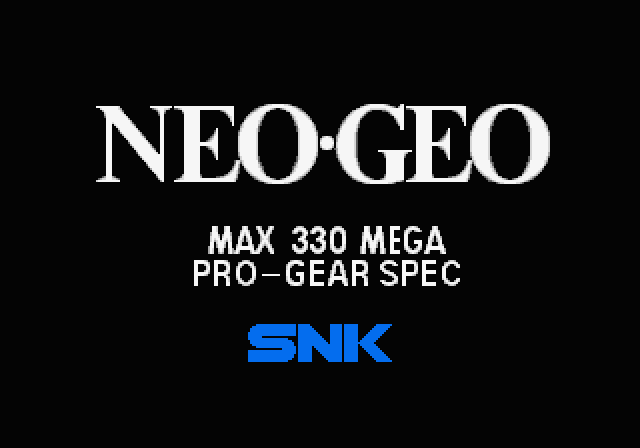
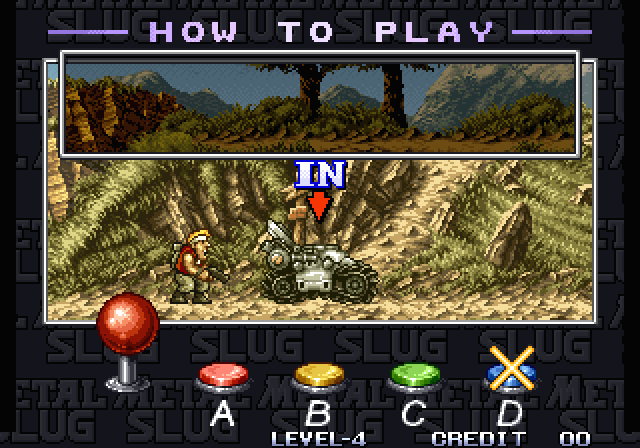
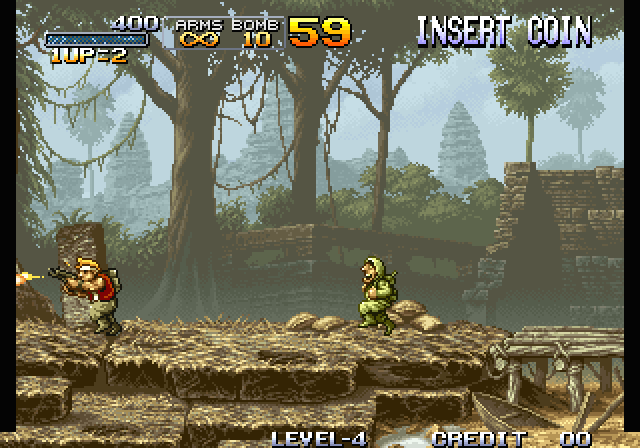
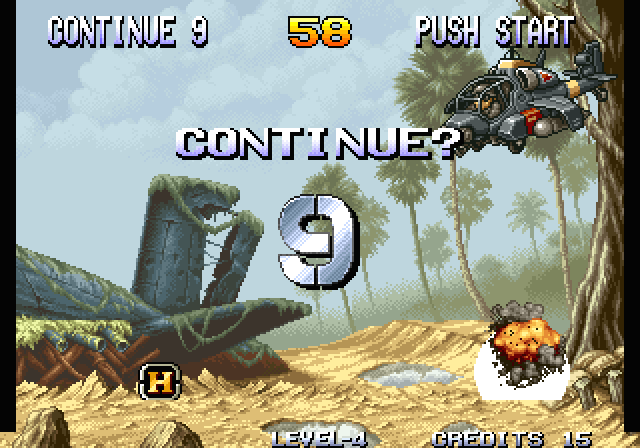
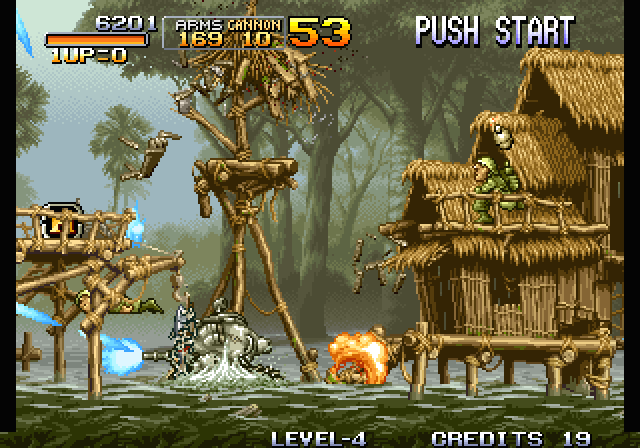
v0.1.0, alpha. Metal Slug boots, runs attract mode, takes a coin and plays Mission 1 on recompiled code. Sound plays through the YM2610 synthesis neogeorecomp gained in #3.
- Boot through the real MVS system ROM → eyecatcher → title → How to Play → Mission 1, with continues.
- A 5-minute scripted soak runs 100% natively (0 interpreted instructions) after the profile pass, and
--verifychecks 14.06M recompiled blocks against the Musashi interpreter with 0 mismatches. - Frame output is identical to the interpreter's, byte for byte, and identical between Windows and Linux builds.
- Not yet: later missions checked by script, and a settings menu.
Screenshots
All real output from the recompiled build (--headless --screenshot):
 |  |
 |  |
 |  |
Getting started
Installer (Windows, Linux, macOS)
- Download Metal-Slug-Installer for your system from the latest release or, between releases, from the newest run of the installer workflow (signed in to GitHub). On Linux, unpack the
.tar.gz; on macOS, unzip the app. - Open it, choose the folder holding your
mslug.zipandneogeo.zip(MAME sets), and press Build. It downloads this repo and runs the same setup as below, installing what's missing, with a progress bar; the full output is under Show details. - Press Play.
The installer holds no game data and builds from your ROMs on your machine (recomp-launcher). It isn't signed: on Windows, SmartScreen asks (More info, Run anyway); on a Mac, open it once, then Open Anyway in System Settings, Privacy & Security.
Quick start (Windows)
-
Download this repo: Code → Download ZIP, then unzip it. A
git cloneworks too. -
Put your
mslug.zipandneogeo.zip(MAME sets) in the unzipped folder, or inDownloads. -
Double-click
Setup.cmd.It checks for Git, CMake, the Visual Studio C++ build tools and SDL2, and asks before installing anything that's missing (it says what and how big). It finds and checksums your ROMs, recompiles and builds the game (a few minutes), and leaves a Metal Slug launcher in the folder. If something fails, it stops with one sentence on what to do and keeps the details in
setup.log. Running it again picks up where it stopped. -
Double-click Metal Slug.
On Linux or macOS, run ./setup.sh instead, optionally with --rom-zip PATH --bios-zip PATH. It does the same steps and offers to install anything missing with apt, or with Homebrew on a Mac (which also needs Xcode's command line tools: xcode-select --install). When it finishes, run ./metalslug.sh. macOS builds in CI, but no game has been played on a Mac yet; reports are welcome.
Keys: arrows move, Z shoot, X jump, C grenade, 5 insert coin, 1 start, Esc quit.
Gamepad: D-pad or stick move, A shoot, B jump, X grenade, Back coin, Start start. Two pads play as players 1 and 2; plug them in any time. The toolkit's docs/running.md has the full layout.
Step by step
These are the commands Setup.cmd runs.
Prerequisites: Git; CMake 3.21+; a C and C++ compiler (Visual Studio 2022 with Desktop development with C++ on Windows, or gcc and g++ on Linux); SDL2 for the window (optional, since headless builds need nothing). On Linux: sudo apt install git cmake gcc g++ libsdl2-dev. On macOS: xcode-select --install, then brew install cmake sdl2.
- Clone with the toolkit submodule:
git clone --recurse-submodules https://github.com/sp00nznet/metalslug cd metalslug - Unzip your ROMs into
roms/. Frommslug.zip:201-p1.p1 201-s1.s1 201-m1.m1 201-c1.c1 201-c2.c2 201-c3.c3 201-c4.c4 201-v1.v1 201-v2.v2. Fromneogeo.zip:sp-s2.sp1 sfix.sfix sm1.sm1 000-lo.lo. docs/game-notes.md lists the CRC32s. - Configure. On Windows, point CMake at SDL2: vcpkg's toolchain file, or
-DSDL2_DIR=<SDL2-devel-VC>/cmake.cmake -S . -B build -DMSLUG_ROM_DIR=roms - Build. The generator recompiles your ROMs into
build/generatedfirst:
Expected in the output:cmake --build build --config Release[m68krecomp] pointer scan: 10003 seeds [m68krecomp] mslug: 445072 instructions emitted across routines [m68krecomp] 15006 routines, 33423 dispatch entries -> .../build/generated - Profile (optional). This plays two scripted sessions headless to find code only reached at runtime, then rebuilds with it:
cmake --build build --config Release --target profile cmake --build build --config Release - Play:
build/Release/metalslug --rom-path roms (Linux: build/metalslug)
Trip-ups:
error: cannot open roms/201-p1.p1: the ROMs are not inroms/, or you are running from a different folder. Pass--rom-path.- "Submodules missing": you cloned without
--recurse-submodules. Rungit submodule update --init --recursive. pythonor PATH trouble: none of this needs Python. If a freshly installed tool isn't found, open a new terminal so it sees the updated PATH.- No window, and "built without SDL2; run with --headless": CMake didn't find SDL2 (see step 3).
Usage
metalslug --rom-path roms                                  # play
metalslug --headless --frames 1900 --input tests/coin_start.txt --record run.mp4
metalslug --headless --verify --frames 1801 --input tests/coin_start.txt
metalslug --headless --interp --frames 1801 --screenshot 1800:interp.png
metalslug --headless --frames 1900 --input tests/coin_start.txt --wav run.wav   # audio to a file
The toolkit's docs/running.md covers every option and the input-script format. tests/coin_start.txt reaches Mission 1, and tests/play_long.txt is the 5-minute soak.
Building from source
See Step by step above. MSLUG_ROM_DIR is the only game-specific option. Without it, the build is interpreter-only, which is useful for working on the toolkit without regenerating.
Documentation
- docs/game-notes.md: the ROM set and what the game needed from the toolkit
- neogeorecomp: the architecture and recompiler docs
- CHANGELOG.md · ROADMAP.md · CONTRIBUTING.md
Contributors
No outside contributions yet. CONTRIBUTING.md explains how to send one.
License
The code in this repo is MIT (LICENSE). Metal Slug is © SNK; this project contains none of its code or data and needs your own dump to do anything.