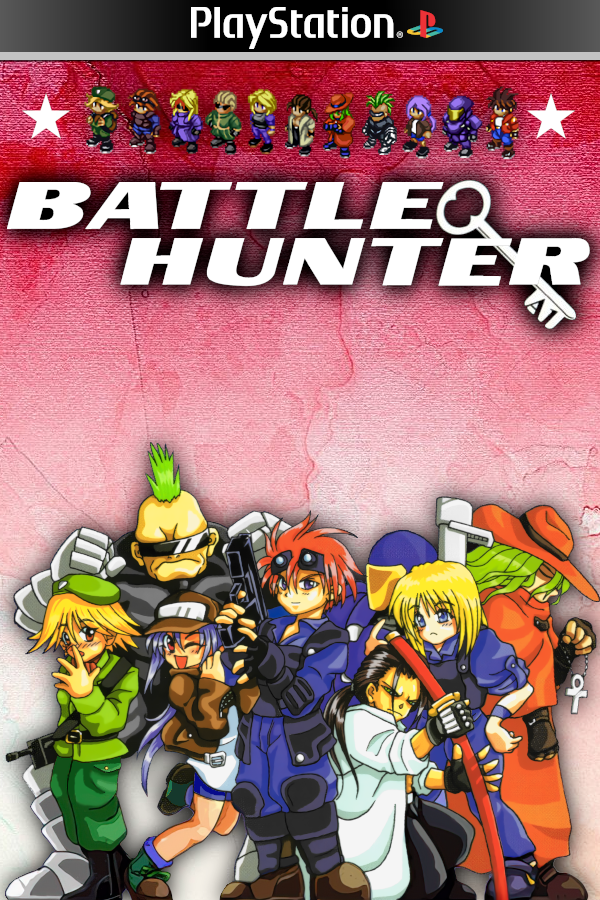
Battle Hunter · Static Recomp
Battle Hunter
OriginPlayStation
TechnologyStatic recompilation (native C/C++)
Available forLinux
View official projectAbout the project
Recompilación estática MIPS a C de Battle Hunter (PS1). El autor documenta pruebas de arranque, menús, combates y guardado; requiere compilación local, sin release binaria confirmada.
Official project information
Battle Hunter, Recompiled
Play Battle Hunter (PlayStation, USA version) on your PC — as a real native program, not an emulator.
The game's original PlayStation code was translated ahead of time into a normal PC executable for Linux and Windows. It boots fast, supports gamepads, upscales the picture, and plays the disc's music. Download a release, point the launcher at a copy of the game you own, and press play.
👉 Download the latest release here — no installer, no build, no setup.
| Game | Battle Hunter, PlayStation (USA, SLUS-01335), c. 2000 |
| Players | 2 (keyboard and/or gamepad) |
| Works on | Windows 10/11 (64-bit) · Linux (64-bit, modern distro) |
| You need | Your own disc dump (.cue/.bin) — see What you need |
Download & play
-
Go to the Releases page and open the latest one (currently v0.2.1).
-
Download one file, depending on your system:
Your system File to download Windows 10/11 bh-<version>-windows-x64.zipExtract anywhere, run BattleHunter_Recompiled.exe. One exe — no DLLs, no runtimes to install.Linux (easiest) BattleHunter-Recompiled-v<version>-x86_64.AppImageOne self-contained file. Make it executable and run it: Linux (plain zip) bh-<version>-linux-x64.zipExtract, run ./BattleHunter_Recompiled. Saves are kept next to the executable.chmod +x BattleHunter-Recompiled-v*-x86_64.AppImage ./BattleHunter-Recompiled-v*-x86_64.AppImage -
On first run, the launcher asks where your game is. Select your
BattleHunter.cue(or.bin) file. It checks that the dump is the supported USA version and remembers the path. -
Press PLAY. That's it.
Your dump is only read locally — nothing is uploaded, and your saves and settings survive future updates.
What you need
- Your own copy of Battle Hunter (USA). This project ships the program, not the game. The
disc's art, music, and levels stream from your dump at play time, so you need a
.cue/.binimage made from a disc you own. If your dump is a different region or revision, the launcher says so clearly instead of guessing. - A 64-bit PC. Windows 10/11, or a recent Linux distro (Ubuntu 24.04+, Debian 13+, Fedora 40+, Arch/CachyOS, Mint 22.x). Any GPU with OpenGL works — that means all of them.
- Got a
.ecmfile instead of.bin/.cue? One quick unsqueeze step first — details.
Is this an emulator?
No. Emulators interpret PlayStation code at runtime; here that code was translated once, ahead of time, into C and compiled to native x86-64. The game's own logic runs directly on your CPU, on a small runtime that re-implements the console's other chips (GPU, sound, CD drive). Even the BIOS is real: the free OpenBIOS is recompiled alongside the game.
Full write-up: docs/Battle-Hunter-Recomp-Explained.pdf (plain-English: how the disc was reconstructed, how the translation works, how it was tested).
Screenshots
<p align="center"> <img src="docs/img/shot-launcher.png" width="41%" alt="The launcher dashboard"> <img src="docs/img/shot-settings.png" width="41%" alt="Settings — Display"> </p> <p align="center"><sub>The launcher — first run asks for your dump, then PLAY · Settings → Display: window size, <b>aspect ratio (4:3 / 16:9)</b>, internal resolution (native…8K / match display), fullscreen</sub></p> <p align="center"> <img src="docs/img/shot-title.png" width="31%" alt="Title screen"> <img src="docs/img/shot-menu.png" width="31%" alt="Main menu"> <img src="docs/img/shot-story.png" width="31%" alt="Story scene"> </p> <p align="center"><sub>In game: title screen · main menu (OST playing) · story dialogue — captured from the recompiled game running natively on PC. *Battle Hunter* and its artwork remain the property of their original creators.</sub></p>Controls & settings
Keyboard defaults: arrows = D-pad · X = Cross · S = Circle · Z = Square · A = Triangle · Enter = Start · Right Shift = Select · Q/E/W/R = L1/L2/R1/R2.
USB/Bluetooth gamepads work out of the box. Everything is configurable in the launcher's Settings tab — per-player controls, window size, aspect ratio (4:3 / 16:9), resolution up to 8K, CRT filters, fullscreen modes, memory cards, volume, vsync, rewind. Changes apply on launch; once you're happy, "Skip launcher on boot" goes straight to the game.
Troubleshooting
- Where are my saves? AppImage:
~/.local/share/BattleHunterRecomp. The zips: next to the executable. Updates never touch them. - Windows says "protected your PC" — the build is unsigned for now; click More info → Run anyway (why, and what's planned).
0xc000007bon Windows launch — a straySDL*.dll/lib*.dllnext to the exe or onPATH. The exe itself needs none.- "known disc digests do not match" — your dump isn't the USA SLUS-01335 revision (data track must be 86,003,232 bytes).
- No audio — check your system sound setup; output goes through SDL3.
- Controller not listed — press a button on it first (USB dongles sleep).
- Black bars in 16:9 — expected: it's a 2D game, the picture pillarboxes instead of stretching.
FAQ
Why isn't the game included in the download? Legal and practical: the release contains the recompiled program (the game's logic, translated to C and compiled by CI) but never the disc's content. Your dump supplies art, music, and levels at runtime, stays on your machine, and is verified to be the supported revision. You must own the game.
Will it run on macOS? Not currently — Linux and Windows only.
Will other regions/languages work? Only the USA release (SLUS-01335) is verified and targeted.
How big is the download / do I need admin rights? No admin needed anywhere; it's a portable exe / single AppImage. The Windows zip is ~34 MB, the Linux zip ~55 MB, the AppImage ~38 MB.
<details> <summary><h2>Developers</h2></summary>
Build from a checkout
A checkout builds the game straight from the committed C in generated/ — no disc needed:
git clone --recurse-submodules <this-repo-url> BattleHunterRecomp
cd BattleHunterRecomp
cmake -S . -B build-release -G Ninja -DCMAKE_BUILD_TYPE=Release -DPSXRECOMP_REQUIRE_GAME_C=ON
cmake --build build-release --target psx-runtime -j"$(nproc)"
./build-release/BattleHunter_Recompiled            # or add --disc disc/BattleHunter.cue
Needs: git, Python ≥ 3.11, CMake ≥ 3.20, Ninja, a C/C++ compiler (CMake fetches SDL3 itself). For the Windows exe from Linux, a MinGW-w64 toolchain — see docs/WINDOWS.md.
Regenerating the committed C (needs your own disc)
Changing game.toml, the seeds/, or the framework pin requires re-translating from a real disc.
One command wraps unsqueeze → verify → generate → build → launch:
python3 tools/drop_and_play.py "~/Downloads/BATTLE HUNTER.iso.ecm" # .bin/.cue work too
| Phase | What happens |
|---|---|
| Prepare | Un-squeezes .ecm, fingerprints the disc, confirms it's the genuine USA release |
| Translate | MIPS machine code off your disc → C source (this is the recompilation; nothing is downloaded) |
| Compile | Normal PC compiler → BattleHunter_Recompiled |
| Finish | Writes a stamp so unchanged reruns skip straight to launch |
A fresh full run measured ~2 minutes on a fast desktop, ~10 on an older laptop. Nothing is uploaded.
Commit the regenerated generated/ with your change — releases build from it, and CI's
check_generated gate enforces it.
ECM is a squeeze format that strips a CD's recomputable error-correction bytes. The runtime reads
plain .cue/.bin, so unsqueeze first (the pipeline above does it for you). By hand:
curl -sfLO https://raw.githubusercontent.com/qeedquan/ecm/master/unecm.c
gcc -O2 -o unecm unecm.c && ./unecm "BATTLE HUNTER.iso.ecm" BattleHunter.bin
Then write disc/BattleHunter.cue with this track layout (reconstructed for this revision — one
data track, four audio):
FILE "BattleHunter.bin" BINARY
  TRACK 01 MODE2/2352
    INDEX 01 00:00:00
  TRACK 02 AUDIO
    INDEX 00 00:55:55
    INDEX 01 00:57:55
  TRACK 03 AUDIO
    INDEX 00 02:29:26
    INDEX 01 02:31:26
  TRACK 04 AUDIO
    INDEX 00 03:59:05
    INDEX 01 04:01:05
  TRACK 05 AUDIO
    INDEX 00 05:28:59
    INDEX 01 05:30:59
Native overlays
Some scenes stream extra code modules off the disc. Every release handles them automatically: a
built-in interpreter runs unknown fragments correctly, and the bundled overlay_toolchain/
autocompiles them into native plug-ins keyed to the exact bytes read from your disc (gcc on Linux,
bundled TinyCC + embedded Python on Windows — nothing to install). Developers can pre-compile a
cache of everything already played via PSX_OVERLAY_CACHE_ROOT in scripts/package_release.sh.
Releasing
CI (release workflow) builds both platforms from the committed C on
the same matrix every psxrecomp title uses (ubuntu-24.04 → linux-x64, windows-2022 + MSYS2
MinGW-w64 → windows-x64), runs the gates (check_boot_exe / check_generated /
check_bios_stamps), then packages via scripts/package_release.sh and scripts/package_appimage.sh.
The Windows job additionally asserts the zip carries the overlay fallback toolchain and that the exe
imports only Windows system DLLs (scripts/check_windows_pe.sh). Publish with a tag:
git tag v0.1.1 && git push origin v0.1.1.
Self-test (full pipeline + 25s headless boot):
python3 tools/drop_and_play.py "/path/to/BATTLE HUNTER.iso.ecm" --soak 25
Repository layout
game.toml            config the generator/runtime read (disc identity, seeds, quirks)
seeds/               function addresses used as translation discovery hints
codegen_setup.c/.h   title-side codegen hooks
CMakeLists.txt       thin build glue (adds the runtime target)
scripts/             packaging (release zips, AppImage), Windows cross-build + Proton test,
                     PE import gate, AppImage inputs
toolchain/           windows-x64.cmake — CMake cross toolchain (rootless or distro sysroot)
tools/               bh_pipeline.py (pipeline library), drop_and_play.py (terminal front-end),
                     sync_symbols.py, make_pipeline_diagram.py
psxrecomp/           submodule → the framework (pinned)
recomp-ui/           submodule → the launcher UI (pinned)
docs/                plain-English PDF report, WINDOWS.md, screenshots, pipeline diagram
generated/           the translated game C — COMMITTED (releases build from it)
disc/                (NOT committed — your dump goes here)
Credits & legal
- psxrecomp — mstan and the RetroPortingToolkit community (framework + runtime).
- recomp-ui — the launcher UI.
- OpenBIOS — the PCSX-Redux project (bundled by the framework; MIT).
- unecm — Neill Corlett (ECM disc format, GPL).
- Battle Hunter is the property of its original developers and publisher. This project ships the translated program but no game content: art, music and data stream from a disc you must own, at runtime. It is a personal-use translation of a personally-owned copy. No affiliation with or endorsement by the rights holders.