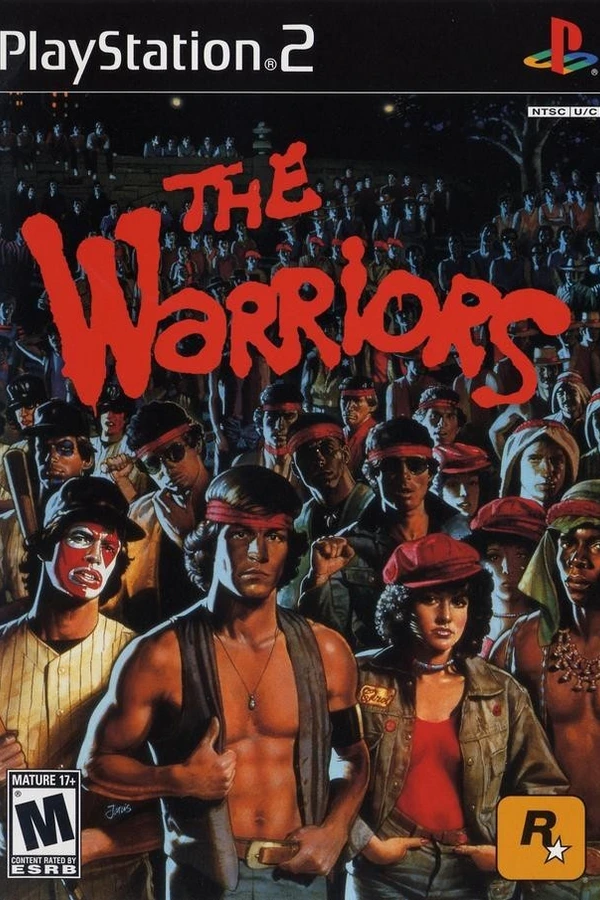
The Warriors · Android
The Warriors
About the project
Port no oficial de The Warriors (Xbox) para Android mediante recompilación estática ARM64 y renderizado Vulkan.
Official project information
The Warriors for Android
An unofficial Android (arm64) port of the original Xbox version of The Warriors, made with the
XboxXBE-Recomp SDK. The game's x86 code in default.xbe is statically
recompiled to C++ on a PC, then built for Android together with the SDK's portable runtime and this repo's host code.
Drawing goes through Vulkan, and windowing, input and audio through SDL3. No emulator is involved.
[!NOTE] This project does not include any game assets. You must provide the files from your own legally acquired copy of the game to install or build.
Status
Work in progress. Brought up from the Linux port (WARRIORS-XBERecomp), with the Android host of DW5-Android.
Installation
Android 10 (API 29) or newer, arm64, with a Vulkan 1.1 driver.
- Install the APK.
- Open The Warriors Android and allow all files access when it asks (on Android 10, the storage permission).
- Copy the game into
/storage/emulated/0/Warriors, or into aWarriorsfolder at the top of your SD card: the USA release (title id0x5454009B), either as a disc image (.iso) or asdefault.xbewith its data files beside it. The app creates the folder once access is allowed, and starts the game as soon as it finds the files. A copy in the app's ownAndroid/data/com.datfooldive.warriors/files/assetsworks too.
The saves (hdd) live in the game's folder, beside its files, so uninstalling the app does not take the progress
with it. settings.toml stays in the app's own files folder. There is no log file on the device: the release writes
its Report and Error lines to stderr, which adb logcat carries.
Controls
The controls sit where the original pad has them:
| in the game | ||
|---|---|---|
| left stick | as the pad's | move |
| finger on the right | the right stick: centred where the finger went down and held while it stays, a fixed stick, or a swipe, as the panel's Right stick sets | camera |
| X Y B A | in the pad's diamond (X left, Y up, B right, A down) | light attack, action (talk, climb, jump, pick up), grab / throw, heavy attack |
| LOOK / GUARD | the pad's White and Black, drawn in their colours above the diamond | White: the first person look; Black: guard |
| L3 / R3 | the stick clicks, under the stick and the diamond | L3: the command menu |
| D-pad | four buttons apart so a thumb on one does not touch the next | right: take Flash |
| START / BACK | as on the pad | |
| LT / RT | the triggers | LT: sprint, let a grabbed enemy go; RT: target; both: Rage |
| gear | the settings panel, top middle |
The title is the PS2 game under an Xbox pad: it turns the Xbox buttons into the PS2 pad's (0x6FEB1 in the xbe, A Cross, B Circle, X Square, Y Triangle, Black R1, White L3, LT L2, RT L1, L3 R2, R3 R3, BACK Select), and its help text names the PS2 buttons.
The controls are drawn the way the pad's are: the face buttons in its colours — A green, B red, X blue, Y yellow, their letters in white — White as a white pill and Black as a black one, the rim gold while held, and dark pills for the pad's other buttons. The right stick's ring is drawn where the finger went down, while it stays.
A controller works as on the Xbox, with its rumble; while one is plugged in the on-screen controls are hidden, the
gear staying for the panel. A controller some phones' game services hand over as a virtual device, which SDL sees no
controller in, is read by the activity and plays port 1 all the same (native/loose.cpp). A keyboard works as port 1's
pad (keys in src/common/keyboard.cpp).
Settings
The gear opens the settings panel, the activity's own (SettingsDialog.java), over the game, which keeps running
behind it. Its sections are tabs: Graphics, Performance, Display and Controls. A value is applied as it changes and
written to settings.toml (native/settings_bridge.cpp).
| row | default | |
|---|---|---|
| Render resolution | 20 to 200% of the output height in steps of 5, with the pixels it makes | 67% |
| Anti-aliasing | OFF, SMAA over the finished frame, or MSAA 2X / 4X on the scene | OFF |
| Anisotropic filtering | the game's own, or 2X to 16X over it | GAME DEFAULT |
| Vertical sync | FIFO, or immediate / mailbox tearing without it | ON |
| Frame skip | AUTO: a frame left undrawn while the drawing is behind, the game still at its speed | OFF |
| Aspect ratio | the TV's shape, 16:9, the whole screen stretched, or the whole screen covered with the overflow cut | ORIGINAL |
| FPS counter | the frame rate in the top left corner, amber under the cap | ON |
| HDR | HDR10 when the display offers it; greyed when it does not | OFF |
| Button size | 50 to 150%, the layout's positions kept | 100% |
| Button opacity | the on-screen controls, faint enough to see the game through | 100% |
| Right stick | FLOATING: centred where the finger goes down on the right; FIXED: a stick of its own, placed with Move controls; SWIPE: a drag turns the view and eases out | FLOATING |
| Camera sensitivity | the on-screen right stick: the higher, the shorter the drag to a full turn, 50 to 300% | 300% |
| Move controls | drag each control where the thumb wants it; Done and Reset in a bar at the bottom | pad's layout |
Building
Everything runs on Linux. Requirements: clang, cmake, ninja, git, the Android SDK with NDK 30.0.16138531 and CMake
3.22.1, and Java 17 or newer. build.sh writes local.properties from ANDROID_HOME (default ~/Android/Sdk).
- Put the game in
assets/:default.xbe, or the USA disc image (.iso). Hereassetsandgeneratedare symlinks into the Linux port, whose build already recompiled the xbe. - Run
./build.sh. Withoutgenerated/gameit builds the recompiler and recompilesdefault.xbefirst, then buildsapp/build/outputs/apk/release/app-release.apkwith Gradle. - Install:
adb install -r app/build/outputs/apk/release/app-release.apk.
The first native build compiles 128 partitions of recompiled code for arm64: minutes on a many-core PC, much longer on a small one.
Layout
| path | |
|---|---|
native/ | the Android host: main.cpp (SDL window, event loop, lifecycle), vulkan.cpp (the Vulkan backend), vk_shader.cpp (HLSL to SPIR-V with glslang), touch.cpp (the on-screen controls and their layout editor), settings_bridge.cpp (the settings panel's values over JNI), loose.cpp (a controller the phone hands over as a virtual device), game_files.cpp, system_info.cpp |
src/ | the game's host code, shared with the Linux port: hooks (the APU sample counter, HRTF table and the DirectSound settings the host does not play), the D3D recording on the game thread and its replay on a render thread of its own, SMAA, audio, keyboard, options |
sdk/ | XboxXBE-Recomp with this port's runtime fixes |
config/game.toml | recompiler input: sections, entry point, XDK symbol map |
app/ | the Gradle module: WarriorsActivity, SettingsDialog, LayoutEditor, the storage permission prompts, the icon |
tools/host/ | the recompiler as a PC tool, built by build.sh |
Credits
- TGP482 for XboxXBE-Recomp, the recompiler and runtime SDK this port is built on.
- The Vulkan renderer came from the BLACK forks, datfooldive/BLACK-XBERecomp-Linux and datfooldive/Black-Android.
- SDL, glslang, toml++, Dear ImGui and VulkanMemoryAllocator.
The Warriors is © 2005 Rockstar Games. This project is not affiliated with or endorsed by Rockstar Games or Take-Two Interactive.