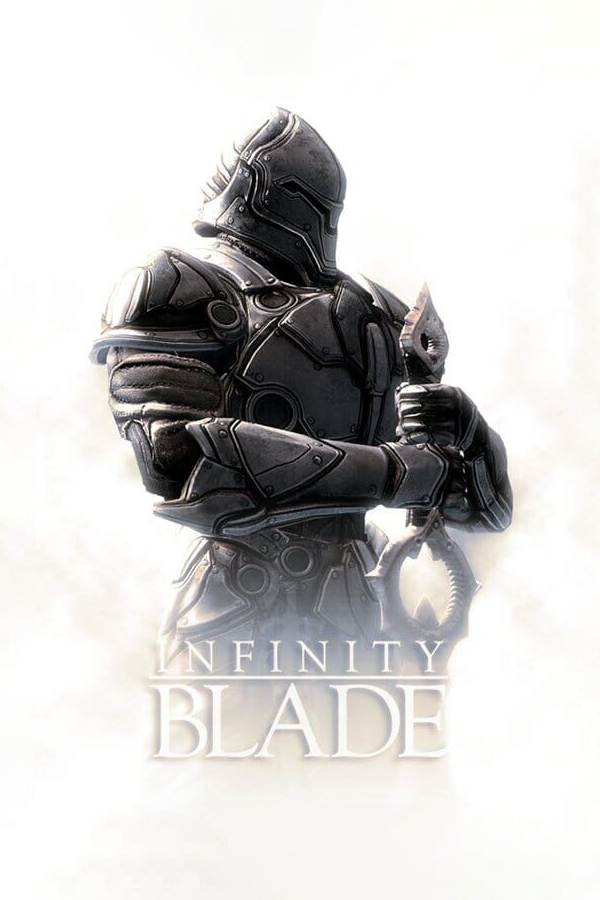
Infinite Blade II (Android)
Infinite Blade II
About the project
Infinite Blade II es un videojuego de acci�n y aventura publicado por Infinite Blade, lanzado en 2019.
Official project information
ib-2-3-android
An experimental iOS emulator for Android: a compatibility layer that runs ARM64 iOS apps built on Unreal Engine 3. It is a hobby and research project.
Download
| App | GitHub |
|---|---|
| IB2 | IB2 release |
| IB3 | IB3 release |
The same apps are also on archive.org, with the game's own icon. It is the same app (Android 10+, ARM64); install the .apk on your phone and open it. You also need your own .ipa of the game. Installing a new version over an old one keeps your game and saves.
This repository contains no game files. It is only the source code of the emulator: a Mach-O loader, and implementations of the parts of iOS the apps call (C library, Objective-C runtime, Foundation, UIKit) on top of Android's OpenGL ES, AAudio and MediaCodec. To run a game you need your own copy of the app as an .ipa file; nothing here provides one.
How it works
Phones and iPhones both use ARM64, so on Android the app's code runs directly on the CPU (on Windows it is translated by a JIT). Everything the app expects from iOS is emulated by this project:
- Loader and libraries: a Mach-O loader, plus the C library, pthreads, the Objective-C runtime, Foundation and UIKit.
- Graphics: OpenGL ES calls go to the device's driver.
- Audio and video: AAudio and MediaCodec.
- Input: touch, keyboard and game controllers.
- Updates: the launcher reads its archive.org page's public file list to offer new versions (Settings can turn it off).
- ClashMobs (IB2 and IB3): the online events run on the IB community's ClashMob server (ibclashmobs.dev).
server/clashmobholds the earlier server (a Cloudflare Worker); see its README.
Versions
<details> <summary><b>Click for IB2</b></summary>Download: IB2 APK
1.9.7 (2026-10-19)
- Updates from the app: when you open the app, it looks for a newer version on its archive.org page. If there is one, the menu shows Update to 1.9.x with what is new; tapping it downloads the update (checked before installing) and Android asks you to confirm. Saves and settings stay. The first time, Android asks you to allow this app to install apps. Settings, Game, Check for updates turns it off. Only the page's public file list is read; nothing about you is sent.
- Edit save: new Bosses section with Story boss level (0 to 999,999; 0 = the game's own). Story bosses get a fixed level from the game that only goes up with New Game+; this sets the level they fight at instead, in all your saves. It replaces 1.9.6's automatic link to an edited bloodline.
- IB2X works like the regular IB2: it fills the screen on long phones (it was zoomed in, with the top and bottom of the HUD cut off), and every IB2 fix and setting now applies to it.
- The damage, healing and shield numbers in fights and the gold shown after a fight now grow with the screen like the rest of the HUD (they were tiny at 1440p).
1.9.6 (2026-10-17)
- Edit save: story bosses (the Archivist and the others) now follow an edited bloodline too. The game gives them a fixed level that only goes up with New Game+, whatever the bloodline, so they stayed far below the regular enemies; on an edited save they are now at least as strong as the regular bosses.
- Edit save: the boss levels keep following an edited bloodline after a rebirth (before, the fix stopped at the next bloodline).
1.9.5 (2026-10-16)
- Runs on Android 10 too (was Android 11 and newer).
- Edit save: bosses now follow an edited bloodline too (before, only regular enemies did and bosses kept the level of the old bloodline). Bloodline can be set up to 250 (was 99).
1.9.4 (2026-10-12)
- Look sensitivity (new Touch section in Settings, 10% to 300%): how far the view turns when you drag to look around. Lower it if the camera turns too fast. (Cursor speed and Camera speed under Controller only change a game controller.)
1.9.2 (2026-10-10)
- Settings, Display now has Resolution for IB2 too: 720p, 1080p (the game's own) or 1440p. Lower is smoother on weaker phones; 1440p is sharper.
- Fixed the game running at about 1 FPS on some Samsung phones with Exynos chips (seen on a Galaxy S21, Exynos 2100). The phone's firmware reports the wrong speed for the CPU clock the game times its frames with, so the game thought frames were far shorter than they were and waited about a second on every one. The port now measures the clock's real speed at startup.
1.9 (2026-10-08)
- ClashMobs are back, online. The game's ClashMob tab shows the community's live events again, from the IB community's ClashMob server (ibclashmobs.dev, run by omgxhat), and you can join and play them: your fights count toward each event's goal and prizes. Event names and text come from the server, and the tab no longer stops at a Facebook login. Works with the stock 1.3.5
.ipaand with the Community Patch v2.5. - The app now uses the internet, for ClashMobs only. The server knows only a random player id the game is given, never your saves.
1.8.2 (2026-10-05)
- Settings, Graphics now has Shadows and Light shafts switches that stay as you set them every time you play. Turning them off can make the game run smoother. The game's own Shadows and Light shafts rows (Developer mode, Options, DEVELOPER) used to start as "off" whatever the game was doing, and a tap only flipped the effect for that session; they now show the real state and a change there is kept too.
1.7 (2026-10-02)
- New layout, easier to find things: the home screen has Cheats, Saves, Settings and Help. Cheats holds Developer mode and every cheat, grouped (Developer mode, Items, Gems, While playing), with a search box; each line says when it takes effect (ALWAYS ON, NEXT PLAY or IN GAME) and where to see it in the game. Saves holds Edit save (gold, level, XP, stats), Back up and Restore. Help has Report a problem (was Share logs), the home screen icon, and a "Where do I find…" list. Settings keeps only language, graphics, sound and controls.
- Developer mode moved to the Cheats page (its first switch; Settings has a row that takes you there): it now puts a CHEATS section at the TOP of the game's Options (gear, Options) with god mode, unlimited super and magic, always fast forward and boss attacks (the same switches as the app's Cheats page, kept in step both ways), kill boss, give gold, get every item and gem shop refills, all working at once without restarting; the rest of the game's developer options are below it under DEVELOPER.
- God mode, unlimited super and magic and always fast forward can now simply be switched on in the app and stay on every time you play.
- Gem shop, simpler (Cheats, Gems), with the same two switches in the game's Options (Developer mode): All gems makes the gem shop sell every gem in the game, each at its highest level, so any gem can be bought again at full power; Restock after buying keeps a gem you buy in the store, ready to buy again at once (the store used to drop its row as soon as you bought it).
- Touch: a finger lifted while another lands no longer makes the game mix up the two (Android reused the lifted finger's ID at once), which could make taps and swipes not register while tapping fast.
- The community Dev Mod .ipa's "Cheat - Give All Items" row now works (the game loads its item lists only while an inventory menu needs them; they are now loaded while Options is open).
1.6.1 (2026-10-02)
- Edit save, Give every item now works in IB2 too: it adds every weapon, shield, armor, helmet and magic ring you don't have yet. The game's own cheat for it gave nothing, because the game loads its item lists only while a menu needs them; they are now loaded for it.
- Edit save no longer lowers XP to 24,999 when you save changes with a save that has more (for example at level 50).
- Saving changes on the Edit save page while the game is still running closes the app, so the game loads them the next time you press Play (it reads the save only when it starts).
1.6 (2026-10-01)
- Developer mode: Settings, Game, Developer mode (off by default) adds the game's own hidden developer options to the Options menu inside the game (gear icon, Options, at the bottom): god mode, unlimited super and magic, always fast forward, boss attacks on/off, kill boss, give gold, reload last checkpoint, start next bloodline, rebalance stats, rename character, show FPS, gesture test, demo HUD, shadows, light shafts, tutorial, and dump / load an unencrypted save. They are the game's leftover functions from development; no modified .ipa is needed.
1.5.2 (2026-10-01)
- Places load much faster after your first visit: the textures the app converts for Android GPUs (since 1.3.5) are now kept, so a level that loaded before is not converted again. Measured on an AYN Odin 2 the texture work at startup went from 4.4 s to 0.15 s; slower phones save more. Settings, Texture cache turns it off and deletes it (it takes a few hundred MB of storage, in the app's own storage, not in save backups).
1.5 (2026-10-01)
- Language setting: Settings, Language picks the game's language from the ones in your
.ipa(13 in the usual copy). The default is your phone's language when the.ipahas it, otherwise English. Some text inside the levels exists only in English. - Home screen icon: this app's own icon is a plain placeholder, and an app cannot change its icon, so the launcher can add a home screen shortcut with the icon from your own
.ipa(offered after installing, and the Home screen icon button). Installs from this version keep the.ipa's 512 px icon for it; older installs use its 152 px one. The launcher's menu shows the same icon. - A damaged
.ipa(for example "invalid block type" while installing) is now reported as damaged, with a hint to download it again.
1.4 beta 2 (2026-09-30)
- Fixed a black screen after the final scene with game copies that include the Logo movie. When a movie's sound ended a few frames before its picture, the movie never finished and the game waited for it forever. Movies now keep time by the clock once their sound has ended. The same bug could also leave the game on the startup logo on some phones.
1.4 beta (2026-09-30)
- Beta: back up your saves (launcher, Back up saves) before trying it.
- New launcher look, and a Settings page (writes settings.ini): frame rate limit 30 / 60 / 120 (120 is experimental), an FPS counter drawn in the corner, sharper shadows, music and effects volume, controller on/off and speeds.
- Edit save page: change gold, level, XP, stat points, the four stats and bloodline before pressing Play. The game puts the numbers into the save as it loads it and saves them itself; the page shows the current values and keeps every number within what the game can take (level up to 50, XP within the level). A higher level also gives the 2 stat points per level a level-up gives. The game's checks that undo edited numbers are skipped for saves that were edited.
- Settings: Screen can be full screen or 16:9 with black bars (for players who find the full-screen HUD stretched).
1.3.5 (2026-09-30)
- Textures use about a quarter of the memory. Android GPUs can't read the game's PVRTC textures, and unpacked to full size they took 700-900 MB, with GPU memory peaks of 1.2 GB, enough for Android to close the game for low memory on 6-8 GB phones. They are now re-encoded as ETC2, which Android GPUs read directly: about 220 MB of textures, GPU memory peak about 330 MB.
- The log has a
perf:line every 10 seconds (frames per second, worst frame, CPU use, RAM and GPU memory) so a bug report shows how the game ran. - Share logs leaves out the game's file-open lines ("OutPath"), which filled most of the log.
1.3.2 (2026-09-30)
- Full screen on phones longer than 16:9 (for example Galaxy S25/S26 and Pixel phones). The app serves the game patched copies of its HUD layout script and menu backdrops, so the HUD fills the screen, touch zones line up, and the menu backdrops cover the wider view. If the patch does not apply, it falls back to 16:9 with black bars.
- Share logs includes how the app last closed (Android exit reasons and crash text); Java crashes are logged.
- A watchdog writes where every game thread is to the log when the app stops drawing while on screen.
1.3.0 (2026-09-29)
- Game controller support (built-in handheld controls and Bluetooth/USB pads).
- Fixed the black screen after the final scene of the game: the game asked for a missing image by nil name, which now returns no image, as on iOS.
- Store-only memory barriers are made full ones, fixing a render-thread crash on some newer phones (seen on a Galaxy S25 FE).
1.2.4 (2026-09-29)
- App menu with Play, Back up saves, Restore saves and Share logs (for bug reports).
- The game gets a fresh window surface after the boot screen, fixing wrong textures on some Mali GPUs.
1.2.3 (2026-09-29)
- The window surface is released between frames, fixing corrupted pictures after switching apps on Mali GPUs.
- The game's Game Center, account, iAd and iCloud requests now always get an offline answer.
1.2.2 (2026-09-29)
- Menus and fight buttons were zoomed in and cut off on phones longer than 16:9. The app now keeps a 16:9 screen there, with black bars at the sides (replaced in 1.3.2).
1.2.1 (2026-09-29)
- First IB2 build, with sharp character shadows on GPUs other than Apple's.
Download: IB3 APK
1.9.7.1 (2026-10-19)
- Saves made with Community Patch 3.0 now open with any other .ipa, such as Community Patch 3.0.1. 3.0.1 went back to the game's own save code, so 3.0 saves no longer opened (on iPhones too) and the game started over. 3.0 stored saves with the game's fixed key instead of each save's own key; the app now tries that key when a save does not open with its own, the same test 3.0 used. The game saves it in its normal format from then on.
1.9.7 (2026-10-19)
- Updates from the app: when you open the app, it looks for a newer version on its archive.org page. If there is one, the menu shows Update to 1.9.x with what is new; tapping it downloads the update (checked before installing) and Android asks you to confirm. Saves and settings stay. The first time, Android asks you to allow this app to install apps. Settings, Game, Check for updates turns it off. Only the page's public file list is read; nothing about you is sent.
- Edit save: new Bosses section with Story boss level (0 to 999,999; 0 = the game's own). Story bosses get a fixed level from the game that only goes up with New Game+; this sets the level they fight at instead, in all your saves. The awakening never changes them.
- Settings, Display: Screen is now in IB3 too: Full screen (as before) or 16:9, the original shape with black bars at the sides.
1.9.5 (2026-10-16)
- Runs on Android 10 too (was Android 11 and newer).
- Edit save: bosses now follow an edited awakening too (before, only regular enemies did and bosses kept the level of the old awakening). Awakening can be set up to 250 (was 100).
1.9.4 (2026-10-12)
- Subtitle size (Settings, Display: 100% to 200%): the subtitles in cutscenes and fights can be made bigger. Long lines wrap onto two lines.
- Look sensitivity (new Touch section in Settings, 10% to 300%): how far the view turns when you drag to look around. Lower it if the camera turns too fast. (Cursor speed and Camera speed under Controller only change a game controller.)
- Fights: an upward swipe that starts low on the screen no longer presses the centre dodge button. That button was much taller than the side ones on wide screens, so the swipe dodged and broke the combo.
- Fights: straight swipes no longer come out as diagonal slashes. The game picked the direction from the first few points of a fast swipe; it now waits until the swipe is a little longer.
- Game controllers: a right-stick flick close to straight up, down, left or right makes a straight slash, so combos work with a pad.
1.9.3 (2026-10-10)
- Community Patch v3.0 works. It closed right at the start: the patch adds its own code in a part of the game file the port did not allow to run (iOS does). Saves, ClashMobs and fights work with it.
- The Frame rate limit setting now also holds with Community Patch v3.0, which raises the game's limit to 240: at 60 the game runs at 60 again.
1.9.2 (2026-10-10)
- Fixed the game running at about 1 FPS on some Samsung phones with Exynos chips (seen on a Galaxy S21, Exynos 2100). The phone's firmware reports the wrong speed for the CPU clock the game times its frames with, so the game thought frames were far shorter than they were and waited about a second on every one. The port now measures the clock's real speed at startup.
1.9.1 (2026-10-09)
- The Hideout chest works. The IB community's ClashMob server (ibclashmobs.dev, run by omgxhat) can fill the chest in the Hideout (in the hut on the left) with gold, an item or another prize, and each player can open each new chest once. A new chest arrives the next time you start the game. The game gets these from the server as small settings files, as it did on iPhone; without a connection nothing changes.
1.9 (2026-10-08)
- ClashMobs moved to the IB community's ClashMob server (ibclashmobs.dev, run by omgxhat), the same one iPhone players with the ClashMob Revival patch use, with new events run by the community. Names and progress from the old server don't carry over: set your name again on the ClashMobs page.
- Characters with rim lighting now draw right on phones with strict graphics drivers (some showed them with neon outlines or the wrong shading).
1.8.2 (2026-10-05)
- Depth of field and bloom blur fixed: the background in cutscenes and menus was streaky and grainy instead of smoothly out of focus, and glows had a hard dark edge. The game packs its blur offsets differently from what its larger blur shaders read, so half of every blur's samples went the wrong way; this showed on every phone since 1.7, which made the blur wide enough for today's screens. Found and fixed by rafidwayne.
1.8.1 (2026-10-03)
- The ClashMob Prize Wheel can no longer be bought in Supplies: as in the original game, you only win it in ClashMobs. Supplies shows it to use, with MAX where a price would be, and merchants and fight drops treat it as hidden again. Winning it as a ClashMob prize works as before.
- ClashMobs now show on the world map at their own ClashMob markers, three at each arena, instead of story markers, so a story mission no longer hides them (for example the Dark Knight ClashMob during Act 5). This comes from the ClashMob server, so 1.8 gets it too.
1.8 (2026-10-02)
- ClashMobs are back, online. The game's community events run again, on a new community server, played by everyone together. Find them on the world map: Trials (solo: your best fight earns bronze, silver and gold prizes), ClashMobs (co-op, in stages: everyone's fights add up toward one goal per stage; when the mob reaches it, everyone who played gets the stage prize and the next stage opens) and Aegis Tournaments (timed stages where the top players go on to the next; the final pays an exclusive item).
- New ClashMobs page on the home screen: your name on the ClashMob leaderboards (3 to 16 letters, numbers and spaces; no two players alike), online ClashMobs on or off, and the events running now with time left, the mob's progress and the prizes. It links to the ClashMobs web page with the leaderboards.
- Your game never gets an online account and your saves never leave your phone: the server only knows a random player id and the name you choose. Without a connection, or with online ClashMobs off, the game plays offline ClashMobs on your own.
- The app now asks Android for internet access, for the ClashMob server only: nothing else in the game goes online.
1.7 (2026-10-02)
- New layout, easier to find things: the home screen has Cheats, Saves, Settings and Help. Cheats holds Developer mode and every cheat, grouped (Developer mode, Items, Gems, While playing), with a search box; each line says when it takes effect (ALWAYS ON, NEXT PLAY or IN GAME) and where to see it in the game. Saves holds Edit save (gold, level, XP, stats), Back up and Restore. Help has Report a problem (was Share logs), the home screen icon, and a "Where do I find…" list. Settings keeps only language, graphics, sound and controls.
- Developer mode moved to the Cheats page (its first switch; Settings has a row that takes you there): it now puts a CHEATS section at the TOP of the game's Options (gear, Options) with god mode, unlimited super and magic, always fast forward and boss attacks (the same switches as the app's Cheats page, kept in step both ways), kill boss, give gold, get every item and gem shop refills, all working at once without restarting; the rest of the game's developer options are below it under DEVELOPER.
- God mode, unlimited super and magic and always fast forward can now simply be switched on in the app and stay on every time you play.
- Gem shop, simpler (Cheats, Gems), with the same two switches in the game's Options (Developer mode): All gems makes the gem shop sell every gem in the game, each at its highest level, so any gem can be bought again at full power; Restock after buying keeps a gem you buy in the store, ready to buy again at once (the store used to drop its row as soon as you bought it). They replace the earlier gem shop choice and Strongest gems.
- Touch: a finger lifted while another lands no longer makes the game mix up the two (Android reused the lifted finger's ID at once), which could make taps and swipes not register while tapping fast.
- Fixed a jagged dark outline around characters in cutscenes with depth of field at 1440p, and at 1080p on phones longer than 16:9. The game widens its background blur with the picture's width but keeps only 4 blur samples (enough for the 2048-pixel iPad); on wider pictures the blur lost its samples on one side. It now keeps up to 16, the engine's own default.
- The community Dev Mod .ipa works: the world was black, because its graphics settings turn on half-float render targets in a form Apple's driver accepted and Android's GPUs reject; they are now made in the form Android supports. Its developer menu now shows in Options: the .ipa itself carries the menu's code but still points the Options list at the Community Patch's version, so the rows never appeared on any device; the app serves the game a repaired copy of that file (your files are not changed, and normal .ipa files are not affected).
1.6.1 (2026-10-02)
- Fast prize wheel: Settings, Game, Fast prize wheel (off by default). After you spin a prize wheel (Supplies), it lands and gives your prize in about half a second instead of playing the whole animation. The prize is the same: the game picks it before the spin.
- Edit save, Gems: Add random gems adds new gems like the ones fights give, up to the free space in your gem bag. Gem shop fills the gem shop (Items, Gems, Store) with one of every kind of gem, or only the kind you pick from the game's own list (indoor and outdoor gems are labelled), to buy with gold; Strongest gems in the shop makes them the most powerful versions. These use the game's own developer cheats.
- Edit save no longer lowers XP to 24,999 when you save changes with a save that has more (for example at level 50).
- Saving changes on the Edit save page while the game is still running closes the app, so the game loads them the next time you press Play (it reads the save only when it starts).
1.6 (2026-10-01)
- Developer mode: Settings, Game, Developer mode (off by default) adds the game's own hidden developer options to the Options menu inside the game (gear icon, Options, at the bottom): god mode, unlimited super and magic, always fast forward, boss attacks on/off, kill boss, give gold, reload last checkpoint, start next bloodline, rebalance stats, rename character, show FPS, gesture test, demo HUD, shadows, light shafts, tutorial, and dump an unencrypted save, plus go to the Hideout and set the boss's next weapon. They are the game's leftover functions from development; no modified .ipa is needed.
- Fixed items being invisible in the inventory with Anti-aliasing set to MSAA 4x: the game drew the item models into a framebuffer Android GPUs reject (multisampled colour with a single-sampled depth texture); it now gets a matching multisampled depth buffer.
- The Origins recap at the start of a new game (about 2.5 minutes) can be skipped with a tap, like the game's other skippable movies.
1.5.2 (2026-10-01)
- Places load much faster after your first visit: the textures the app converts for Android GPUs (since 1.3.5) are now kept, so a level that loaded before is not converted again. Measured on an AYN Odin 2 loading into the Hideout: about 12 s before, about 5 s with the cache filled; slower phones save more. Settings, Texture cache turns it off and deletes it (it takes a few hundred MB of storage, in the app's own storage, not in save backups).
1.5.1 (2026-10-01)
- Fixed the world not being drawn on phones with a PowerVR GPU (Pixel 10 series): only the HUD and movies showed. The game draws its 3D world into BGRA textures, which these GPUs can read but not draw into. On GPUs like that they are now made RGBA; other phones are unchanged. On PowerVR the log also records graphics diagnostics for the first seconds.
- End credits: hold a finger on the screen to scroll them 8 times faster. The end credits cannot be skipped and take a few minutes; they still end the same way, just sooner.
1.5 (2026-10-01)
- Language setting: Settings, Language picks the game's language from the ones in your
.ipa(16 in the usual copy). The default is your phone's language when the.ipahas it, otherwise English. Some text inside the levels exists only in English. - Home screen icon: this app's own icon is a plain placeholder, and an app cannot change its icon, so the launcher can add a home screen shortcut with the icon from your own
.ipa(offered after installing, and the Home screen icon button). Installs from this version keep the.ipa's 512 px icon for it; older installs use its 152 px one. The launcher's menu shows the same icon. - A damaged
.ipa(for example "invalid block type" while installing) is now reported as damaged, with a hint to download it again. - Fixed a black screen with the music repeating after the final fight (the end movie never finished). The movie's sound is a few milliseconds shorter than its picture once Android decodes it, and movies kept time by their sound, so the last frame was never due. Movies now keep time by the clock once their sound has ended (the IB2 1.4 beta 2 fix). The opening movie had the same risk.
1.4 beta (2026-09-30)
- Beta: back up your saves (launcher, Back up saves) before trying it.
- New launcher look, and a Settings page (writes settings.ini): frame rate limit 30 / 60 / 120 (120 is experimental), an FPS counter drawn in the corner, sharper shadows, music and effects volume, controller on/off and speeds.
- Edit save page: change gold, level, XP, stat points, the four stats and awakening before pressing Play. The game puts the numbers into the save as it loads it and saves them itself; the page shows the current values and keeps every number within what the game can take (level up to 50, XP within the level). A higher level also gives the 2 stat points per level a level-up gives. The game's checks that undo edited numbers are skipped for saves that were edited.
- Edit save also sets chips and gem bag upgrades (up to 3), and can give every item or all perks (the developers' all-perks cheat also makes the character level 50 with every stat at 100).
- Settings: resolution 720p / 1080p / 1440p, anti-aliasing, shadows, light shafts, bloom, depth of field and texture filtering. The 30 and 120 limits now hold (the game raised its own limit to 62 after reading its settings).
1.3.4 (2026-09-30)
- Fixed the game being closed by Android for low memory, seen right after the tutorial on a Galaxy S21 FE. Android GPUs can't read the game's PVRTC textures, and unpacked to full size they took over 1.2 GB at the beach (about 2 GB at the peak, while the tutorial hands over to the beach). They are now re-encoded as ETC2, which Android GPUs read directly: about 235 MB of textures at the beach, GPU memory peak about 390 MB.
- The
perf:log line also shows memory: RAM, GPU memory (textures and peak) and the texture re-encoding totals.
1.3.3 (2026-09-30)
- Aimed at frame-rate drops below 60 on some Adreno phones (a Red Magic 11 Pro dropped to about 54 in outdoor scenes and the hideout). The cause is not confirmed; the changes are:
- The window surface is released between frames only on GPUs other than Adreno (the fix was for Mali phones; on Adreno it may only cost frame time).
- The game tells Android it draws at 60 FPS, so 120 and 144 Hz screens run at a multiple of it instead of showing uneven frame times.
- Shaders with constant initializers are no longer rewritten, so the game's shaders reach the GPU exactly as it ships them (only its FXAA pass and one vertex shader were affected).
- The log has a
perf:line every 10 seconds (frames per second, worst frame, CPU use) so a bug report shows how the game ran. - Share logs leaves out the game's file-open lines ("OutPath"), which filled most of the log.
1.3.1 (2026-09-30)
- Game controller support (built-in handheld controls and Bluetooth/USB pads).
- Share logs includes how the app last closed (Android exit reasons and crash text); Java crashes are logged.
1.2.4 (2026-09-29)
- App menu with Play, Back up saves, Restore saves and Share logs (for bug reports).
- The game gets a fresh window surface after the boot screen, fixing wrong textures on some Mali GPUs.
1.2.3 (2026-09-29)
- The window surface is released between frames, fixing corrupted pictures after switching apps on Mali GPUs.
1.2.1 (2026-09-29)
- Very large movies are converted at half size.
1.2.0 (2026-09-29)
- Movies, full-screen 60 FPS, the game's alerts as Android dialogs, and installing the game from an
.ipa.
Building
The scripts run in Git Bash on Windows and need the Android NDK, SDK build-tools, CMake, Ninja, a JDK and Python 3 in tools/.
scripts/build-apk.sh
Notes
- Not affiliated with or endorsed by any game developer or publisher. All trademarks belong to their owners.
- Third-party components and their licenses: THIRD_PARTY_NOTICES.md.
- Released under the MIT License.