Shadow Tower (reshadowtower)
Shadow Tower
OriginPlayStation
TechnologyNative C/C++ port (engine reimplementation)
Available forWindows
View official projectAbout the project
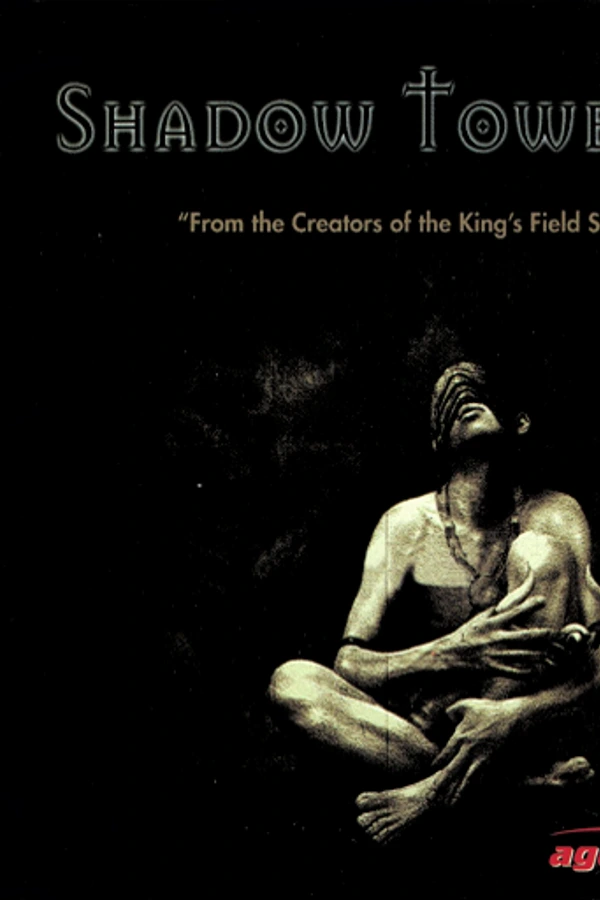
Shadow Tower es un videojuego de rol de acción de 1998 desarrollado por FromSoftware para PlayStation. El juego fue lanzado originalmente por FromSoftware en Japón el 25 de junio de 1998, y por Agetec en Norteamérica el 23 de noviembre de 1999. Shadow Tower comparte muchas similitudes con la serie de videojuegos King's Field. Una secuela, Shadow Tower Abyss, fue lanzada para la PlayStation 2 exclusivamente en Japón.
Official project information
ReShadowTower





An experimental Shadow Tower recompilation for Linux and Windows x64. Mouse look, WASD, upscaled rendering, and sharper texture filtering.
Requires your own Shadow Tower (USA), SLUS-00863 BIN/CUE dump. No retail BIOS needed. OpenBIOS is included in the build.
Install
Download the Linux AppImage or Windows installer from the releases page.
- Linux: make the
.AppImageexecutable (chmod +x ReShadowTower-*.AppImage), then launch it. - Windows: run the
*-setup.exeinstaller, then open ReShadowTower from the Start menu.
On first launch, select your USA disc dump. Setup generates and compiles the game locally using bundled tools, with no downloads or MSYS2 required. Keep the disc files available. Both platforms require working OpenGL 3.3 drivers.
Build from source
Requires Git, Python 3.11+, CMake 3.20+, Ninja, pkg-config, GCC/G++ with C++20, and OpenGL development libraries. Install SDL3 3.4+ or let the build download it (with your system's window/audio development packages installed).
On Arch Linux:
sudo pacman -Syu --needed base-devel git python cmake ninja pkgconf sdl3 libglvnd
For Windows source builds, use MSYS2 MINGW64 with the
corresponding mingw-w64-x86_64-* packages. Native MSYS2 builds remain unverified.
git clone https://github.com/JFryy/reshadowtower.git
cd reshadowtower
Place your dump in disc/ as Shadow Tower (USA).bin and
Shadow Tower (USA).cue; the CUE's FILE entry must match the BIN filename.
./scripts/build.sh
./scripts/run.sh
The first build needs internet access. CMake fetches checksum-verified framework
sources into build-dependencies/; no Git submodules are needed. To use a complete
local framework source tree instead, set PSXRECOMP_ROOT=/path/to/psxrecomp.
Later launches use ./scripts/run.sh. Output is in build-release/; do not share
that directory between Linux and Windows.
Builds compile generated game code and OpenBIOS ahead of time, with interpreter fallback for unsupported paths. Not every gameplay path is verified as native.
To build distributable packages without game data, run the Offline release packages workflow on your branch. It builds both platforms with pinned tools.
Controls
| Action | Input |
|---|---|
| Move | W / S |
| Strafe | A / D |
| Look | Mouse |
| Attack | Left click or F |
| Shield | Hold right click or Z |
| Interact / confirm | E or X |
| Inventory / back | C |
| Main menu / equipment | Tab |
| Menu navigation | WASD or arrows |
| Pause | Enter |
| Release mouse / cancel | Escape |
| Fullscreen | Alt+Enter |
| Save states | F7 |
Click during gameplay to capture the mouse. The first click won't attack. Escape releases it but does not pause. Use E or X to confirm menus, not Enter. Equip a shield before using it. Close the window to quit.
Controllers use the original digital-pad controls. The right stick is not mouse look.
Set mouse sensitivity at launch (default 1.0, range 0.05–10):
SHADOWTOWER_MOUSE_SENSITIVITY=0.75 ./scripts/run.sh
Saves
Save at the game's headstones. Memory cards are card1.mcd and card2.mcd in:
- Linux package:
$XDG_DATA_HOME/reshadowtower/saves(default~/.local/share/reshadowtower/saves). - Windows package:
%LOCALAPPDATA%\ReShadowTower\saves. - Source build:
saves/in the repository.
For save states: F7, choose a slot, S to save, L to load. States may break between builds. Keep normal game saves too.
Back up your saves directory with the game closed. Don't run two copies against the same saves.
Update
Close the game and back up your saves first. For packaged builds, install the new Windows version or launch the new AppImage; packaged releases share saves. For source builds:
git pull --ff-only
./scripts/build.sh
Build errors: check the first error for missing development packages. Disc errors:
check the filenames, CUE entry, and USA release. When reporting a problem, include
your OS, GPU, and the output of git rev-parse --short HEAD.
Contributions
Contributions are welcome, especially real Windows/MSYS2 testing, verified setup instructions for other Linux distributions, and gameplay fixes.
- Bug reports: include your OS, GPU/driver, source revision
(
git rev-parse --short HEAD), reproduction steps, and relevant error output. Say whether Windows results came from real Windows or Wine. - Pull requests: keep changes focused, explain what changed, and run the development checks. Describe any manual gameplay tests and remaining validation gaps. Use disposable saves for testing.
- Framework changes: keep PSXRecomp fixes separate from title-specific code.
Submit shared fixes upstream and update the verified pins in
cmake/dependencies.json; do not rely on changes only in a local source override. - Game data: never submit disc dumps, extracted executables, generated game code, BIOS dumps, memory cards, or save states. Share reproduction steps rather than uploading those files.
Development checks
The tests need no game disc, BIOS image, or generated game code. Install CMake, Ninja, a C compiler, SDL3, and PyOpenGL, then run (the first run fetches the pinned framework sources):
python3 tools/run_tests.py
For a headless test run:
SDL_VIDEODRIVER=x11 LIBGL_ALWAYS_SOFTWARE=1 xvfb-run -a python3 tools/run_tests.py
Player builds disable debugging tools. To opt in after a normal build:
cmake -S . -B build-release -DPSX_DEBUG_TOOLS=ON
cmake --build build-release --target psx-runtime -j4
Running ./scripts/build.sh again restores the player default (OFF).
License and credits
This unofficial FromSoftware fan project uses:
- PSXRecomp, under its PolyForm Noncommercial license. Its noncommercial restrictions still apply to the framework and combined runtime.
- OpenBIOS, under MIT and its accompanying third-party notices.