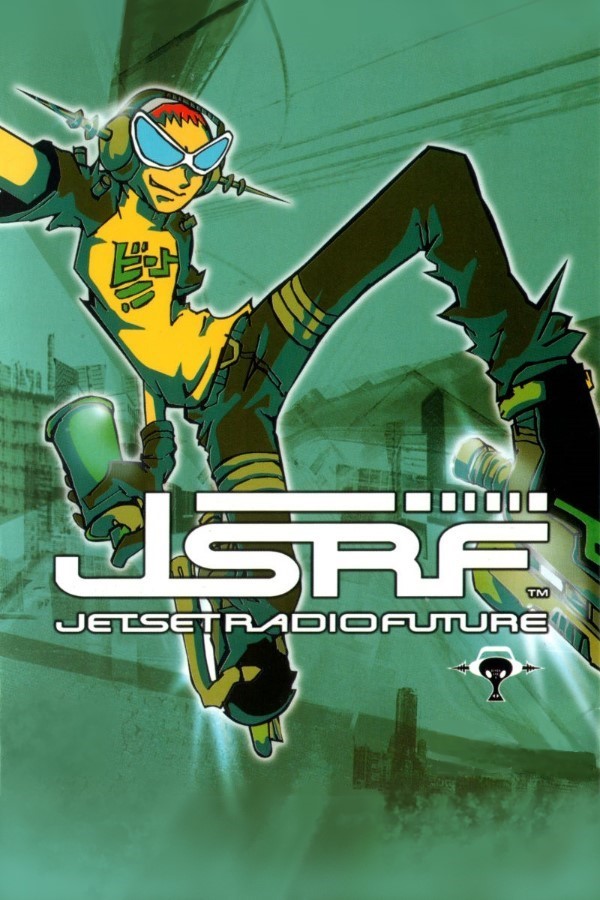
JGR Portable (Jet Grind Radio, PSP)
Jet Set Radio
About the project
Jet Set Radio es un videojuego de acción y aventura.
Official project information
JGR Portable (Beta 1)
<img width="144" height="80" alt="ICON0" src="https://github.com/user-attachments/assets/2efe5097-aa16-48ea-8c9a-91e8b9d81ac2" />JGR Portable is an unofficial native PSP port of Jet Grind Radio.
This is an educational project exploring reverse engineering and native PSP development.
This repository contains source code and conversion tools. Original game assets are not included. Supply a supported Dreamcast disc image from your own copy; the preparation tools process it locally.
This project is not affiliated with or endorsed by SEGA or Sony Interactive Entertainment.
This was created using GPT6 Astra & Claude Fable 5.1. If you do not want code written by AI on your PSP, this is not a project for you.
Download
Download a compiled package from this repository's GitHub Releases page.
The game ZIP contains only README.md, Prepare 1.0.2.html, LICENSES.txt and
EBOOT.PBP. Extract it, then prepare assets using one of the methods below.
For source, use GitHub's Source code (zip) or Source code (tar.gz)
download on that release. Source is not needed to prepare assets or play.
Compiled release packages are published as release attachments. The Git repository and GitHub's automatic Source code downloads require compilation; follow the build guide.
Supported version
Jet Grind Radio for Dreamcast, USA release MK-51058, V1.005. Use a GDI descriptor with every referenced track file. Other regions, revisions, CHD and CDI are not currently supported. A PSP capable of running homebrew is required.
The port targets PSP-1000, PSP-2000, PSP-3000, Street, and PSP Go.
Prepare on your computer
The recommended setup uses desktop Google Chrome and the matching
EBOOT.PBP and Prepare 1.0.2.html from one release. Complete conversion has been
tested with Chrome on MacOS. Chrome on Windows and
Linux is expected to work, but conversion and folder-access testing on those
systems is still pending.
-
Extract
JGR_PORTABLE-1.0.2.zipto a folder on your computer. Don't run files from inside the ZIP. -
Add your own copy of Jet Grind Radio. A Dreamcast game copy in GDI format consists of several files: a small file ending in
.gdiand track files usually ending in.bin. Copy the.gdifile and all its track files into the same folder asEBOOT.PBP. Don't rename them or mix files from different copies of the game. -
Open
Prepare 1.0.2.htmlin Google Chrome on your computer. -
Click Choose folder and select the folder where you placed everything. Allow Chrome to read and save files in that folder when prompted. The page will tell you if anything is missing.
-
Click Prepare Assets. Leave the page open until it reports success. This creates a folder named
datacontaining everything the PSP needs. All preparation happens on your computer; your game files aren't uploaded. -
Copy the prepared game to your PSP. Connect your PSP by USB or insert its memory card into your computer. Inside
PSP/GAME, create a folder namedJGR_PORTABLE. CopyEBOOT.PBPand the entiredatafolder into it:PSP/ GAME/ JGR_PORTABLE/ EBOOT.PBP data/ -
Safely eject your PSP or memory card, then launch JGR Portable from the PSP's Game menu.
Preparation time depends on your computer, browser and destination storage. Copying the finished data to the Memory Stick takes additional time. Chrome requires folder permission the first time.
See the browser preparation guide for browser requirements and troubleshooting.
Prepare on the PSP (slower alternative)
Put EBOOT.PBP, your GDI and all referenced tracks together in
PSP/GAME/JGR_PORTABLE/, then launch the game. The first launch converts and
verifies the assets before starting gameplay. A completed on-device test took
about an hour; timing varies with the build, PSP and storage. Keep external
power connected during setup.
After successful setup you can remove the GDI and tracks. Keep the generated
data folder. Interrupted setup can resume verified work; repairs may need the
original image again. Setup details and errors are written to
data/log/setup.log. Progress percentages count work items, not remaining time.
Saves
Saves are stored outside the game folder, in
ms0:/PSP/SAVEDATA/JGR_PORTABLE/ on the Memory Stick. When the game is
launched from internal storage, it uses ef0:/PSP/SAVEDATA/JGR_PORTABLE/
instead. Back up that folder, including jgr_story.sav and its .bak file.
The folder also contains PARAM.SFO for the XMB title and ICON0.PNG copied
from the packaged executable for Saved Data Utility.
Normal launches trust the matching installation completion record and go
directly into the game. To check a damaged installation, remove only
data/cache/assets.checked and launch again; this does not remove saves.
Controls
| PSP | Action |
|---|---|
| Analog nub or D-pad | Move; follow directional prompts while tagging |
| Cross | Jump / confirm |
| Circle | Back in menus |
| L | Spray / recenter the camera |
| R | Boost |
| Start | Pause / menu action |
| Select (tap) | Same as Start in release builds |
| Hold Select for 3 seconds | Show or hide FPS and runtime information |
Building from source
Requirements: Git, the pspdev toolchain with PSPSDK
(tested with PSP GCC 15.2.0), GNU make (gmake on macOS), and Python
3.10 or newer on PATH. No game image is needed to compile the port.
git clone https://github.com/beckerd/psp_jgr_portable.git
cd psp_jgr_portable

# Set this to your installed PSP toolchain.
export PSPDEV=/path/to/pspdev
export PATH="$PSPDEV/bin:$PATH"

# Build the game, bundled helpers and on-device asset preparer.
gmake -C psp -j4                     # -> psp/EBOOT.PBP
Use make instead of gmake where GNU make is installed as make. Copy the
built EBOOT.PBP to PSP/GAME/JGR_PORTABLE/ with your supported GDI and all
its tracks, then follow Prepare on the PSP above.
For release packaging with the XMB artwork, install Pillow 11.3.0.
Building the optional browser preparer also requires Emscripten 6.0.12;
build it from the same checkout as the EBOOT. The
build guide covers artwork packaging, source and
binary checks, and building Prepare 1.0.2.html.
Development
This is a work in progress; performance varies by level and scene.
Original code, tools and documentation are MIT-licensed. Third-party material retains its own terms; see THIRD_PARTY_NOTICES.md for attribution and GPL build scope.
Trademarks and affiliation
Jet Grind Radio and SEGA are trademarks of SEGA Corporation. PlayStation and PSP are trademarks of Sony Interactive Entertainment Inc. This is an unofficial project, not affiliated with, endorsed by, or sponsored by either company.