
Lego Star Wars III: The Clone Wars
OriginWii
TechnologyNative C/C++ port (engine reimplementation)
Available forWindows, Linux, macOS
View official projectAbout the project
Lego Star Wars III: The Clone Wars o Lego Star Wars III: la Guerra de los Clones es un videojuego de Lego y Star Wars para PlayStation 3, PlayStation Portable, Xbox 360, Wii, Nintendo DS, Microsoft Windows y Nintendo 3DS lanzado entre el 19 y el 22 de marzo de 2011 Desarrollado por Traveller's Tales y publicado por LucasArts y TT Games. La trama del juego trata sobre las 2 primeras temporadas de Star Wars: La Guerra de los Clones.
Official project information
Lego Star Wars III: The Clone Wars Wii <br />


 <!--[![Discord Badge]][discord]-->
<!--
Replace with your repository's URL.
-->
<!--
decomp.dev progress badges
See https://decomp.dev/api for an API overview.
-->
<!--
Replace with your Discord server's ID and invite URL.
-->
A work-in-progress decompilation of Lego Star Wars III: The Clone Wars for Wii.
This repository does not contain any game assets or assembly whatsoever. An existing copy of the game is required.
Supported versions:
SC4E64: Rev 0 (USA) (Debug)SC4P64: Rev 0 (EU) (Debug) - USA and EU Rev 0 are functionally the same
Dependencies
Windows
On Windows, it's highly recommended to use native tooling. WSL or msys2 are not required.
When running under WSL, objdiff is unable to get filesystem notifications for automatic rebuilds.
- Install Python and add it to
%PATH%.- Also available from the Windows Store.
- Download ninja and add it to
%PATH%.- Quick install via pip:
pip install ninja
- Quick install via pip:
macOS
-
Install ninja:
brew install ninja -
Install wine-crossover:
brew install --cask --no-quarantine gcenx/wine/wine-crossover
After OS upgrades, if macOS complains about Wine Crossover.app being unverified, you can unquarantine it using:
sudo xattr -rd com.apple.quarantine '/Applications/Wine Crossover.app'
Linux
- Install ninja.
- For non-x86(_64) platforms: Install wine from your package manager.
- For x86(_64), wibo, a minimal 32-bit Windows binary wrapper, will be automatically downloaded and used.
Building
-
Clone the repository:
git clone https://github.com/ThePlayerRolo/LegoCloneWarsWii.git -
Copy your game's disc image to
orig/SC4E64.- Supported formats: ISO (GCM), RVZ, WIA, WBFS, CISO, NFS, GCZ, TGC
- After the initial build, the disc image can be deleted to save space.
-
Configure:
python configure.pyTo use a version other than
SC4E64(USA) (Debug), specify it with--version. -
Build:
ninja
Diffing
Once the initial build succeeds, an objdiff.json should exist in the project root.
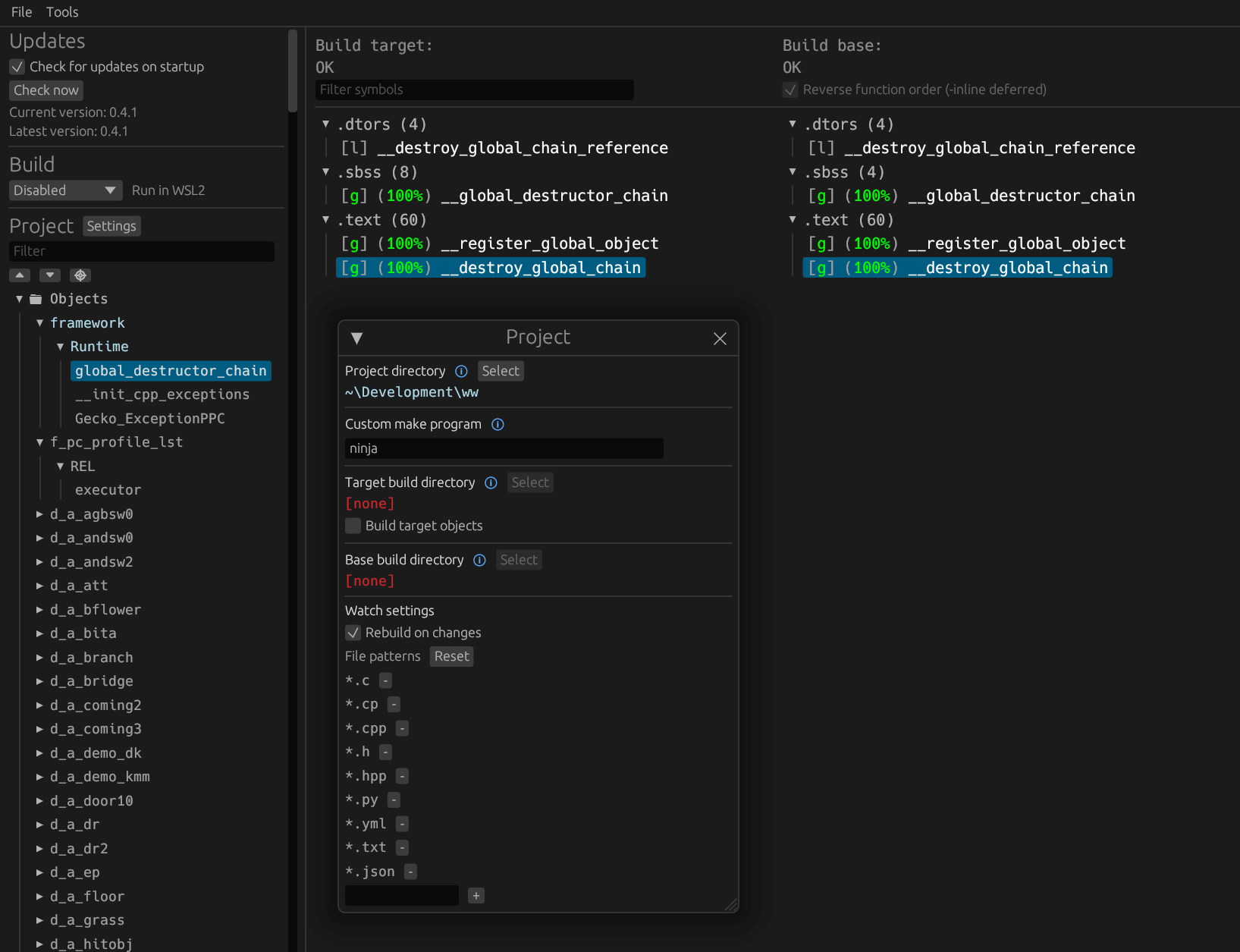
Download the latest release from encounter/objdiff. Under project settings, set Project directory. The configuration should be loaded automatically.
Select an object from the left sidebar to begin diffing. Changes to the project will rebuild automatically: changes to source files, headers, configure.py, splits.txt or symbols.txt.
Credits
Runtime and SDK code has been used from these Repositories: