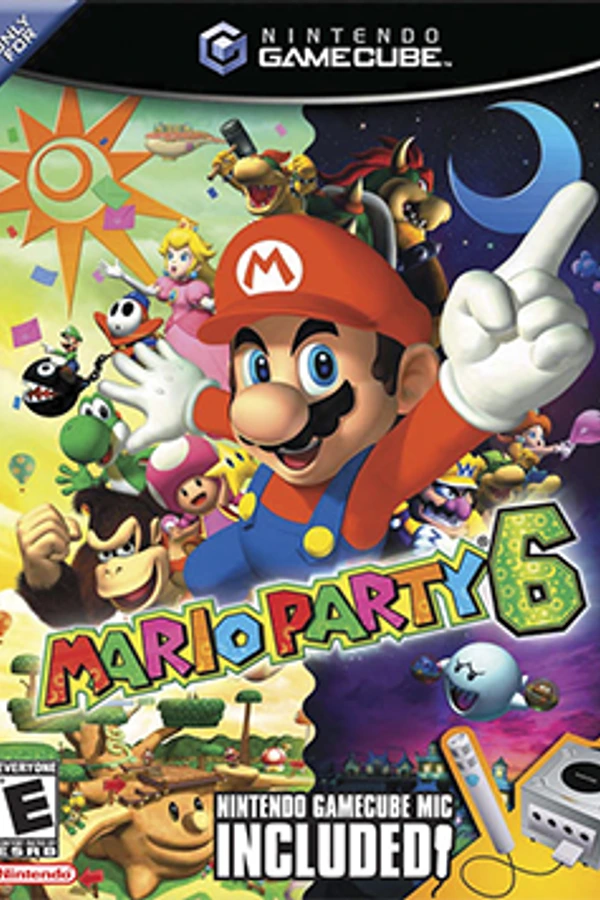
Mario Party 6 (Native Port)
Mario Party 6
OriginGameCube
TechnologyNative C/C++ port (engine reimplementation)
Available forAndroid, Windows
View official projectAbout the project
Mario Party 6 es la sexta entrega de la saga Mario Party, desarrollada por Hudson Soft y distribuida por Nintendo y es el tercer videojuego de la saga para el Nintendo GameCube. Su lanzamiento original tuvo lugar a finales de 2004 y 18 de marzo de 2005 en Europa.
2 versions of Mario Party 6
You're viewing: Mario Party 6 (Native Port)
Official project information
Starlit Party
A native Windows, Android and browser (iPhone) port of Mario Party 6, built on recovered game code, Aurora, SDL3 and Dawn/WebGPU. No emulator is involved. Starlit Party is an unofficial fan project, not affiliated with or endorsed by Nintendo or Hudson Soft.
All six Party Mode boards, Solo Mode, Mini-Game Mode, Mic Mode, the Star Bank, the Option menu, and the opening, ending and credits run natively, with widescreen support. 49 of the game's 81 minigames are playable; boards skip the rest with an on-screen notice. See the 0.5.0 release notes.
Build and play
You need your own Mario Party 6 (USA) disc image or extracted disc folder. This repository and its engine packages contain no game assets.
For a configured Windows checkout, use the optimized gameplay build:
python tools/build_windows_release.py
python tools/build.py --configuration release
build\release\mp6native.exe
VSync off + Unlocked FPS uncaps rendering while keeping game logic at 60 Hz. F10: settings. F9: console. F5/F8: quick save/load. Save states require the same linked build; memory-card GCIs are durable saves.
Android includes a full GameCube touch controller. Open the gear > Touch Controls to resize, fade, hide or move controls. See Touch controls.
First-time setup: setup.bat --disc "path\to\Mario Party 6 (USA).iso".
See Building for prerequisites, Port-local asset overrides,
Debug/headless builds and Android. Setup can provision dependencies; ordinary
builds consume the pinned decomp checkout read-only. Read
Setup before running it in a shared workspace.
Repository map
| Directory | Purpose |
|---|---|
src/ | Native runtime, graphics/UI, audio, host OS and board support |
include/ | Port APIs and game compatibility headers |
compat/ | Active dependency adaptations, not historical patch proposals |
packaging/ | Android app and browser-based local disc packager |
res/ | Launcher stylesheets and licensed fonts |
tools/, setup/ | Build, validation, release and setup commands |
tests/ | Runtime and repository-contract regressions |
docs/ | Current instructions and subsystem references |
build/ | Ignored binaries, generated files, local assets and diagnostics |
Start with Code map, Architecture, Testing, or Settings. Git history holds retired scaffolding; it does not belong beside active source.
The browser packager combines engine binaries with files read locally from your disc. Android can import content on-device. Do not redistribute extracted game files or the resulting content folder. See Releasing.
Legal
This repository contains no game assets. Assets (models, textures, audio, save data, and so on) are extracted from the user's own legally owned disc at build time (or picked on-device for Android) and are never checked into this repository. Decompiled game source is consumed, read-only, from the sibling matching (decompilation) repository -- see docs/DECOMP_DEPENDENCY.md -- and is not vendored, copied, or redistributed here.
The pre-boot launcher UI (src/gx/ui/, res/rml/) is adapted from the
unlicensed mariopartyrd/partyboard project; see
docs/PARTYBOARD_PROVENANCE.md for the full
provenance ledger, including exactly which files were copied, from which
commit, and their licensing status. On 2026-09-12, the maintainer confirmed
permission to redistribute both the adapted launcher UI and N64 Party font
with this port. This confirmation does not constitute a public upstream
license; the original credits and provenance notice are retained.
Credits
This port stands on the work of a lot of other people:
- The GC/Wii decompilation community, whose tools and conventions this project's decompilation dependency builds on.
- The Aurora developers (encounter), for the GameCube GX/VI/PAD/CARD-over-modern-GPU backend this port renders and reads input through.
- The Dusk developers.
- Mario Party R&D and the contributors to mariopartyrd/partyboard, the Mario Party 4 PC port this port's launcher/settings UI was adapted from -- see docs/PARTYBOARD_PROVENANCE.md for the full ledger, including the original per-file credit lines.
- ImWhoreHay, for the "N64 Party" display font used in the launcher.
- justcamtro, for the launcher's UI visual design.
- The open fonts bundled under
res/fonts/: Inter and Alegreya SC (SIL Open Font License), and Material Symbols (Apache-2.0). Inter is the UI body font, replacing a commercial face the upstream UI used. See res/fonts/LICENSES.txt. - This port's direct dependencies: RmlUi (mikke89), nod (encounter), SDL3, and Dawn/WebGPU.