
Mario Kart: Double Dash!! Decompilation
Mario Kart: Double Dash!!
OriginGameCube
TechnologyDecompilation and reconstruction in C/C++
Available forWindows, Linux, macOS
View official projectAbout the project
Mario Kart: Double Dash es un videojuego de carreras desarrollado por Nintendo EAD y publicado por Nintendo. El juego salió a la venta para GameCube en noviembre de 2003 en Japón, Europa, Norteamérica y Australia. Es la cuarta entrega de la serie Mario Kart y la primera en la que se puede jugar con dos personajes en un mismo kart. El juego retoma a los personajes principales del universo Super Mario para que compitan en carreras de karts a lo largo de diversos circuitos situados en el Reino Champiñón.
Official project information
Mario Kart Double Dash!!


WIP 1:1 Decompilation of Mario Kart Double Dash!!
This repository does not contain any game assets or assembly whatsoever. An existing copy of the game is required.
Currently only the debug version is supported.
Dependencies
Windows
On Windows, it's highly recommended to use native tooling. WSL or msys2 are not required.
When running under WSL, objdiff is unable to get filesystem notifications for automatic rebuilds.
- Install Python and add it to
%PATH%.- Also available from the Windows Store.
- Download ninja and add it to
%PATH%.- Quick install via pip:
pip install ninja
- Quick install via pip:
macOS
-
Install ninja:
brew install ninja -
Install wine-crossover:
brew install --cask --no-quarantine gcenx/wine/wine-crossover
After OS upgrades, if macOS complains about Wine Crossover.app being unverified, you can unquarantine it using:
sudo xattr -rd com.apple.quarantine '/Applications/Wine Crossover.app'
Linux
- Install ninja.
- For non-x86(_64) platforms: Install wine from your package manager.
- For x86(_64), wibo, a minimal 32-bit Windows binary wrapper, will be automatically downloaded and used.
Building
-
Clone the repository:
git clone https://github.com/doldecomp/mkdd.git -
Copy your game's disc image to
orig/MarioClub_us.- Supported formats: ISO (GCM), RVZ, WIA, WBFS, CISO, NFS, GCZ, TGC
- After the initial build, the disc image can be deleted to save space.
-
Configure:
python configure.pyTo use a version other than
MarioClub_us(USA), specify it with--version. -
Build:
ninja
Diffing
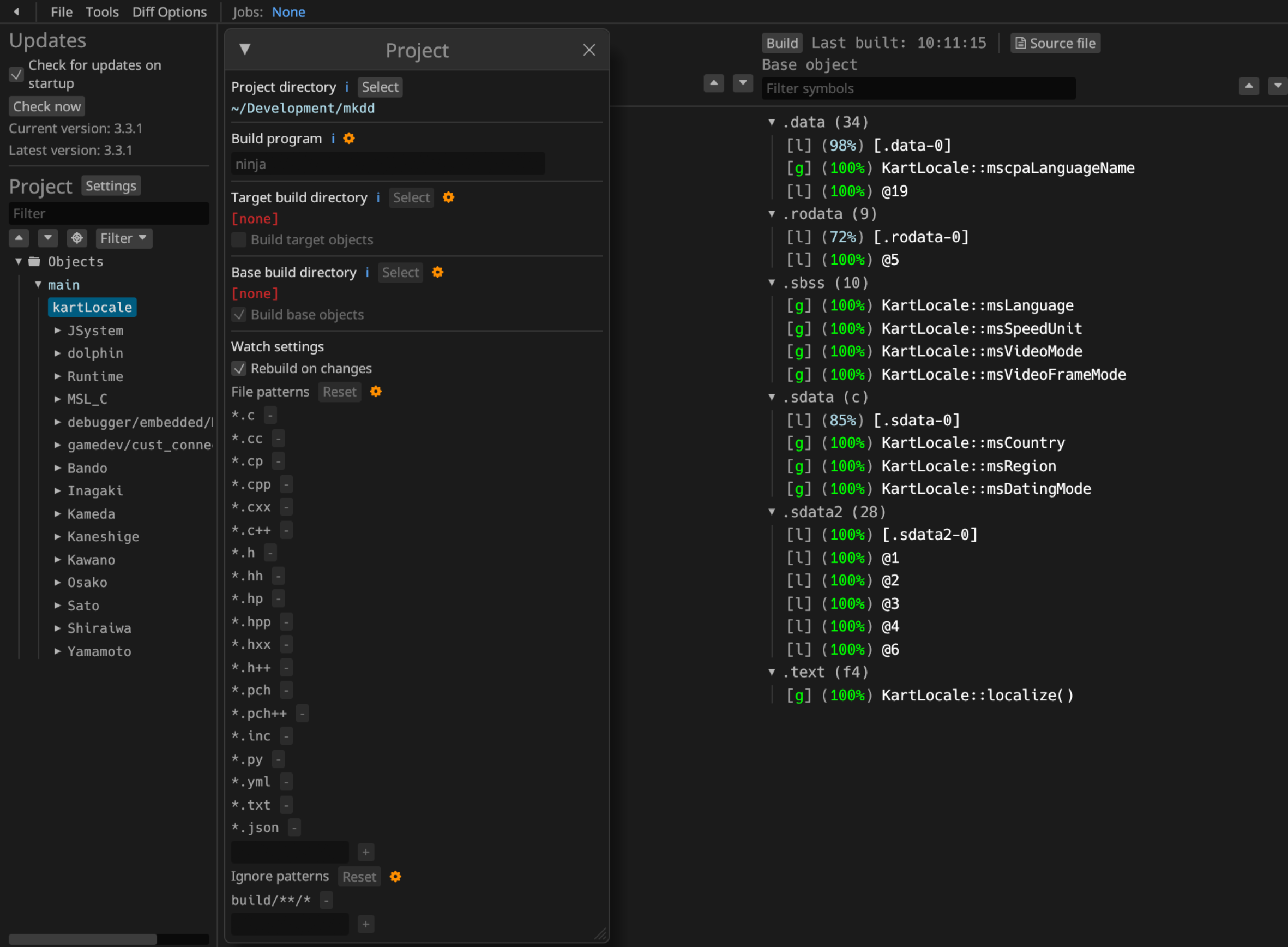
Once the initial build succeeds, an objdiff.json should exist in the project root.
Download the latest release from encounter/objdiff. Under project settings, set Project directory. The configuration should be loaded automatically.
Select an object from the left sidebar to begin diffing. Changes to the project will rebuild automatically: changes to source files, headers, configure.py, splits.txt or symbols.txt.
Credits
- SwareJonge for originally starting this project, and for guiding many people in their first contributions towards a decomp.
- Seeky for ppcdis, without it this project wouldn't have been where it is now.
- encounter for their amazing tools (decomp-toolkit, ObjDiff, et al.) which have so helped not only this project, but the entire decomp community.
Matching
Used code from the following repositories(JSystem, SDK)
- Metroid Prime Decomp
- Pikmin 2 Decomp
- Super Mario Galaxy Decomp
- Super Mario Sunshine Decomp
- Syati
- Twilight Princess Decomp
And many thanks to the people who helped me match some game functions (sorry if anyone is forgotten.)