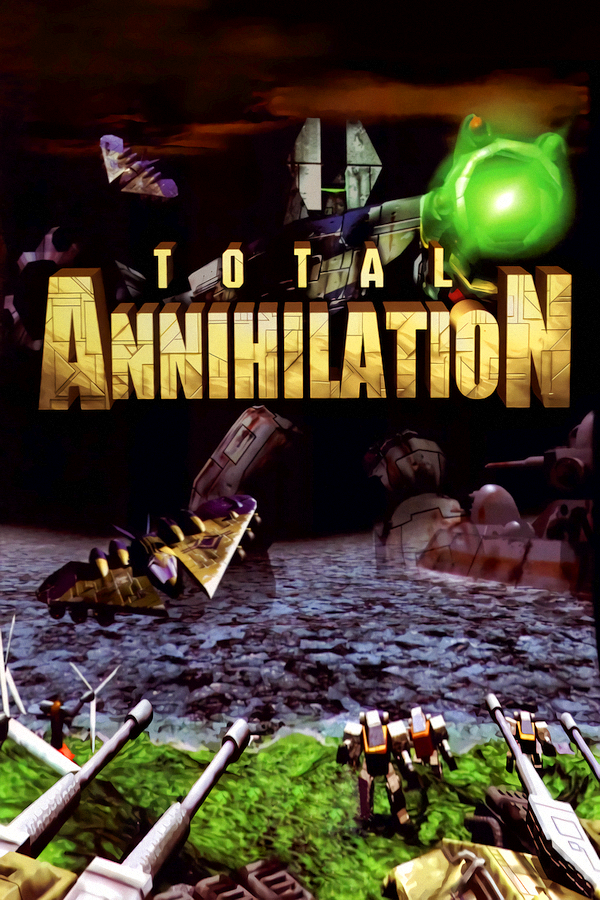
Open Annihilation
TechnologyNative C/C++ port (engine reimplementation)
Available forWindows, Linux, macOS
View official projectAbout the project
Open Annihilation es un videojuego de acci�n y aventura, lanzado en 2000.
Official project information
Open Annihilation is an open-source game engine for playing Total Annihilation on modern macOS, Windows and Linux, using the game data from your own copy of the original game. Support for Total Annihilation: Kingdoms is on the roadmap.
Website: play.coreprime.net · Mods and maps: mods.coreprime.net · Make your own: creators.coreprime.net · Press kit: press.coreprime.net
The main menu shows Open Annihilation and this build's version under the logo. A mod that names its own version text shows that instead, and the demo, whose game data names no revision, shows neither.
No game data is included. You need an installed copy of Total Annihilation with the 3.1 update, such as the GOG edition. To explore the project without the full game, you can use the content of the free Total Annihilation demo instead: see Playing the demo.
Open Annihilation is an independent project. It is not affiliated with or endorsed by the owners of Total Annihilation, Total Annihilation: Kingdoms or the Boneyards online service. Total Annihilation, Total Annihilation: Kingdoms and Boneyards, including their names, game data and other content, are the copyright and trademarks of their respective owners.
Installation guides
Step-by-step guides to downloading Open Annihilation, getting the game data from your copy of Total Annihilation and starting the game:
<table> <thead> <tr><th></th><th align="left">Platform</th><th align="left">Guide</th></tr> </thead> <tbody> <tr><th colspan="3" align="left">Desktop platforms</th></tr> <tr><td align="center"><img alt="macOS" src="docs/images/platforms/macos.svg"></td><td>macOS 11 or later, Intel and Apple silicon</td><td><a href="docs/installation/macos.md">Installing on macOS</a></td></tr> <tr><td align="center"><img alt="Windows" src="docs/images/platforms/windows.svg"></td><td>Windows 95 to Windows 11: 64-bit, 32-bit and ARM</td><td><a href="docs/installation/windows.md">Installing on Windows</a></td></tr> <tr><td align="center"><img alt="Linux" src="docs/images/platforms/linux.svg"></td><td>Linux: 64-bit PC, 64-bit ARM and 32-bit ARM</td><td><a href="docs/installation/linux.md">Installing on Linux</a></td></tr> </tbody> <tbody> <tr><th colspan="3" align="left">Mobile & small form factor</th></tr> <tr><td align="center"><img alt="iOS" src="docs/images/platforms/ios.svg"></td><td>iPhone and iPad: iOS and iPadOS 15 or later, built on your own Mac</td><td><a href="docs/installation/ios.md">Installing on iPhone and iPad</a></td></tr> <tr><td align="center"><img alt="Raspberry Pi" src="docs/images/platforms/raspberry-pi.svg"></td><td>Raspberry Pi 2, 3, 4, 400 and 5 with Raspberry Pi OS Bookworm or later</td><td><a href="docs/installation/linux.md#raspberry-pi">Installing on Raspberry Pi</a></td></tr> <tr><td align="center"><img alt="Steam Deck" src="docs/images/platforms/steam-deck.svg"></td><td>Steam Deck, LCD and OLED, in Game Mode with the Steam Deck package; experimental</td><td><a href="docs/installation/steam-deck.md">Installing on the Steam Deck</a></td></tr> </tbody> </table>The same guides, with pictures and in six languages, are at play.coreprime.net/install.
How the project works
These documents set out how the project is run and how changes are made:
| Document | What it covers | Link |
|---|---|---|
| Contributing guide | The developer guide: what the engine does today, building, testing and running it from source, the layout of the tree, the checks every change passes, and how a pull request is reviewed and merged | View Document |
| Code conventions | The rules every change follows, each with its reason, examples and the directories it covers | View Document |
| Testing guide | Running the tests and checks, and writing a new test | View Document |
| Documentation index | Every document in the repository, the module guides and file format notes among them | View Document |
| Code of Conduct | How everyone taking part is expected to behave, and how to report a problem | View Document |
| Security policy | How to report a security problem privately | View Document |
| Licence | The GNU General Public License version 3, which the code is released under | View Document |
| Copyright | Who holds the copyright in the repository's files, which each file's header points to | View Document |
| Attributions | The third-party components and their licences | View Document |
| Contributors | Credits | View Document |
| Agent instructions | Instructions for AI coding agents working in the repository | View Document |
Related projects
Open Annihilation is part of a family of projects for Total Annihilation and Total Annihilation: Kingdoms:
- CorePrime is bringing Total Annihilation's Boneyards online service back to life. The services launch in the coming weeks: register at coreprime.net in advance.
- KBot is an open-source toolkit with full support for both Total Annihilation and TA: Kingdoms game assets: a command-line tool for the games' file formats, and a browser-based studio with an asset explorer, map editor, unit viewer and live sandbox.
- Core Prime Creators is the file format reference for Total Annihilation and TA: Kingdoms, rendered from KBot's documentation, with the way into modding Open Annihilation.
Roadmap
- Completing the rest of Total Annihilation's single-player game.
- Support for Total Annihilation: Kingdoms.
Settings
Open Annihilation's own settings open with Cmd+, on macOS (also Settings… in the application menu) or Ctrl+, elsewhere, from SETTINGS… in the Library, and from the OA button under Resume in the in-game menu (F2). docs/settings.md shows each section of the settings and explains every setting: what it does, its default, when it takes effect and when you might change it.
The OA button at the bottom right of the main menu opens the Library, where mods, map packs and languages are found, installed, updated and rolled back without leaving the game: see docs/library.md, and docs/downloads.md for registries and exactly what a download sends and records. The first time that menu is reached, a short welcome chooses a language, explains online features and points out the two buttons: see docs/first-run.md.
Mods
Open Annihilation plays mods as well as 3.1c: a mod describes how it differs
from 3.1c in one oamod.yaml file, and the engine applies the standard
hacks it names, with no code for any particular mod. See
Mod support for installing and choosing a mod, the
profile format and every standard hack. Mods published to a registry are
installed and updated from the Library, and map packs
add maps the same way (docs/maps/README.md).
Browse every package in the library at
mods.coreprime.net, and read the
packaging guide at
mods.coreprime.net/en/packaging.
Network games from the command line
Network play goes through the Multiplayer screens, as in 3.1c, but asks
for no game disc: START never counts discs. The host may start with no
other human, against computer players alone; 3.1c waits for a remote
player, and so does a room whose launch locks the options
(launch settings). Every OA
player still tells the other machines it has one, since a 3.1c host
counts them. The number over each player's colour square is the version
that player's game declares, 3.1 for 3.1c and for Open Annihilation alike.
A host a launch started (a launch file, or a launch option such as
--player-limit) sends its version as 103.1, as 3.1c does, so that only a
game started through a launch joins it; the room still shows 3.1. In the
battle room a player on 3.1c shows the CD icon, and an OA player the app icon,
the plates alone, in its place. The badge is drawn at the window's own
pixels and scaled to that rectangle with an area filter, so it stays sharp
at any window size and a clear corner stays clear. A dot on it means that
player's rules differ from the host's. Where the window cannot draw the
icon, the frame keeps the small badge it draws in the rectangle. OA tells
its own players from those on 3.1c by the setup
block each sends (record 0x20): OA writes O and A at +0xAD and +0xAE,
bytes 3.1c carries unchanged and never reads. OA builds before 0.7.4 write
no mark, so their players show a CD icon too.
Rest the pointer on an OA badge for a moment and that player's card opens: their Open Annihilation version, then the platform and architecture on the next line (a field left empty is left out, and the line with it when both are), their mod and its revision, whether their rules are the host's, how many hacks change the game or only the view, Developer Mode, and on the host's card the map pack its map comes from. The mark beside the name is the same icon. F1 or Return on a player's row, reached with Tab or the arrow keys, opens it too, as do View and A on a controller and a tap on the badge; Escape closes it. The card shows what that player's machine sent in its presence record, which OA sends only to the players whose setup blocks carry the mark, each alone in its frame. The record also carries the limits: the most weapon types and the most sides this build plays. An older build skips a word it does not know, so a stock game between versions is unchanged. OA 0.7.4 players carry the mark too: they receive the record and ignore it, and their cards say only "Open Annihilation (before 0.8)". No 3.1c machine receives one, and a 3.1c player sees nothing new. The setup block carries nothing else new: the five bytes +0xAF to +0xB3 stay zero, as 0.7.4 sends them.
To host or join a TCP/IP game without the screens, start the game with:
--host: creates a game and opens its battle room.--join ADDRESS: joins the game atADDRESS, an IPv4 address or a host name, and opens its battle room. The game waits up to 20 seconds for a game to answer there ("Waiting for host..."), as a game launched to join does, and joins the first that answers.
With either:
--player-name NAME: your name in the game, which the battle room shows and sends to the other players.--game-name NAME: with--host, the game's name; with--join, the game to join when several answer at the address.--game-password PASSWORD: with--host, the game's password; with--join, the password sent.--dplay-guid GUID: the application GUID this game hosts under and looks for. Without it, the game uses Total Annihilation's own,{99797420-F5F5-11CF-9827-00A0241496C8}, so a game stays visible to 3.1c and to Open Annihilation started the same way. See the command line for the form, and which games are listed for why a launcher's per-mod GUID belongs here.
Each is what you would type in the screens, and the same limits apply: a name has 16 characters at most, and a password 10, and a longer one is refused (launch settings). Without them, the screens' own entries are used. The intro is skipped, and your saved address, name and password stay as they were. The game says on its standard output when the battle room opens and who is in it:
multiplayer: in the battle room of "XPlay" as EngineHost
multiplayer: battle room players: EngineHost, RealJoin
When the join fails, because no game answered, the password was wrong or the game is full, the game list shows the notice it shows in the screens, and the output says so:
multiplayer: could not join 192.0.2.10: You did not have the correct password
You are then on the game list, to try again by hand. For example, on macOS:
open -a "Open Annihilation" --args --host --player-name Ann --game-name "Friday Game"
and on another computer, on Linux:
./open-annihilation --join 192.168.1.20 --player-name Ben
Demo Recorder
The demo recorder that recorded multiplayer games for 3.1c kept each game
in a .tad file: the map, the players and every message the recording
machine sent and received. Open Annihilation plays these recordings back
from the command line, and can record its own network games in the same
format. (The free 1997 demo of the game is something else: see
Playing the demo.)
Playing a recording
Start the game with --play-demo and the recording's file:
-
macOS:
openpasses the options only while the game is not already running, and needs the recording's full path:open -a "Open Annihilation" --args --play-demo ~/Downloads/game.tadThe program inside the application also takes a path from Terminal's folder:
"/Applications/Open Annihilation.app/Contents/MacOS/open-annihilation" --play-demo game.tad -
Windows, in a Command Prompt in the game's folder:
open-annihilation.exe --play-demo "%USERPROFILE%\Downloads\game.tad" -
Linux, in the game's folder:
./open-annihilation --play-demo ~/Downloads/game.tad -
From source:
./run.sh --play-demo game.tad.
After the opening movies (--skip-intro skips them), the recorded game
plays from its start, at the speeds its players set. You watch it as a
watcher of the game would: you move the camera anywhere on the map, but
give no orders and type no chat. + and - change the speed until
the recording changes it again, Pause holds the playback, and you
leave it from the in-game menu (F2). A recording that cannot play stops
the game and says why, in the terminal or in an error box. A recording
plays when:
- it is in version 5 of the recorder's format; other versions are refused;
- its map is installed;
- the game has the recorded game's units. Play a game recorded with a mod
under that mod: the one chosen in the settings, or one named for a single
run with
--mod-dir PATH(--base-gameplays 3.1c instead of the chosen mod). Otherwise the recording is refused, with a count of its unit types that match.--demo-unit-table ignoreskips that check, for diagnosis only: units may then show as the wrong types, and the recording is still refused when the game's count of unit types needs unit numbers of a different size from the recording's.--demo-unit-table strict, the default, keeps the check; - it has fewer than ten players, since the viewer needs a slot of its own, unless the mod's profile turns on recorder.ten-player-replay;
- a recording of a mod with more than 256 weapon types, or more than five sides, plays only under a mod with the same two limits. Saves, recordings and films quotes the two refusals. Other programs that read recordings stop at the first wide weapon record.
With --headless-check --game-dir PATH --match-ticks N, the game plays up
to N ticks of a recording without a window and prints a summary of the
replay (testing guide). To make a
video of a recording, director scripts plan camera
shots over it and render them with the game's sound;
capturing video records what the window shows.
Recording a game
3.1c records nothing. A network game is recorded when the mod's profile
turns on the game recorder
(recorder.ta-demo-recorder),
or when the game was started with --net-record FILE, which records the
next network game to FILE, replacing it, whatever the profile says. The
file is written when the game ends or you leave it, and the log names it.
The recorder saves each game in the Recordings folder of your Open
Annihilation folder, the one that holds your saved games, screenshots and
films. As in Saves, Recordings holds a folder for each mod, named after
its id (Recordings/<mod id>), and Recordings/default for games without
a mod:
- macOS:
~/Documents/Open Annihilation/Recordings - Windows:
Open Annihilation\Recordingsin your Documents folder (My Documents on Windows XP) - Linux:
Open Annihilation/Recordingsin your Documents folder, usually~/Documents - iPhone and iPad: in the Files app, On My iPhone (or On My iPad) › Open Annihilation › Open Annihilation › Recordings
--user-folder PATH puts the Open Annihilation folder at PATH instead,
and with --preferences-file FILE it is the Open Annihilation folder
beside FILE. Recordings that earlier versions kept in a demos folder
beside the preferences file, and a mod's in mods/<mod id>/demos there,
move into Recordings once, as the installation guides describe
(macOS,
Windows,
Linux).
A file is named after the date, time and map, such as
2026-10-05 1432 Coast To Coast.tad; .record NAME, typed in the battle
room's chat, names it NAME.tad instead (a profile may set other
extensions). A name already taken gets (2), and so on. The recorder's
other chat commands work as the demo recorder's did:
network.recorder-session-commands
describes them and the hacks they belong to.
--replay-viewer is for joining a network game in which another player's
replayer plays a recording to those who join: the game presents the replay
version of the mod's profile in place of its network version.
Playing the demo
The Total Annihilation demo, released free in 1997, is enough to try Open Annihilation without the full game. It holds the first three missions of the Arm campaign and 32 of the game's Arm and Core units. The demo has no skirmish maps, multiplayer, Core campaign, saved games, movies or music, so those parts of the game are not available with it. As in the demo, the menus gray out or hide the entries it cannot open, and Skirmish and Multiplayer open a notice that says so.
Get the demo
Download Total Annihilation.exe from the Internet Archive: archive.org/details/TotalAnnihilation_201405. The file is 21,540,864 bytes. To check that you have the same file, compare its SHA-256 checksum with this one:
5e41cf05226c274b4ac9e4398f74f6b321506bd7a4317ee1744ff7aceba34c49
- macOS:
shasum -a 256 "Total Annihilation.exe" - Linux:
sha256sum "Total Annihilation.exe" - Windows:
certutil -hashfile "Total Annihilation.exe" SHA256
Open Annihilation checks the file's size and SHA-256 itself before it unpacks the game data, whatever the file is named, and unpacks from no other file.
Set it up
- Make a new folder, for example
TA Demo, and put Total Annihilation.exe in it. Do this on macOS and Linux too. You never run the.exe, and it does not need Windows: Open Annihilation only reads the game data packed inside it. - Start Open Annihilation and choose that folder when it asks for the Total
Annihilation folder. If you have already chosen another folder, start it
with
--choose-game-dirto choose again, or with--game-dir <folder>to use the demo for one run only.
The first time, Open Annihilation checks the file and copies the demo's
game data, about 20 MB, into Games/totala-demo in the player's Open
Annihilation folder, with its .oa-content record. An earlier unpack in
demo-1997 of the per-user data folder is copied from once and left there.
That earlier folder is:
- macOS:
~/Library/Application Support/net.coreprime.open-annihilation, beside its preferences. Earlier versions named itcom.coreprime.open-annihilation; Open Annihilation renames that folder the next time it starts. - Linux:
~/.local/share/open-annihilation, or$XDG_DATA_HOME/open-annihilationwhenXDG_DATA_HOMEis set - Windows:
%LOCALAPPDATA%\CorePrime\Open Annihilation, beside its preferences (on Windows XP,Local Settings\Application Data\CorePrime\Open Annihilationin your user folder)
Later starts check the unpacked data and use it directly, and unpack it again only if it is missing or damaged. The folder you chose is left as it is, and it is the one Open Annihilation remembers. Keep Total Annihilation.exe in that folder: Open Annihilation recognises the folder by it every time it starts.
If you installed the demo on Windows with its own installer, choose the
folder that holds TADemo.hpi instead.
When you build from source, ./run.sh --game-dir "<folder>" builds the
engine and plays the demo from that folder.
Community
Join the Open Annihilation Discord server to follow development, report problems and talk about the game: discord.gg/KyUExvCnQ
Everyone taking part is expected to follow the Code of Conduct. Credits are in CONTRIBUTORS.md.
Licence
Open Annihilation is free software, released under the GNU General Public License version 3 only: see LICENSE and COPYRIGHT. Contributions are accepted under the same licence, and their authors keep the copyright in them.
The releases include third-party libraries under their own licences. See ATTRIBUTIONS.md.