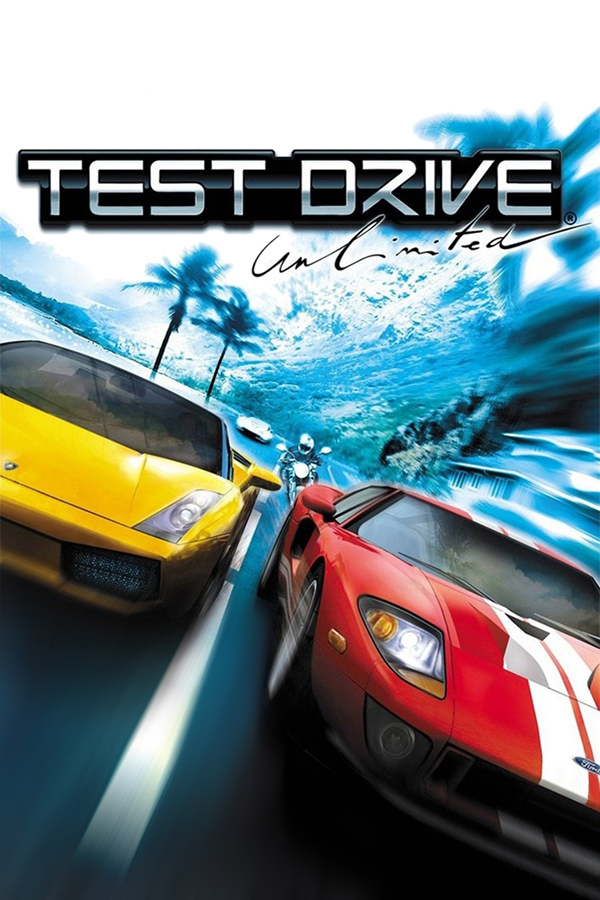
Test Drive Unlimited · OpenTDU
Test Drive Unlimited
OriginWindows
TechnologyNative C/C++ port (engine reimplementation)
Available forWindows, Linux, macOS
View official projectAbout the project
Test Drive Unlimited es un videojuego de carreras callejeras de 2006 desarrollado por Eden Games y distribuido por Atari para Xbox 360, Microsoft Windows, PlayStation 2 y PlayStation Portable. A pesar de ser la decimoctava entrega de la serie Test Drive, Test Drive Unlimited sirve como un reinicio de la franquicia, descartando la continuidad de sus juegos predecesores.
3 versions of Test Drive Unlimited
You're viewing: OpenTDU
Official project information
Open Test Drive Unlimited (OpenTDU)


Source port of Test Drive Unlimited PC (TDU) (MC 1.66A)
WORK IN PROGRESS
The goal of this project is to create a new client fixing various issues encountered on modern systems (AI, rendering, security, etc.) as well as providing cross-platform compatibility.
This project is not a replacement for the game (you still need to own a legal copy); and does not provide any game assets!
<img src="/screenshots/carshowcase_exige.jpg" alt="GMCarShowcase" width="256" height="144"> <img src="/screenshots/worldviewer_3.jpg" alt="GMSandbox" width="256" height="144"> <img src="/screenshots/freeride.jpg" alt="GMFreeride" width="256" height="144"> <img src="/screenshots/login.jpg" alt="GMLogin" width="256" height="144"> <img src="/screenshots/cinviewer.jpg" alt="GMCinViewer" width="256" height="144"> <img src="/screenshots/boattour.jpg" alt="GMBoatTour" width="256" height="144"> <img src="/screenshots/living.jpg" alt="GMLiving" width="256" height="144"> <img src="/screenshots/garage.jpg" alt="GMGarage" width="256" height="144"> <img src="/screenshots/cockpit.jpg" alt="GMFreeride (cockpit)" width="256" height="144">
Regular updates/screenshots can be found in this thread.
Download
Latest stable binary can be found here: https://github.com/opentestdriveunlimited/OpenTestDriveUnlimited/releases/tag/v0.1.
Nightly binaries are also available here: https://github.com/opentestdriveunlimited/opentestdriveunlimited/releases.
Installation
Extract the archive to your TestDriveUnlimited folder.
Dependencies
- CMake (3.15 or newer)
- C++17 compiler (eg. clang; gcc or MSVC)
- Vulkan SDK (1.3.204.0 or newer)
Build instructions
- Clone the code using:
git clone --recursive git@github.com:opentestdriveunlimited/OpenTestDriveUnlimited.git - Run the build script for your host platform (
build_win.bat x64for Windows orbuild_unix.shfor Linux or macOS)
Command Line Arguments
| Command | Description |
|---|---|
| -w | Enable windowed mode |
| -vbl (value) | Set target vsync blank |
| -fps | Enable FPS counter |
| -pos | Enable debug position text overlay |
| -orb | Override ORB address for online login |
| -nopub | Disable GSPub |
| -gm (id) | Launch game with a specific game mode (see eGameMode) |
| -worldviewer | Launch world viewer |
| -carshowcase | Launch car showcase (alias for '-gm 7') |
| -cinviewer | Launch cinematic viewer (alias for '-gm 20') |
| -freeride | Launch cinematic viewer (alias for '-gm 1') |
| -login | Launch login screen (alias for '-gm 24') |
| -vk_enable_validation_layer | Create Vulkan render device with validation layer enabled |
| -break_on_assert_failure | Trigger debug breakpoint on assert failure |
| -disable_assert | Disable assert log/debug break |
| -norunlock | Disable single game instance run lock |
| -profile (name) | Launch game with a specific profile (must match savegame name) |
| -car (id) | Override the local player car in world game modes (e.g. freeride) with a car database ID |
| -silent | Disable logging (stdout, outpudebug and file) |
| -log (path) | Redirect game logs to a specific file (default: ./opentdu.log) |
| -nolog | Disable logging to file (note: does not disable stdout/outputdebug) |
| -logtransient | Write transient log to file |
| -verbose | Enable verbose (aka Debug) logging. Adds significant runtime overhead |
| -maxfps (fps) | Set framecap (0: unlimited) (default: 0) |
Debug Shortcuts
- F1 - Engine debug menu (services + managers)
- F2 - Pause simulation
- F3 - Active game mode debug menu
Project progress
Progress is tracked on a game mode basis:
| GameMode ID | GameMode | Status |
|---|---|---|
| 1 | FreeRide | Done |
| 2 | Map | Done |
| 3 | Home | Done |
| 4 | Shop | Done |
| 5 | Mission | Done |
| 6 | GameModeEdit | Done |
| 7 | CarShowCase | Done |
| 8 | InstantChallenge | Done |
| 9 | TestCar | Done |
| 10 | Garage | Done |
| 11 | Living | Done |
| 12 | Sandbox | Done |
| 13 | Goodies | Done |
| 14 | AvatarShowcase | Done |
| 15 | DriveIn | In Progress |
| 16 | Dressing | Done |
| 17 | Aftermarket | Done |
| 18 | VideoBumper | Done |
| 19 | AITrainer | Done |
| 20 | CinViewer | Done |
| 21 | Estates | Done |
| 22 | Club | In Progress |
| 23 | Lobby | Done |
| 24 | Login | Done |
| 25 | OnlineReplay | In Progress |
| 26 | Intro | Done |
| 27 | OutroDemo | Done |
| 28 | BoatTour | Done |
| 29 | Jail | Done |
| 30 | IntroDemo | Done |