NX GameHide (Switch sysmodule)
Nintendo Switch
OriginUnknown
TechnologyDevelopment tool / build utility
Available forWindows, Linux
View official projectAbout the project
Tool and utility indexed on PortsNative for configuration, decompilation, or execution support on modern platforms.
Official project information
English | 简体中文
Hide and restore games in the Nintendo Switch HOME menu through Tesla.<br> Games and saves are kept.
Installation · Usage · Hiding scope · How it works · Uninstallation · Docs and feedback
</div> <br>Installation
Requires Atmosphère, Tesla Menu and nx-ovlloader.
Tested on HOS 22.5.0 / Atmosphère 1.11.2.
- Download
NX-GameHide-v<version>.zipfrom Releases. - Extract it to the SD card root.
- Fully reboot the console.
Usage
Close the game before changing its visibility.
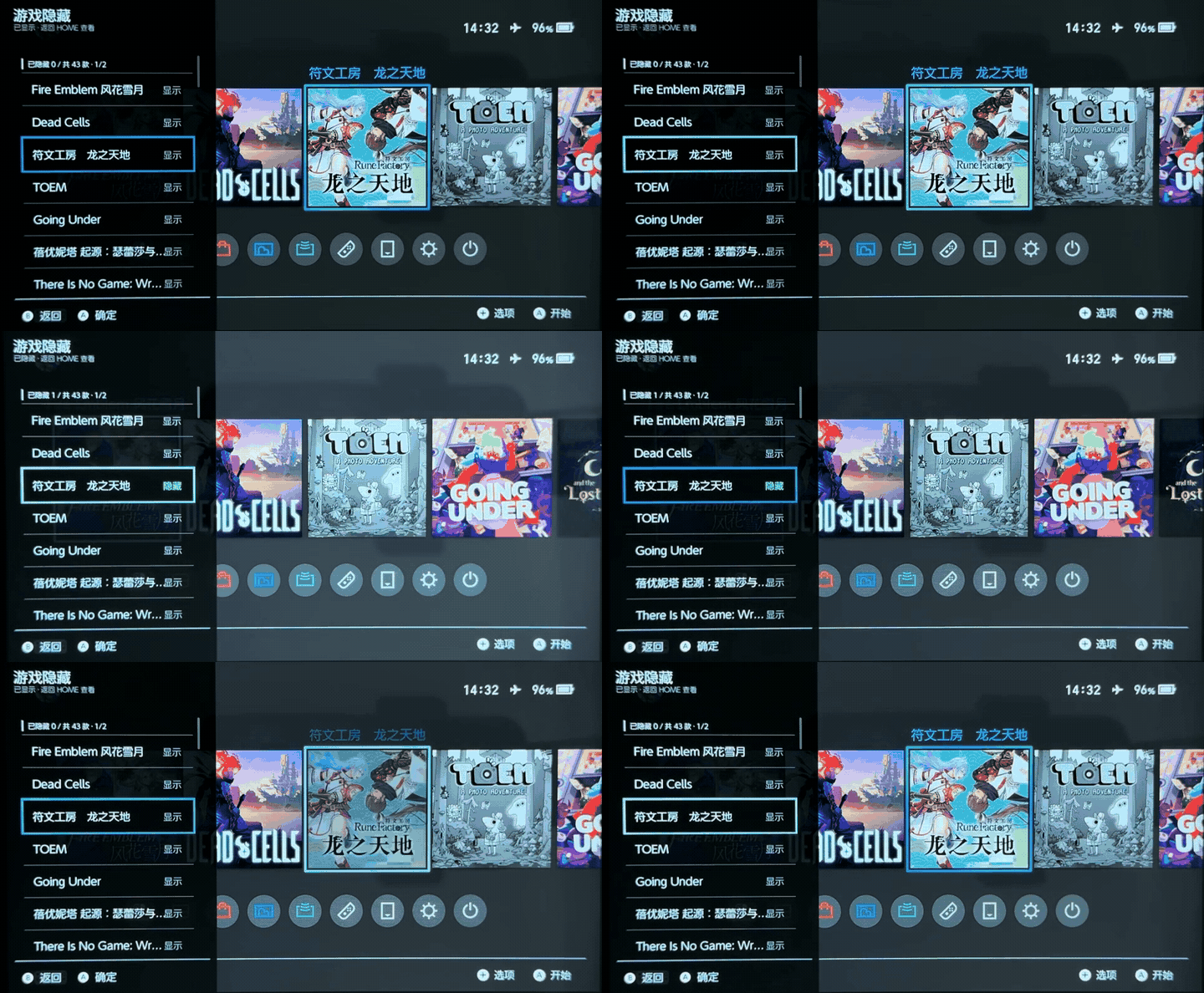
- Open GameHide in Tesla.
- Select a game and press A to hide or show it.
Choose Show all games to clear the hidden list and show all games.
Hiding scope
The following results were verified on a console. Games remain hidden after a full reboot.
| Interface | Visibility while hidden |
|---|---|
| HOME game list | Not shown |
| Groups | Not shown |
| Settings → Data Management → Software Details | Not shown |
| Settings → Data Management → Delete Save Data | Shown |
| Other launchers | Not tested |
If you open Groups while a game is hidden, you must manually add it back to its groups after showing it again. Its group membership is preserved if you do not open Groups while it is hidden.
How it works
NX-GameHide uses Atmosphère's MITM mechanism to intercept HOME (qlaunch) queries to the system service ns:am2. The backend filters the returned game records using the hidden list.
┌────────────────────────────┐                ┌────────────────────────────┐
│Tesla / GameHide            │───── save ────▶│Hidden list                 │
│Select B to hide            │                │hidden_games.txt: B         │
└─────────────┬──────────────┘                └─────────────┬──────────────┘
              │ request reload                              │ read list
              │         ┌───────────────────────────────────┘
              ▼         ▼
┌────────────────────────────┐                ┌────────────────────────────┐
│NX-GameHide backend         │─── A, C ──────▶│HOME / qlaunch              │
│Filter out B                │─── refresh ───▶│Show A, C                   │
└─────────────┬──────────────┘                └────────────────────────────┘
              ▲
              │ Raw records: A, B, C
              │
┌─────────────┴──────────────┐
│System service              │
│ns:am2                      │
└────────────────────────────┘
Tesla saves the selected game IDs to config/nx-gamehide/hidden_games.txt, then asks the backend to reload the list and notify HOME to refresh. Showing a game removes its ID from the list. Game files and saves remain untouched; only queries from HOME are intercepted.
Uninstallation
Delete the following file and directory from the SD card, then fully reboot the console. Games reappear in HOME.
switch/.overlays/nx-gamehide.ovlatmosphere/contents/00FF48474D000001
Keep config/nx-gamehide to preserve the hidden list, or delete it to remove the saved settings.
Docs and feedback
License
GPL-2.0-only. Third-party notices are included in the installation package. See Building for source and dependency details.