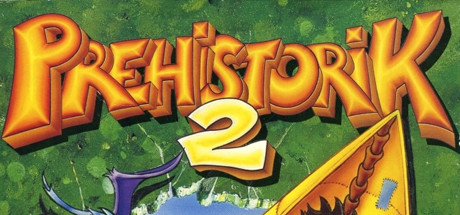
Prehistorik 2 (Android)
Prehistorik 2
OriginMS-DOS
TechnologyNative C/C++ port (engine reimplementation)
Available forAndroid
View official projectAbout the project
Prehistorik 2 es un videojuego de plataformas desarrollado y publicado por Titus Interactive en 1993. Originalmente diseñado para Amstrad CPC y MS-DOS, el juego es la secuela de Prehistorik (1991). Posteriormente, fue adaptado como Prehistorik Man en 1994 para las consolas Game Boy y Super Nintendo Entertainment System (SNES), siendo esta última versión adaptada a su vez para Game Boy Advance en 2001.
Official project information
Prehistorik 2 — a recovered, VM-less source port
A faithful source port of the DOS game Prehistorik 2, reconstructed from the original PRE2.EXE
one verified piece at a time. The result is clean, standalone Python that plays the whole game with
no emulator — the custom dos_re real-mode VM is kept only as an offline oracle that proves the
recovered code matches the original byte-for-byte.
It is a source port, not a remake: every routine is recovered from the real binary and checked
against it, not re-imagined. And it is not "the VM with a nicer front-end" — the shipped game runs
no x86, loads no PRE2.EXE, and starts no emulator.
$ python scripts/play_native.py # cold-boots the real game: titles → menu → levels → endings
Getting started — how to actually run it
There are two ways to play. You never need the original PRE2.EXE to play — only the game's data
files. (The .EXE is only for the contributor workbench; see the hybrid workbench far below.)
The fastest way — the prebuilt Windows binary (no Python)
- Download the latest release zip from the releases page.
- Unzip it into your own Prehistorik 2 game folder (the one containing
SPRITES.SQZ), sopre2native.exesits next to the game data. - Double-click
pre2native.exe. Done — no Python, no emulator, no setup.
Running from source (Windows / macOS / Linux)
You need Python 3.11 or newer (python.org) and your game's data
files. The game itself needs just two libraries — numpy and pygame. Step by step:
# 1. get the code
git clone https://github.com/missingno7/pre2_port
cd pre2_port

# 2. create a virtual environment (a private spot for the two libraries) and activate it
python -m venv venv
#    Windows (PowerShell):  venv\Scripts\Activate.ps1
#    Windows (cmd.exe):     venv\Scripts\activate.bat
#    macOS / Linux:         source venv/bin/activate

# 3. install the two libraries the game needs
pip install numpy pygame
#    (shortcut equivalent:  pip install -e ".[viewer]")

# 4. copy your Prehistorik 2 data files into the  assets/  folder:
#    every *.SQZ and *.TRK from your game folder — you do NOT need PRE2.EXE.

# 5. play!
python scripts/play_native.py
Hit ModuleNotFoundError: No module named 'pygame'? Step 3 didn't run, or the virtual environment
isn't active — re-run the activate line from step 2 (your prompt should show (venv)), then step 3.
From VS Code: open the pre2_port folder → Python: Select Interpreter (Ctrl/Cmd+Shift+P) → pick the
venv one → open scripts/play_native.py and press ▶ Run. Or just type python scripts/play_native.py
in VS Code's integrated terminal (with the venv active).
Controls: SPACE = advance / fire+jump, arrows or numpad = move, F10 = the enhancements menu
(widescreen, smooth motion, fullscreen…), ESC = quit. Handy flags: --from-level 0 drops straight into
LEVEL 1; --game-root "C:\path\to\game" reads the data files from there instead of assets/.
Which copy of the game do I need?
To play, you need only the game's data files (*.SQZ and *.TRK) — not the executable. pyproject.toml
lists the Python libraries; it is not the game data. This repo ships no game data — bring a copy you
legally own, and never commit it.
- The port is built and tested against the GOG.com DRM-free release — that's the recommended copy.
- Because the native game never runs the original
.EXE, other DOS releases of Prehistorik 2 may also work, but that's untested and unsupported. - Put the data in
assets/, or point--game-rootat your install folder.
Architecture — layered by dependency, verified at every seam
The whole design is one idea: separate what the game does from where the bytes live from how it was the original machine, and prove each layer against the original as you go. Everything flows in one direction — higher layers depend on lower ones, never the reverse.
   ┌─────────────────────────────────────────────────────────────┐
   │  scripts/play_native.py        the product — no VM, no EXE   │   ← you run this
   └──────────────────────────────┬──────────────────────────────┘
                                  │ drives
   ┌──────────────────────────────▼──────────────────────────────┐
   │  pre2/native/     the VM-less runtime: NativeGameState +     │
   │                   frame driver + native VGA/audio + boot     │
   └──────────────────────────────┬──────────────────────────────┘
                                  │ reads / writes game state through
   ┌──────────────────────────────▼──────────────────────────────┐
   │  pre2/views/      the state seam: human-named views ⇄ the    │
   │                   DGROUP memory layout (dgroup_view.py)       │
   └──────────────────────────────┬──────────────────────────────┘
                                  │ calls
   ┌──────────────────────────────▼──────────────────────────────┐
   │  pre2/recovered/  THE GAME (pure): gameplay + render logic   │
   │  pre2/codecs/     asset decoders (SQZ / sprites / audio)     │
   │                   —— never imports cpu / mem / dos_re ——     │
   └──────────────────────────────┬──────────────────────────────┘
                                  │ decodes
   ┌──────────────────────────────▼──────────────────────────────┐
   │  game data (*.SQZ / *.TRK)  +  boot constants (boot_data.py) │
   └─────────────────────────────────────────────────────────────┘

   dos_re/   the reusable real-mode VM — stands OUTSIDE this stack as the
             OFFLINE ORACLE: it replays the original ASM to prove the recovered
             code byte-for-byte. Game-agnostic. Never shipped, never run at game time.
| Layer | Directory | What it holds | The rule that keeps it clean |
|---|---|---|---|
| The game | pre2/recovered/, pre2/codecs/ | The recovered gameplay + render + audio logic and asset decoders — the actual source port. | Pure. No cpu/mem/dos_re imports. Reads state as human-named fields, never raw offsets. |
| The state seam | pre2/views/ | Human-named views (player.x, slot.sprite) over the DOS data-segment layout, plus dataclass readers. | The one place a DGROUP byte offset is written down. Swappable backends (live image / verify overlay). |
| The workbench | pre2/bridge/ | The DETACHABLE verification side: VM frame capture, timing fast-forwards, hook glue. | Never shipped (deploy denies it; scripts/lint.py forbids product imports). Plugs in only when verifying. |
| The runtime | pre2/native/ | NativeGameState (the memory image), the per-frame driver, native VGA + audio, and the boot constants that replace the EXE. | Owns the machine so the recovered layer doesn't have to. VM-free. |
| The oracle | dos_re/ | A reusable 8086 + hardware emulator. | Verification only. Knows nothing about Prehistorik 2. Never in the shipped game. |
Four invariants define the separation — and they're enforced, not aspirational:
- Dependency points down. The pure game logic never reaches back to the VM, CPU, or segmented memory. The VM sits at the bottom as an oracle; nothing above it depends on it to run.
- Offsets are quarantined. Gameplay code speaks
player.x/slot.sprite; the DOS memory layout lives only inpre2/views/dgroup_view.py. Seedocs/pre2/state_view_layer.md. - The VM is an oracle, not the engine. It replays the original ASM to check the recovered code; it is never started to play the game. No EXE, no emulator, no boot image at runtime.
- Everything is proven. Each recovered routine is byte-exact against the original — carried in an
@oracle_link(...)tag and auto-collected intodocs/pre2/recovered_islands.md(a test fails if the code and the manifest drift). That manifest is the source of truth for what's recovered.
The detachable workbench — which features need it
The PRODUCT (pre2native) never imports pre2/bridge/ or dos_re/ — not even lazily
(scripts/lint.py fails the build on any such import in shipped code; deploy_native.py
additionally denies the packages and its smoke test asserts none entered sys.modules).
The workbench imports the product, never the reverse. Feature by feature:
| Feature | Product (VM-free) | Workbench (the bridge to original game memory) |
|---|---|---|
| Play the game | ✅ play_native.py | — |
| Replay a demo | ✅ native event reader + the byte-exact tick replay | — |
| Record a demo | — | play.py --record-demo (the VM plays it) |
| Native snapshots | ✅ --snapshot / F11 (raw memory files) | — |
| VM snapshots | — | play.py F12 / --save-snapshot |
| Verify vs the original | — | verify_native_tick_demo.py, verify_native_frontend.py, the hook/frame oracles |
| Probe / disassemble | — | pre2/probes/, dos_re/tools/ |
What runs today
play_native.py cold-boots the entire game from the boot constants + the GOG assets, with no emulator:
OLDIES credits → TITUS / PREHISTORIK-2 titles → menu → world-map (carte) → gameplay → level-end tally → next level → … → endings → game-over → restart.
Everything the frame touches is recovered source, verified against the ASM:
- Gameplay — the whole per-frame loop: player FSM + movement + collision, the object/entity state machine, the second pass, terrain/moving-platform entities, effects, the combat pass, and the level state machine (death / respawn / checkpoint / level-end / game-over / game-complete).
- Rendering — asset decode (SQZ: LZSS/LZW/Huffman+RLE), sprite/tile demux + classify + blit, the object-list draw, the frame renderer (tile-row / grid / scroll / page-flip), HUD, level-end iris, particles / fireflies / foreground z-order, parallax, and the LEVELG falling snow.
- Audio — digital SFX and per-level ProTracker music from the recovered banks.
- Front-end — intro, titles, attract animation, difficulty menu, password entry, the carte scroll-in, transitions and DAC fades.
Enhancements (optional) — press F10
An in-game overlay (mouse or keyboard, openable any time) toggles a layer of modern comforts that sit
on top of the faithful game. They are pure presentation — they read game state and write none, so
the gameplay, demo recordings, and the byte-exact oracle are all untouched. Every enhancement is proven
pixel-/state-equal to the faithful game at its neutral setting (the alpha=1 widescreen parity gate), so
"enhanced" never means "diverged" — it's the same game, shown better.
- Frame interpolation — the game's fixed ~23 Hz tick is presented at your monitor's refresh (60 / 120 / 144 / 240 / …), object motion lerped between ticks. The tick cadence itself never changes.
- Widescreen — real extra tilemap columns fill a 16:9+ viewport (not a stretch): left / center / right HUD placement, stretch / mirror / black backdrop edges, and a true-widescreen mode that draws objects out in the margins. (Levels drawn from off-screen tiles — the gorilla boss — stay 4:3 with a wide HUD.)
- Smooth transitions — the curtain / iris / fade level transitions re-authored present-time, so they're buttery and frame-rate-independent instead of stepped.
- Stereo SFX — effects panned by where on screen they fire (the music was already stereo).
- Presentation — borderless fullscreen (Alt+Enter), integer scaling, a live fps/tps overlay, adjustable overlay scale (DPI-aware), F12 screenshot, and a frame cap / display-rate lock.
- Develop tab (
--debug) — god mode + jump to any level.
Known issues
Small and honest — none block a normal cold-boot → credits playthrough:
- A few rare edge-case paths still fail loud (
Pre2HybridGap) rather than run: an exotic bonus-level table-warp variant, and two defensive camera-pan guards on cave transitions. The normal path never reaches them; failing loud is deliberate (an unrecovered path is never silently faked). - No known missing visuals. (The long-listed "
0x9dc0parallax blit" turned out to be the loader's level-data stash/restore through spare VRAM — a memory-reuse trick with no net effect, which native's pure asset decode correctly sidesteps.) - The state-view refactor is an in-progress internal sweep (moving raw memory offsets out of the recovered logic into a named view layer). No gameplay or visual effect.
The hybrid workbench — for contributors
Everything above is about playing the game, and needs no .EXE. This section is only for working on
the port — recovering new behaviour and proving it byte-for-byte against the original ASM. If you just
want to play, you can stop here.
dos_re (the VM/oracle) is a git submodule, not vendored code — clone with git clone --recurse-submodules, or run git submodule update --init --recursive afterwards. It's also a real
package (not just importable via sys.path): the pytest suite resolves it automatically, but the
standalone scripts under pre2/probes/ and scripts/ need it on sys.path explicitly, so run
pip install -e dos_re/ once per environment (editable install — no copying, just makes import dos_re
work from anywhere).
There are two runtimes:
| Entry point | Emulator? | Needs PRE2.EXE? | For | |
|---|---|---|---|---|
| Native — the product | scripts/play_native.py | none | no | playing / shipping the recovered game |
| Hybrid — the workbench | scripts/play.py | yes, as an oracle | yes | recovering & proving new behaviour against the live ASM |
A new piece is prepared and proven in the workbench (recovered code runs hooked over the real ASM inside
the dos_re VM, lock-stepped against it); the same recovered functions then run in the native product
with the hooks gone ("hybrid is the workshop, native is the product"). The workbench never silently falls
back to ASM — an unrecovered path fails loud (Pre2HybridGap) so the gap becomes the next task.
Verification replays a recorded demo through the ASM oracle and the native core tick by tick and
compares the full memory image; native reproduces the VM exactly (render/async offsets aside).
Getting PRE2.EXE (workbench only)
The workbench needs the GOG.com release specifically — every recovered address is derived against that
build, so no other version lines up. The GOG release doesn't ship PRE2.EXE as a plain file; it's packed
inside PRE2.SQZ (a Titus CDRUN wrapper). Unpack it once with the included script:
# extract the GOG PRE2.EXE from its PRE2.SQZ wrapper into assets/
python scripts/extract_pre2_from_sqz.py "C:\path\to\GOG\PRE2.SQZ" assets/PRE2.EXE
(This only touches your own legal copy — it downloads and bundles nothing.) With assets/PRE2.EXE and the
data files in place:
# the workbench — hybrid runtime over the ASM oracle  (needs numpy + pygame, as in Getting started)
python scripts/play.py                     # live viewer: recovered hooks over the VM
python scripts/play.py --verify-hooks      # lockstep contract check vs the ASM
python scripts/play.py --record-demo run1  # record a regression demo
pip install pytest && python -m pytest -q         # the byte-exact test suite

# ship the native game as a standalone folder (+ optional PyInstaller exe) — no VM, no EXE
python scripts/deploy_native.py                   # build + smoke-test dist/pre2native/
python scripts/deploy_native.py --exe             # + PyInstaller (needs `pip install pyinstaller`)
Where to read more
- Architecture & posture —
docs/pre2/recovery_architecture.md(north star) anddocs/pre2/recovery_lifecycle.md(the recovery lifecycle and the VM-as-oracle destination). - The state seam —
docs/pre2/state_view_layer.md(human-named views, swappable backends, why offsets leave the logic but the byte-backed store is a legitimate release citizen). - What's recovered —
docs/pre2/recovered_islands.md(generated; source of truth) and the address ledgerdocs/pre2/symbol_ledger.md. - Contributor guardrails —
AGENTS.md,ARCHITECTURE.md, and the reusable method indos_re/AI_PORTING_CHARTER.md.
dos_re/stays game-agnostic on purpose — anything that knows Prehistorik 2 filenames, addresses, or formats lives underpre2/. That boundary is what makes the VM a reusable oracle instead of part of the game.
Support
If you enjoy this project and want to support work like it, you can buy me a coffee:
Every bit is appreciated and helps keep projects like this going. Thank you!