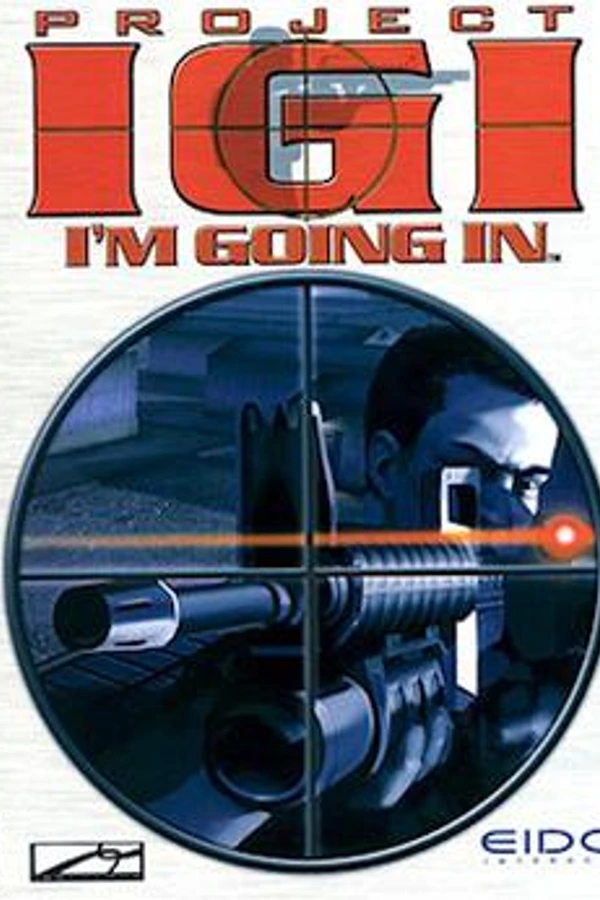
Project I.G.I. (PS Vita)
Project I.G.I.
About the project
Project I.G.I. es un videojuego de disparos publicado por Eidos Interactive en 2000.
Official project information
Project I.G.I.: I'm Going In — native PS Vita port
Project I.G.I. (Innerloop, 2000) running natively on the PS Vita / PS TV. This is not an emulator: the original Windows executable was statically recompiled to C and built for the Vita, with Direct3D 7 / DirectSound / DirectInput reimplemented on top of vitaGL and the Vita's own APIs. Hot parts of the game (terrain, meshes, skinning, culling...) have been rewritten by hand for the Vita's CPU.
Disclaimer
This release contains no game files, and none will be provided. It is an unofficial fan project, not affiliated with or endorsed by the rights holders of Project I.G.I. To play you need your own copy of the original PC game: copy the files from your disc as described below. Please don't ask for the game files in this thread or in DMs.
What works
- The whole game: menus, all missions, saves, options (saved as soon as you confirm them).
- Locked 30 fps in gameplay (the game's own frame cap), CPU clocked to 444 MHz automatically.
- Sound, music, FMV cutscenes and in-engine cutscenes.
- The game's loading screens, LiveArea bubble, 16:9 fullscreen (4:3 optional).
Requirements
-
A PS Vita or PS TV with HENkaku/Ensō (any firmware supported by them) and VitaShell.
-
libshacccg.suprx (the runtime shader compiler) in
ur0:data/. If you already play other vitaGL ports you have it. Otherwise, extract it with ShaRKBR33D. -
The PC game files from the original 2000 CD release. The port is built for this exact
IGI.exe:- size: 1,384,448 bytes
- SHA-1:
e4daed6ab0feb7ca5614a0d61fa8aa6c14bd8164
Other versions/patches of
IGI.exeare not supported yet. If yours doesn't match, the game will not start.
Installation
You need the files of the original PC CD (the disc itself or an image of it):
the pc folder and the small .AFP files at the root of the disc, which the
game's CD check looks for.
-
Install
igi.vpkwith VitaShell. -
Copy from the CD to the Vita (USB or FTP with VitaShell) so you end up with:
ux0:data/igi/ANYS.AFP          <- from the root of the CD
ux0:data/igi/CONFIG.AFP        <- from the root of the CD
ux0:data/igi/MPZM.AFP          <- from the root of the CD
ux0:data/igi/YMBE.AFP          <- from the root of the CD
ux0:data/igi/pc/IGI.exe        <- the whole pc folder of the CD (about 480 MB)
ux0:data/igi/pc/missions/...
ux0:data/igi/pc/language/...
ux0:data/igi/pc/menusystem/...
...
The
.urlshortcut files inpccan be skipped. Nothing needs to be installed on a PC first: the files are used straight from the disc. -
Launch Project IGI from the LiveArea.
Updating to a newer version only needs the new vpk; your game data and saves in
ux0:data/igi/ are kept.
Controls
Default controls in play:
| Vita | Action |
|---|---|
| Left stick | Move / strafe |
| Right stick | Look / aim |
| Front touchscreen | Drag to look / aim |
| Rear touchpad | Upper half: zoom in, lower half: zoom out (sniper scope, binoculars) |
| R | Fire |
| L | Crouch |
| Cross | Jump |
| Circle | Use / activate |
| Square | Reload |
| Triangle | Next weapon |
| D-pad left | Previous weapon |
| D-pad up | Binoculars |
| D-pad down | Walk / run |
| D-pad right | Map computer |
| Select | Peek |
| Start | Menu (pause) |
In the menus: D-pad or left stick to move, Cross to confirm, Circle to go back, right stick to move the cursor, tap the front touchscreen to click.
Changing the controls
Every button, the D-pad, the left stick's four directions and the rear touchpad's
two halves can be bound to any action in Controls (main menu: Configuration →
Controls; pause menu: Controls). A few spare inputs are also listed, unbound
by default, so you can give an action a second control without taking one away
from another action (see below): the external-controller buttons L2, R2, L3,
R3 (they do nothing on a handheld Vita; they reach the list only from a
DualShock or on a PS TV) and, with rear_zones=4 in igi.cfg, the four
rear-touch quadrants (Rear up-left, Rear up-right, Rear down-left,
Rear down-right) in place of the two halves.
- Move to an action with the D-pad (the list scrolls), or tap it.
- Press Cross: the game asks for a button.
- Press the control you want for that action. A control already used by another action swaps with it, so no control does two things. Start cancels.
Each action can also have a second control, so two buttons do the same
thing: move to the action and press Triangle instead of Cross (the cell
shows "+ Press a button"), then press the second control. The cell then shows
both, e.g. "R / Square" (stick, D-pad and rear touch names are shortened there:
"Stick Up", "D-pad Up", "Rear Up"). To add a second control without disturbing
another action, use one of the spare inputs (L2/R2/L3/R3 or, with
rear_zones=4, a rear quadrant). The rules:
- Cross then a control always sets the first control; Triangle then a control sets the second one.
- Pressing a control the action already has (its first or its second) with Triangle removes the second control.
- A control used by another action is taken from it: that action gets the old second control in its place (or, if there was none, keeps its own second control as its only one, or shows "Not set"). Taking another action's second control as a first control works the same way.
- Reset to Default Settings removes every second control.
Changes count at once; Circle goes back, keeping them. On this screen the
right stick (or a tap) moves the cursor to the other items and Cross clicks
them: Reset to Default Settings brings back the table above. Actions without a control show
"Not set" (weapon categories, alternate fire); bind them to a control if you
like. Your controls are saved in ux0:data/igi/pc/config.qvm.
Look Sensitivity and Invert Look on the same screen apply to the right stick and the touchscreen.
Coming from an earlier version or a PC install: the first time this version
starts, keyboard and mouse bindings (which a Vita cannot press) are replaced by
the defaults above. Your old config.qvm is kept as
ux0:data/igi/pc/config_keyboard.qvm.
Optional settings
Create ux0:data/igi/igi.cfg (a text file, one setting per line):
| Setting | Effect |
|---|---|
aspect=keep | Original 4:3 picture with black bars (default: fill the 16:9 screen) |
overlay=1 | Performance overlay (frame time, CPU time per frame) |
update_check=0 | No check for a new version at start-up (default: on) |
front_touch=0 | Front touchscreen off |
rear_touch=0 | Rear touchpad off (if you rest your fingers on it) |
rear_zones=4 | Split the rear touchpad into four quadrants (four bindable controls) instead of the two halves. The quadrants are unbound by default, so bind them in Controls; the two-half default (zoom in / zoom out) is rear_zones=2 |
stick_sensitivity=0.7 | Right stick look speed in gameplay, as a multiplier (default 1.0; the game's Look Sensitivity applies on top). The menu cursor speed is fixed |
Updates
At start-up, over the boot picture, the game looks for a newer release of the
port (for at most about three seconds; without Wi-Fi it goes straight on). When
one is found it offers it: X installs it, O skips it. The download is checked,
the game closes, puts the new files in place of its own and starts again;
igi.cfg, saves and the game files in ux0:data/igi are kept. If anything goes
wrong the installed game keeps working, and the details are in
ux0:data/igi/update/update.log. The installed version is shown in the bottom
right corner of the boot screen.
Installing an update needs Enable Unsafe Homebrew on in Settings > HENkaku
Settings (the installer writes the game's own folder in ux0:app). With it off
the game only tells you that a new version is available and how to turn it on,
then starts as usual. If the Vita refuses to start the installer, the game shows
the error and closes when you press a button: start it again from the LiveArea.
Known issues
- Only the
IGI.exeabove is supported. - The log is written to
ux0:data/igi/igi.log; please include it when reporting a problem.