
Super Mario Bros.
About the project
Super Mario Bros. es un videojuego de plataformas desarrollado y publicado por Nintendo para la Nintendo Entertainment System (NES). Dirigido y producido por Shigeru Miyamoto, es la secuela del arcade Mario Bros. de 1983 y el primero de la serie Super Mario. Los jugadores controlan a Mario, o a su hermano Luigi en el modo multijugador, para atravesar el Reino Champiñón y rescatar a la princesa Toadstool del rey Koopa —más tarde llamado Bowser—.
11 versions of Super Mario Bros.
You're viewing: Super Mario Bros.
Super Mario Bros.github.com/pwsqrd/lynx_smbSMB Vanillagithub.com/nukep/SMB-VanillaSuper Mario Bros. (nathsou)github.com/nathsou/smbSuper Mario Bros. (oliveryasuna)github.com/oliveryasuna/smb-recompSuper Mario Bros. (Switch)github.com/sverigeunit/Mario-Bros-Switch-PortSuper Mario Bros. (UEFI_SuperMario)github.com/MikeWuPing/UEFI_SuperMarioSuper Mario Bros. Remasteredgithub.com/JHDev2006/Super-Mario-Bros.-Remastered-PublicSuper Mario Bros. Remastered (Android, mircey)github.com/mircey/super-mario-bros.-remastered-androidSuper Mario Bros. Remastered (Android)github.com/mircowuffwuff/super-mario-bros.-remastered-androidSuper Mario Bros. Remastered (Switch)github.com/delsonazevedo/Super-Mario-Bros.-Remastered-SwitchSuperMarioBrosRecompgithub.com/mstan/SuperMarioBrosNESRecompOfficial project information
Super Mario Bros. — Atari Lynx Port
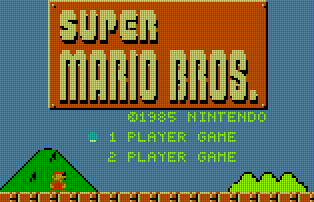
A port of the NES Super Mario Bros. to the Atari Lynx handheld.
Rather than rewriting the game, this project runs the original 6502 game logic (from a complete NES disassembly) on the Lynx's 65C02 and wraps every NES hardware access — graphics, audio, input — in a thin Lynx adapter layer. The NES's tile-based PPU is translated to the Lynx's sprite-based Suzy engine, the NES APU to the Lynx Mikey audio channels, and the NES controller to the Lynx joypad.
All artwork and level data is extracted directly from the original NES ROM during the build. No copyrighted assets are stored in this repository.
Windows quickstart
- Install Docker Desktop and restart your PC. (Skip this if you already have it.)
- Download this repo: click the green Code button at the top of this page →
Download ZIP, then extract it (e.g. to
C:\temp). - Put your Super Mario Bros.
.nesROM in theromfolder. - Double-click
build-windows.bat. - When it says Done!,
smb.lnxis next tobuild-windows.bat. Open it in a Lynx emulator.
The first build takes about 5 minutes; after that it's much quicker.
If Windows shows "Windows protected your PC", click More info → Run anyway. If it says the ROM wasn't found, your ROM is the wrong version — see the ROM table under Build.
How it works
| NES | Lynx | Translation |
|---|---|---|
| Tile-based PPU, 256×240 | Sprite-based Suzy engine, 160×102 @ 4bpp | Tiles → pre-composited metatile sprites, NES→Lynx palette dedup into ≤16 slots |
| APU, 5 channels | Mikey, 4 channels | Per-frame register translation, software envelope emulation |
| Controller | Joypad + buttons | Input shim |
| 2 KB RAM + separate VRAM | 64 KB unified RAM | NES I/O register equates redirected into RAM |
lynx_port/smb_lynx.s— the NES disassembly converted toca65syntax (~16K lines).lynx_port/lynx_startup.s— Lynx hardware init and the IRQ→NMI bridge that drives the original game loop.lynx_port/lynx_sprites.s— Suzy sprite rendering and NES→Lynx palette translation.lynx_port/lynx_audio.s— NES APU → Mikey audio translation.
The graphics scale factor is NES 8×8 → Lynx 5×5 (160×102 fits a 32-column field exactly).
Prerequisites
- cc65 — provides
ca65,ld65, andsp65, plus the Lynx target library (lynx.lib). Don't use you package manager, compile from source:git clone https://github.com/cc65/cc65.git # The exact commit this port is tested against (see Dockerfile CC65_COMMIT): cd cc65 && git checkout c720c3c4854cf36befbb7d1b19fdb207f7549882 make -j"$(nproc)" && sudo make install PREFIX=/usr/local - Python 3 with Pillow — the only
third-party Python dependency, used by the asset-extraction scripts. Install
it with
pip install -r requirements.txt. - make and bash.
- An Atari Lynx emulator to run the result (e.g. GearLynx, Felix, or Handy).
Make sure ca65, ld65, and sp65 are on your PATH. If cc65 is installed
somewhere non-standard, override the tool paths:
make CA65=/opt/cc65/bin/ca65 LD65=/opt/cc65/bin/ld65 SP65=/opt/cc65/bin/sp65
Docker Building (easy)
git clone https://github.com/pwsqrd/lynx_smb
cd lynx_smb

# Drop your ROM in rom/ (any filename, matched by checksum)
cp /path/to/your/smb.nes rom/

# Build the image (one-time, ~5 min — compiles cc65 from source)
docker build -t lynx_smb_builder .

# Run the build, get the .lnx out
docker run --rm \
  -v "$PWD/rom:/build/rom" \
  -v "$PWD/out:/build/out" \
  lynx_smb_builder
Build (if you dont like docker)
-
Supply the NES ROM. This port does not include any game assets — drop your own legally-obtained Super Mario Bros. ROM into the
rom/directory. Any filename works; it is matched by checksum. The required dump is:Field Value Name Super Mario Bros (JU) (PRG 0).nesSize 40976 bytes MD5 811b027eaf99c2def7b933c5208636deSHA-1 ea343f4e445a9050d4b4fbac2c77d0693b1d0922(If the ROM is missing or wrong, the build stops and prints exactly what it expects.)
-
Build:
makeThis verifies the ROM, extracts and converts all assets, assembles the four modules, and links the final ROM to
out/smb.lnx(plus.lab/.symdebugger symbol files).The default tile size is 5×5 (NES 8×8 tiles downscaled to fit the Lynx's 160×102 screen). This is the standard build and produces
out/smb.lnx. The alternateTILE_MODE=5x4build (see below) is written toout/smb_5x4.lnxinstead. 5x4 mode allows for more vertical space and matches the NES version more closely. -
Run it in an emulator:
make run FELIX=/path/to/your/emulator
# or just point your emulator at out/smb.lnx
Useful make targets / options
| Command | Description |
|---|---|
make | Verify ROM, build assets + ROM image |
make assets | Build only the extracted assets |
make run | Build then launch the emulator (FELIX= to set it) |
make clean | Remove object files and the linked ROM |
make distclean | Also remove all extracted/generated assets |
make TILE_MODE=5x4 | Alternate tile scaling (more vertical content, smaller tiles, more draw calls) → out/smb_5x4.lnx |
make VSCROLL_MODE=THREE_POS | Choose a vertical-scroll behaviour, 5×5 only (see below) |
Vertical scroll modes (5×5 only)
The Lynx screen (102 px tall) is far shorter than the NES's (240 px), so the
5×5 build scrolls the camera vertically to keep Mario in frame. How it scrolls
is chosen at build time with VSCROLL_MODE=. Three behaviours are available:
VSCROLL_MODE | Behaviour |
|---|---|
(unset) or PLATFORM_LOCK | Default. Platform-lock: the camera follows Mario down immediately, but only pans up after he has stood still briefly (~0.13 s). Keeps the framing steady and stops the view lurching upward on every jump. Snaps between ground / mid / top positions. |
TWO_POS | Two-position snap between a ground camera and a raised camera, with a dead zone and velocity gating to prevent oscillation. Snappier and simpler. |
THREE_POS | Three-position snap (ground / mid / top) with dead zones — finer vertical framing than TWO_POS. |
In every mode the camera eases toward its target (±2 px/frame) and holds still
during pipe transitions, level entry, and death; water levels never scroll
vertically. The alternate 5×4 build fits more rows on screen and does not scroll
vertically, so VSCROLL_MODE has no effect there.
make VSCROLL_MODE=THREE_POS
Repository layout
lynx_port/        Port source (ca65 assembly) + linker config + hardware include
tools/            ROM verification + asset-extraction pipeline (Python / sp65)
rom/              Place your NES ROM here (gitignored)
docs/             Screenshot and other docs
Makefile          Build orchestration
The build/ and out/ directories are created during the build and are
gitignored.
Credits & provenance
- Game: Super Mario Bros. © Nintendo. This project ships no Nintendo assets or code; everything is generated from a ROM you provide.
- NES disassembly: the game logic is derived from the comprehensive
Super Mario Bros. disassembly
SMBDIS.ASMby doppelganger (doppelheathen@gmail.com), converted from x816 toca65syntax. That original disassembly is not included in this repository; it is widely mirrored online (search for "SMBDIS.ASM doppelganger" / the smbdisassembly project). - Toolchain: cc65 (ca65/ld65/sp65 and the Lynx target library).
This is a hobby/educational port. You must own an original copy of the game to build and play it.