VagrantStory
About the project
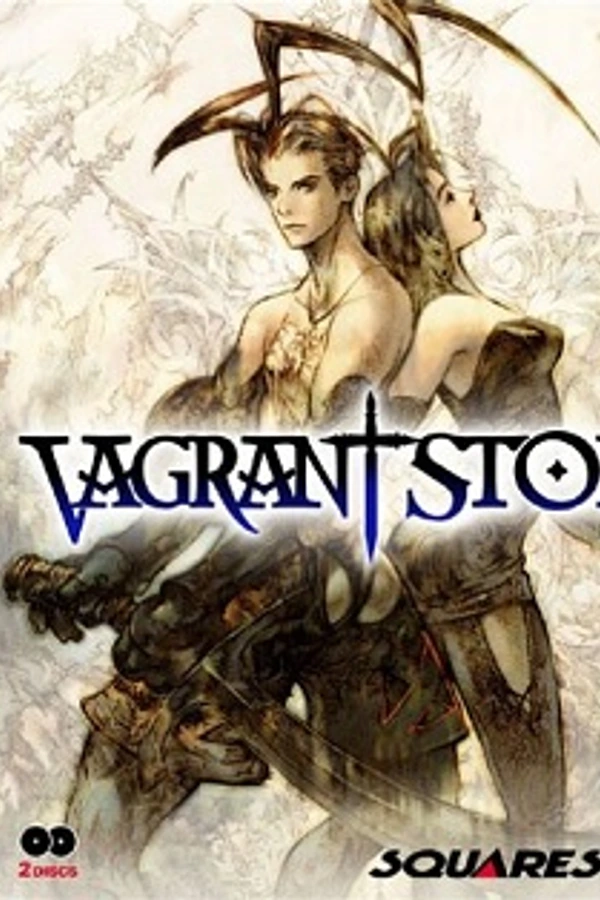
Vagrant Story es un juego JRPG desarrollado y publicado por Square Co., Ltd., para la consola de videojuegos PlayStation. El juego fue lanzado en el año 2000, y ha sido relanzado a través de la PlayStation Network para las consolas PlayStation 3 y PlayStation Portable. Se caracteriza por su fascinante argumento, la creación/modificación de armas, resolución de acertijos y el uso de Magia. Vagrant Story fue desarrollado principalmente por el equipo responsable de Final Fantasy Tactics, con Yasumi Matsuno como productor, escritor y director.
Official project information
Vagrant Story Recompiled (PC)
An unofficial native PC build of Vagrant Story (PlayStation, USA, SLUS-01040), made by statically recompiling the game with psxrecomp and the recomp-ui launcher.
This repository contains no game data. There is no disc image, no
executable, no art, audio or text from the game, and no code translated from
it. To build and play you need your own legally obtained copy of the game.
The recompiler reads your disc and writes the game code (generated/)
on your machine only. That folder is ignored by git, so do not commit it.
Playing (release download)
The Releases page has a Windows build that also carries none of the game's code: it reads Vagrant Story's code from your disc when you play. On first launch it compiles the battle engine, menus and title screen from your disc in the background with a bundled gcc (low priority, battle code first; it can take an hour or more and is cached for good). Until then, and for anything else, it runs the code through psxrecomp's interpreter and TinyCC as before.
- Unzip it anywhere.
- Run
VagrantStory_Recompiled.exeand point the launcher at your own dump of Vagrant Story (USA), SLUS-01040 (.cue+.bin). - Adjust the extras in the launcher's Mods page (all on by default; widescreen defaults to 16:9).
Vagrant Story is © Square Enix. This project is not affiliated with or endorsed by Square Enix.
What it adds
All of these are mod packages under mods/preloaded/packages, toggled in the
launcher's Mods page:
-
Widescreen (16:9, 16:10, 21:9 or fit-to-window) for the 3D field and battles, with the HUD kept at 4:3. The depth-of-field blur and cutscene-cut ghosting reach the side margins too. Menus and the title screen stay 4:3.
-
Button prompt bar: a small bar at the bottom of the screen showing what each button does in the current context, and one at the top listing the F-key shortcuts (save states, fast forward, scanlines). The symbols switch between keyboard and controller (PlayStation or Xbox) automatically; the save-state menu follows the controller too. Either bar can be hidden in the mod's settings.
-
In-game button icons follow your device too: the game's own icons in menus, the HUD and text become A/B/X/Y and LB/RB/LT/RT on an Xbox-style pad, or your bound keys on the keyboard (Button Prompts setting, on by default).
-
Right-stick camera: the right stick rotates the camera like L1/R1. R3 still toggles first-person view; there the right stick (or D-pad) looks around, up is up, and the left stick returns to the normal camera.
-
Skippable boot logos: Enter, Circle or Start skips the company logos.
-
Exit options: Exit to Main Menu and Exit Game in the Triangle menu (press Circle twice to confirm), and Exit Game on the title screen.
-
The Windows Volume Mixer lists the game by name with its icon.
-
Keyboard default: Space is Jump.
-
PGXP Precision (psxrecomp's built-in mod, on by default here through an override in
mods/preloaded/packages/psx.enhancement.pgxp): stops the PlayStation's polygon wobble and texture warping. Vertices keep their sub-pixel position and textures are drawn with perspective. The runtime is built with the PGXP hooks (VS_PGXP_HOOKS, on), and with the mod's CPU-mode option (also on) it reaches about 99% of the game's vertices. -
60 FPS (engine) (experimental, on by default,
src/vs_frame_rate_mod.c): real in-between frames drawn with the game's own code through psxrecomp's render passes, with the camera and characters placed between the 30 fps game frames, presented in step with the display's refresh. "Display refresh" draws more than one per frame (120 fps on a 120 Hz screen) and needs a fast PC. Event scenes keep their 30 fps frames for now. Smooth motion stays off while it is on. Notes indocs/ENGINE_FRAME_RATE.md.
Higher internal resolution, Smooth motion (frame generation) and the render thread come from psxrecomp and are set in the launcher's Display settings.
Layout
| Path | What it is |
|---|---|
game.toml | Title config for the recompiler and runtime |
src/ | This port's runtime plugins (widescreen, prompts, stick camera, logo skip, exit options, 60 FPS) |
mods/ | The mod packages that expose those features in the launcher |
patches/psxrecomp, patches/recomp-ui | Changes to the two framework submodules |
scripts/apply_patches.* | Applies those patches on a local branch |
assets/ | App icon (Ashley) |
Building (Windows, MSVC)
Requirements: Visual Studio 2022 (C/C++ workload), CMake 3.25+ and Ninja,
Git for Windows, Python 3.10+, and PowerShell 7 (pwsh). Run all commands
from an x64 Native Tools prompt with Git's bin folder ahead of WSL on
PATH, so bash is Git Bash.
-
Clone with submodules and apply the patches:
The framework has deep source paths, so enable long paths in Git first (
git config --global core.longpaths true) or clone near a drive root.git clone --recursive https://github.com/<you>/<this-repo>.git cd <this-repo> pwsh scripts/apply_patches.ps1 -
Put your own dump somewhere (for example
disc/Vagrant Story (USA).cueand its.bin;disc/is ignored by git) and setdiscingame.tomlto it. The digests ingame.tomlidentify the expected dump (Redump "Vagrant Story (USA)", data track MD58531bc73ea7cd33a4c8e97bdf139ba9c). -
Generate the game code from your disc (writes
generated/):python psxrecomp/psxrecomp_cli.py generate --config game.toml --project-root . --no-toolchain-download --disc "disc/Vagrant Story (USA).cue"--no-toolchain-downloadstops the CLI from fetching its own 1.5 GB clang toolchain; the MSVC environment is enough. -
Configure and build:
cmake -S . -B build -G Ninja -DCMAKE_BUILD_TYPE=Release cmake --build build -
Run
build/VagrantStory_Recompiled.exeand point the launcher at your.cue. Saves and memory cards go where you set them in the launcher.
build_release.bat (or pwsh build_release.ps1) does step 4 in one go
after the patches are applied: it loads the VS 2022 environment, builds
build-release/ and stages a runnable copy in dist/release/. Pass
-DiscCode for the variant below, -Clean for a from-scratch build.
To build the release variant with no game code inside, skip step 3 and
configure with -DPSXRECOMP_DISC_CODE=ON. Copy the framework's
overlay_toolchain/ (TinyCC, the emitters and a pinned embeddable Python)
next to the executable so it can compile from the disc at runtime, and stage
gcc into it from an extracted w64devkit
with python tools/vs_stage_gcc.py --devkit <w64devkit> --toolchain <exe-dir>/overlay_toolchain --gpl3 <GPLv3 text>. The first-launch compile
reads aot/vs_overlay_seeds.json: disc file offsets, checksums and code
addresses, no game bytes (tools/vs_make_overlay_seeds.py builds it from
overlay captures).
See psxrecomp/docs/GAME_PROJECT_SETUP.md for the framework's own build
documentation.
Credits
- psxrecomp and recomp-ui, the recompiler, runtime and launcher this builds on.
- rood-reverse, the Vagrant Story decompilation, used for RAM addresses and symbols.