
Sonic the Hedgehog (2006)
Sonic the Hedgehog
About the project
Sonic the Hedgehog es un videojuego de plataformas desarrollado y publicado por Sega para la consola Mega Drive. Salió a la venta en las regiones PAL el 21 de junio, en Norteamérica dos días después, el 23 de junio, y en Japón al mes siguiente. El jugador controla a Sonic, un erizo que puede correr a velocidades supersónicas. La historia lo sigue en su intento de frustrar los planes del científico loco Dr. Robotnik, que busca las poderosas Chaos Emeralds.
4 versions of Sonic the Hedgehog
You're viewing: Sonic the Hedgehog (2006)
Official project information
Sonic the Hedgehog (2006)


A decompilation of Sonic the Hedgehog (2006) for the Xbox 360.
This repository does not contain any game assets or assembly whatsoever. An existing copy of the game is required.
Dependencies
Windows
On Windows, it's highly recommended to use native tooling. WSL or msys2 are not required.
When running under WSL, objdiff is unable to get filesystem notifications for automatic rebuilds.
- Install Python and add it to
%PATH%.- Also available from the Windows Store.
- Download ninja and add it to
%PATH%.- Quick install via pip:
pip install ninja
- Quick install via pip:
macOS
-
Install ninja:
brew install ninja -
Install wine-crossover:
brew install --cask --no-quarantine gcenx/wine/wine-crossover
After OS upgrades, if macOS complains about Wine Crossover.app being unverified, you can unquarantine it using:
sudo xattr -rd com.apple.quarantine '/Applications/Wine Crossover.app'
Linux
- Install ninja.
- For non-
x86_64platforms: Install wine from your package manager. - For
x86_64, wibo, a minimal 32-bit Windows binary wrapper, will be automatically downloaded and used.
Building
-
Clone the repository:
git clone https://github.com/rjkiv/sonic06.git -
Copy the xex to
orig/534507D6. -
Configure:
python configure.py -
Build:
ninja
Diffing
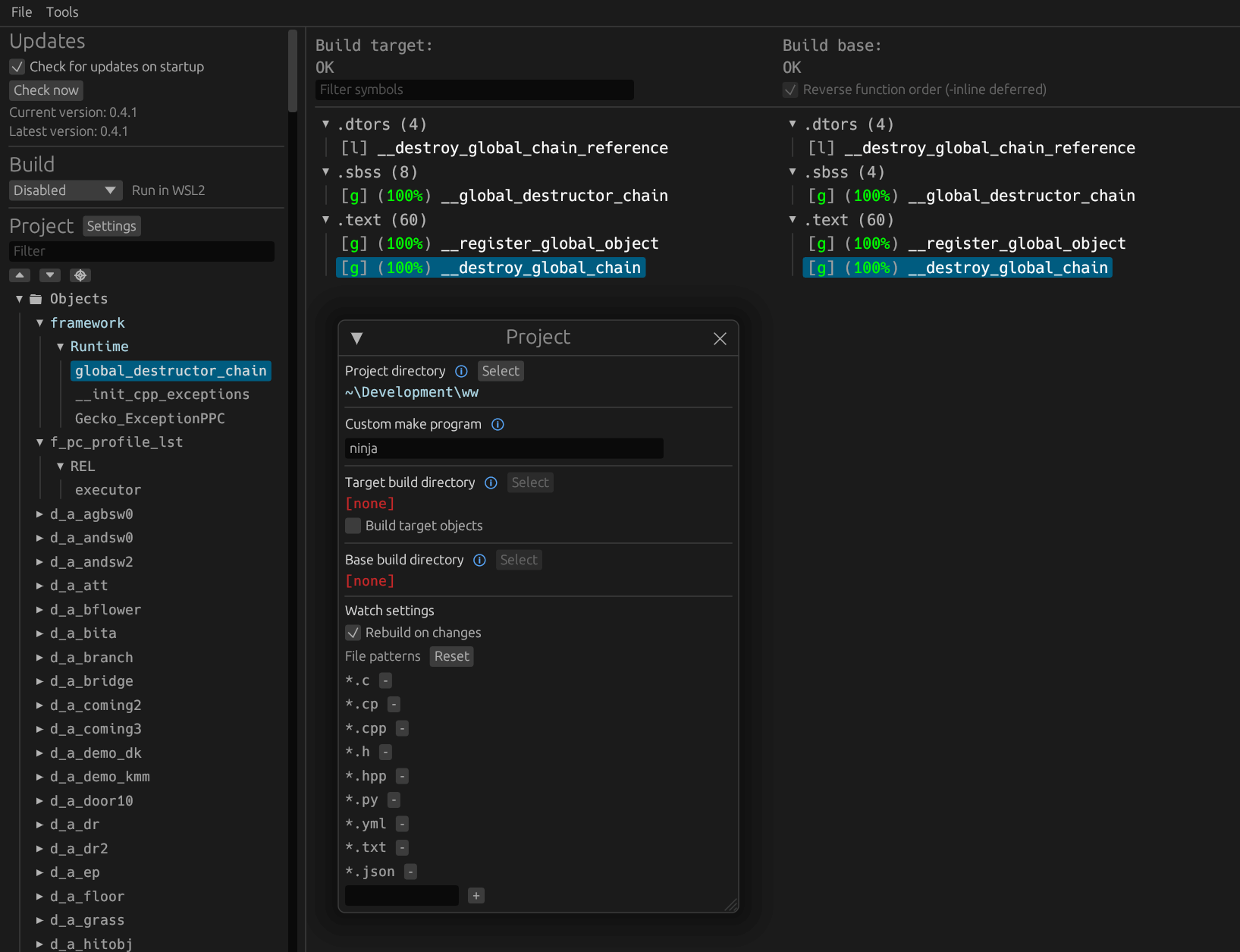
Once the initial build succeeds, an objdiff.json should exist in the project root.
Download the latest release from encounter/objdiff. Under project settings, set Project directory. The configuration should be loaded automatically.
Select an object from the left sidebar to begin diffing. Changes to the project will rebuild automatically: changes to source files, headers, configure.py, splits.txt or symbols.txt.
Can I use AI?
The short answer: If you intend to throw this decomp at a series of agents and let them run wild instead of learning the general decomp process, or at least trying a function or two manually by yourself first, this is not the project for you.
The long answer: see here
Want to contribute?
If you are interested in contributing, please see the CONTRIBUTING walkthrough and guidelines.