
Roller
TechnologyNative C/C++ port (engine reimplementation)
Available forWindows, Linux, macOS
View official projectAbout the project
Rock 'n' Roller es un videojuego de tipo arcade realizado por la compañía española de videojuegos Topo Soft en 1988 para los ordenadores de la época Sinclair ZX Spectrum, MSX, Amstrad CPC y PC
Official project information
ROLLER



This project aims to implement all the functionality of the 1995 game Whiplash/Fatal Racing in a way that builds and runs on modern PCs. Where necessary, DOS-specific functions are substituted with SDL and Windows/Unix equivalents. For instruction-matching decomp, see https://github.com/FatalDecomp/ROLLER-matching
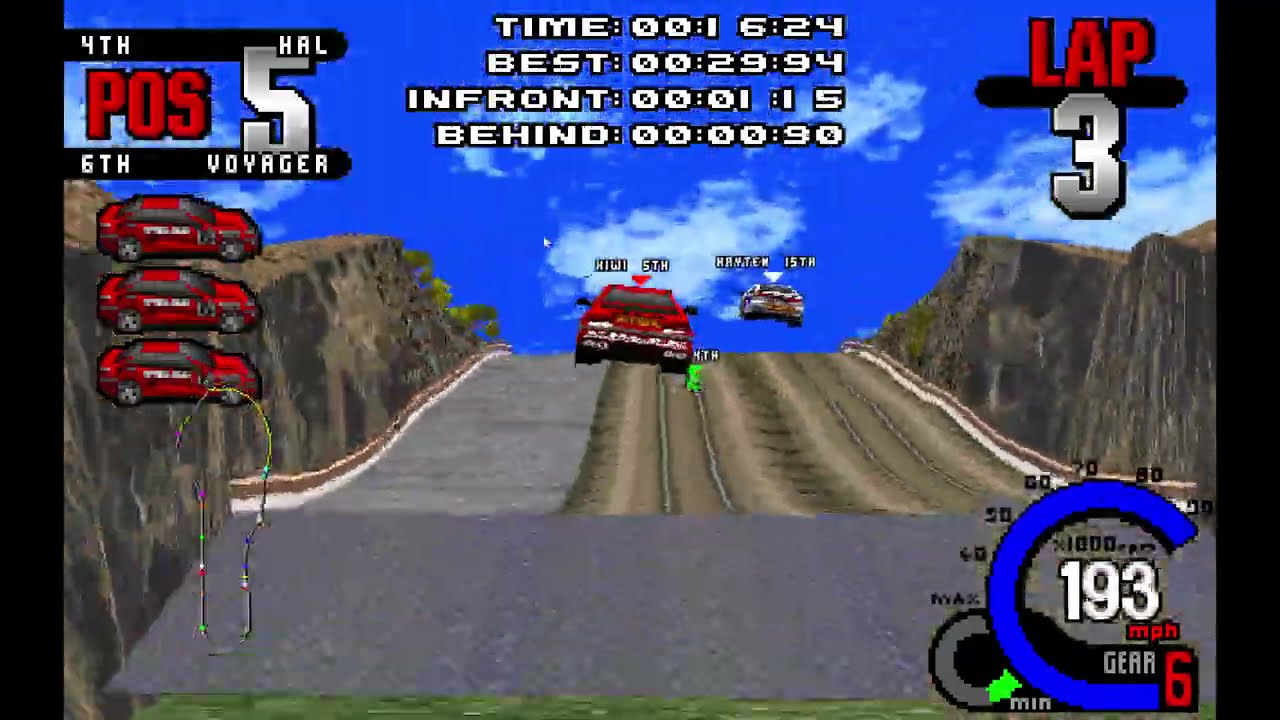
Play
Play ROLLER in your browser with the bundled freeware demo, or import an image of a legally owned retail disc for the full game. No install is required.
Native installations require assets from a retail copy of the game. Download the latest native version from the releases page and extract it wherever you want. On initial launch, select a CD image (CUE/BIN or ISO) to extract the assets. Press the ` key to access additional settings.
About
Debug symbol dump generated with wdump, part of: https://github.com/open-watcom/open-watcom-v2
Useful tool in generating nice asm output with symbols from wdump applied: https://github.com/fonic/wcdatool
Directions on how to use wcdatool and get remote debugging working with open watcom: https://www.youtube.com/watch?v=bG9tEZOSrQg
Note: wdump symbol offsets do not account for DOS4GW.EXE. Load FATAL.EXE_split_dos4g_payload.exe (FATAL.EXE with DOS4GW.EXE split off, generated by wcdatool) into Ida/Ghidra to have matching symbol offsets.
Hashes of executables used for decomp:
FATAL.EXE
md5: 812EEE1404ECDFD87FF765281DF89720SHA256: 7789768C0A6CDC213EAF7B1AD8CC125531EB3FE7C213ECCAC6188E58F428687E
FATAL.EXE_split_dos4g_payload.exe
md5: 05C2B0730641663133D76DD2CA552B4CSHA256: A4AD4131DBBFF9884DA4687D8B579B81117E6D23525950D942DF2DF585E2A11E
External Dependencies Used:
- SDL3.2.22: https://github.com/libsdl-org/SDL
- SDL_Image3.2.4: https://github.com/libsdl-org/SDL_image
- WildMIDI 0.4.6: https://github.com/Mindwerks/wildmidi
- libcdio-2.3.0: https://github.com/libcdio/libcdio
- Nuklear 4.13.2: https://github.com/Immediate-Mode-UI/Nuklear
Build
Video instructions: https://www.youtube.com/watch?v=QEDGhvvZ9XU
Clone the repository
git clone https://github.com/zizin13/roller.git
cd roller
Install prerequisites
The easiest way to install is to use mise:
mise install
Build and run the project
Using default settings
zig build run
A custom data folder
zig build -Dassets-path=/path/to/fatdata run
Prepare the playable demo assets
The browser build uses the hash-pinned Whiplash demo selected by ADR 0002.
zig build web automatically downloads, verifies, and extracts only its
FATDATA tree before packaging it at /demo/fatdata:
zig build web
For an offline build, prepare the tree from a previously downloaded copy, then
point the web build at it. The explicit tree is verified against the same E3.S2
file count, size, and tree SHA-256 before emcc runs:
python scripts/fetch_demo_assets.py --source /path/to/whipdemo.zip
zig build web -Ddemo-assets-path=zig-out/fatdata-demo
The bundle contains roller-<sha256>.data plus a deterministic
bundle-manifest.json with raw byte sizes and SHA-256 hashes.
Testing
Rendering snapshot tests
git lfs install        # one-time, the baselines are LFS-tracked
zig build test-snapshots
Captures the indexed framebuffer of every intro replay at hand-picked ticks and
runs git diff against the checked-in baselines. Any pixel change shows up as a
tracked-file diff that GitHub renders as a side-by-side image diff in PRs.
On a non-canonical host (anything other than the pinned reference machine) use
-Dscratch to capture into zig-out/snapshot-scratch/ without touching the
LFS-tracked baselines.
See tests/snapshots/README.md for the full
developer workflow (blessing intentional pixel changes, troubleshooting, etc.)
and
docs/adr/0001-rendering-snapshot-tests.md
for the policy decisions.