Star Fox Enhanced
Star Fox
OriginSuper Nintendo
TechnologyNative C/C++ port (engine reimplementation)
Available forWindows, Linux, macOS, Android
View official projectAbout the project
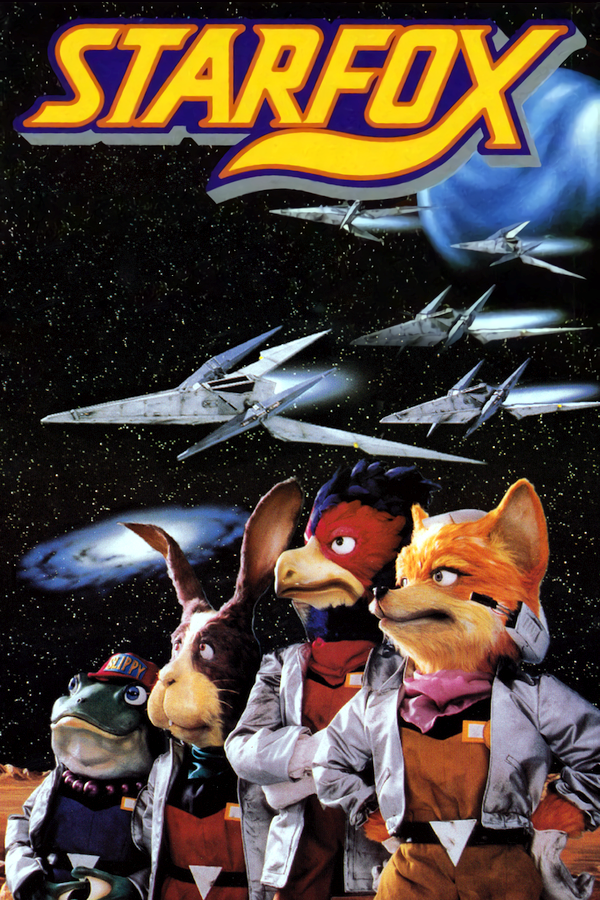
Star Fox es un videojuego que se lanzó en 1993 para Super Nintendo e inició la saga del mismo nombre. El juego fue publicado como Starwing en Europa. Se caracteriza por ser unos de los mejores del género de disparos en naves espaciales, mostraba gráficos en tres dimensiones gracias a un chip especial llamado Super FX incluido en el cartucho de juego, llegando a vender 4 millones de copias en todo el mundo. Fue programado por el equipo inglés Argonaut Software para Nintendo.
3 versions of Star Fox
You're viewing: Star Fox Enhanced
Official project information
Star Fox Enhanced
A native C++/SDL3 port of UltraStarFox, with Original Star Fox and Star Fox EX experiences, high-frame-rate presentation, widescreen support, and optional visual enhancements using Codex AI (5.6 Sol, 6 Astra, 6 Sol).
THIS PROJECT WAS PORTED AND CODED BY AI/CODEX
AI disclosure: This project is made with AI assistance, including OpenAI Codex and AI tools used for programming, testing, documentation and some visual assets.
Download 0.0.8.8.3 · Changelog · Settings and controls · Build guide · Report a bug
This is an alpha release, not a cycle-accurate SNES emulator. A supported, unmodified retail ROM supplied by you is required. No retail ROM is included.
Get started
- Download the package for your platform. Desktop users should extract it into a writable folder before launching; no source build is necessary.
- Launch the game. On desktop, place your supported
.sfc/.smcROM beside the executable, or setSTARFOX_RETAIL_ROMto its path. Mobile apps provide a first-launch file picker. - The game validates your ROM and creates
Starfox-Assets.BINlocally. On macOS it is saved in your writable application data folder, not inside the.appbundle (which may be read-only under Gatekeeper). On other desktop platforms, keep the companion with the application. It may need rebuilding after updates to the embedded assets. - Choose Original or Star Fox EX, adjust your options, then select Start Game from the main menu.
For devices needing prepared assets, the release includes a standalone Windows asset builder. It accepts the same ROMs; mobile users can also select a ROM directly. The Windows builder is a separate download; the game can import your ROM without it.
Windows x64 DLSS/DLSS 4.5 support is an optional separate add-on in 0.0.8.8.3.
Extract its dlss folder beside starfox_pc.exe; both menu options
share that one download. See installation instructions.
The game runs normally without it. Game updates preserve an installed add-on.
Supported ROMs
- Star Fox Japan: 1.0 / 1.1
- Star Fox USA: 1.0 / 1.1 / 1.2
- Starwing Europe: 1.0 / 1.1
- Starwing Germany: 1.0
A 512-byte copier header is accepted. Known revisions are checksum-verified and canonicalized before the source-built patches are applied. Hacks, betas, competition cartridges, Star Fox 2 and unknown revisions are not supported.
Platforms
| Package | Notes |
|---|---|
| Windows x64 / x86 | Extract and run starfox_pc.exe. |
| Linux x64 | Native SDL3 runtime. |
| macOS universal | Unsigned application for Intel and Apple Silicon. |
| iOS arm64 | Unsigned device bundle; signing/sideloading instructions. |
| Android arm64 | Signed APK; release updates retain the original signing certificate. |
| Nintendo Switch | Homebrew NRO; setup and optional forwarder. |
| PS Vita | Homebrew VPK; setup. |
| PS5 | Homebrew native title (fake-signed folder); setup. |
| Xbox UWP x64 | Developer Mode required; setup. |
| Windows PCVR / Quest 3 | Experimental OpenXR packages; VR setup. |
| Steam Frame (native, ARM64) | Experimental native OpenXR build that runs on the headset itself; setup and notes. |
Build success does not guarantee identical behavior on every device. See the release notes for verification limits.
An experimental Nintendo 3DS port has a native tester package with the real pre-game menu and lower-screen cockpit HUD. New 3DS/XL are the slider-stereo target; New 2DS XL uses mono. Original 3DS/XL/2DS are unsupported because their performance is insufficient. Installation and testing instructions identify the current candidate. Native builds pass CI, but physical-console performance and complete gameplay acceptance remain unverified.
Android/Quest upgrades: release builds retain the recovered original signing certificate. No signing-key change or reinstall is required for 0.0.8.
Features and settings
- Original and EX: original routes and frontend flow, plus EX's shipped campaigns, native options and mechanics.
- Smooth presentation: 20–480 FPS choices, defaulting to 60. Game pace is independent of render FPS; Original Speed preserves source-style slowdown.
- Display: 4:3, 16:10, 16:9, 21:9 and 32:9; GPU or software presentation.
- Languages: English, English (Europe), Japanese, German, French and Spanish, including menus and dialogue. EX translations include authored additions.
- 2D Options: artwork filtering, 2D Bloom, World Effects and their intensity. The artwork filter also covers textures on 3D polygons.
- 3D Options: anti-aliasing, VSync, 1–4× Render Upscale, 3D Bloom, 3D Smoothing, Enhanced Lighting, HDR Effect, Ray Tracing (hardware DXR shadows, default Off), Chromatic Aberration, Model Effects and Model Effect Intensity. HDR Effect is brightness/contrast processing, not HDR display output. Ray Tracing replaces original shadows rather than drawing a second set; there is no separate Enhanced Shadows toggle.
- Preview: a fixed reference scene shows graphics changes live. Hold Tab to hide the menu temporarily. Preview defaults off each launch.
- Customization: draggable HUD layouts, controller/keyboard remapping, crosshair colors, separate music/SFX volumes, rumble and optional God Mode.
Model and world effects are independent; CEL-DRAWN is model-only and BLUEPRINT is world-only. Most visual enhancements are optional. Higher render scales and additional effects can increase CPU, GPU and memory use.
Optional Original MSU-1 music requires Starfox-MSU1.PAK beside the desktop executable (or in the platform's writable storage). It is not included in the standard packages. Without it, native SPC music remains available.
Windows packages do not bundle optional DisplayXR system installers. Direct
Leia SR PLATFORM support is unchanged; the separate DisplayXR route has
upstream download instructions in optional-runtimes/displayxr/README.txt.
If an antivirus blocks a file, do not disable it or add an exclusion. Report
the exact file, detection name and SHA-256 hash for investigation.
See Settings and controls for detailed options, EX peripherals, multiplayer and presentation debugging.
Default controls
| SNES control | Keyboard | Gamepad position |
|---|---|---|
| D-pad | Arrow keys | D-pad / left stick |
| B | Z | South |
| Y | A | West |
| A | X | East |
| X | S | North |
| L / R | Q / W | Shoulder buttons |
| Select | Apostrophe (') | Back/View |
| Start | Enter | Start/Menu |
Button names above follow the SNES layout, not the letters printed on an Xbox controller. Remap controls under Options → Controller. Menu A actions fire once per press; B or Back returns from submenus.
| Shortcut | Action |
|---|---|
| Escape | Exit confirmation |
| Tab in setup | Hide the menu while held |
| Tab / Ctrl+Tab / Ctrl+Shift+Tab outside setup | 2× / 3× / 5× fast-forward |
| Ctrl+Shift+R | Reset; remap the final key under Keyboard → Reset |
| Ctrl+Alt+F12 | Toggle God Mode live |
| Ctrl+F1 / Ctrl+F2 | Save / load the selected state slot |
| Ctrl+F3 | Select state slot 0–9; arrows or D-pad, Enter/A to close |
| F12 on the main setup page | Enable/disable presentation history for this run |
| F5 / F6 / F7 | Freeze / step forward / step backward with history enabled |
Saves and upgrades
Windows/Linux desktop builds are portable: keep these files beside the
executable when moving or upgrading. macOS stores them in its writable user
application-data folder so an unsigned, Gatekeeper-translocated .app can
import a ROM without writing into its read-only bundle. Older macOS bundle
settings/saves are copied there on first launch when available.
| File | Purpose |
|---|---|
Starfox-Assets.BIN | Locally reconstructed runtime assets |
starfox-ex.srm | EX cartridge SRAM |
pregame.cfg | Game and graphics preferences |
input-bindings.cfg | Keyboard and controller mappings |
hud-layout.cfg | Per-experience, per-aspect-ratio HUD layouts |
Starfox-MSU1.PAK | Optional replacement music |
The first normal launch copies missing data from former preference locations; existing portable files win, and originals are not deleted. Mobile and console builds use writable platform storage instead of their read-only package folders.
Checking for updates
Open Options → Check for updates to see the current version, latest version, and whether a newer stable release is available. Checks run only when requested or when this screen is first opened, not during normal startup.
Packaged Windows x64/x86 and portable Linux x64 desktop players can download a verified update and restart to install it after confirmation. Settings, saves, controller/touch/HUD layouts, imported game data and optional music are preserved. Source checkouts are never updated in place. Linux automatic installation uses system Python 3; read-only/package-managed installations stay manual. macOS desktop players can check versions and open the release page; mobile/console packages still need their platform's normal installer. This does not add unattended background installation.
See update behavior and safety for details.
Development and credits
To build, regenerate source assets or run tests, use the build guide. The architecture notes explain the hybrid native/65C816 boundary: gameplay remains fixed-point while extra presentation frames are interpolated. Visual parity remains an ongoing effort.
See Credits for Nintendo/Argonaut, EX, UltraStarFox and port contributors, and Third-party notices for dependencies and licenses.
FAQ
Q) The speed on "ORIGINAL" is not lining up exactly with an snes reply.
A) Thats because the speed on the SNES is variable depending on how many models on are screen. The "ORIGINAL" pace is an average speed without overload, as close to original as possible. An "ACCURATE" option may come in the future.
Q) THERES XXXXX BUG (AND IVE BEEN REPORTING IT FOR WEEKS)
A) There's a lot to do. A lot. With your patience, it WILL be perfect in time. See the version number? It's accurate.
Q) Will you add Starfox 2/SF Contest/Starglider?
A) Starfox 2: yes. SF Contest: maybe. Starglider: maybe.
Q) Is AI used in this??
A) Yep. I, however, am not personally installing it on your pc or forcing you to play it.
Q) How do I reset settings to default?
A) Hold L+R on the pre-game menu until it resets the settings.
Q) What have you personally tested this on? A) Retroid Pocket Flip (60fps with no upscaling effects, less with any), iPhone 17 Pro Max (120fps with 2x upscaling and raytracing), Steam Deck, Quest 3, PC.