
Super Robot Wars 64
OriginNintendo 64
TechnologyStatic recompilation (native C/C++)
Available forWindows
View official projectAbout the project
Super Robot Wars 64 es un videojuego de estrategia publicado por Banpresto en 1999.
Official project information
Marchwind 64 is an unofficial native recompilation project for Super Robot Wars 64. It runs natively on Windows, macOS, Linux, Steam Deck, Android and Nintendo Switch, with full English, Chinese (Simplified and Traditional) and Korean translations and widescreen support, plus an optional HD art pack.
The Korean translation and Korean title logo are by 테오 (jung5441), CC BY 4.0.
Requires your own Japanese ROM (Super Robot Taisen 64, Rev 0). Neither this repository nor the downloads contain any game data. See About ROMs.
| Native | EN · 简 · 繁 · KO · JA | HD and widescreen | Original bug fixes |
|---|---|---|---|
| Install, add your ROM and play | Full translations, switchable in game | Switch between original and HD art at any time | Enabled by default, with individual toggles |
Original and HD graphics
| Original · 4:3 | MARCHWIND 64 · HD widescreen |
|---|---|
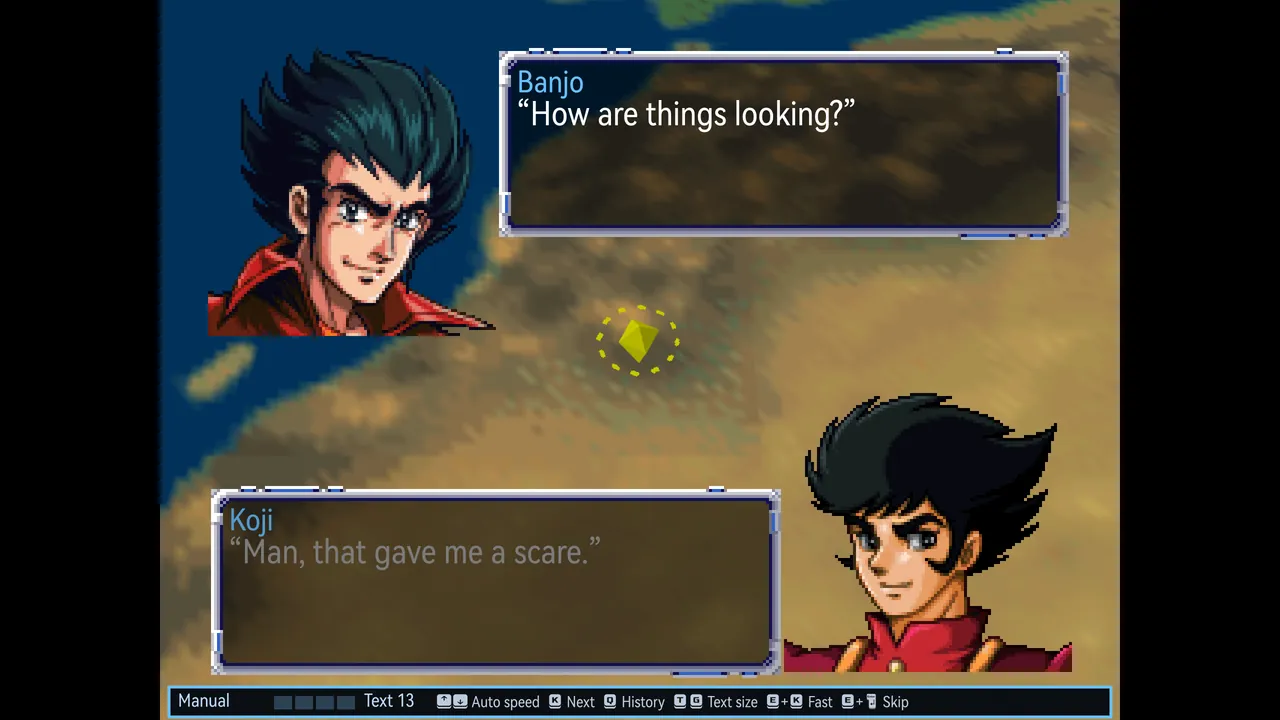 | 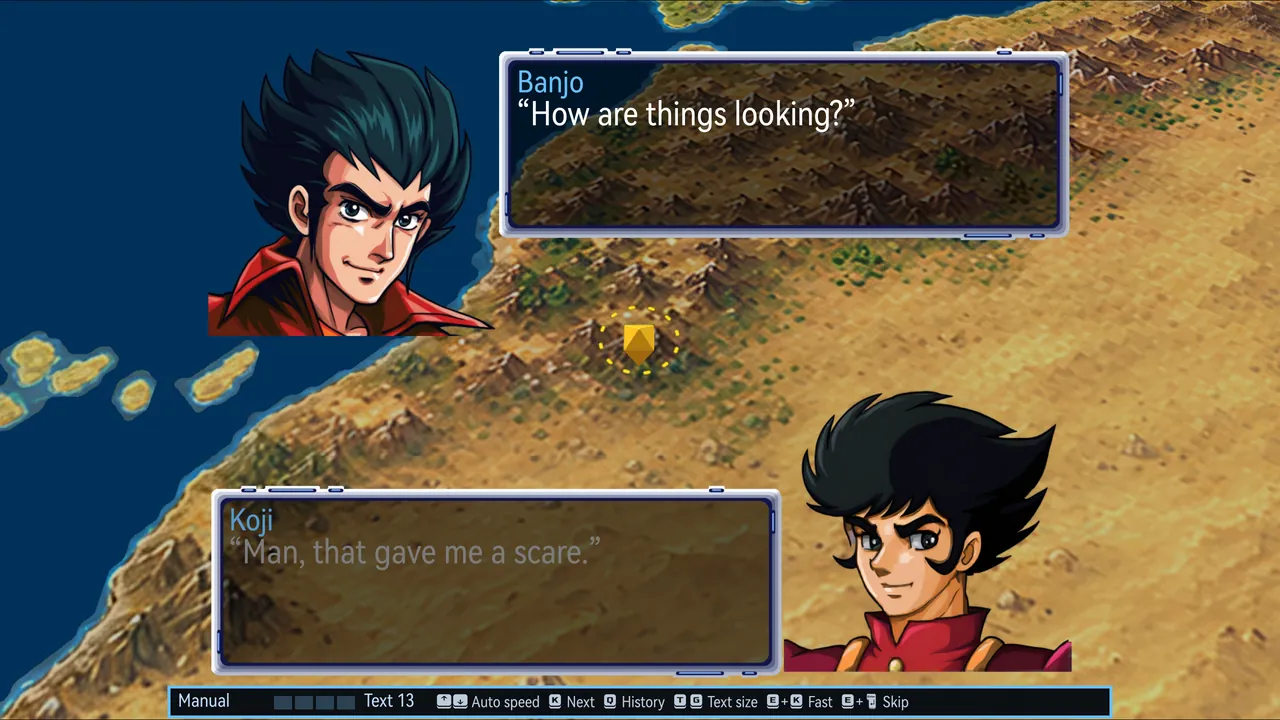 |
Left: the original 4:3 view, with N64-resolution portraits and maps. Right: Marchwind 64 with the HD pack, showing redrawn portraits and world map in 16:9. Switch between original and HD art at any time in game; both use the same saves.
Interface and control updates
Built on the N64 original, with updated screens, full translations and control improvements, plus individually selectable bug fixes. All images below are in-game screenshots.
Dialogue reader
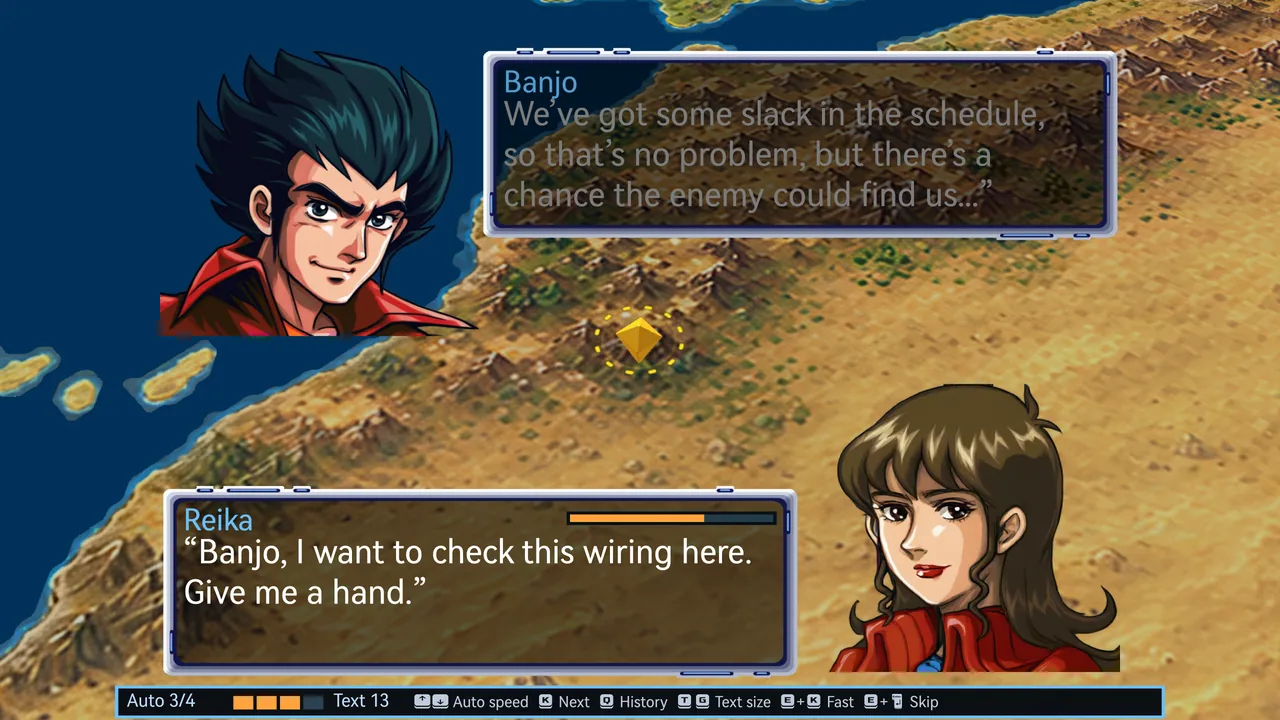 | 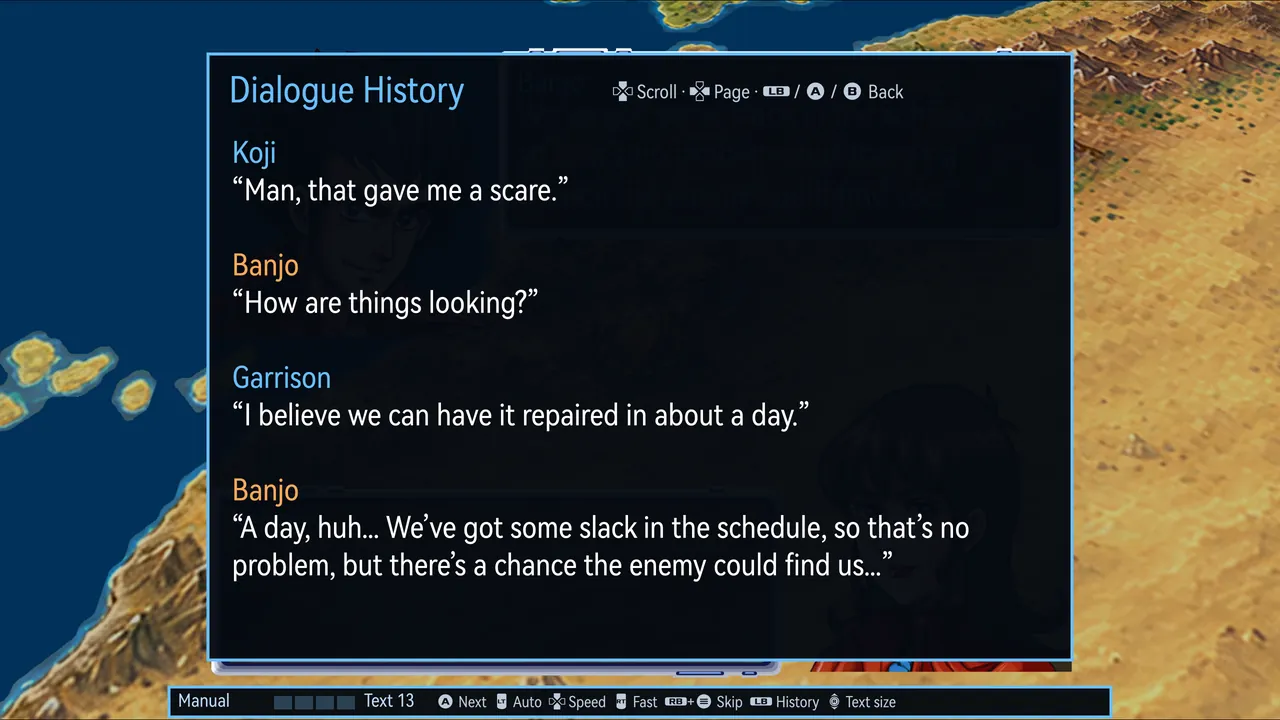 |
All dialogue is re-typeset in a high-resolution font. Each line runs continuously and is paged to fit the text size, avoiding page breaks mid-sentence. Earlier lines can be reviewed at any time, and auto-play, fast-forward and skip each have their own control, with the current reading mode and controls shown along the bottom of the screen.
- Review the last 256 lines, coloured by speaker
- Four auto-play speeds; text size from 10 to 18
- Fast-forward and skip work as in modern Super Robot Wars games: hold to fast-forward and let go to stop; skip runs through the whole scene to the next choice or battle, with the same result as reading every line
- Switch language or check the original Japanese at any time; the current line is re-typeset at once
- Dialogue is stored as plain text files you can edit yourself
Modern SRW screens and controls
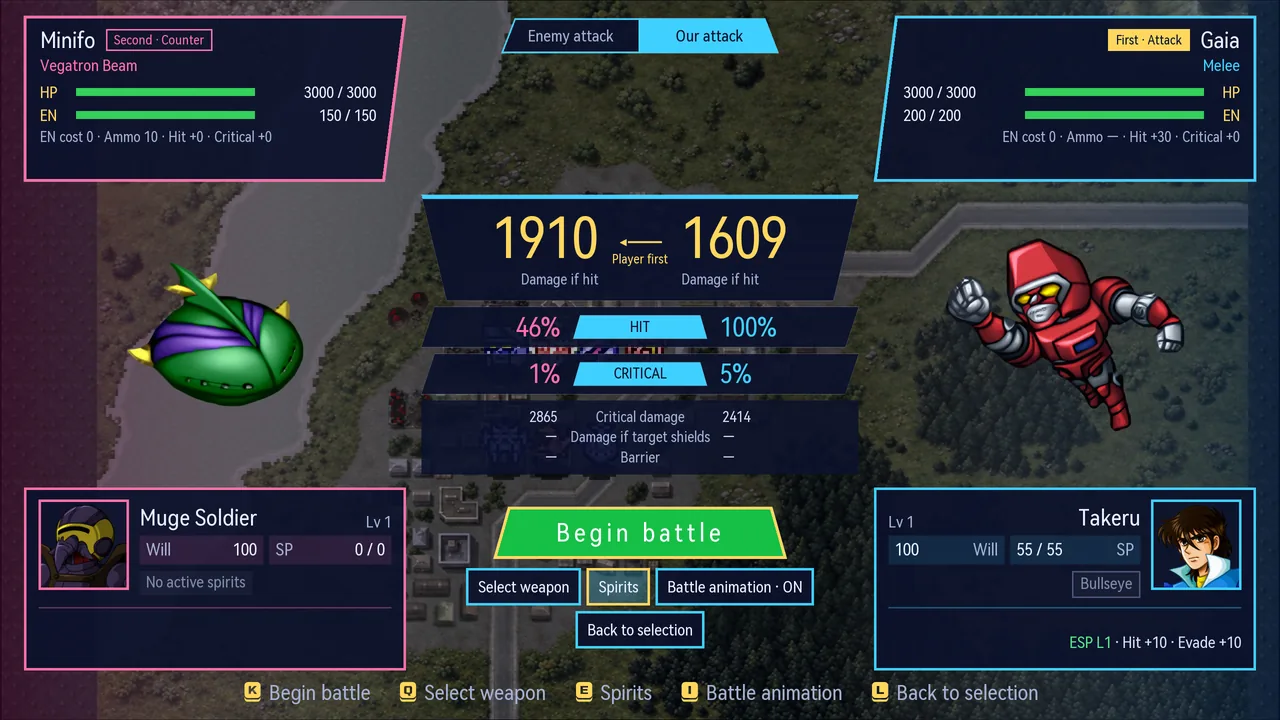 | 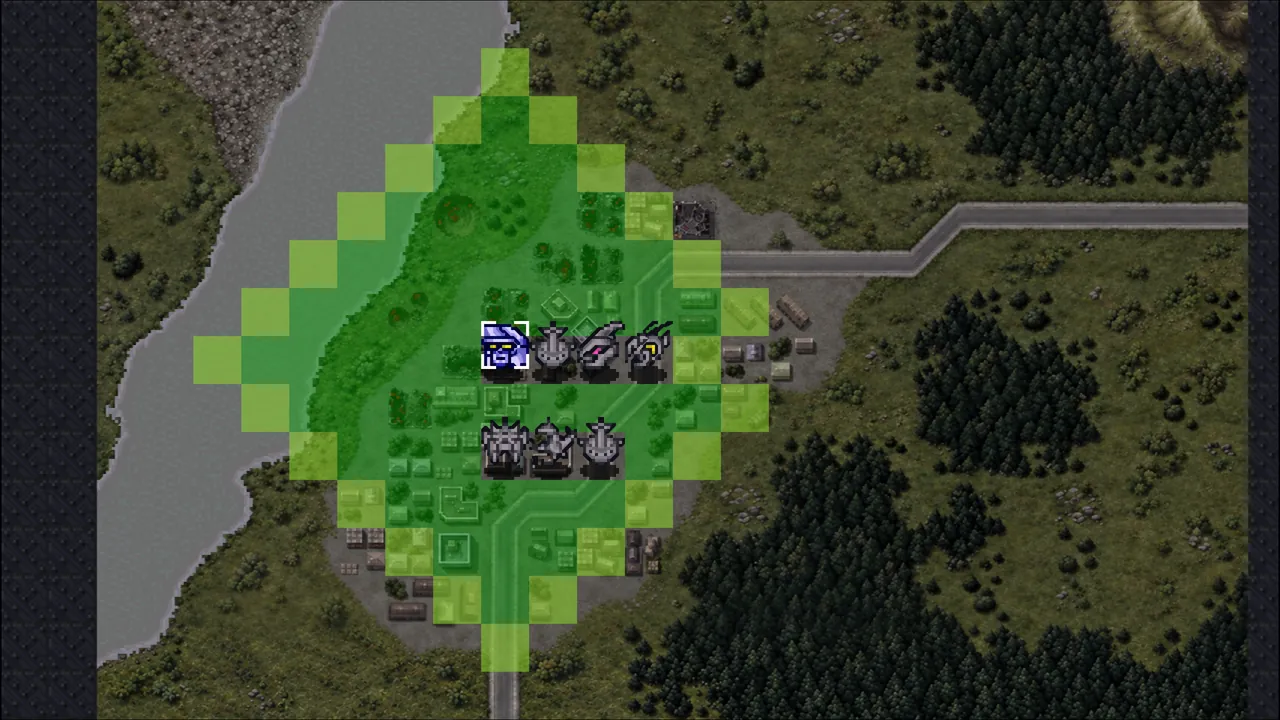 |
The pre-battle screen is redesigned in the style of modern Super Robot Wars games: damage, hit and critical rates for both sides appear side by side with shield and barrier effects, and spirits, weapon selection and the battle animation toggle are grouped below. The tactical map gains the shortcuts modern entries have too.
- While choosing a destination, jump straight to the farthest reachable squares
- L1/R1 step through your units, L2/R2 through the enemy’s
- Stop a battle animation at any time; the result is calculated normally
- The original screen is also available in settings
Mods: music, numbers, names and icons
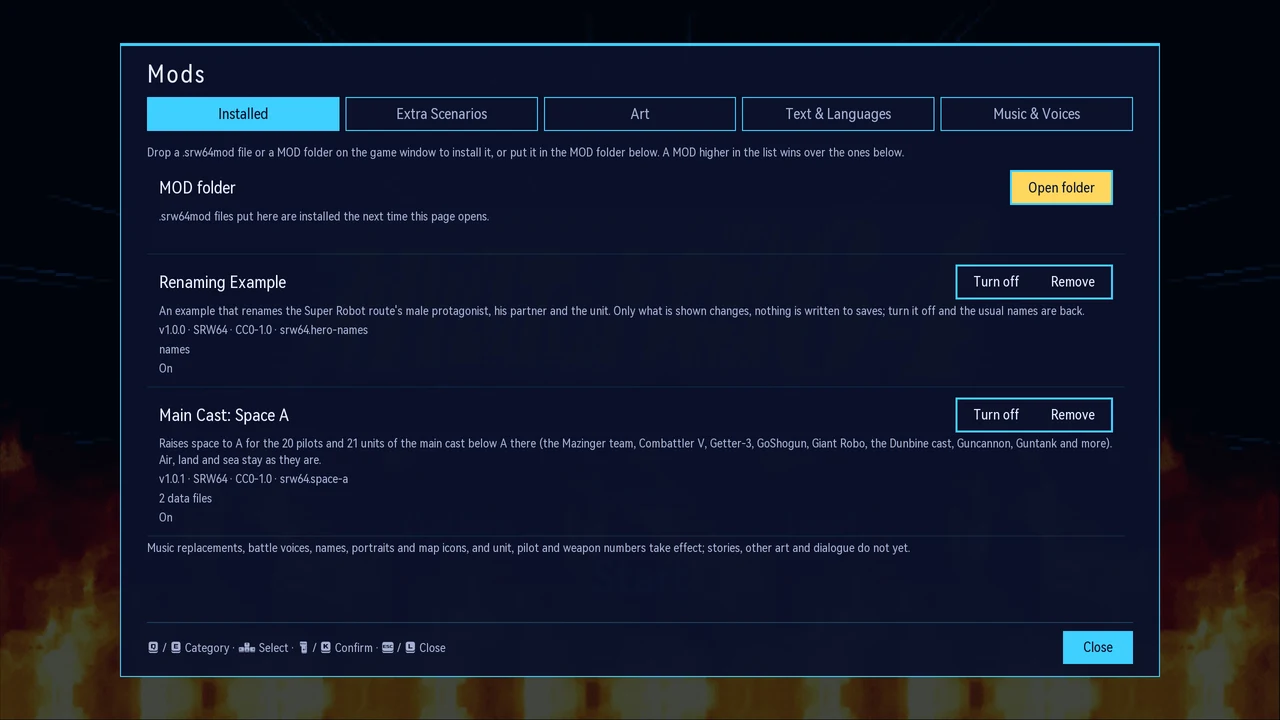
Drop a .srw64mod file on the game window to install it; on Android, put it in mods/ in the Marchwind64 folder under Files. A package holds data only, no code, and your saves keep the game’s own values, so you can turn a mod off or remove it at any time.
- Music: replace any of the 49 tracks with Ogg files, and pick the song a character or unit fights to
- Numbers: unit, pilot and weapon stats, terrain ratings, skills and spirit commands
- Names and portraits: the heroes’, partners’ and unit’s names, any character, unit or weapon name, and character portraits
- Map icons and battle voices: one picture replaces a unit’s map icon; a voice plays when a battle line comes up
- Five makers on the website do it all in the browser; nothing is uploaded
Up to 4× speed
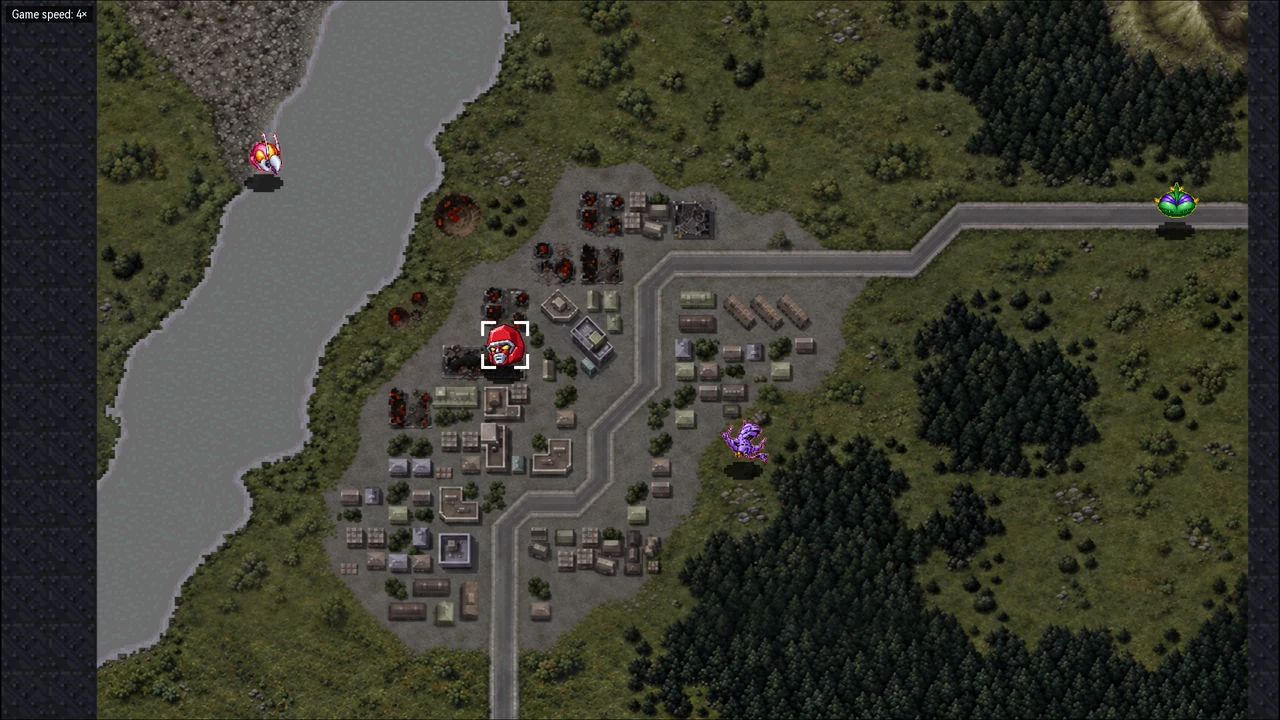 | 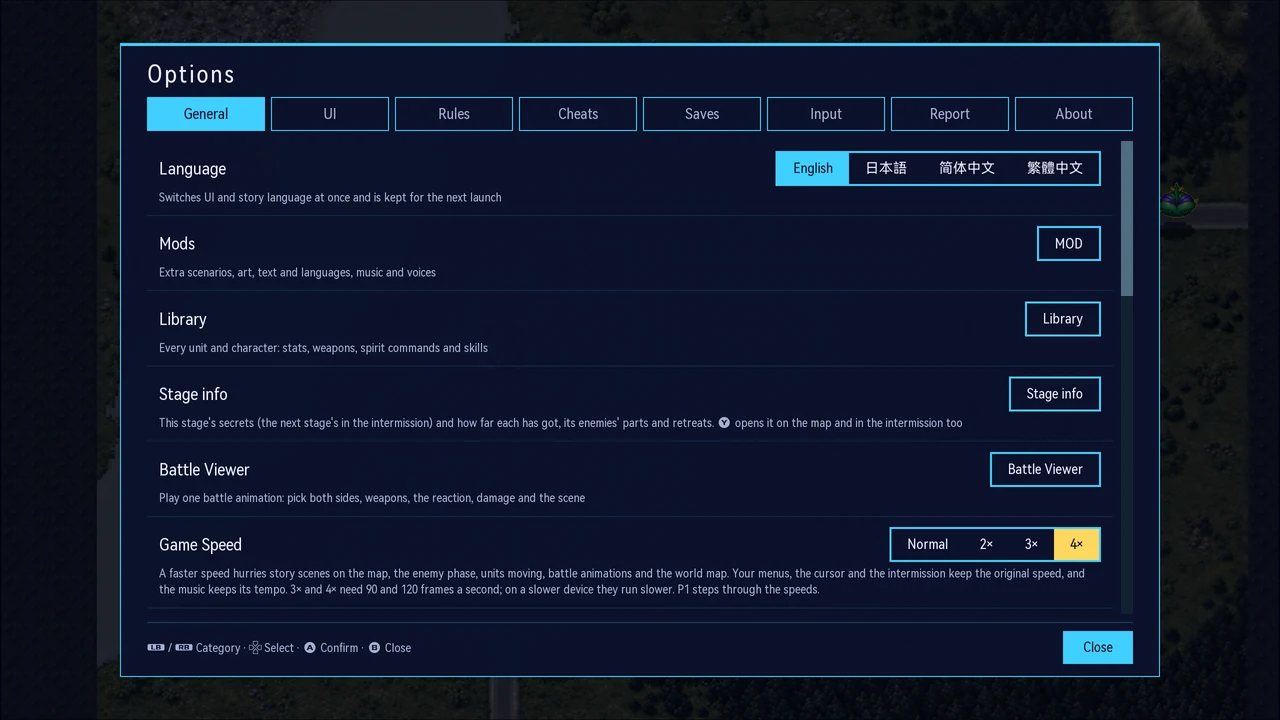 |
The speed key steps through normal, 2×, 3× and 4×: Tab on the keyboard, R4 on the back of the Steam Deck, a speed button on phones, or pick one in Options → General. It speeds up story scenes on the map, the enemy phase, units moving, battle animations and the world map; your menus, the cursor and the intermission keep the original speed, and the music keeps its pitch.
- 3× and 4× need 90 and 120 frames a second; a device that can’t keep up draws every other frame while the game logic still runs every frame
- Karaoke, the title demo and the battle viewer always run at normal speed
Link Battler without a Game Boy cartridge
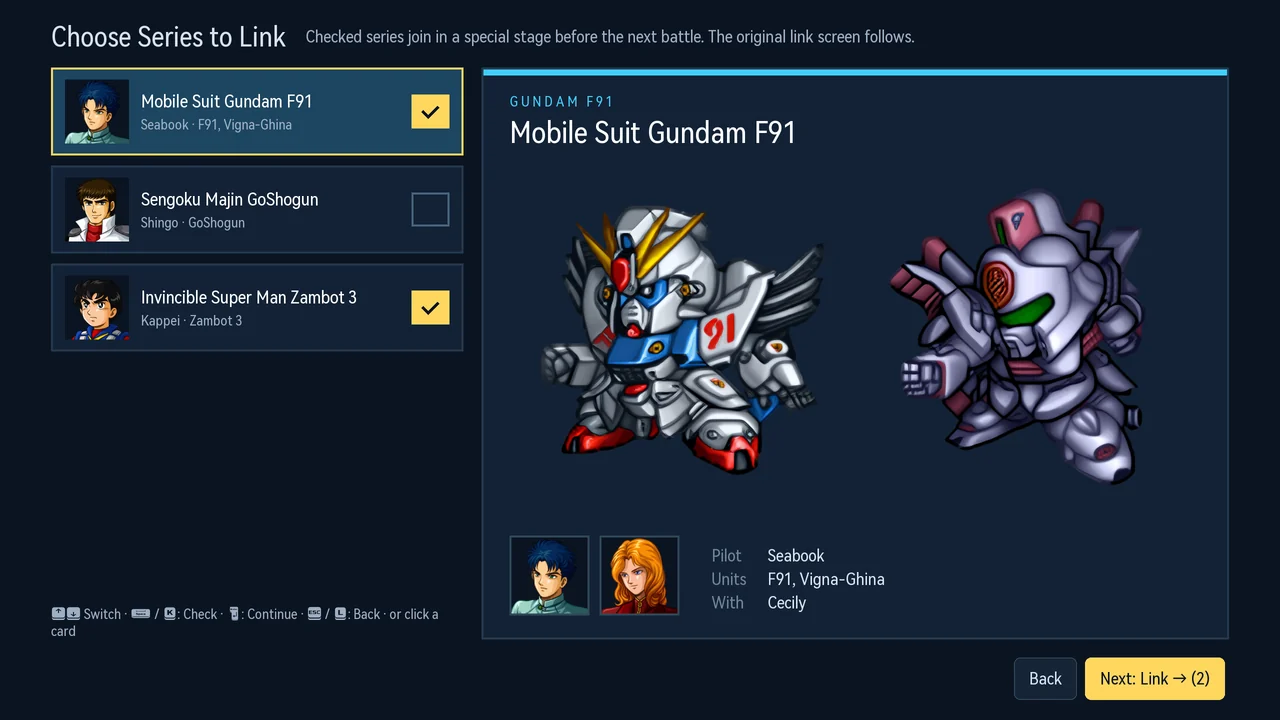
Choose Link in the intermission menu and tick the series: F91, GoShogun and Zambot 3 join through the original link stages. No Transfer Pak or Game Boy cartridge needed.
- Confirmed working from start to finish
- Any combination of the three series
In-game settings
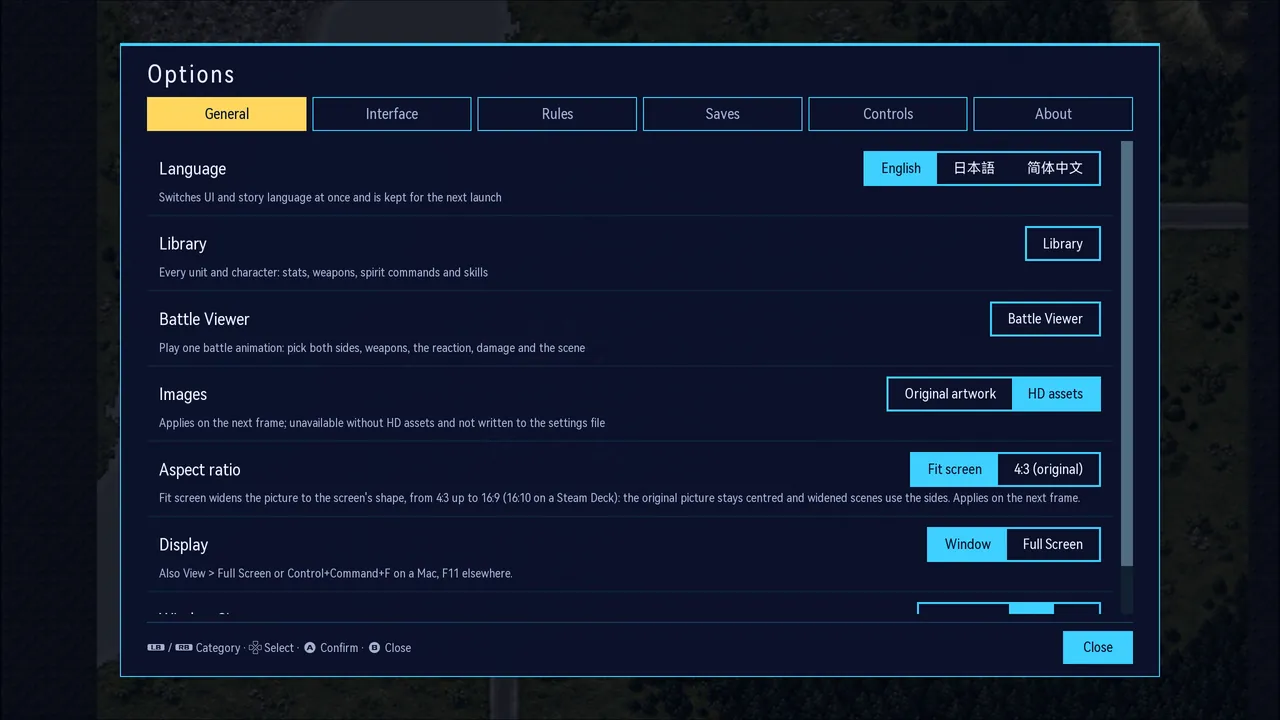
Adjust language, original or HD graphics, aspect ratio, full screen and interface size during play. You can also toggle individual rule fixes and remap keyboard and controller inputs.
- Open them at any time in game, or from the button at the bottom right of the title screen
- Three interface sizes: standard, large and largest
RetroArch filters and bezels
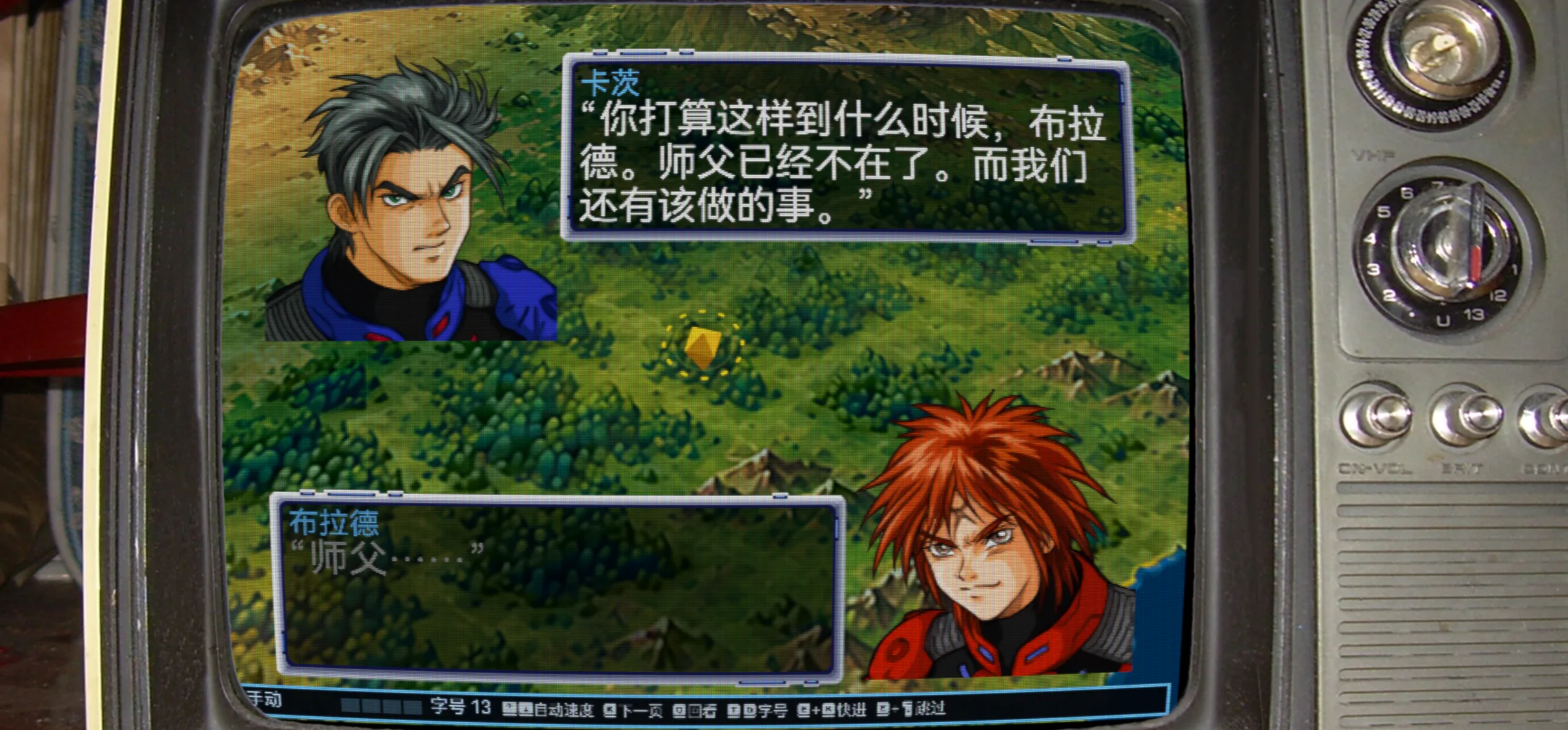
Use RetroArch slang shader presets (.slangp) directly for CRT scanlines, NTSC colour and more. At 4:3 you can also add a RetroArch bezel; its transparent window lines up with the picture by itself. Both are in Options → General.
- Nine common presets included, such as crt-lottes, crt-geom, zfast-crt (for handhelds), ntsc-adaptive and xbrz-freescale
- Finds every slang shader of an installed RetroArch; drop your own presets and bezels in the data folder
- Works on the original 240 lines (closest to a CRT), 480, 960, or the window’s resolution
- Only the game picture and dialogue are filtered; the options window, notices and the bezel stay sharp
- Filters run on Windows, macOS, Linux/Steam Deck and Android; not on Switch yet
<sub>Bezel: tv-integer from RetroArch’s own overlays (libretro/common-overlays, CC BY 4.0). Filter: crt-lottes at 480 lines. The game ships with no bezels.</sub>
Library: 353 units, 293 characters
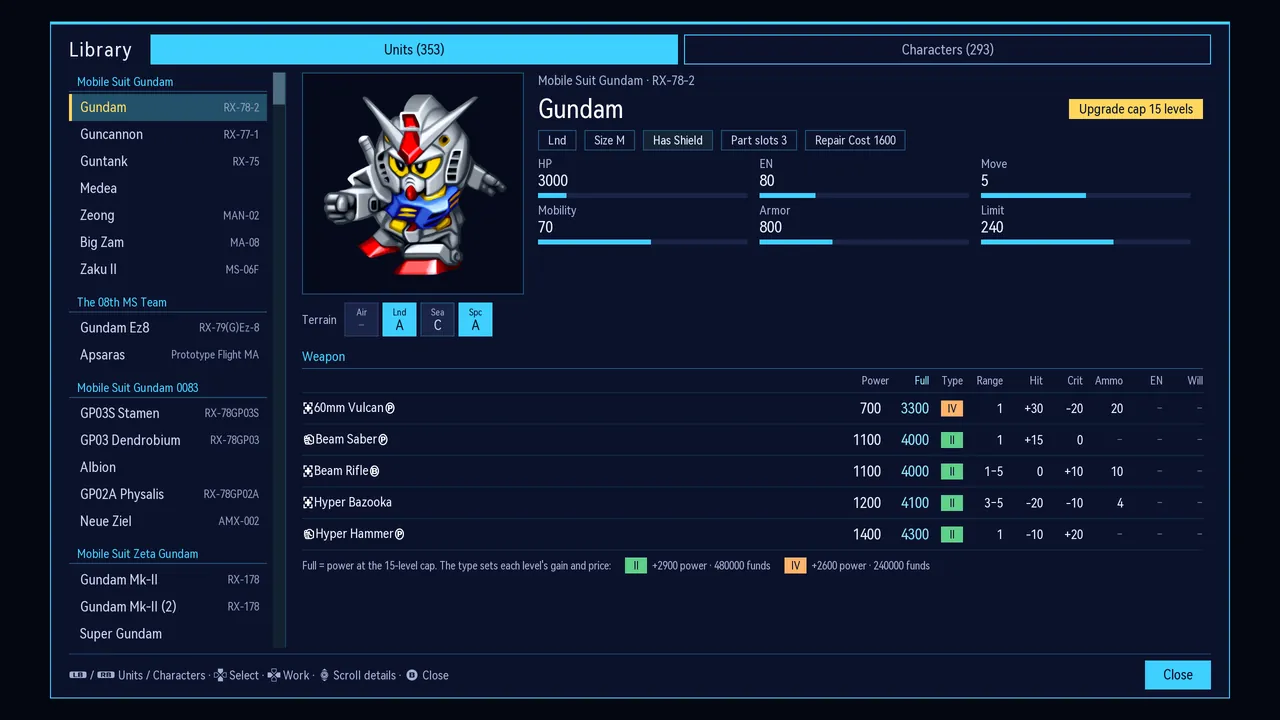
Organised by series, with unit stats, terrain ratings, weapons and their fully upgraded power, upgrade caps, and each pilot’s growth, spirits and skills. All entries come directly from the game data.
- Open it from the title screen or during play
- The same Library is on the website
Battle Viewer
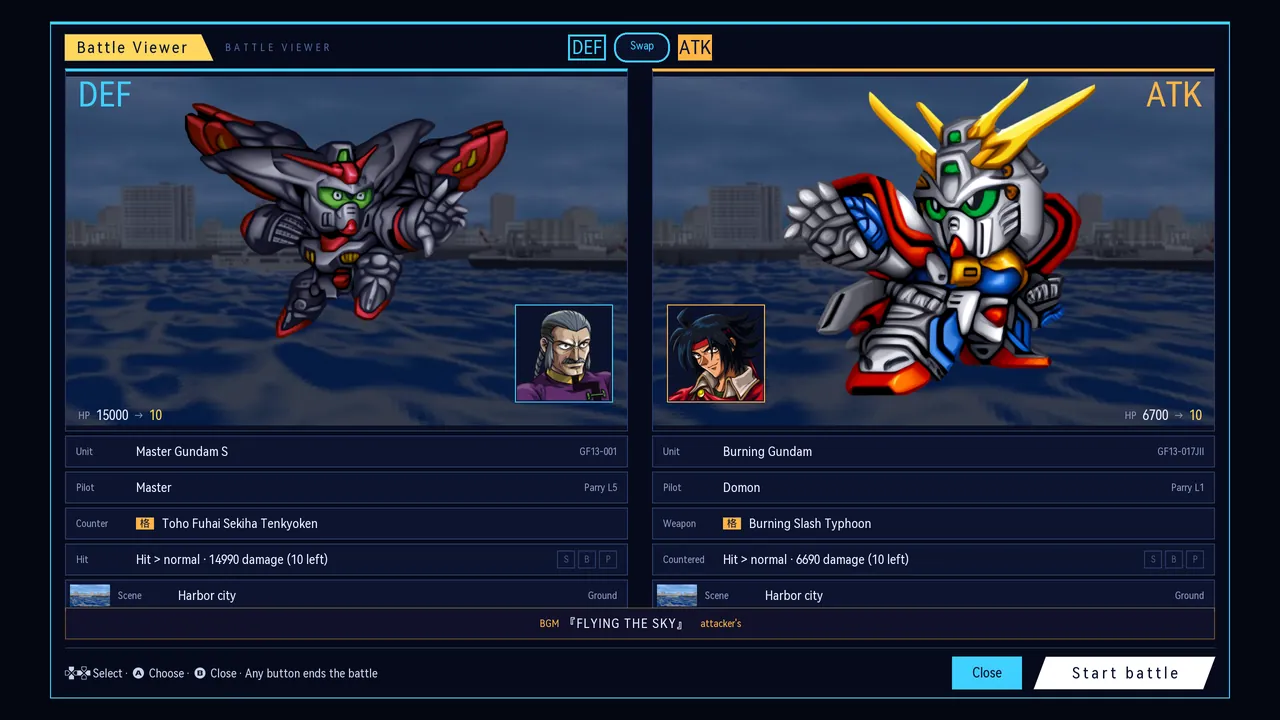
Choose the attacking and defending units and pilots, set the weapon, the defender’s reaction, the damage and the scene, then play the full battle animation.
- View weapon animations for every unit
- Plays the attacker’s theme, as in the original
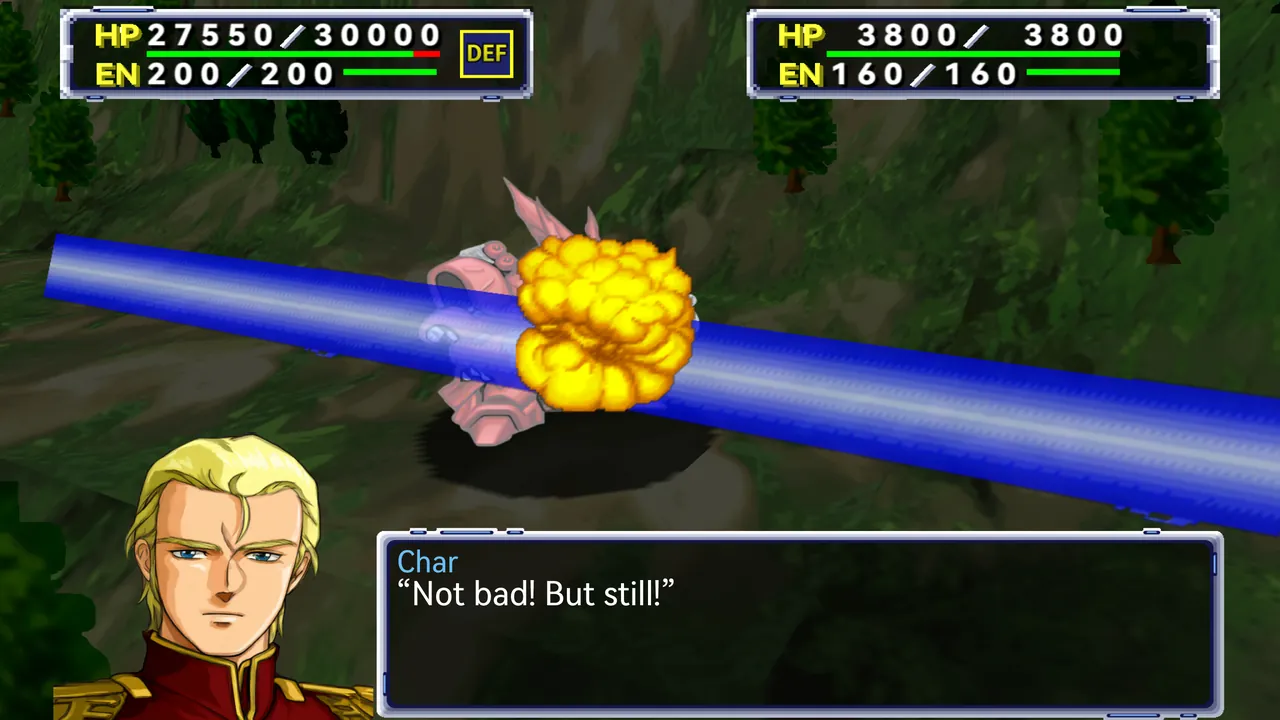
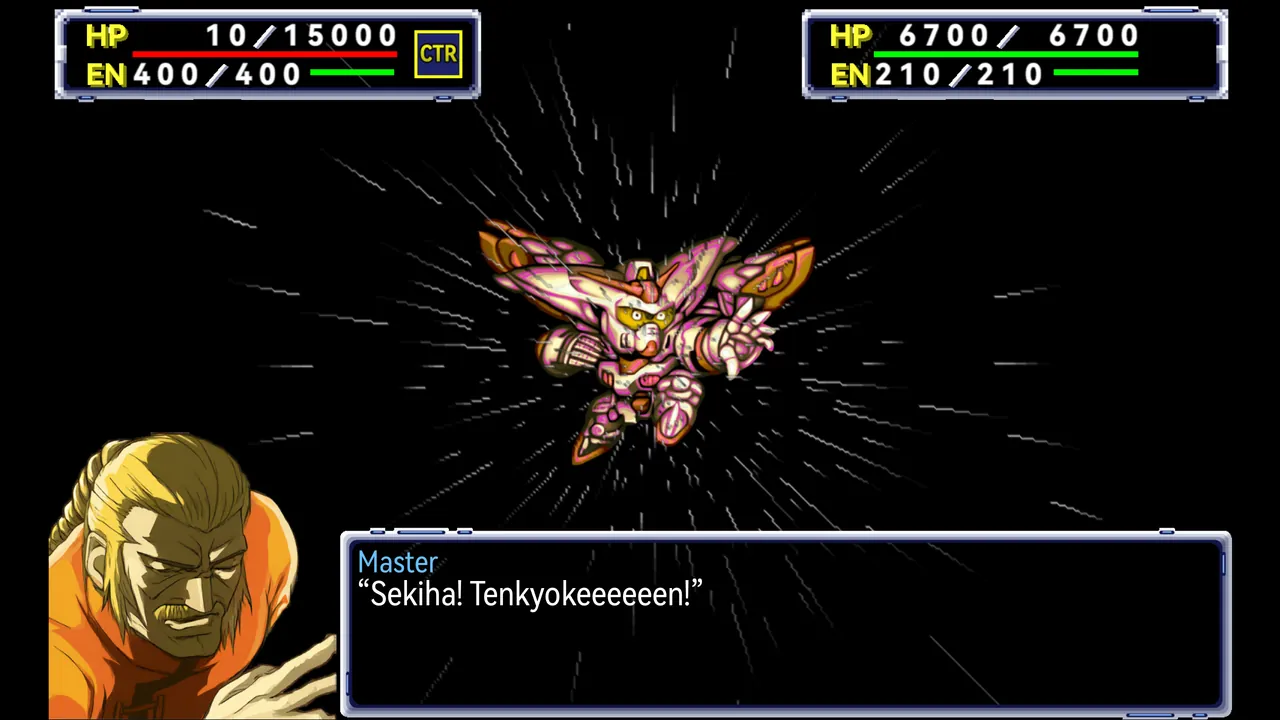
Battles in HD
High-resolution art for units, cut-ins, portraits and backgrounds, with the original animation timing and camera work.
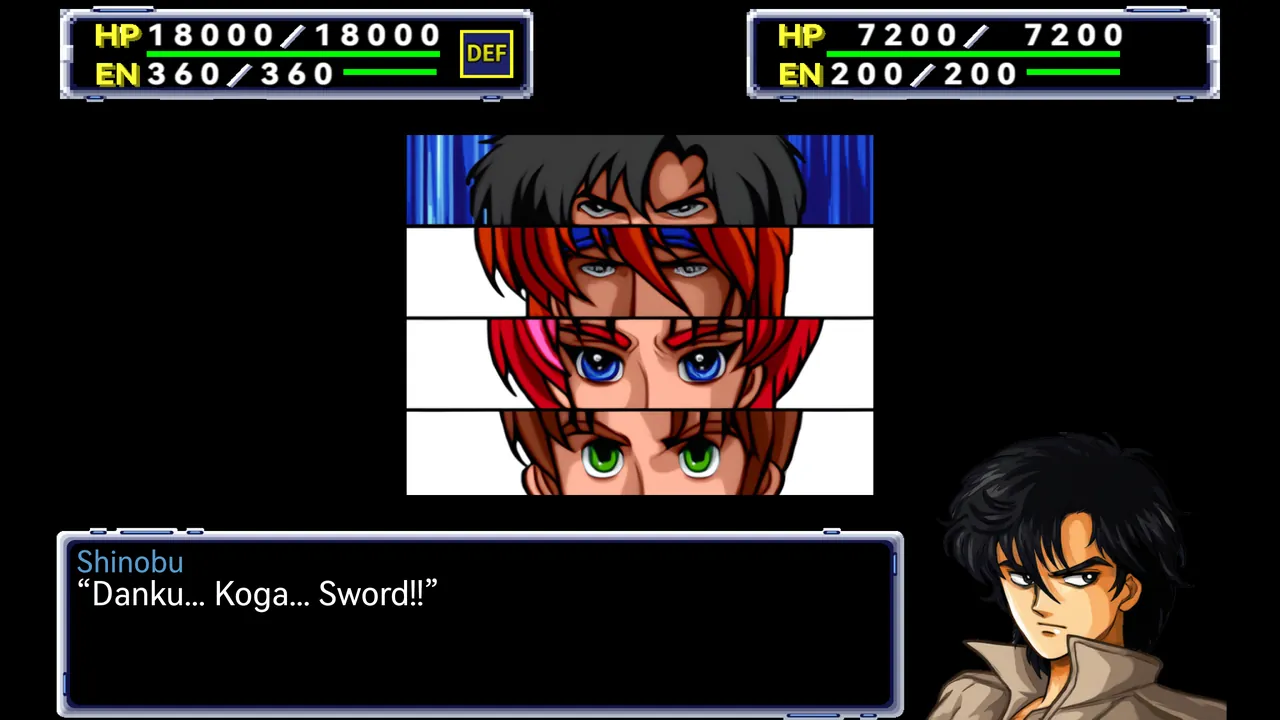 | 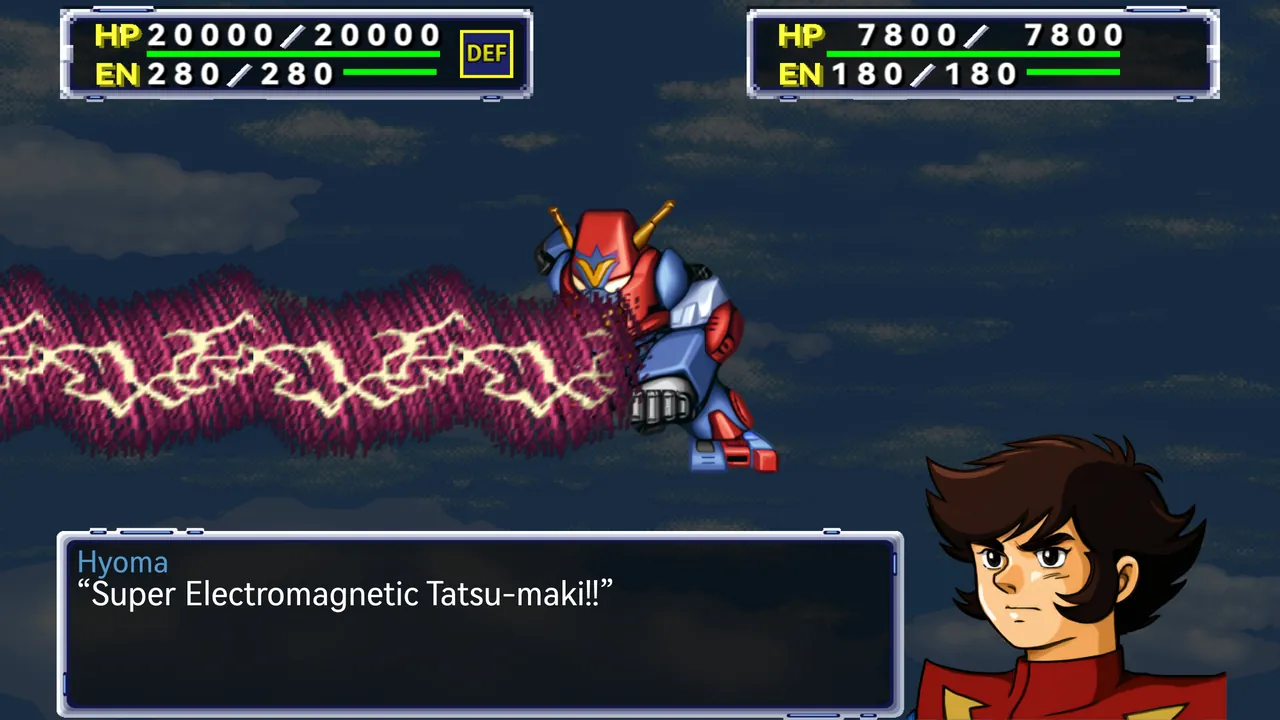 |
 |  |
Bug fixes and optional rules
Each rule has its own toggle and takes effect immediately, using the same save format. Select “Turn all off” to use the original rules.
Original bug fixes — on by default. Corrections to calculation errors and omissions in the original.
- ESP: hit and evade use the actual skill level (the original always used 64)
- Holy Warrior: evade uses the actual level (the original always used 32)
- Limit: hit and evade, each combined with mobility, are capped by the unit’s limit
- Potential: corrected HP bands, with no bonus at full HP
- Potential: hit and evade bonuses halved, criticals unchanged
- Machine swap: the 3 weapons omitted from the table also retain their upgrades
- Holy Warrior: Hyper Aura Slash grows stronger with the level
Convenience and difficulty — off by default. Optional adjustments to upgrades, funds and battle difficulty.
- Raised upgrade cap: every unit can reach 15 levels
- Departure refund: returns upgrade funds when a unit leaves as part of the story
- Parts carry over: enhancement parts move with the pilot to the new machine
- Boss dummies: halve their uses or disable them
- New Game+: hidden extras you completed in an earlier playthrough join right after the stage they first join in
Graphics and interface — new or original. Choose the new or original layout for each screen.
- Pre-battle screen: new, HD original or original
- Intermission, hero selection and title menu: new or original
- Art: HD or original, switchable at any time
- Aspect ratio: fill the screen or keep 4:3
- Weapon upgrades: unified (all of a unit’s weapons go up together, at the same total cost) or one by one (original)
- Battle animations and autosaves: individual toggles
More features
- Runs natively. The N64 program is recompiled into native code, with graphics rendered by RT64. After installation, add your ROM following the setup instructions to start playing.
- Full text in five languages. Full English, Simplified Chinese, Traditional Chinese and Korean translations alongside the original Japanese. The Korean translation is by 테오 (jung5441), under CC BY 4.0. Character, unit and weapon names follow common usage in each language; Traditional Chinese uses the names used in Taiwan.
- Extra save slots and autosaves. More save slots than the original, with autosaves at key points. Export cartridge saves for use with ares, Project64, RetroArch and other emulators.
- Widescreen without stretching. Supports screen ratios from 4:3 to 16:9. The original view stays centred while the scenery extends to the sides, filling the screen without stretching the image.
- Handhelds, phones, controllers. Automatically detects Steam Deck and uses its button layout with a large interface by default. On Android, touch controls show the buttons needed for the current screen, labelled with their functions, such as “OK”, “Fast” and “Next unit”.
- Optional HD art pack. The HD art pack is a separate download for computers and Android, with one of its own for the Switch. The game uses the original pixel art without it; once installed, you can switch between the two at any time in game.
System requirements
Windows, the Steam Deck, Android and the Switch are experimental. On computers the graphics requirements are the same as other recompilations drawn with RT64; older hardware has not been tested.
Windows (experimental)
To keep settings and saves with the game, create a user-data folder beside the
EXE. Local data takes precedence; normal exit syncs back to AppData, asking and
backing up before replacing different saves. Without this folder, existing
AppData behavior is unchanged. See desktop portable data.
| Requirement | |
|---|---|
| OS | Windows 10 / 11, 64-bit |
| Graphics | Direct3D 12 (Shader Model 6.0) or Vulkan 1.2 |
| NVIDIA | GeForce GT 630 (Kepler) or newer |
| AMD | Radeon HD 7750 or newer |
| Intel | Intel HD Graphics 510 (6th-gen Core) or newer |
| CPU | An x86-64-v2 processor (1st-gen Intel Core i, AMD FX or newer) |
| Drivers | Up-to-date graphics drivers |
macOS
| Requirement | |
|---|---|
| OS | macOS 14 or later |
| Processor | Apple silicon (M1 or later); Intel Macs are not supported |
| Graphics | Metal |
Linux
Like Windows, an existing user-data folder beside srw64 enables portable
settings and saves with confirmed, backed-up synchronization to the system user
directory on normal exit. See desktop portable data.
| Requirement | |
|---|---|
| OS | 64-bit, glibc 2.35 or later (Ubuntu 22.04, Debian 12 or newer) |
| Graphics | Vulkan 1.2 |
| GPU and CPU | Same as Windows |
| Drivers | Up-to-date Mesa or NVIDIA drivers |
Steam Deck (experimental)
LCD and OLED models on an up-to-date SteamOS. It uses the Linux package; a script adds it to Steam, and it is played from Game Mode.
Android (experimental)
| Requirement | |
|---|---|
| OS | Android 9 or later |
| Processor | arm64 (64-bit) |
| Graphics | Vulkan 1.1 |
| Recommended | Snapdragon 865, Dimensity 1080, Exynos 1380, Tensor G2 or newer, about 30 FPS |
| Entry-level | Dimensity 6100+, Dimensity 700 and similar (Mali-G57) run at about 10–14 FPS |
Nintendo Switch (experimental)
| Requirement | |
|---|---|
| Console | A Switch that runs Atmosphère custom firmware (tested on the original model) |
| System | Atmosphère and hbmenu, in application mode (hold R while starting any game) |
| Space | About 110 MB on the SD card, plus about 1.6 GB for the Switch HD pack |
Extract it to the SD card's root and put the ROM in /switch/Marchwind64/ as rom.z64. The
first launch imports it on the console in about half a minute. It is an NRO homebrew program,
with no NSP; the computers' HD pack does not work on the Switch.
The game takes about 165 MB, and the optional HD art pack about 700 MB more. If the game crashes at start or freezes, update your graphics drivers first. Step-by-step instructions for each platform are on the install page.
Help improve the translation
Browse the full script by stage, with the Japanese original and translation side by side. Suggest changes on individual lines to help resolve awkward wording or inconsistent names; the outcome of each suggestion is public. Bugs go to GitHub Issues.
Building from source
The repository contains no ROM, saves, extracted game data, generated game code, HD art
or prebuilt application. Put your own Japanese Rev 0 ROM in the repository root as
rom.z64 (its identity is in provenance).
On macOS (Apple silicon) with Python 3.11+ and the Xcode command line tools:
brew install python cmake ninja sdl2 freetype harfbuzz icu4c
make                                                  # toolchain, generated game code and the host
scripts/Play\ SRW64\ Native.command --language en     # play
- Development guide: build steps, checks and module boundaries
- Linux and Steam Deck build · Releases
- Debug interface and MCP: drive the game from the command line or an AI agent
- Technical documentation index (mostly in Chinese) · Contributing
Credits
Built on N64Recomp,
N64ModernRuntime and
RT64; further sources and pinned revisions are listed in
provenance. The interface and dialogue use the HarmonyOS Sans
fonts, distributed unmodified under their licence (content/fonts), and button icons
adapted from Yukari “Shinmera” Hafner’s PromptFont under the SIL Open Font License.
The Korean translation and Korean title logo are by 테오 (jung5441),
licensed under CC BY 4.0; the Korean text uses
Droid Sans Fallback (Apache License 2.0) and subsets of Nanum Brush Script and Gmarket Sans
(SIL Open Font License, renamed SRW64 Brush KO and SRW64 Banner KO).
This is an unofficial fan project. Super Robot Wars and all related characters, mechanics and trademarks belong to their respective rights holders.
License
The project’s own source code and tools are licensed under the
GNU General Public License v3.0 or (at your option) any later version. This
covers only what the project wrote. It does not cover Super Robot Wars 64, its ROM, or
anything taken or derived from it (game code, text, data, images, music), nor the
characters, mechanics and trademarks of their rights holders. The fonts in
content/fonts, the HD image pack (see its NOTICE) and third-party components keep
their own terms.