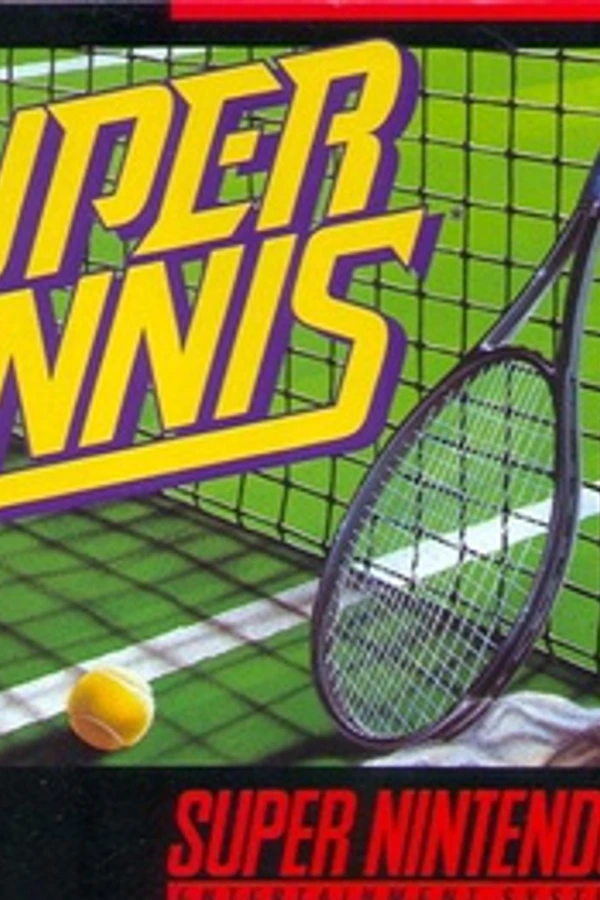
Super Tennis (PC)
Super Tennis
OriginSuper Nintendo
TechnologyNative C/C++ port (engine reimplementation)
Available forWindows
View official projectAbout the project
Super Tennis es un videojuego de deportes en 1985.
Official project information
Super Tennis Recomp
A static recompilation of the US SNES release of Super Tennis for modern desktop systems, built with snesrecomp.
The project runs as a native executable and requires your own cartridge dump. This source repository does not include a ROM or generated game code.
<p align="center"> <a href="assets/screenshots/title-screen.png"><img src="assets/screenshots/title-screen.png" width="32%" alt="Super Tennis title screen"></a> <a href="assets/screenshots/match-start.png"><img src="assets/screenshots/match-start.png" width="32%" alt="Players taking their positions on court"></a> <a href="assets/screenshots/rally.png"><img src="assets/screenshots/rally.png" width="32%" alt="A rally in progress"></a> </p>Project status
Single-player gameplay is working well so far, with testing through complete matches. Menus, court rendering, audio, and keyboard and gamepad input are working. Builds have been confirmed on macOS with Apple Silicon and Windows x64. Linux builds have not yet been confirmed.
Development is ongoing, and not every game mode or situation has been tested. Want to get involved? Try it out, share feedback, report bugs, or contribute code. All contributions are welcome.
Features
- Native macOS and Windows executables
- Pre-launch ROM picker and ROM identity verification
- Windowed and fullscreen display modes
- Video filtering, audio, and input settings
- In-game settings menu opened with
F1 - One and two player local play with keyboard and gamepad support
- Deterministic headless runner for regression testing
Quick start
This project is currently distributed as source code only. Prebuilt downloads
are not available. Follow the build instructions for your
platform, then start super_tennis on macOS or Linux, or super_tennis.exe on
Windows.
On first launch, the ROM picker asks for your legally obtained US cartridge dump. The selected path is remembered for later launches.
The ROM is not included and is never uploaded.
ROM requirements
Super Tennis (USA):
| Property | Required value |
|---|---|
| File name | Any .sfc file name is accepted |
| Size | 524,288 bytes |
| Mapping | LoROM |
| SHA-256 | 6e45a80ea148654514cb4e8604a0ffcbc726946e70f9e0b9860e36c0f3fa4877 |
The build tools and launcher reject any ROM that does not match this identity.
Controls
| SNES control | Keyboard |
|---|---|
| D-pad | Arrow keys |
| A | X |
| B | Z |
| X | S |
| Y | A |
| L | Q |
| R | E |
| Start | Enter |
| Select | Backspace |
| Settings | F1 |
| Quit game (settings closed) | Esc |
To use an SDL-compatible gamepad, connect it and select it as the input source
for a player on the launcher's Controller page. You can also switch between
Keyboard and Gamepad under Input > Player N Source in the F1 menu.
The settings menu pauses gameplay. Press F1 again to resume, or use Esc
to back out of the menu. On a gamepad, press Select and Start together to open
settings.
Keyboard bindings can be changed from the launcher's Controller page. They
are saved in keybinds.ini; restart the application after changing them.
Build from source
macOS and Linux
macOS dependencies
Install Apple's Command Line Tools if they are not already installed:
xcode-select --install
Install Homebrew, including its shell setup instructions, then install the build tools and SDL3:
brew install cmake ninja python sdl3
The Command Line Tools provide Git, the C and C++ compilers, and the macOS SDK. No separate OpenGL package is needed on macOS.
Linux dependencies
Linux is currently unverified. Install the following through your distribution's package manager:
- Git
- Python 3.11 or newer
- CMake 3.20 or newer
- Ninja
- C and C++ compilers
- SDL3 development files
- System OpenGL development files
Package names and SDL3 availability vary by distribution. If SDL3 development files are unavailable, follow the SDL Linux build guidance. SDL2 development files are not sufficient for this host.
Build and run
Once the dependencies are installed, clone and build:
git clone --recurse-submodules https://github.com/craigshaw/SuperTennisRecomp.git
cd SuperTennisRecomp
sh tools/apply-snesrecomp-patches.sh
sh tools/regenerate.sh "/path/to/Super Tennis (USA).sfc"
sh build.sh
Run the desktop build with the launcher:
./build/super_tennis
The public submodule pin includes the runtime fixes, per-entry bus-cost selector, split-source timing-header fix and selected leaf instruction timing. The pin also includes exact-entry exit declarations, interpreted selection and direct call/tail instruction timing. Setup verifies the exported patch series. Normal regeneration uses the tracked cfg and generation policy; no gameplay profile is required. See the patch guide for verification and recovery.
You can also pass the ROM directly:
./build/super_tennis "/path/to/Super Tennis (USA).sfc"
Windows x64
Requirements:
- Git for Windows
- Python 3.11 or newer
- Visual Studio Build Tools with the C++ x64, Windows SDK, and CMake tools components
SDL3 is restored automatically from the pinned vcpkg.json manifest.
From a normal PowerShell prompt:
git clone --recurse-submodules https://github.com/craigshaw/SuperTennisRecomp.git
cd SuperTennisRecomp
powershell -ExecutionPolicy Bypass -File .\build.ps1 `
  -RomPath "C:\path\to\Super Tennis (USA).sfc"
The executables and SDL3.dll are written to
build\windows-msvc-x64-release\.
Use -SkipGenerate for later host-only rebuilds. Use -Fresh when the CMake
cache or toolchain configuration must be recreated.
Settings and troubleshooting
The application stores its settings beside the executable, normally in
build/ on macOS or Linux and build\windows-msvc-x64-release\ on Windows:
config.ini: display, audio, input source, and launcher settings.keybinds.ini: keyboard bindings.rom.cfg: the selected ROM path.
Keep the executable and its assets/ folder together in a directory you can
write to.
The ROM is rejected
Check that your dump is the US release, has no copier header, and matches the size and SHA-256 in ROM requirements. Renaming a different dump will not make it compatible.
On macOS, calculate the hash with:
shasum -a 256 "/path/to/Super Tennis (USA).sfc"
On Linux, use sha256sum instead of shasum -a 256. On Windows, use PowerShell:
Get-FileHash -Algorithm SHA256 "C:\path\to\Super Tennis (USA).sfc"
CMake cannot find SDL3
Install the SDL3 development files before building. If you installed SDL3 with Homebrew and CMake still cannot find it, configure with its path explicitly, then build:
cmake -S . -B build -G Ninja -DCMAKE_BUILD_TYPE=Release \
  -DSDL3_DIR="$(brew --prefix sdl3)/lib/cmake/SDL3"
cmake --build build --parallel
For a custom Linux installation, set SDL3_DIR to the directory containing
SDL3Config.cmake. On Windows, use build.ps1 so the pinned vcpkg toolchain
restores SDL3 automatically.
The keyboard or gamepad does not respond
Check Input > Player 1 Source (or Player 2 Source) in the F1 menu.
Select Keyboard or Gamepad as appropriate; None disables that player's input.
For a gamepad, connect it before launching the application. If keyboard
bindings were changed, restart the application to load them. For two
players on gamepads, connect them in player order so each pad lands in the
right slot.
Reset settings or choose a different ROM
Close the application and rename the relevant configuration file listed
above, for example config.ini to config.ini.bak. The application uses
defaults when the file is absent. Rename keybinds.ini to restore the default
keys, or rom.cfg to clear the remembered ROM path.
If the launcher was skipped, open F1 and turn off System > Skip Launcher,
then restart without a ROM argument to show it again.
How it works
snesrecomp analyses the ROM and translates supported 65816 CPU code into C.
Code that cannot yet be proven safe for static translation continues through
the integrated 65816 interpreter. The SNES PPU, APU, DMA, controller, and
other hardware are provided by the shared runtime.
Generated C is excluded from the source repository. Source builds generate it locally from your verified ROM.
Development disclosure
AI coding assistants have contributed to the runtime, tooling, testing, and documentation under the maintainer's direction and review.
Credits
This project is built on snesrecomp and recomp-ui, together with the emulator and recompilation projects credited by those dependencies.
Licence
Original code in this repository is available under the PolyForm Noncommercial License 1.0.0.
Required Notice: Copyright (c) 2026 Craig Shaw
Third-party code and dependencies listed in the Credits section retain their respective licences.
The Super Tennis ROM and generated game code are not included. The gameplay screenshots illustrate the project; the game artwork shown in them belongs to its respective rights holders and is not covered by the source code licence.
This project is not affiliated with or endorsed by Nintendo or any other rights holder. Super Tennis and all related names and assets belong to their respective owners.