
The 3rd Birthday Recompiled
The 3rd Birthday
OriginPlayStation Portable
TechnologyStatic recompilation (native C/C++)
Available forWindows
View official projectAbout the project
The 3rd Birthday es un videojuego táctico de disparos en tercera persona/RPG de acción táctico de Square Enix. Ha sido desarrollado para PlayStation Portable y es la tercera entrega de la serie de Parasite Eve publicada tras Parasite Eve II, que fue publicado en 2000. El juego fue lanzado en Japón el 22 de diciembre de 2010 y luego fue lanzado en Europa el 1 de abril de 2011.
Official project information
The 3rd Birthday — native PC port (static recompilation)
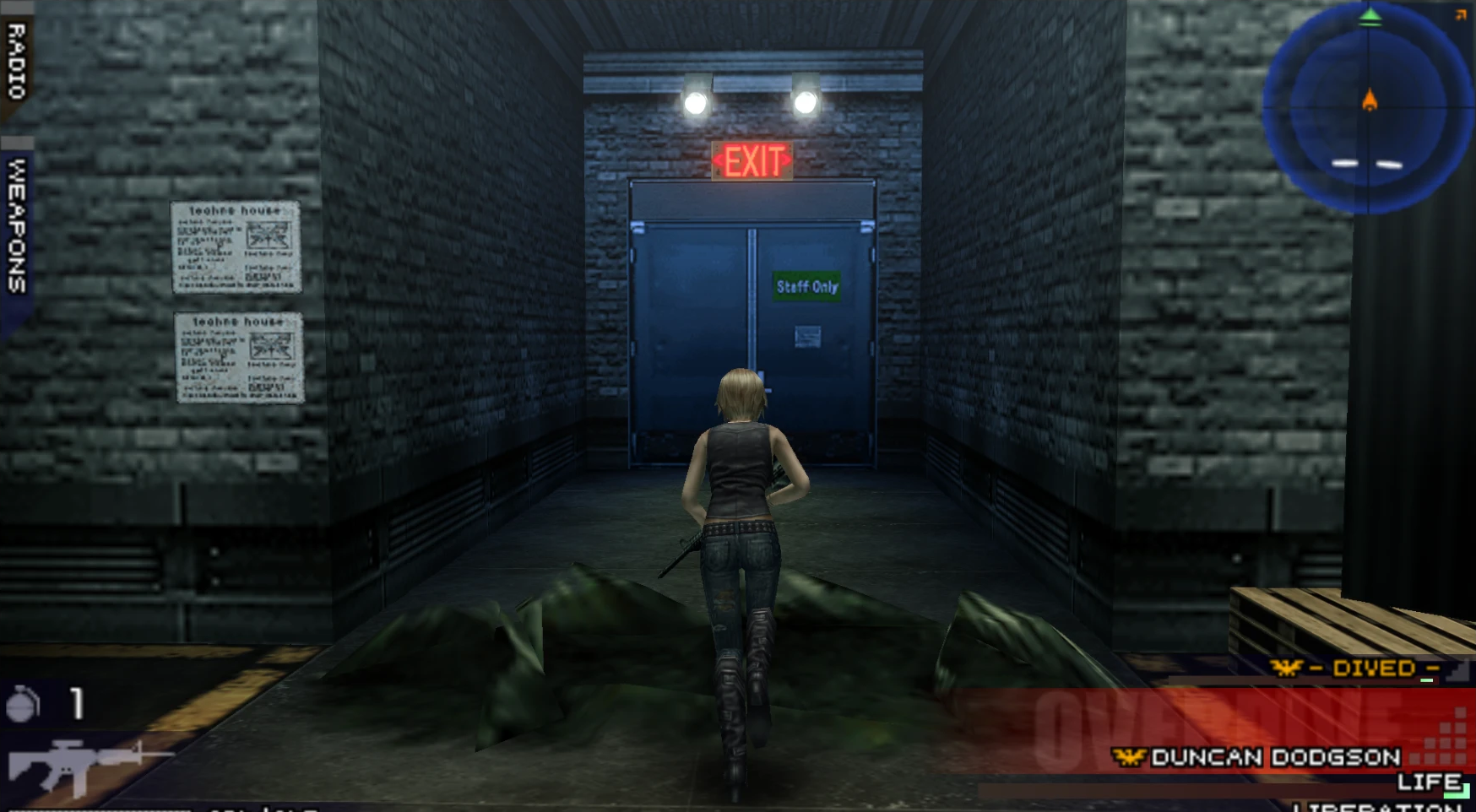
A native Windows build of The 3rd Birthday (PSP, US release ULUS10567), made by statically recompiling the game's MIPS code to C and running it on a native runtime with a Vulkan renderer. It is not an emulator: the game logic runs as compiled PC code.

Work in progress. All 111 scenes of the game load and run at full speed, with movies, voice, music and saving, but few people have played it through yet. Expect bugs, and please report them.
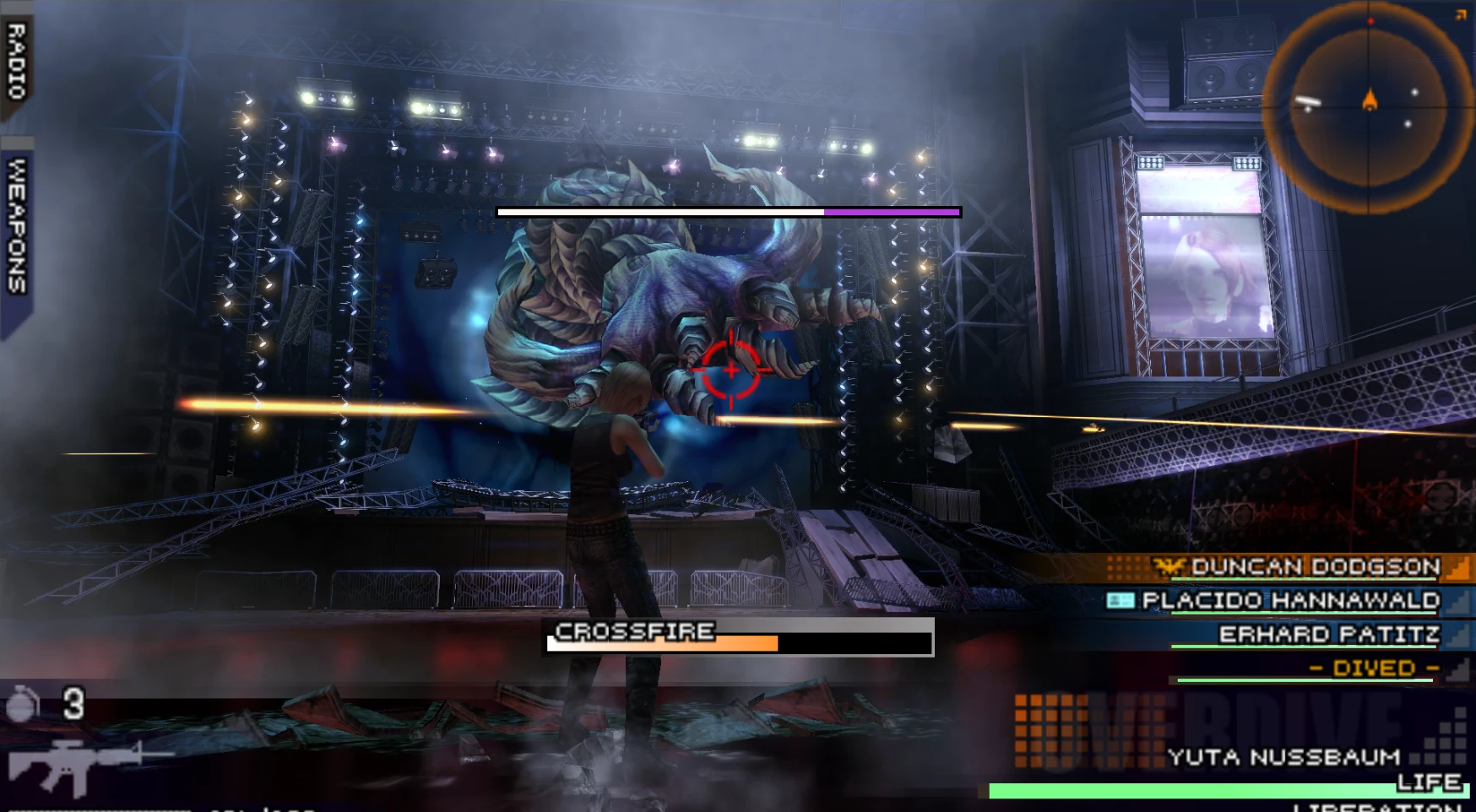
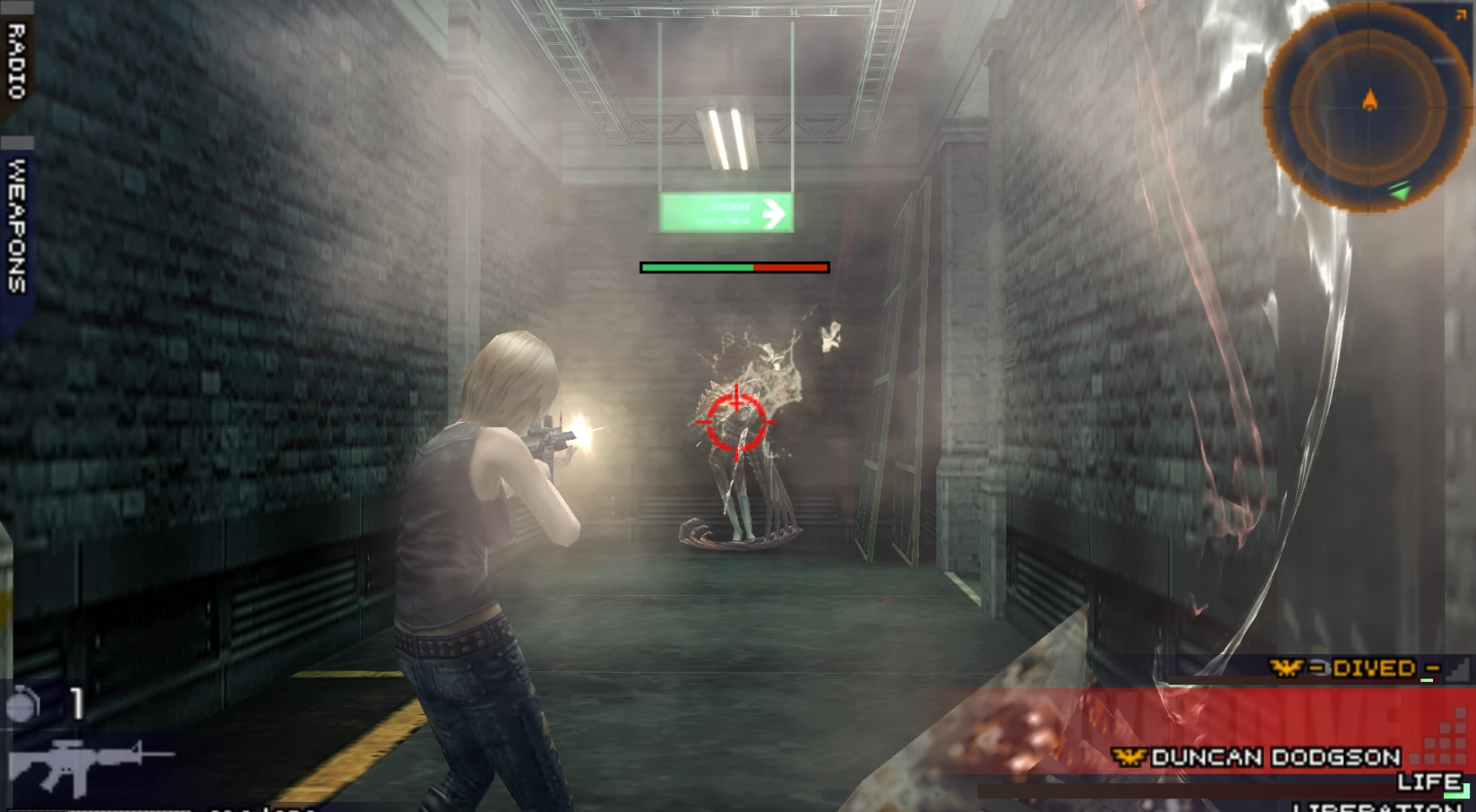
On top of the original it adds things the PSP version never had, like free aim (aim with the mouse or the right stick, up and down too, with the crosshair in the middle of the screen), a modern over-the-shoulder camera, 60 fps, widescreen, higher resolution, remappable controls and a cheats menu. See What works.
You need your own copy of the game (a PSP disc image you dumped yourself). No game data is included in this repository or in the releases.
Playing it
- Download
The3rdBirthday-<version>.zipfrom the Releases page and extract it. - Start
The 3rd Birthday.exe(the launcher) and choose your own disc image of the game (USA, ULUS10567,.iso). Windows may show "Windows protected your PC" the first time, because the program isn't signed: click More info, then Run anyway. - Press Prepare game. The game is built once, on your PC, from your disc (3-10 minutes; nothing is downloaded). Then press Play.
The download contains no game code or data: only the PC runtime, the launcher and a kit (compiler, Python, translation tools) with which your PC turns your disc into the game.
Before you start: what is and isn't tested yet
Tested: on a clean copy of the download, with nothing else installed, Prepare game finishes in about 3 minutes and Play starts the game. All 111 scenes of the game load and run at full speed. Not tested yet, so these may give you trouble:
- Other PCs. So far it has only run on one PC: Windows 11 with an NVIDIA RTX 3050 laptop GPU. Other graphics cards (AMD, Intel), Windows 10 and older drivers haven't been tried. You need a graphics card with Vulkan support and up-to-date drivers.
- Antivirus. Prepare game runs a compiler and creates a new
game.dll, which some antivirus programs block, quarantine or slow down a lot. If preparing fails orgame.dlldisappears, allow the game's folder in your antivirus. - Where you extract it. Use a folder you can write to, such as
C:\Games\The3rdBirthdayor your Documents. NotProgram Files: the launcher writes settings, saves and the prepared game next to itself. - Only the US disc image (ULUS10567) as a plain
.isoworks. The European and Japanese versions and compressed images (.cso,.chd) aren't supported. Convert a.csoback to.isofirst. - Full playthroughs. Every scene was checked by jumping to it, but the whole game hasn't been played from start to finish yet. Missions may still have bugs.
If something goes wrong, please open an
issue with your PC (Windows
version, graphics card), what happened, and the run.err file from the game's folder.
The launcher
The 3rd Birthday.exe is where you start the game and change its settings without opening
any files:
- Disc image: finds your
.isonext to it or lets you choose one, and checks it is the right game - Prepare game / Play: builds the game from your disc the first time (with a progress bar), then starts it. After an update it tells you when the game needs preparing again.
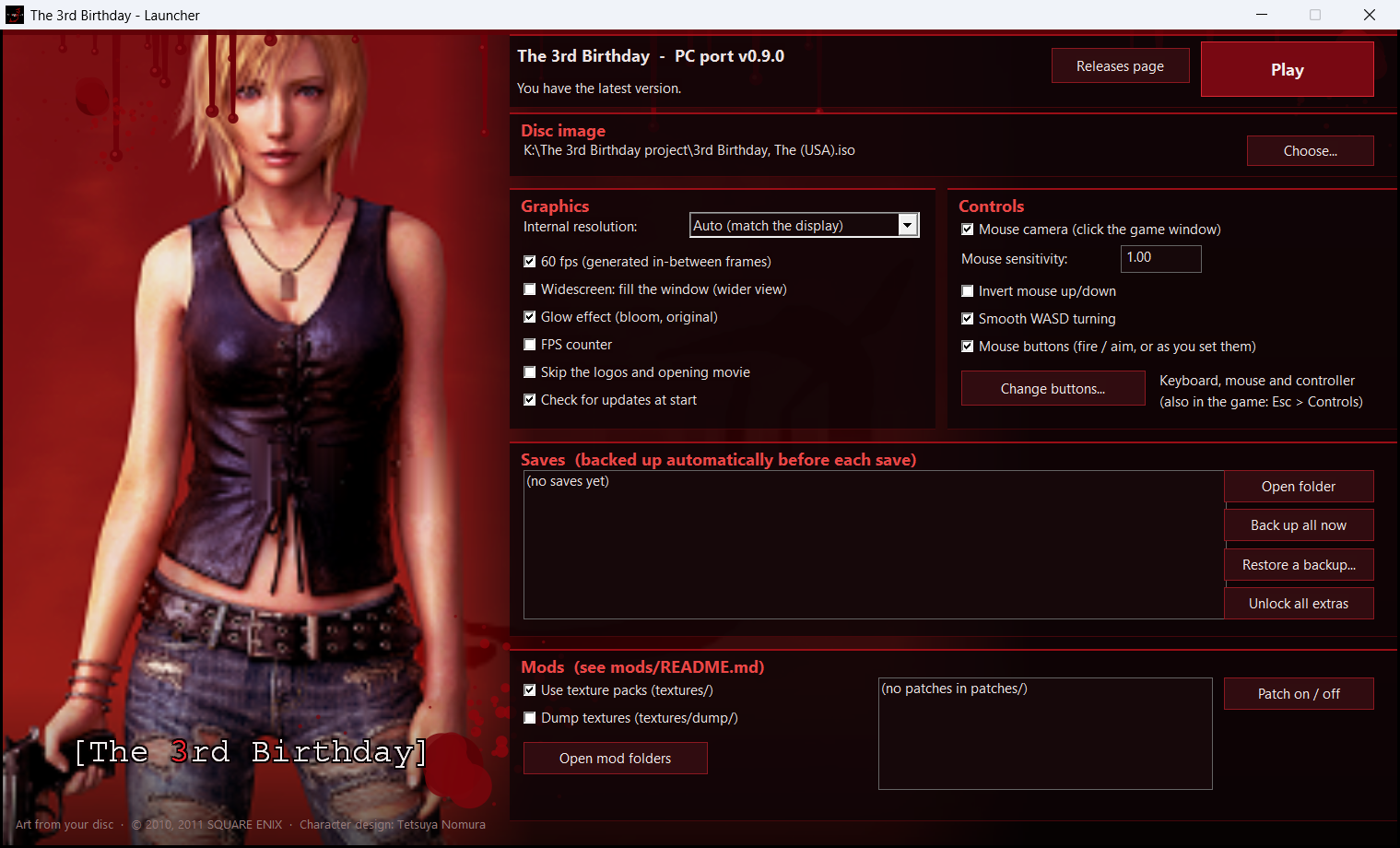
- Graphics: internal resolution, 60 fps, widescreen, glow, FPS counter, skip the intro, check for updates at start
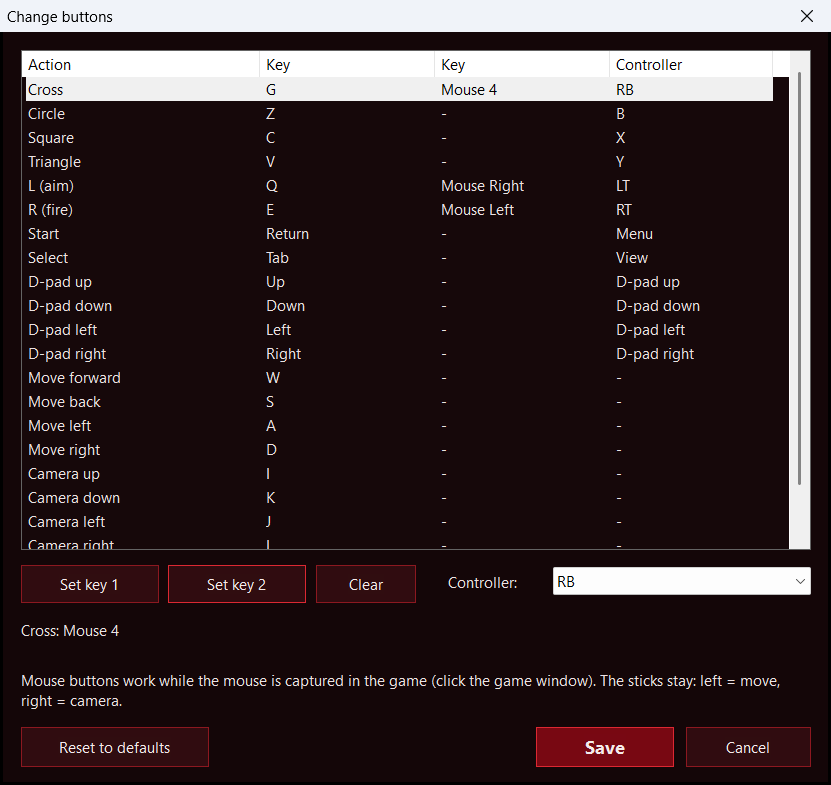
- Controls: mouse camera, mouse sensitivity and invert, smooth WASD turning, mouse buttons on/off, and Change buttons...: every action with two keys (keyboard keys or mouse buttons) and a controller button, chosen by pressing them or from a list
- Saves: your saves with their episode and play time; open the folder, back up all, restore a backup. Unlock all extras unlocks every costume, the extra DNA boards and the Cheat Codes; your progress is kept.
- Mods: texture packs on/off, texture dump, memory patches on/off
- Updates: says whether you have the newest version, with a link to the Releases page
The background is the game's own PSP cover art (Aya on red, as on the PSP's home screen), read from your disc image when the launcher starts; it is not included in the download. The blood drips and splatters are drawn by the launcher, and the window icon is the disc's icon. Until a disc image is chosen, the background is dark red with the blood only.
Screenshots
What works
- Boot, menus, movies (H.264 via Windows Media Foundation) with their audio
- Gameplay with ATRAC3/ATRAC3+ music and voices and the PSP sound chip (SAS)
- Optional: skip the boot logos and the opening movie (setting "Skip intro at start", off by default)
- Saving and loading (a virtual memory stick; a "Game saved" notice after each save)
- Vulkan renderer at higher internal resolution (4x the PSP's on a 1080p screen)
- 60 fps: the game runs at 30 fps; an in-between frame is generated on the GPU for every game frame (camera, objects and limb animation are blended). It can be switched back to 30 in the settings menu.
- Widescreen / ultrawide (settings menu, "Aspect ratio"): the game renders a wider view to fill the window; the HUD keeps its shape in the middle
- Remappable controls, in the game (Esc > Controls) or in the launcher (Change buttons...): every action gets two keys, which can also be mouse buttons (left, right, middle, side buttons 4 and 5), and a controller button. Only the two sticks are fixed (left = move, right = camera).
- Two camera styles (Esc menu > Camera style, or the launcher): Classic orbits around Aya and returns behind her like the original; Modern is an over-the-shoulder camera that stays where you point it, and Aya walks where you look
- Free aim (Esc menu > Free aim, on by default): hold L / right mouse and the aim starts where the camera looks; the mouse or the right stick then moves it left, right, up and down, with the crosshair staying in the middle and the shots going where it points. If the game locked onto an enemy, the lock stays until you move the aim. The sniper scope and the launchers keep the game's own stick aiming (the mouse moves it)
- Mouse camera: click the game window and the mouse turns the camera (left button fires, right aims; Esc releases the mouse); smooth WASD turning
- Launcher (
The 3rd Birthday.exe): disc image, settings, save list with backup / restore, unlock all extras, mods, update status, Play (see The launcher) - Update notice: the game and the launcher tell you when a newer release is out
- Safe saves: every save is written safely and the previous one is kept in
memstick/BACKUP/ - FPS counter and a glow (bloom) on/off switch in the settings menu
- Mods: HD texture packs (PPSSPP packs work too), memory patches and compiled code mods, see
mods/README.md - Cheats (Esc menu > Cheats): no damage, infinite ammo, infinite grenades, infinite
Liberation, max BP (999,999). Each can be switched on and off and stays as you leave it
(
cheats.cfg). From the community CWCheat database - Data Install (Extra menu) works, and Use Install Data reads from it like on a PSP
- Saves from a real PSP or PPSSPP can be imported (
tools/save_import.py); the port's saves load in PPSSPP - Xbox, PlayStation and other controllers through SDL3, plus keyboard
- Twin-stick camera: the right stick orbits the camera around Aya. Aiming starts where the camera looks, and the game's own cameras take over for aiming, Overdive and Liberation.
Controls
| Action | Controller | Keyboard |
|---|---|---|
| Move | Left stick | W A S D |
| Camera (twin-stick orbit) | Right stick | I / J / K / L |
| Aim while holding L (free aim) | Right stick | I / J / K / L, or the mouse |
| Strafe while holding L | Left stick | W A S D |
| Reset camera behind Aya | Right stick click (R3) | O |
| Camera / fire / aim with the mouse | — | click the window, then mouse / left button / right button |
| Cross / Circle / Square / Triangle | A / B / X / Y | X or Space / Z / C / V |
| L / R | LB or LT / RB or RT | Q / E |
| D-pad (the game's own camera turn) | D-pad | Arrow keys |
| Start / Select | Menu / View | Enter / Tab |
| Settings menu (pauses the game) | View + Menu together | Esc |
Screenshot (full render resolution, saved to screenshots/) | — | F12 |
| Fullscreen | — | F11 or Alt+Enter |
Every action in this table can be changed: in the game (Esc > Controls) or in the launcher (Change buttons...). Keys can be keyboard keys or mouse buttons; mouse buttons work once you have clicked into the game window.
Settings
Most options are in the launcher and in the in-game settings menu (Esc). They are stored in plain text files next to the executable (created on first run):
graphics.cfg—render_scale(0 = match the display, or 1 to 8),frame_interpolation(1 = 60 fps),skip_intro(1 = skip logos and opening movie; default 0),widescreen(1 = fill the window),texture_dump(1 = write the game's textures totextures/dump/for texture packs)controls.cfg— key, mouse and controller bindings (edited by the Controls page and the launcher), e.g.r = E, Mouse Left | righttriggertwinstick.cfg—sensitivity,invert_x,invert_y,recenter,recenter_delay,recenter_delay_still
Building
The toolchain is MSYS2 UCRT64 (GCC, SDL3, Vulkan headers, glslc). See
runtime/README.md for the recompiler and runtime, and
PLAN.md for the design decisions and a dated log of the work.
scripts/setup.ps1 sets up a fresh clone (MSYS2 packages, the program decrypted from your
disc image) and builds; scripts/build.ps1 rebuilds. The build makes ULUS10567.exe (the
runtime, no game code) and game.dll (the game's code, recompiled). scripts/package.ps1
makes the release package (runtime, launcher, kit; checked to hold no game code) and
scripts/release.ps1 publishes it.
Versions
VERSION holds the current version; docs/CHANGELOG.md lists what
changed. A release carries the notes and the package; the game code is always built from your
own disc on your PC, so a release never contains it.
Support
This port is made in my free time. If you enjoy it and want to support the work, you can on Ko-fi. It's completely optional: the port is and stays free.
Credits and license
GPL-2.0-or-later. This project builds on other people's work — see
runtime/CREDITS.md:
- PPSSPP — the reference for PSP behaviour; several HLE modules (sceMpeg, SAS, ATRAC) are ported from it
- AljandrOrtega's PSP recompilation toolkit — the recompiler and runtime this port started from
- FFmpeg's ATRAC decoder (via PPSSPP's at3_standalone), SDL3
Much of the code was written with the help of an AI model (Anthropic's Claude); the
details are in runtime/CREDITS.md.
The 3rd Birthday is a trademark of Square Enix. This project is not affiliated with or endorsed by Square Enix.