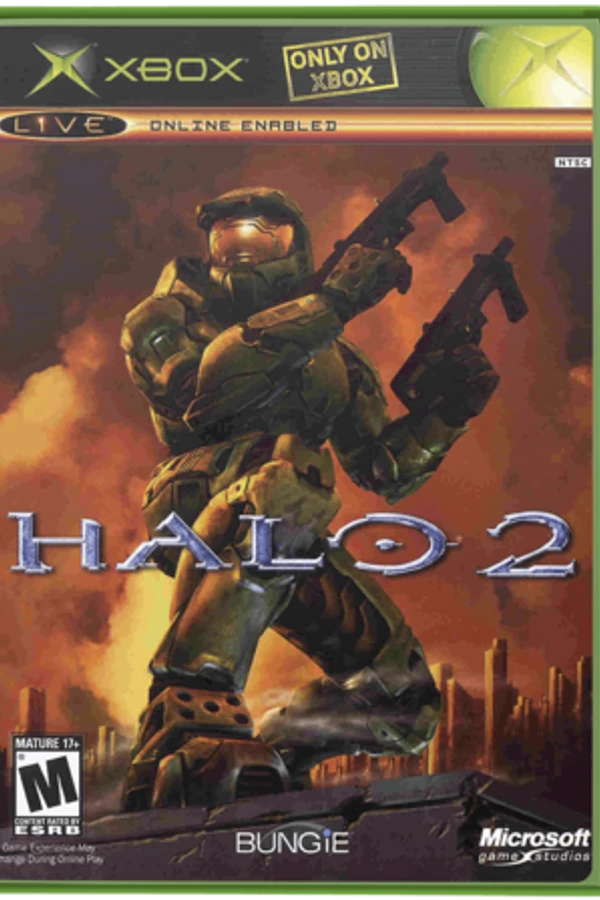
Halo 2
About the project
Halo 2 es un videojuego de disparos en primera persona desarrollado por Bungie Studios y lanzado para la consola Xbox en 2004. Es la segunda entrega en la franquicia de Halo y su trama continúa los sucesos relatados en Halo: Combat Evolved.
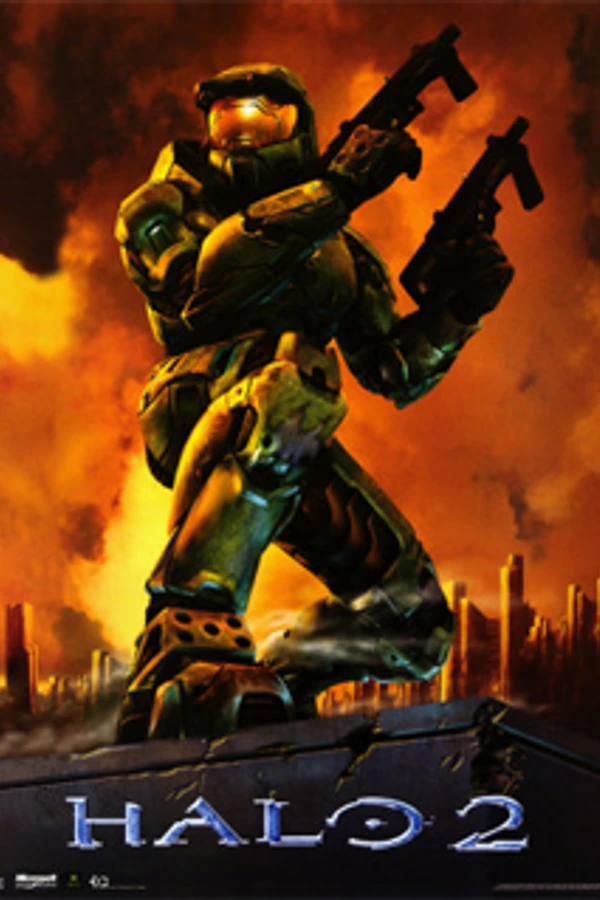
2 versions of Halo 2
You're viewing: Halo 2
Official project information
Halo 2 native port workbench
A native C++20 Halo 2 port in development, built with SDL2 and Vulkan, with asset import, source-recovery and validation tools. The target is original Xbox TU1.5 gameplay and visuals, using installed MCC Halo 2 Classic content as the asset donor for normal setup.
The port is incomplete. MCC content can be imported, and validated builds expose an interim native Lockout test. MCC-only title/menu integration and full TU1.5 conversion/parity remain in progress. Existing reference-backed subsystem builds demonstrate rendering, frontend, campaign components and local/network Slayer; they do not establish a finished MCC game.
Original game files, imported artwork/fonts, reference captures, Ghidra exports and build outputs stay local and are excluded from Git. Generated Ghidra C is analysis pseudocode, not application source.
Progress at a glance
Completed foundations
- Content and recovery tools: MCC installation discovery, verified private imports, native cache readers and geometry/model/bitmap/animation/audio adapters, checked 64-bit tag ownership, Xbox disc extraction and Ghidra export. See MCC conversion and the tag system for the supported boundaries.
- Native rendering and runtime components: SDL2 input/gamepads, Vulkan presentation, authored BSPs, textures, lightmaps, skinned models, animation and decoded audio. Campaign components include checkpoint/revert, BSP streaming and cinematic camera playback; full missions remain unfinished. See native systems and campaign progress.
- Frontend and settings: native title/menu presentation, local profiles, saved variant copies, keyboard/mouse settings, display controls and movie playback. The original menu definitions and option dialogs are loaded; service and visual coverage varies. See frontend progress.
- Multiplayer foundations: local split screen, native LAN Slayer/Team Slayer, weapon/HUD/respawn integration, and online discovery, identity, matchmaking, party, clan and voice components. These retain documented gameplay and service limits. See multiplayer progress and online services.
Still to finish
- MCC-only gameplay: complete native world startup, physics/collision and gameplay-tag conversion, and remaining runtime consumers so the normal launcher can start a TU1.5-equivalent game without an Xbox executable.
- The complete sandbox: finish and integrate original movement/Havok, vehicles, all weapons, damage/shields, inventory, AI and animation behavior. Passing individual source comparisons does not complete these systems.
- Campaign and co-op: complete mission scripting, AI, cinematics, audio/presentation and save-state integration, then verify complete missions and cooperative play. No complete campaign mission has been verified.
- All multiplayer modes: finish the seven original mode families, all 39 built-in variants and editable rules, objective/HUD consumers, replication and complete local/network match flows. Menu availability is broader than playable mode support.
- Final parity and delivery: verify Xbox TU1.5 rendering, effects, lighting, audio and timing against original references; complete performance, physical-controller and cross-platform validation. Linux is the currently tested desktop platform.
Detailed evidence and acceptance gates live in the subsystem guides below. Asset decoding, exact CPU comparisons and Vulkan smoke tests each prove their own scope; they do not establish full gameplay or original framebuffer parity.
Build and run
Prepare MCC content
With the local launcher installed at the project root, run:
./Halo2-Launcher
First launch searches installed game libraries and opens MCC setup. Select the MCC installation if detection misses it. Setup verifies and copies Halo 2 Classic content into a private cache, preserving the original installation. Later launches show cache and runtime status. Preparing content or updating the build does not bypass the unfinished gameplay requirements.
The current validated Play route opens the native MCC title screen, profiles, main menu and Settings. The separate native gameplay test remains available; complete gameplay conversion and Xbox TU1.5 parity are still in progress.
Terminal setup works without Tk; quote paths containing spaces:
./Halo2-Launcher --prepare-mcc-gameplay --mcc-source "/path/to/Halo The Master Chief Collection"
./Halo2-Launcher --launcher-info
Use --setup-only to prepare files and exit. A source-only checkout can prepare
content before building the runtime or launcher:
python3 tools/setup_assets.py --prepare-mcc-gameplay --mcc-root "/path/to/Halo The Master Chief Collection"
Normal setup uses MCC only. The original Xbox ISO and TU1.5 update are reference inputs for development; old Xbox/Vista source selections are ignored by the launchers. See game-file setup for cache ownership, discovery options and readiness checks. Normal setup and menu launch select the authenticated MCC V3 loading bank, including the decoded MCC audio track. Preserved legacy loading banks are not a fallback for this route. See loading presentation for source ownership, validation scope and remaining playback checks.
Build from source
Required: CMake 3.24+, Ninja for the commands below, a C++20 compiler, Python
3.11+, SDL2, Vulkan headers/loader, GLM, glslangValidator, SPIRV-Tools
(spirv-val), zlib, pkg-config,
libcurl 7.86+ with WebSocket support, OpenSSL Crypto, nlohmann-json 3.10+,
libopus, libvorbis, libogg, and FFmpeg development libraries (libavcodec, libavformat,
libavutil, libswresample, libswscale) with Bink and dedicated Xbox ADPCM
decoding. Runtime rendering requires a Vulkan-capable GPU. The launcher setup
and home windows also require Python Tk; python3 -m tkinter checks it.
From a Linux x86_64 clone, run ./build-linux.sh. The default desktop profile builds both
Linux and native Windows x86_64 executables using the same Vulkan renderer. It finds the repository from the
script's location and supports paths containing spaces, so it can also be invoked from
another working directory. Set HALO2_BUILD_DIR to choose a build directory,
HALO2_PYTHON to choose Python, and CMAKE_BUILD_PARALLEL_LEVEL to limit jobs:
CMAKE_BUILD_PARALLEL_LEVEL=4 ./build-linux.sh
Use --platform linux or --platform windows for a single platform. Windows
cross-builds require the MinGW-w64 cross toolchain, rustup and zstd. They use
a pinned SDK prepared automatically under
.tools/windows-sdk/mingw64; HALO2_WINDOWS_SDK and
HALO2_WINDOWS_BUILD_DIR override its SDK and build directories. The desktop
CMake profile is also available as cmake --preset desktop followed by
cmake --build --preset desktop. Ordinary default Linux CMake builds include
halo2_windows; use -DHALO2_BUILD_WINDOWS=OFF for a single-platform build.
Successful links copy the latest local binaries and a hash manifest to
dist/builds/linux-x86_64/ and dist/builds/windows-x86_64/; the original build
trees and compiled shader bindings are retained. This folder contains local build outputs. Downloadable releases
require the separate relocatable package and published release manifest.
The Windows folder also contains the executable's transitive runtime DLLs,
compiled Vulkan shaders, small tag catalogs and windows-package.json with
source paths and hashes. Run Run-Halo2.cmd with the engine's normal arguments
and a separately prepared MCC cache. A Vulkan-capable Windows graphics driver
is required. The EOS online SDK also requires the
Microsoft Visual C++ v14 x64 Redistributable;
its required DLLs are listed in the package manifest. The Windows folder includes
the same onboarding UI and setup tools as Linux, with native Python, Tk and
Pillow bundled. Open Halo2-Launcher.exe or onboarding/Halo2-Launcher.exe
to scan or browse for MCC and prepare its private cache; keep the complete
folder together. The profile
installs the pinned Rust Windows standard library through rustup automatically.
Linux arm64 and Windows arm64 output staging remain unsupported. The macOS port checklist documents
the universal arm64+x86_64 build and bundled MoltenVK graphics bring-up;
the playable macOS engine remains in progress. Disposable validation disables staging.
See binary builds and updates for the output layout
and release manifest used by the launcher's Update button.
See native Windows Vulkan builds for startup checks and
the Windows validation scope.
cmake --preset desktop
cmake --build --preset desktop -j
python3 tools/install_launcher.py --build build --desktop
python3 tools/install_launcher.py --build build --title-first --desktop
./Halo2-Launcher --launcher-info
./Halo2-Title-Launcher --launcher-info
Both launchers use the runtime directory selected at installation.
--launcher-info reports that path, the selected MCC cache and gameplay
readiness. The title-first launcher is configured to skip the boot intro once
startup is available. Use an optimized build for runtime work; Debug asset
preparation is substantially slower.
For a source checkout, ./Halo2-Launcher --build-engine builds the current
engine and both launchers, runs launcher routing checks, then checks four actual
submitted MCC frames on each previously selected multiplayer map and the default
map with one, two and four local players. Only passing builds replace the local
Play selection. Existing runtimes remain available after a failed check.
--launcher-info also reports source differences from the selected runtime.
Compilation and smoke outputs use disposable storage; a successful selection
retains its runtime, resources, source hashes and bounded qualification report
under bin/engine-builds/. This establishes build/routing and startup coverage;
full gameplay, menu, visual and audio acceptance remain separate.
MCC imports supply the stock runtime assets, fonts, loading audio and movies.
Builds and onboarding packages also include the port's custom button maps,
UI masters, compiled custom maps and game modes. Celestial rank icons use the
existing custom moon/comet/Halo-ring artwork; ordinary ranks retain their MCC
owner. See asset setup for the shared inventory and delivery
boundaries. Earlier supplied-movie and original-loading-tone exceptions remain
superseded; those files are preserved as references.
The separate upscaled intro/credits remain optional Git LFS reference assets,
not an MCC setup prerequisite. Fresh builds default to
-DHALO2_BUNDLE_MOVIES=OFF. No authentic MCC source is assigned to the Classic
intro, credits or attract roles yet, so those roles remain unavailable. See
release movies for reference checksums/codecs and the
remaining source and delivery gates. Source changes do not establish a newly
qualified installed runtime or release.
The launcher provides --update to fetch verified precompiled binaries for the
host platform, preserving imported content and local changes. It reports when
no compatible published release is available. Source compilation remains an
explicit action through build-linux.sh. See binary updates
for release verification and logs. Runtime flags and direct reference-backed development
commands are documented in native systems and controls
and frontend inspection.
Multiplayer and online services
Existing subsystem builds support local split screen and native LAN Slayer/Team Slayer. Lobby setup, launcher arguments, controls and remaining sandbox/network limitations are documented in multiplayer progress and keyboard/mouse controls. Elite integration covers authored Spartan/Elite bodies, arms, cameras and HUDs. Bomb Defusal adds one-life attack/defend Assault rounds, multiple bomb sites, halftime and Halo-tuned plant/defuse timers.
Fiesta and Infection Slayer are native custom variants with their own rules and verification limits.
ONLINE uses Discord sign-in; players retain their
chosen local profile names. Campaign, Split Screen and System Link use local
profiles. The server browser uses the
federated directory at https://master.halotoforever.com by default, with
trusted-master overrides through H2_MASTER_URLS.
Matchmaking,
parties, clans,
Discord Friends and opt-in
voice have separate setup and support boundaries.
These service components do not remove the MCC gameplay blocker.
Validation and source recovery
Run validation in a temporary build that cleans up afterward:
python3 tools/run_tests.py
The full suite needs local reference data: some asset-dependent checks skip
when inputs are absent, while others fail. See the
fixture requirements and
each subsystem's evidence before interpreting results. GPU validation requires
the Khronos Vulkan validation layer; use VK_LAYER_VALIDATE_SYNC=1 for
synchronization checks. Render sweeps, source differential commands and measured
results are linked from port status.
For a focused sanitizer check:
ASAN_OPTIONS=detect_leaks=1 python3 tools/run_tests.py --sanitizers \
  --target movie_tests --filter '^frontend_movie_routing$'
Normal game builds omit test executables. For a persistent test build, use
cmake --build build --target halo2_tests -j2 before CTest. See
test storage for scratch cleanup, bounded failure logs,
and explicit artifact retention.
Developer reference extraction and decompilation remain separate from MCC onboarding. With a user-supplied Xbox disc:
python3 tools/disc.py extract "/path/to/Halo 2.iso" --output assets/disc
python3 tools/disc.py xbe assets/disc/default.xbe
python3 tools/decompile.py --bootstrap --matching-inventory
Extraction refuses to overwrite existing files. Decompilation downloads pinned
Ghidra/XboxDev loader releases into .tools/, requires JDK 21+, and checks the
matching executable identity. Saved projects and pseudocode exports remain
under analysis/. See pinned research and provenance and
Map Pack reference research.
Find your way around
| Path | Contents |
|---|---|
src/, include/halo2/ | Native implementation grouped by subsystem and public interfaces |
shaders/ | GLSL renderer shaders |
shaders/path_tracing/ | Optional Path Tracing shading and BVH ray traversal |
src/rendering/path_tracing/ | RT scene, material, light and resource owners |
tools/ | Setup, extraction, decompilation, audits and launcher tools |
tests/, cmake/ | Test sources, fixture guides and build configuration |
multiplayer/ | Master server, online services and their documentation |
data/tags/ | Authored native extensions, including custom Slayer variants |
external/, resources/ | Source dependencies, notices and supporting resources |
docs/ | Developer guides, implementation status and source evidence |
The repository guide explains local-only directories and fixture ownership. For detailed status, start with MCC conversion, campaign, opening cinematics, multiplayer, game modes, frontend, physics, weapons, damage/shields, rendering and first-person presentation.