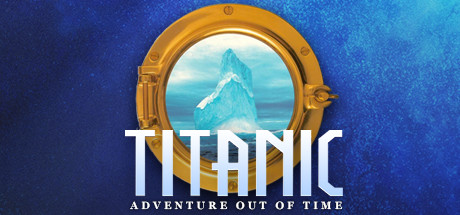
titanic-godot - 30th anniversary edition
Titanic: Adventure Out of Time
About the project
Titanic: Adventure Out of Time es un videojuego de acción y aventura publicado por GTE Entertainment en 2018.
Official project information
titanic-godot - 30th anniversary edition
Titanic: Adventure Out of Time (1996) - I feel old
<a href="docs/images/hd/staircase-riven.png"><img src="docs/images/hd/staircase-riven.png" width="100%" alt="Grand Staircase: Upscaled with FSDedither Riven"></a> Game artwork upscaled with FSDedither Riven (DIY - not included).
Perfectly playable with original assets.
Play quickly (Windows, Linux, macOS)
Download and extract the release for your platform, then use either source:
- ISOs: Drop both images beside the executable, or beside
Titanic.appon macOS. Their filenames just need to containcd1andcd2, for exampleTitanic_CD1.isoandTitanic_CD2.iso. Run Titanic; it finds them automatically. No mounting or extraction needed. - GOG / Steam: Run Titanic and choose your installed game folder or its
LOCALfolder. No conversion needed. You can also place a copy ofLOCALbeside the player for automatic detection (on Windows, you can literally unzip the release into the installed game directory and launch titanic.exe).
Play quickly (Android)
Install the APK and choose the folder containing both ISOs or your GOG/Steam game files. For ISOs, use filenames containing cd1 and cd2. For GOG/Steam, select the game folder or LOCAL directly. Put the files somewhere selectable, such as a subfolder of Downloads.
Android imports the files into app storage. Keep the app open until it finishes. Both gamepad and touchscreen play are supported.
Play quickly (PortMaster)
Extract the PortMaster ZIP into your handheld's ports folder, then add your game files:
- ISOs: Put both images inside
titanic, withcd1andcd2in their filenames. They also work intitanic/gamedataor besideTitanic.sh. - GOG / Steam: Copy the game's
LOCALfolder intotitanic/gamedata, keeping the folder name.
Launch Titanic from the handheld's ports menu. No ISO extraction or GOG/Steam conversion needed. The FRT runtime is included; see offline patch setup for consoles without networking.
F10 (or Start on controller) to access the engine menu. For the rest, read more below.
more
A Godot player with a native Go engine for Titanic: Adventure Out of Time (1996), based on titanic-mac and dreamREfactory. Bring your own game files.
Build with the commands in BUILDING.md, then use your two ISOs, GOG/Steam game folder, or extracted discs. Setup and mods covers digital installs and M3tox's fixes, lounge unlock, and extended-content mod. On first start, download the M3tox 1.0.3 FULL patches, choose their ZIP, or play without them. Saves live outside the app; replaced saves are archived.
Use the arrow keys to move or select dialogue replies, and Enter to confirm the selected reply. The mouse also works. On a handheld, use the left stick or D-pad for movement, dialogue replies and menus, then A to confirm. The right stick controls the pointer; L1 slows it, and L2/R2 cycle clickable targets. B goes back or skips speech. Start opens the menu. Controls / display > Controller bindings lets you remap buttons and D-pad directions or restore the defaults. See PortMaster controls. Touchscreens support tapping, dragging and a virtual joystick. An onscreen keyboard handles text entry with touch or a controller.
Controls / display > Dialogue / subtitles offers widescreen conversations with translucent answers and optional speech-timed words with a gentle fade. New installs and upgrades show a preview and let you choose; both start off. Narrow and 4:3 screens keep Classic dialogue. Speech timing is approximate.
Controls / display previews the optional Compact and Roomy side panels. New and returning players get a one-time chooser on wide devices, with Compact selected by default. Existing layout choices are kept. Native 4:3 devices use Classic and skip the chooser. Screens narrower than 16:10 always keep the original layout. The artwork fills the screen behind translucent controls, with a slight stretch and no cropping. Movement, open doors, location signs and climbing animations keep the side panels. Held items and special screens restore the original layout automatically. During exploration, the Classic / Side panels button switches back and forth; controller users can select it with L2/R2 and A.
Touch controls offers a translucent joystick, ring-and-knob, knob-only or invisible styles, and an opacity preview. Use Edit positions and size to move controls and drag the joystick's corner handle to resize it, then Done / lock. Each layout keeps its own positions and joystick size. Reset layout restores the current layout.
Cutscenes during play queue a checkpoint, saved once normal gameplay returns and manual saving is allowed. The newest 25 autosaves appear in Load game, marked in blue and labelled Autosave. They use separate storage and never replace or rotate your manual saves. Game files / mods lets you turn checkpoints off. Manual saves are still useful between cutscenes.
For a personal APK or PortMaster ZIP with your game files included, use the local Go builder in BUILDING.md. This mode runs locally and is not part of CI. You can also generate a 2x HD artwork pack for rooms and interface graphics and include it in either package.
The player offers a comparison of original and redrawn SVG controls the first time you launch this version, including after an update. Choose either style, then change it later under Game files / mods > HD artwork > Redrawn interface.
CI builds Windows x64 and ARM64 portable packages, macOS Intel and Apple Silicon apps, Linux packages, a PortMaster ZIP, and an Android ARM64 APK.
HD artwork
The same Grand Staircase save, with original artwork and the optional HD pack. World and character artwork use FSDedither Riven; all UI artwork uses nearest-neighbor 2x to preserve its pixels and transparent edges. Make your own pack.
Put the finished hdpack folder beside the player to enable it automatically. On Android, keep it beside the ISOs and select their folder, or choose it under Game files / mods > HD artwork. Textures are read in place. You can turn HD off in that menu; the choice stays saved.
| Original | HD: Riven world, nearest-neighbor UI |
|---|---|
| <a href="docs/images/hd/boat-original.png"><img src="docs/images/hd/boat-original.png" width="480" alt="In-game: Grand Staircase: Original"></a> | <a href="docs/images/hd/boat-hd.png"><img src="docs/images/hd/boat-hd.png" width="480" alt="In-game: Grand Staircase: Riven scenery with nearest-neighbor UI"></a> |
In-game view with nearest-neighbor UI and Riven scenery.
Grand Staircase
| Original | FSDedither Riven |
|---|---|
| <a href="docs/images/hd/staircase-original.png"><img src="docs/images/hd/staircase-original.png" width="480" alt="Grand Staircase: Original"></a> | <a href="docs/images/hd/staircase-riven.png"><img src="docs/images/hd/staircase-riven.png" width="480" alt="Grand Staircase: FSDedither Riven"></a> |
Penny Pringle
| Original | FSDedither Riven |
|---|---|
| <a href="docs/images/hd/penny2-original.png"><img src="docs/images/hd/penny2-original.png" width="480" alt="Penny Pringle: Original"></a> | <a href="docs/images/hd/penny2-riven.png"><img src="docs/images/hd/penny2-riven.png" width="480" alt="Penny Pringle: FSDedither Riven"></a> |
Colonel Zeitel
| Original | FSDedither Riven |
|---|---|
| <a href="docs/images/hd/zeit1-original.png"><img src="docs/images/hd/zeit1-original.png" width="480" alt="Colonel Zeitel: Original"></a> | <a href="docs/images/hd/zeit1-riven.png"><img src="docs/images/hd/zeit1-riven.png" width="480" alt="Colonel Zeitel: FSDedither Riven"></a> |
Jones
| Original | FSDedither Riven |
|---|---|
| <a href="docs/images/hd/jones2-original.png"><img src="docs/images/hd/jones2-original.png" width="480" alt="Jones: Original"></a> | <a href="docs/images/hd/jones2-riven.png"><img src="docs/images/hd/jones2-riven.png" width="480" alt="Jones: FSDedither Riven"></a> |
Bedsit
| Original | FSDedither Riven |
|---|---|
| <a href="docs/images/hd/cabin-original.png"><img src="docs/images/hd/cabin-original.png" width="480" alt="Bedsit: Original"></a> | <a href="docs/images/hd/cabin-riven.png"><img src="docs/images/hd/cabin-riven.png" width="480" alt="Bedsit: FSDedither Riven"></a> |
Cipher puzzle
| Original | FSDedither Riven |
|---|---|
| <a href="docs/images/hd/cipher-original.png"><img src="docs/images/hd/cipher-original.png" width="480" alt="Cipher puzzle: Original"></a> | <a href="docs/images/hd/cipher-riven.png"><img src="docs/images/hd/cipher-riven.png" width="480" alt="Cipher puzzle: FSDedither Riven"></a> |
Thank you to Daniel Hobi and the dreamREfactory contributors; axx-archive for the Mac port; M3tox for DFET and TAOOT mods; MRXstudios for reverse engineering; the Godot, Go, QuickJS, QuickJS-NG, FRT, PortMaster, SDL, and gptokeyb teams; Jacob for FSDedither Riven; Xintao Wang and the Real-ESRGAN and BasicSR contributors; the PyTorch, NumPy, Liberation Fonts, Pillow, VTracer, resvg, CairoSVG and FontTools authors; Evan Wallace for esbuild; and the original CyberFlix team. Credits and licenses lists the projects and authors behind this work.
Source: GPL-3.0. Public builds do not include the full game. Patch files remain credited to M3tox and their respective rights holders.