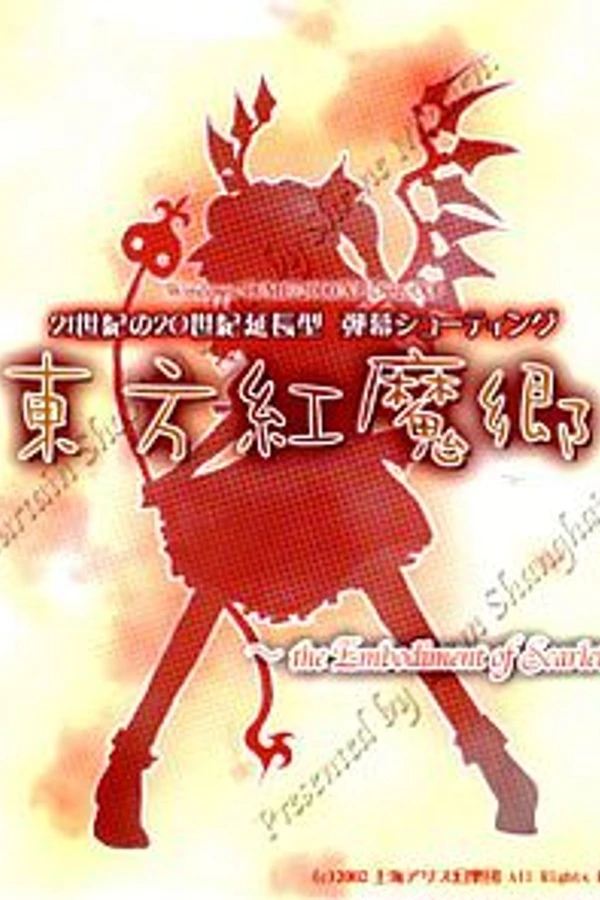
Touhou 6 (Switch)
Touhou 6: The Embodiment of Scarlet Devil
About the project
Touhou Koumakyou ~ the Embodiment of Scarlet Devil. es un videojuego danmaku de desplazamiento vertical y el sexto juego oficial de la serie Touhou Project. Es el primero en ser lanzado específicamente para Microsoft Windows y el primer juego desarrollado por Team Shanghai Alice. Todos los juegos anteriores a Embodiment of Scarlet Devil fueron hechos para la serie de ordenadores PC-98 siendo lanzados por Amusement Makers.
7 versions of Touhou 6: The Embodiment of Scarlet Devil
You're viewing: Touhou 6 (Switch)
Touhou 6 (Switch)github.com/saekaze/th06-switchTouhou 6 (Android)github.com/cardanawandra/th06Touhou 6 (PS Vita)github.com/Wavy667/th06-vitaTouhou 6 (PSP, jeong-jimin)github.com/jeong-jimin-github/PSP_TH06Touhou 6 (PSP)github.com/kan8223-dotcom/th06-psp-nativeTouhou 6 (SDL2)github.com/CNTianQi233/th06-sdl2Touhou Collection (PS4)github.com/EmiiBytee/Touhou-PS4Official project information
Touhou 6: Embodiment of Scarlet Devil — Nintendo Switch Port
(東方紅魔郷 〜 the Embodiment of Scarlet Devil)



A native homebrew port of ZUN's legendary 2002 bullet hell danmaku masterpiece Touhou 6: Embodiment of Scarlet Devil for the Nintendo Switch (Horizon OS).
Built upon the cross-platform decompilation engine GensokyoClub/th06, this port features custom hardware-accelerated OpenGL ES 3.2 rendering over Nouveau/Mesa, seamless Nintendo Switch Joy-Con and Pro Controller support, native 1280x720 window resolution scaling with pure OLED black letterbox borders, and an intelligent filename alias resolver designed for FAT32 SD cards.
Companion to the Touhou Switch ports, with the same touhou6.nro + sd:/switch/touhou/touhou6/ layout.
🆕 What's New (September 2026 update)
- 🌏 Proper name in hbmenu: shows
東方紅魔郷 ~ the Embodiment of Scarlet Devilon consoles set to 日本語 andTouhou 6: the Embodiment of Scarlet Devileverywhere else, with ZUN / Team Shanghai Alice as the author — like the other Touhou ports. - 📁 One folder for all Touhou ports: the game can now live in
sd:/switch/touhou/touhou6/(recommended), next to the other ports. The NRO's own folder is always checked first, so your current setup keeps working. - 🎮 Controls like the other Touhou ports: ZL/ZR now act as L/R, Key Config's Default restores the Switch layout (it used to reset to the PC one, with no pause button), and the D-Pad keeps moving whatever you rebind. The default layout is the same as every other port (B shoot, A bomb, L/ZL focus, R/ZR skip, + pause); the D-Pad and sticks only move.
- Gameplay itself is unchanged.
✨ Key Features
- 🚀 Full 60 FPS Performance: Smooth, rock-solid 60 FPS danmaku gameplay across all Nintendo Switch models (V1 Erista, V2 Mariko, Switch Lite, Switch OLED) running natively on Horizon OS—no Linux, Box64, or Wine required.
- 🦇 Embedded Official Artwork: Features the classic 2002 CD release cover silhouette embedded directly within the
.nroasset header for seamless display in Homebrew Menu, Sphaira, and custom home screen forwarders. - 🖥 OLED-Optimized Widescreen Scaling: Automatically scales the original 640x480 gameplay viewport centered inside the Switch's native 1280x720 display. Double-buffered hardware scissor testing (
GL_SCISSOR_TEST) guarantees that the 16:9 side pillarboxes remain 100% pure black (#000000), preserving contrast and extending battery life on OLED screens. - 🎮 Sane, Remappable Controls: Joy-Con (handheld, grip, detached) and Pro Controller with the same default layout as every other Touhou Switch port (B shoot, A bomb, L/ZL focus, R/ZR skip, + pause); the in-game Key Config can rebind them.
- 🧠 Defensive Smart Filename Resolver: FAT32/ExFAT filesystems on Switch often reject Japanese Shift-JIS / UTF-8 characters (
東方紅魔郷.cfg), and Windows extraction tools frequently strip non-ASCII prefixes from filenames (紅魔郷CM.DAT→CM.DAT). The engine includes a low-level filesystem interceptor that automatically locates and resolves stripped ASCII filenames (CM.DAT,MD.DAT,.cfg,th06.cfg) transparently. - 🎵 Lossless Audio & BGM Support: Full support for sound effects (
CM.DAT) and lossless WAV background music playback (bgm/folder).
📥 Installation Guide
⚠️ Disclaimer: In compliance with ZUN's guidelines and copyright law, this repository contains ONLY the homebrew engine code. Game asset archives (
*.DAT) are not distributed. You must legally own a copy of Touhou 6: Embodiment of Scarlet Devil v1.02h.
1. SD Card File Structure
-
Ensure your Nintendo Switch is running custom firmware (Atmosphère CFW).
-
Download the latest
touhou6.nrofrom the Releases tab (or build from source). -
Create the folder
sd:/switch/touhou/touhou6/on your SD card and copytouhou6.nrointo it. -
Copy the data archives from your legitimate Touhou 6 PC folder directly into the same directory:
sd:/switch/touhou/touhou6/
    ├── touhou6.nro       # Nintendo Switch homebrew executable
    ├── CM.DAT            # Game data (or 紅魔郷CM.DAT)
    ├── ED.DAT            # Endings data (or 紅魔郷ED.DAT)
    ├── IN.DAT            # Stage intro data (or 紅魔郷IN.DAT)
    ├── MD.DAT            # MIDI/Music data (or 紅魔郷MD.DAT)
    ├── ST.DAT            # Stage data (or 紅魔郷ST.DAT)
    ├── TL.DAT            # Title screen data (or 紅魔郷TL.DAT)
    └── msgothic.ttc      # Japanese font
(Note: Whether your files are named with full Japanese characters
紅魔郷CM.DATor stripped ASCIICM.DAT, the engine will locate and load them automatically).Recommended place:
sd:/switch/touhou/touhou6/. Keeping every Touhou port in onesd:/switch/touhou/folder (touhou6,touhou7,touhou8…) is much tidier than a separate folder per game. Other places still work: the port first looks in its own folder (wherever the NRO is), then for ath06/touhou6folder (any capitalisation) directly on the SD card, inswitch/,touhou/,switch/touhou/,games/orroms/— so older layouts keep working.
2. Enabling Background Music (BGM)
Because Horizon OS lacks a system MIDI synthesizer, Touhou 6 plays background music on the Switch via ZUN's official WAV music mode:
- Locate or download the standard Touhou 6 EoSD WAV BGM / Lossless Soundtrack Pack.
- Create a folder named
bgminside your game directory (sd:/switch/touhou/touhou6/bgm/). - Place all soundtrack WAV files (
th06_01.wavthroughth06_17.wav) along with their loop point definition files (*.pos) insidebgm/. - Launch the game. The engine will automatically detect
bgm/th06_01.wav, configuremusicModeto WAV, and play full soundtrack audio. (If needed, navigate to Options -> BGM inside the game menu and set it to WAV).
3. Launching
Run touhou6.nro from the Homebrew Menu (hbmenu), Sphaira launcher, or install a home screen forwarder shortcut.
🕹 Controls
| Nintendo Switch Button | Action |
|---|---|
| Left Stick / D-Pad | Character Movement |
| B | Shoot / Confirm |
| A | Bomb / Cancel |
| L / ZL | Focus (Precision Slow-Motion Movement) |
| R / ZR | Skip Dialogue (hold) |
| + (Plus) | Pause / In-Game Menu |
The same default layout in every Touhou Switch port: B shoots, A bombs, L/ZL focuses, R/ZR skips dialogue, + pauses. These are only defaults — the Switch buttons act as the game's own gamepad, so the in-game Key Config can rebind them, and Default there brings this layout back. The D-Pad and sticks only move — they can never be picked as a button. Key Config numbers: 0 B, 1 A, 2 Y, 3 X, 6 +, 9 L/ZL, 10 R/ZR.
🛠 Building from Source
Automated Build (GitHub Actions)
This repository includes a pre-configured GitHub Actions CI pipeline (.github/workflows/build-switch.yml). Simply fork or push this repository to GitHub, and the CI workflow will automatically compile touhou6.nro inside an official devkitA64 container and upload the ready-to-play executable as a downloadable workflow artifact.
Local Build (Linux / macOS / WSL)
- Install devkitPro with
devkitA64andlibnx. - Install required Switch portlibs:
sudo dkp-pacman -Syu sudo dkp-pacman -S switch-sdl2 switch-sdl2_image switch-sdl2_ttf switch-mesa switch-libdrm_nouveau switch-libpng switch-libjpeg-turbo switch-freetype switch-zlib - Set environment variables and compile:
export DEVKITPRO=/opt/devkitpro
export PATH=$DEVKITPRO/tools/bin:$PATH

# Pre-generate shader header embeds
python3 scripts/gen_embeds.py

# Build executable
make -j$(nproc)
🤝 Credits & Acknowledgments
- ZUN / Team Shanghai Alice — Original creator and developer of the Touhou Project series.
- GensokyoClub — For their monumental work on the byte-accurate C++ portable decompilation of Touhou 6.
- Switchbrew & devkitPro Team — For the open-source
libnxSDK and Nintendo Switch toolchain.