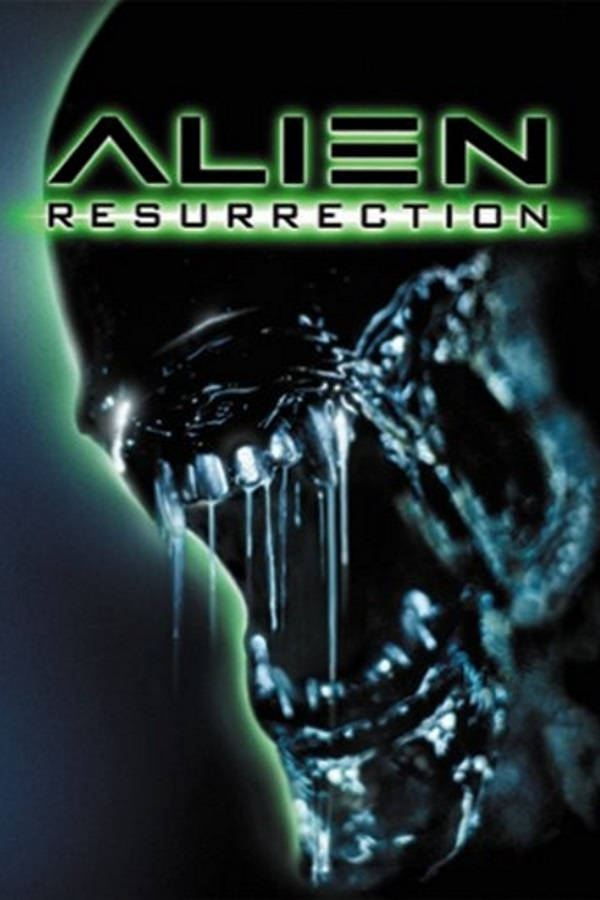
Alien Resurrection Recomp (Heromachine)
Alien Resurrection
OrigenPlayStation
TecnologíaRecompilación Estática (C/C++ nativo)
Disponible paraWindows
Ver proyecto oficialSobre el proyecto
El término null, nulo o nil es a menudo utilizado en la computación para hacer referencia a la nada. Su significado y uso varía según el lenguaje de programación.
4 versiones de Alien Resurrection
Estás viendo: Alien Resurrection Recomp (Heromachine)
Alien Resurrection Recomp (Heromachine)github.com/Heromachine/AlienResurrection-RecompilationAlienResurrection-Recompilationportsdr.comAlien Resurrection (AlienReRecomp)github.com/DiegoDeDios/AlienReRecompAlien Resurrection Recompiledgithub.com/alexbeavs-ps1-ports/alien-resurrection-recompInformación oficial del proyecto
Alien Resurrection Recompilation
Version 0.3.0 — early, incomplete release. See known issues below.
A launcher that turns your own copy of the PlayStation game Alien Resurrection into a native build that runs directly on your machine, using a fork of RecompOne to statically recompile the game's code into C# rather than emulating it instruction by instruction.
⚠️ This is early and incomplete
It is playable, but it is not finished, and you should expect to run into problems. Known issues in this release:
- Progression — one door in the airlock section may not open, which can leave you stuck. The key-card and elevator doors this used to affect are fixed.
- Freezes — far rarer since 0.3.0 (see below), but a stall during a level transition has not been ruled out. The window stays alive; restart if the game itself stops.
- Main menu artwork — the logo and its glow are often garbled. The art is loaded correctly from the disc but damaged in memory before it is drawn; the cause is still being tracked down. It does not affect gameplay.
- Graphics — the display can go black after loading a save, and leaving fullscreen may leave you with no menu.
- Intro video — on some machines the intro can crash the game shortly after starting. Seen on one machine during release testing; not yet understood.
- Timing — the attract demo and the scene behind the main menu run too fast.
- Settings — do not enable native resolution; it hangs the game at boot.
Save often, and keep more than one save.
New and fixed in 0.3.0
- Fixed: the loading-screen hang before the main menu, and with it two more symptoms of the same bug -- the black screen when the main menu hands over to the attract demo, and the freeze a couple of seconds after loading a save. The emulated CD drive raised its first "sector ready" signal before it had seeked, while the game was still setting the read up, so the game's CD library treated an empty read as finished and waited forever for data it had stopped listening for. On the machine that showed it worst, 8 of 8 boots hung before the fix and none after.
- Fixed: the picture drawn into a corner on scaled (HiDPI) displays. On a Wayland desktop with fractional scaling, menus and game image filled only part of the window, and a tiled window looked cut off. The window now follows the display's real pixel size.
- New: a Mods page on the front screen, set before the game starts. God mode and infinite ammo (both off by default) switch on flags that belong to the original game's own cheat system, so they work in every level and every save. The flashlight can be made brighter, warmer, longer- reaching and steady, with a bigger or unlimited battery.
- New: the first-run recompile shows the front screen's motion tracker and the current step instead of a static message.
- Saves load in game. 0.2.0's card fix is now confirmed end to end: saves list and load in the in-game menu.
Fixed in 0.2.0
- Saved games are found again. The game could report no saved games even with valid saves on the card. The card layer signalled completion by setting a status flag instead of calling the handler the game had registered, so the game waited forever and gave up. Note: this is confirmed at the engine level -- saves are enumerated and read -- but has not yet been seen listed in the in-game load menu, because the loading-screen hang blocked reaching it (confirmed in 0.3.0).
- Crackling and popping in the CGI. CD audio sectors were fed to the decoder about three times faster than the drive would deliver them, so the buffer wrapped and dropped samples.
- Two internal correctness fixes from a code review, with no visible effect on play: an unaligned-load instruction preserved the wrong bytes on the emulated-BIOS path, and a DMA channel could return without draining completions. Neither is reachable by ordinary game code; they are listed for completeness, not as improvements you will notice.
What this does and does not distribute
No game code or data is included here, in any form. The game's code and assets are copyrighted, and anything derived from them carries that copyright. This repository contains only original work: the launcher, its configuration, and a build definition.
The recompilation happens on your machine, from a disc image you already own. On first run the
launcher reads your disc, generates C# source from it into a local game/ folder, compiles that, and
runs the result. Nothing generated is redistributed, and game/ is never committed.
You will need:
- Your own copy of Alien Resurrection (USA), serial SLUS-00633, as a
.cue+.bindisc image. The launcher checks the disc's boot executable and refuses anything else. - A PlayStation BIOS is optional. The engine is HLE and services BIOS calls itself; the game runs fine without one. If you have your own dump you can point at it under Settings → BIOS.
The disc stays required at runtime, not just at setup — this is not a "convert once and discard" tool.
Download (Linux)
The easiest way to run this: download the AppImage from the latest Release, mark it executable, and run it — no separate .NET install, no extracting a zip, no terminal required for normal use.
chmod +x AlienResurrectionRecompilation-*-x86_64.AppImage
./AlienResurrectionRecompilation-*-x86_64.AppImage
Most file managers offer "Allow executing file as program" (or similar) under a right-click →
Properties dialog, so even the chmod step doesn't have to happen in a terminal.
The .zip on the same release page contains the same self-contained build as loose files, if you'd
rather not use an AppImage for some reason (e.g. no FUSE available) — extract it and run
AlienResurrectionLauncher directly.
Building from source
If you'd rather build it yourself instead of using a Release download, you'll need the .NET 10 SDK (the prebuilt downloads above are self-contained and need none of this).
The engine lives in a separate repository and is expected as a sibling directory:
some-directory/
├── RecompOne-fork/                 # the engine fork
└── AlienResurrection-Launcher/     # this repository
dotnet build -c Release
If your engine checkout is somewhere else, override the path:
dotnet build -c Release -p:RecompOneDir=/path/to/RecompOne-fork
Running (from a source build)
Run the built executable from its output directory:
cd bin/Release/net10.0
./AlienResurrectionLauncher
(If you downloaded the AppImage or the .zip instead of building from source, see
Download above — this section is for a build produced by dotnet build.)
On first run you will be asked for your disc. After that you get the front screen — Play Game, About, Exit — navigable with the mouse, the keyboard, or a gamepad. Play Game performs the recompile and build on the first run only; later runs reuse the cached result and start immediately.
The cache is keyed on your disc path, BIOS path and the recompiler config, so changing any of those triggers a rebuild automatically.
Saves
Memory cards live in a per-user directory, independent of where you launch the game from:
| Platform | Location |
|---|---|
| Linux | ~/.local/share/AlienResurrection/ |
| Windows | %LOCALAPPDATA%\AlienResurrection\ |
Change it under Settings → Saves…. A change applies on the next launch, and existing cards
are not moved for you — copy carda.sav and cardb.sav across yourself if you want them.
Bringing saves from another emulator: the cards are raw 128 KB images, so a .mcr, .mcd or
.bin card from DuckStation, ePSXe or PCSX works if you rename it to carda.sav or cardb.sav and
drop it in that folder. Single-save containers (.mcs, .gme, .vgs) will not work.
If you have cards from an older build sitting next to the executable, they are copied into the new location automatically the first time — the originals are left where they are.
The title font (optional)
The title screen looks for a display font named Alien Resurrection.ttf in your save folder or
next to the executable. It is not distributed here: that font is by Jens R. Ziehn and is licensed
free for personal use, which permits you to use it but does not grant this project the right to
redistribute it.
If you want the exact lettering, download it yourself and drop it in one of those two places. Without it the launcher falls back to a font already installed on your system, at the same sizes — the screen still looks intentional, just with different letterforms.
Troubleshooting
"You must install .NET to run this application." — this only applies to a source build; the
AppImage and .zip downloads are self-contained. For a source build, the runtime is not on your
PATH — if you have a local install, set DOTNET_ROOT and PATH to point at it.
The AppImage won't run / mentions FUSE — some minimal Linux installs don't ship libfuse2.
Install it (e.g. sudo apt install libfuse2t64 on recent Ubuntu, package name varies by distro), or
run the AppImage with --appimage-extract-and-run as a fallback that doesn't need FUSE at all.
"This disc's boot executable is … expected SLUS_006.33" — that image is not Alien Resurrection (USA). Other regions are not supported.
The game hangs at boot — check whether native resolution is enabled in settings; it is a known bug and it hangs at boot.
Saves seem to have disappeared — check the table above. Older builds wrote cards next to the executable and could produce different cards depending on how the game was started; that is fixed, and old cards are migrated on first run.
Credits
- RecompOne by BlackLabelHQ — the recompiler and runtime this is built on (MIT). This project uses a fork of it, and is not affiliated with or endorsed by them.
- Alien Resurrection — developed by Argonaut Games, published by Fox Interactive. All game code, assets and trademarks belong to their respective owners.
- Libraries — Dear ImGui, Silk.NET, NativeFileDialogSharp, MonoMod, and Roslyn.
- Assets — SDL_GameControllerDB; the Shinonome 16dot font by Yasuyuki Furukawa (public domain), maintained by /efont/, which the BIOS character fonts derive from.
- Display font — "Alien Resurrection" by Jens R. Ziehn, supplied by the user, not distributed here.
Licenses differ between components; see each project's own license for the terms that apply to it.