Xenogears (xenogears-decomp-port)
Xenogears
Sobre el proyecto
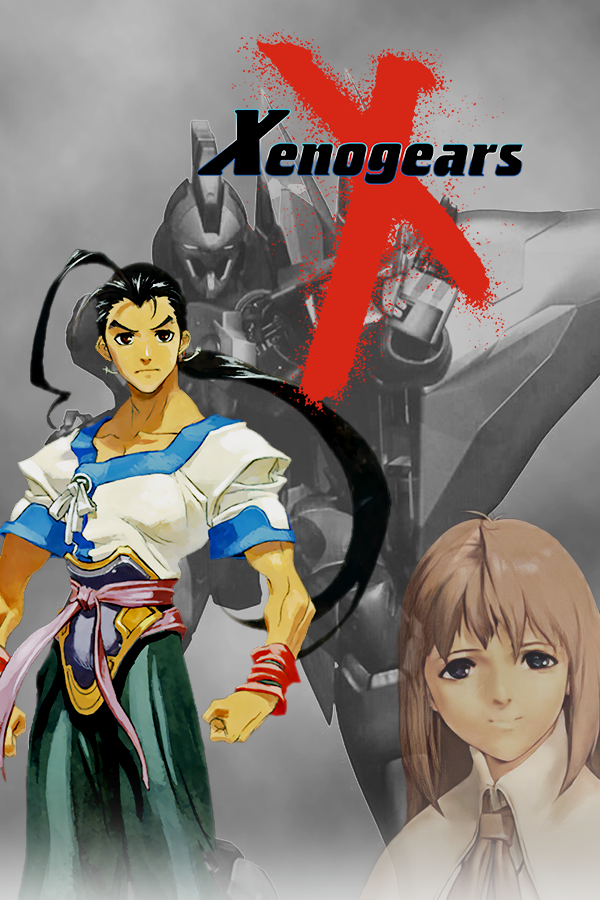
Xenogears es un videojuego de ciencia ficción de rol desarrollado y publicado por Square para la PlayStation de Sony. Fue lanzado el 11 de febrero de 1998 en Japón y el 20 de octubre de 1998 en EE. UU. El juego nunca fue lanzado en territorios PAL. Fue reeditado por SQUARE ENIX como un título Greatest Hits en 2003, y en la PlayStation Network el 25 de junio de 2008 en Japón y el 22 de febrero de 2011 en EE. UU.
4 versiones de Xenogears
Estás viendo: Xenogears (xenogears-decomp-port)
Información oficial del proyecto
xenogears-decomp-port
Xenogears Decomp and Port: the source of a native PC port layer for Xenogears (PlayStation, USA, SLUS-00664), built on a matching decompilation of the game.
You need your own disc. This repository contains no game data, no BIOS and no Sony SDK code. The port reads everything from files you extract from your own copy of Xenogears. See NOTICE.md.
Just want to play? Jump to How to play.
About this project
This is a passion project. I'm working hard on it, but it's made for fun and for everyone's enjoyment — free, non-commercial, and made by a fan. If you enjoy it, that's the whole point.
How to play
A native Linux build of Xenogears, not an emulator. You need your own copy of the game; no game assets (graphics, music, movies, text) are included. No BIOS is needed. (The r5 build does contain about 6.6 KB of transcribed retail data tables; v0.6.0 loads them from your disc instead.)
1. Download
From the Releases page, download xenogears-port-linux-x86_64-r5-e1625759.tar.gz (and SHA256SUMS if you want to check it).
2. Install
Unpack it anywhere. For example, into ~/Games:
mkdir -p ~/Games
tar xzf ~/Downloads/xenogears-port-linux-x86_64-r5-e1625759.tar.gz -C ~/Games
That gives you ~/Games/xeno-r5-e1625759/, with xenogears.sh inside.
3. Your disc
You need Xenogears (USA) Disc 1 as a raw BIN/CUE image (the "Redump" kind: one track, 718,738,272 bytes). An .iso does not work.
- Ripped with a disc tool to BIN/CUE: use
disc1.binas it is. - You have a
.chd: convert it withchdman extractcd -i "Xenogears (USA) (Disc 1).chd" -o disc1.cue -ob disc1.bin.chdmancomes with MAME; on Bazzite or Steam Deck, installmame-toolsin a distrobox.
Put it in a folder of its own, for example ~/Games/xenogears/disc/disc1.bin.
This pre-release also needs six files extracted from the disc. The next release will do this step for you. The extraction takes a minute, using the original decompilation's extractor:
cd ~/Games/xenogears
git clone --depth 1 https://github.com/ladysilverberg/xenogears-decomp
curl -L -o xenogears-decomp/tools/scripts/extract_exe.py \
  https://raw.githubusercontent.com/Blizz127/xenogears-decomp-port/main/tools/scripts/extract_exe.py
python3 -m venv venv && venv/bin/pip install pyyaml
venv/bin/python xenogears-decomp/tools/scripts/extract_overlays.py disc/disc1.bin --extract-to disc
venv/bin/python xenogears-decomp/tools/scripts/extract_exe.py disc/disc1.bin --output disc/SLUS_006.64
Afterwards ~/Games/xenogears/disc/ holds disc1.bin, SLUS_006.64, field.bin, menu.bin, shop_menu.bin, member_change_menu.bin and world_map.bin. Extra .bin files from the extractor are harmless. The port checks every file on start and tells you which one is missing or wrong.
4. Run it
~/Games/xeno-r5-e1625759/xenogears.sh ~/Games/xenogears/disc
The first time, give it your disc folder as shown. It remembers the folder, so afterwards xenogears.sh alone is enough, or you can double-click it in a file manager. It starts fullscreen; XENOGEARS_WINDOWED=1 ~/Games/xeno-r5-e1625759/xenogears.sh opens a window instead. The first start checks the disc image, which takes a few seconds.
5. Steam Deck / Bazzite Game Mode
- In Desktop Mode, run it once from a terminal with your disc folder (step 4), so the folder is remembered.
- In Steam, choose Games → Add a Non-Steam Game → Browse, and pick
~/Games/xeno-r5-e1625759/xenogears.sh. - Switch to Game Mode and start it from your library. No launch options are needed.
- Controller: the built-in controls work as a standard gamepad. Use Steam's default "Gamepad" layout.
Controls
| Action | Gamepad (Xbox/Deck labels) | Keyboard |
|---|---|---|
| Move | D-pad or left stick | Arrow keys |
| Confirm / talk | A | Z |
| Menu | X | V |
| Other face buttons | B, Y | C, X |
| Rotate camera | L1 / R1 (LB / RB) | Left Shift / Right Shift |
| L2 / R2 | LT / RT | Left Ctrl / Right Ctrl |
| Start / Select | Menu / View | Enter / Space |
Port extras (keyboard, or click the toolbar at the top of the screen):
- F7: quick save; F8: quick load (in the field).
- F9: record video.
- F11: game speed (Shift+F11 resets it). Hold Backspace for 5× fast-forward.
- F10: random battles on or off. F12: "god mode".
Troubleshooting
- Nothing happens, or a launcher says "runtime error". The port didn't find your files. Run
xenogears.sh ~/Games/xenogears/discfrom a terminal and read the message. - "retail data check failed: missing retail file …". One of the six files is missing or came from a different release. Redo step 3. The message says which file and what it should be.
- "disc image check failed". The image isn't the USA Disc 1 raw BIN (a wrong region, an
.iso, or a modified image). GLIBC_2.34' not found. Your Linux is too old. The build needs glibc 2.34 or newer (2021 or later distributions, including SteamOS 3 and Bazzite).- The game closes when I choose Attack in a battle. A known bug in this pre-release, affecting normal on-foot battles (the opening Gear battle is fine). A fix is in progress. Quick-save with F7 in the field before battles.
- Movies flicker in Game Mode. A known issue, being fixed. Playing in Desktop Mode or in a window (
XENOGEARS_WINDOWED=1) may help. Press Cross/A to skip a movie. - Logs are written to
~/.local/share/xenogears-port/Xenogears (PC port).log. More detail appears when you run it from a terminal. Saves and memory cards are in the same folder.
FAQ
- Do I need a PlayStation BIOS? No. The port includes a public-domain font instead.
- Is the game included? No. There are no game files, music or movies. You must own the disc, and the port reads your copy. (The r5 binary still contains about 6.6 KB of small retail data tables compiled from the decompiled code; they are removed in v0.6.0.)
- How far does it go? Title screen, New Game, the prologue and Lahan, including the first Gear battle. The route toward Black Moon Forest stops at the Mountain Path (map 15) for now.
What is here
src/,include/: the matching decompilation of the game, as C source and headers. Some of it is upstream work, included with credit; see UPSTREAM_FILES.md.config/,Makefile,gears.toml,Dockerfile: the splat configuration, symbol maps (addresses and names only) and build files.pc_port/: the port. It runs the game's decompiled C natively on Linux (x86-64), with the PlayStation hardware provided by PsyCross and SDL2. It includes the host layer (window, input, audio, saves), overrides and dispatch tables, the disc and retail-file checks, the launcher packaging, mods and cheat hooks, and about 1,300 tests.tools/: the build driver (gears), analysis tools including the retail-data and Psy-Q guards that keep game and SDK bytes out of the tree, theremuMIPS reference emulator, and helper scripts.docs/: the port architecture, the retail-divergence log, the audit, the modding guide, FAKEMATCHES.md, and wiki pages.
Not here: game data, the BIOS, the Sony Psy-Q SDK, compiler and other prebuilt binaries, and a few game source files that still hold retail data (see What does not build yet).
Building from source
This section is for people who want to build the decompilation or the port themselves. To play, the release build is all you need.
What you need
- Linux on x86-64, with either Docker (recommended) or these
packages:
git make curl python3 python3-venv binutils-mips-linux-gnu cpp-mips-linux-gnu(Ubuntu 24.04 names), and the Python packages inrequirements.txt(python3 -m venv .venv && .venv/bin/pip install -r requirements.txt). The includedDockerfilesets all of this up. - Rust (
cargo, from rustup.rs) to build the build driver,tools/gears. Without it the fetch script falls back to upstream's older prebuilt copy. - Your own disc: Xenogears (USA) Disc 1 as a raw BIN, as in
How to play, placed at
disc/disc1.bin.
1. Get the source and the pieces not redistributed here
git clone --recursive https://github.com/Blizz127/xenogears-decomp-port
cd xenogears-decomp-port
tools/fetch_upstream_toolchain.sh
tools/fetch_upstream_toolchain.sh downloads what this repository does not
redistribute, into your own working tree (all of it is git-ignored):
- the GCC 2.6.0, 2.7.2 and 2.7.2-CDK PSX compilers, from the upstream decompilation (ladysilverberg/xenogears-decomp, pinned commit), and GCC 2.6.3 from decompals/old-gcc, each checked by sha256;
- the Sony Psy-Q SDK headers, from upstream, with this project's port-only additions applied (checked by sha256: the result is identical to the headers this project builds with);
- the decompiled Psy-Q libraries (
src/slus_006.64/psyq/), from upstream. Upstream's copy is older than this project's, but SLUS_006.64 still builds byte-identical with it; objdiff, themaspsxsubmodule, andgears, built fromtools/gears/src.
It never downloads game data.
2. Extract your disc files
python3 tools/scripts/extract_overlays.py disc/disc1.bin --extract-to disc
python3 tools/scripts/extract_exe.py disc/disc1.bin --output disc/SLUS_006.64
python3 tools/scripts/extract_battle_command_file1.py
python3 tools/scripts/extract_battle_module_0c4.py
(Use .venv/bin/python if you made a venv, or run them in the container as
in step 3, after . /.venv/bin/activate.) The files go in disc/, which
git ignores.
3. Build the matching decompilation
make                              # splat, compile, link into build/out/
ninja -k 0                        # finish the other targets after menu.elf fails (see below)
sha256sum --check config/checksum.sha
make rom-check is the full from-clean gate used in development. It cannot
pass until menu.bin builds (see below).
With Docker, run steps 2 and 3 in a container built from the included
Dockerfile. The build expects the tree at /xenogears-decomp:
docker build -t xenogears-build .
docker run --rm -it -u "$(id -u):$(id -g)" -e HOME=/tmp \
  -v "$PWD":/xenogears-decomp xenogears-build \
  bash -c '. /.venv/bin/activate && make; ninja -k 0; sha256sum --check config/checksum.sha'
Run step 1 (the fetch script) on the host: it needs git, curl and, for
gears, cargo.
4. Build the PC port
pc_port/build_port.sh
This needs the matching build first, plus cmake, a C/C++ compiler, and
the development packages for SDL2, OpenAL, OpenGL and OpenSSL. See
pc_port/README.md. PsyCross is fetched at a pinned
commit and patched.
What does not build yet
Nine game source files are not yet publishable. They still contain
retail bytes (inline .word bodies) or transcribed retail data tables, and
no public source has them:
| File | Why it is held back |
|---|---|
src/member_change_menu/main/misc.c | inline retail bytes |
src/movie/main.c | inline retail bytes |
src/slus_006.64/main/main_loop.c | inline retail bytes |
src/slus_006.64/system/kernel_menu.c | inline retail bytes |
src/slus_006.64/system/sound.c | inline retail bytes and data tables |
src/slus_006.64/system/memory.c | retail data tables and strings (found by a compiled-object scan) |
src/slus_006.64/system/animation_scripts.c | a retail data table (found by a compiled-object scan) |
src/menu/main/misc.c | retail strings of 32 bytes or more (found by a compiled-object scan) |
src/menu/main/misc3.c | retail strings of 32 bytes or more (found by a compiled-object scan) |
What that means today. This was tested from a fresh clone of this repository,
with the fetch script, a USA Disc 1, and a container built from the included
Dockerfile:
- Matching build (checked on the 23250136 snapshot; see Status for the current state): 9 of 10 targets build and match retail. For each missing
file, splat writes an assembly stub from your own disc, and the fetch script
switches
memory.c's small data segment to assembly as well.makegets through splat and every compile step.SLUS_006.64,field.bin,battle.bin,battling.bin,world_map.bin,movie.bin,shop_menu.bin,member_change_menu.binandbattle_command_file1.binlink and match theirconfig/checksum.shahashes.menu.bindoes not link, becausemisc2.cbuilds on the realsrc/menu/main/misc.c. - PC port: not buildable yet. The port compiles these files as native C, where assembly stubs cannot stand in for them, so it needs all nine. It was not attempted for this snapshot.
These files will be published as their retail data moves to being loaded from your disc at runtime.
Status
This repository is a source snapshot of the private development tree (private
commit d64e54d2, after the earlier snapshot of 23250136). It adds the
decompilation progress since then and the current port source. No new binary
release goes with it: v0.5.0-r5 remains the only public binary.
- The matching build of
field.bincurrently builds but does not match its pinned hash (known regression, being worked on);menu.binstill does not link without the heldmisc.c/misc3.c. The other targets match retail. - The port's runtime is hybrid: unconverted battle code still runs through a retail MIPS interpreter that reads your own disc. A native-only build (no interpreter) is experimental and not playable yet.
- The PC port source in this tree is known not to build as published: a few port files are held back
(the battle files that use a GTE macro header whose provenance is still under review), so the ported
sources are out of step with the matching sources.
pc_port/build_port.shwas not run for this snapshot.
Boot, title screen, New Game, the opening, and Lahan play on the r5 port. The Black Moon Forest route is in progress. See docs/port/RETAIL_DIVERGENCES.md for every known difference from the PlayStation original.
Credits and license
- Credits: CREDITS.md. The upstream decomp authors, the font authors, and the tools and libraries.
- License: LICENSE (MIT) for the original work in this repository only. Files that include upstream work are listed in UPSTREAM_FILES.md. They are not under the MIT license.
- Legal notice and disclaimer: NOTICE.md. Xenogears is © Square Enix. This project is not affiliated with or endorsed by Square Enix.