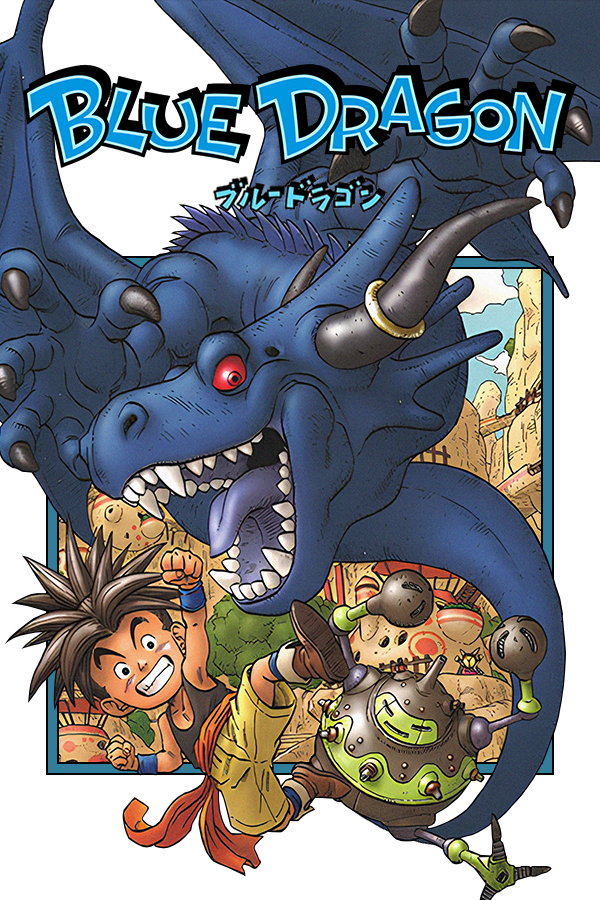
Blue Dragon (BlueDroid)
Blue Dragon
OrigenXbox 360
TecnologíaPort Nativo C/C++ (Reimplementación de Motor)
Disponible paraAndroid
Ver proyecto oficialSobre el proyecto
Blue Dragon es un juego de rol para la consola de videojuegos Xbox 360. Fue desarrollado por Mistwalker y Artoon, publicado y financiado por Microsoft Game Studios, basado en un diseño parecido a la serie de Final Fantasy por el creador de esta, Hironobu Sakaguchi, quién también supervisó el desarrollo de Blue Dragon. También cuenta con la ayuda de Akira Toriyama, creador de Dragon Ball y Dr. Slump entre otras series, que ha creado los personajes de este juego de rol.
4 versiones de Blue Dragon
Estás viendo: Blue Dragon (BlueDroid)
Información oficial del proyecto
[!IMPORTANT] BlueDroid is an unofficial project and contains NO ASSETS from the original game. This project is useless unless you have a legal backup of the ISO images from the Global release (US/EU, Asia/JP support coming soon). Is not a port from Mistwalker and the original recomps DEVS, is a port using a Claude Sonnet 5 and a little amateur dev/game enthusiast.
[My Opinion using AI to slop, vibecode, serious projects and others] <img width="1254" height="1254" alt="file_0000000079f0820dbe592572f9b9bdfb" src="https://github.com/user-attachments/assets/6d9b0b62-1b5b-4b95-a196-1404d48659a1" /> Many people—whether professional developers, enthusiasts, programming fans, general media consumers, or everyday users—either strongly dislike, support, or are indifferent to the use of AI in projects, ranging from those by indie developers to large corporate teams or veteran coders. While the concept of "pure AI" generation still bothers many, my take is this: I don't think AI—be it Claude, Gemini, ChatGPT, or any other—is bad. The mistake everyone makes with AI involves two pitfalls: letting it do 100% of the work and doing the job sloppily. First, for large-scale projects (unlike simple tasks like generating images or videos), it is impossible for AI to do everything entirely on its own; human input is essential to guide the AI in creation. There is no AI that truly thinks and acts like a human to handle every aspect—if there were, it would far surpass both current AI and the average human. Second, what defines quality work is effort and dedication; without that, a project—such as code generated by AI—ends up poorly executed and terrible for others to use. However, if you use AI as the right tool while acting as a conductor—testing solutions for the bugs and issues the AI generates and refining the work step-by-step—everything can turn out great!
I say this as a fan and a "vibecoder"—not as a conventional, professional, or senior developer. Various other recompilation, porting, and game projects have used AI; some turned out well—like the Lost Odyssey recompilation—while others, like the Skate 3 port for Android, had mixed results. Ultimately, it comes down to the developer's drive to make it happen. So, if you’re going to call me out for something, do it because of actual errors, a lack of commitment to the project, or bad behavior toward others—not because of the AI itself. Yes, AI makes mistakes and can introduce bugs—both minor and major—into the code, but we have the community and human effort to resolve those issues. As more ports emerge, more people can fork and improve upon each other's projects. That’s my message to you all regarding AI, development, and so on; I hope the intent behind it all is clear. Alright?
BlueDroid
BlueDroid rebuilds Blue Dragon as a native application through static recompilation, translating the original code into something your machine runs directly rather than emulating a console around it. That opens the door to things an emulator cannot reach: higher frame rates, modern resolutions, and real mod support (September 23, 2026 – We are improving game support; stay tuned!)
Hardware Requirements
Requires all three retail Blue Dragon discs or their disc images. The project is finally supported in Arm64 Android devices and in future in Nintendo Switch.
Minimum
- OS: Android 13 to 16 or 17 and Linux/Android/Homebrew of Switch.
- Processor: Exynos (2200/1480); Mediatek (Helio G99/DM 9500); Snapdragon (695/8E Gen 5).
- Memory: 8 GB RAM.
- GPU: Same GPU in SOC of models with recommended VK 1.3 support and Native Bionic Drivers.
- Storage: 13/15 GB available space.
How to Install
-
Blue Dragon shipped on three DVDs, and you will need a disc image of each one from your own copy of the game.
-
Run the apk, select disks in first window, in second imGUI windows configure game install/presets and others.
-
Install game, run and continue to play. (Have problems to run game? click in 'continue' button/buttons and next steps to run!)
Features
Everything below is new to re:Blue. All of it is configurable in game, from the title screen or the camp menu.
Graphics
- Resolutions up to 4K, windowed or fullscreen, on whichever monitor you pick
- Aspect ratios 16:9, 4:3, 16:10, 21:9, 32:9, plus auto and stretch
- Four quality presets, Low through Ultra
- MSAA up to 8x or SSAA up to 4x
- Anisotropic filtering
- Shadow quality and draw distance
- Depth of field adjustment
- Unlocked FPS with optional caps and VSync
Quality of Life
- Unlocked frame rate, with optional caps at 30, 60, 90, or 120
- Save from the camp menu anywhere instead of only at save points
- Field of view adjustment, 45 through 120 degrees
- Skip the in-game tutorial pages
- Full area map on the world map screen, with zoom, floor switching, and a legend
- Optional map markers for the hidden items, chests, and barriers a floor still has, plus per-floor counts, carried onto the field compass
- The field HUD can fade out once you stop pressing anything, or stay off entirely
- Achievement list viewable in game, with eight new re:Blue achievements alongside the original ones
- Master volume control
- Separate center, rear, and subwoofer levels for 5.1/7.1 tuning
- Fully native keyboard and mouse support with cursor and look modes supported by mouse
- Every controller button rebindable to a key, with mouse sensitivity and cursor opacity of your own
- Menus take the mouse directly: hover a row to move the cursor, click to confirm, wheel to scroll
- Custom input based icons/glyphs for hud elements, following the device you last used or pinned to Xbox, PlayStation, Switch, or Steam Deck
- UI language and voice language chosen separately
Mods and DLC
- Built-in mod manager ( I modify this later)
- Official DLC is supported
Platforms and Languages
- Windows on DX12 (Vulkan support is available if built from source)
- Linux AMD64 and ARM64, including the Steam Deck and other handhelds
- macOS ARM64 (AMD64 support is available if built from source)
- Custom menus in English, French, German, Italian, and Spanish
- Official release have custom Brazilian Portuguese support in Menu/Gameplay.
FAQ
Where is my save data and configuration stored?
Everything lives under the folder you installed to:
- Saves and settings:
profiles\default\ - Your configuration file:
profiles\default\reblue.toml - Game files copied from your discs:
game\ - Mods:
mods\
I want to update the game. Will I lose my save data?
No. Copy a newer build over your existing installation and your saves, settings, and mods are left alone. You do not need to reinstall or point the wizard at your discs again.
How do I install mods?
Use the mod manager in the config menu. It accepts a mod folder or a zip file and puts everything in the right place for you
Can I keep more than one set of saves?
Yes. Each profile is its own folder under profiles\, holding that profile's saves, settings, achievements, and DLC toggles. Launch with --profile <name> to pick one, and anything but default starts out fresh.
Building
re:Blue builds with CMake and vcpkg against the ReXGlue SDK.
cmake --preset win-amd64-release       # or linux-amd64-release
cmake --build --preset win-amd64-release
new: --cmake --build --preset android-release
Presets cover win-amd64, win-vk, linux-amd64, linux-arm64, mac-amd64, and mac-arm64, each in Debug, Release, and RelWithDebInfo. A win-amd64 preset builds both the DX12 executable (reblue.exe) and the Vulkan one (reblue_vk.exe), and a win-vk one builds the Vulkan executable alone. As with running the game, building requires the files from your own copy of Blue Dragon.
Credits
Huge thanks to everyone who has put time into this. re:Blue would not be where it is without you.
re:Blue Development Team
-
crack project lead and developer
-
rcold developer and has done an absurd amount for this project. A lot of re:Blue looks the way it does because of him.
Credits to Projects
Zolaware by re:Blue
Skate 3 Recomp: https://github.com/mchughalex/skate3recomp
Skate 3 Recomp Android: https://github.com/Buku313/Skate3-Mobile
Dante's Inferno Android port by WINDROIDEMU
- infernozotza - Playtester
- baus.98 - Playtester
- wolfaeterni - Playtester and French Translations
- griever666. - Playtester
- fungus - Playtester
- graine25 - macOS and Linux Development Support
- zhyxeryz - Playtester and German Translations
- Azar42 - Playtesting
- ZolaKluke - Playtester
- emersed - Playtester
- mrcmunir - Spanish Translations
- mystixor - German Translations
- toby - Graphic Design
Special Thanks
-
The ReXGlue SDK team, for the toolchain this project is built on.
-
The hedge-dev team, for XenosRecomp and for blazing the trail for Xbox 360 recompilations with Unleashed Recompiled.
-
The wider Xbox 360 emulation scene, and the Xenia project in particular. A lot of the hardest problems were solved long before this project started.
License
See LICENSE.