Sonic Adventure 2: Battle (sa2-nx)
Sonic Adventure 2: Battle
OrigenNintendo GameCube
TecnologíaPort Nativo C/C++ (Reimplementación de Motor)
Disponible paraWindows
Ver proyecto oficialSobre el proyecto
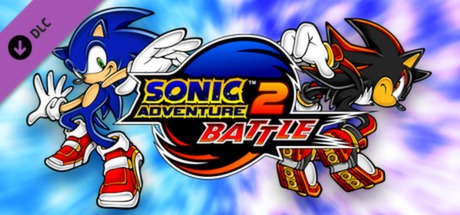
Sonic Adventure 2: Battle es un videojuego producido por Sonic Team y distribuido por Sega para la videoconsola GameCube y como expansión para Sonic Adventure 2 en Steam. El título es una reedición original del videojuego Sonic Adventure 2 de la videoconsola Dreamcast. Fue lanzado al mercado el 10 de diciembre de 2001 en Japón, el 12 de febrero de 2002 en Estados Unidos y el 3 de mayo de 2002 en Europa.
2 versiones de Sonic Adventure 2: Battle
Estás viendo: Sonic Adventure 2: Battle (sa2-nx)
Información oficial del proyecto
A native Nintendo Switch port of the Xbox 360 (Xbox Live Arcade) version of Sonic Adventure 2 (2012).
It's not an emulator. The PowerPC code of the game's default.xex and its stage-data module is statically recompiled
to C++ with ReXGlue and compiled for the Switch, and the game is drawn
natively on the Switch's own graphics API, deko3d, by Renut's Direct3D-level renderer (from
reNut, version 1.0.3 on; before it, a Vulkan renderer on NVK). It targets
60 FPS at the console's stock clocks: the game runs per frame, so a lower frame rate also slows the game down.
[!NOTE] You need your own copy of the Xbox Live Arcade game: its content package from an Xbox 360 (
Content/0000000000000000/58411202/000D0000/525E7BB1E72A2DB99AB79281BA24938048198FAD58). The Battle DLC (58411202/00000002/SonicAdventure2Battle) is optional.
How to install
- Open the installer page: https://chanseyisthebest.github.io/sa2-nx-installer/
- Choose your game: its package file (
525E7BB1E72A2DB99AB79281BA24938048198FAD58) or the whole58411202folder copied from your Xbox 360, with the Battle DLC (SonicAdventure2Battle) if you have it. Then press Create sa2-nx.zip. Everything runs in your browser and the game files never leave your computer: the page checks your copy, downloads the build and makes the shaders and the game pack from your files. - Extract the downloaded
sa2-nx.zipintosdmc:/switch/.
Your sa2-nx folder should look like this:
/switch/sa2-nx/
  sa2.nro
  LICENSES.txt
  sa2.toml                  (your settings; written at the first start when it is missing)
  deko3d_glsl.bin           (the game's shaders, made from your copy)
  deko3d_shaders.bin        (the shaders compiled for the console; written as you play)
  game_root.nxpack          (the files of your game, in one file)
  game_root.nxidx
  dlc/                      (optional: the Battle DLC package)
Launch it with a game override (hold R while starting an installed title) or a forwarder. Album applet mode does not give the game enough memory. If you use a forwarder, set it to a 39-bit address space.
To build everything yourself instead, see docs/building.md.
[!NOTE] Updating: open the installer page again and press Create sa2-nx-update.zip. It only holds the new
sa2.nroand the shaders, so there is no need to copy the game again: extract it over your folder. Yoursa2.tomland the game files stay. Coming from 1.0.2.1 or older, the oldsa2_shaders.mespfiles and thecachefolder are no longer used and can be deleted.
[!CAUTION] The first time you play after installing or updating, the console compiles each shader the first time it is drawn, so IT CAN STUTTER for a moment in new places. The compiled shaders are saved in
deko3d_shaders.binon the SD card and later sessions start smoothly.
Controls
By default the face buttons work by position, as on the Xbox 360 pad the game was made for: the bottom button jumps (the Xbox's A), the right one is the Xbox's B, and so on.
<div align="center">| Switch | Xbox 360 |
|---|---|
| B (bottom) | A |
| A (right) | B |
| Y (left) | X |
| X (top) | Y |
| ZR / ZL | RT / LT |
| R / L | RB / LB |
| + | Start |
| − | Back |
| Sticks / D-pad | Sticks / D-pad |
To use the buttons by letter instead (the Switch's A acts as A), set input_xbox_layout = false in sa2.toml.
Two players: every controller is its own player, in the order they connect. The console in handheld mode counts as one, so handheld + a Pro Controller makes players 1 and 2. Single Joy-Cons are held sideways, one per player (SL and SR are the triggers). L + R + ZR opens the system's controller screen to connect, reorder, or split a Joy-Con pair.
Remapping: each player has a button map in sa2.toml ([input_p1] and [input_p2]).
Settings
sa2.toml, next to the NRO, holds only your options. Everything else is built into the NRO.
| Setting | What it does |
|---|---|
language | auto follows the Switch's language; or english, japanese, french, german, spanish, italian |
sa2_renut_msaa | Anti-aliasing: 0 off (default from 1.0.3.1), 2, 4 or 8 (smoother edges, more GPU and CPU work) |
sa2_vsync_relaxed | true (default): a frame that misses 60 FPS is shown as soon as it is ready (50-59 FPS) instead of falling to 30 |
sa2_renut_double_buffer | false (default). true: two images instead of three, so a finished frame reaches the screen sooner (less input lag), but a frame that misses a refresh waits for the next one, so busy scenes (2-player) can drop frames |
input_xbox_layout | Face buttons by position (true, default) or by letter (false) |
input_joycon_sideways | Single Joy-Cons held sideways, one per player (true, default) |
input_joycon_sideways_stick | With input_joycon_sideways: the single Joy-Con's stick turned for the sideways grip (true, default) |
sa2_action_buttons | false (default). true: the light dash moves to Y, so B or X at a line of light-dash rings somersaults or starts a spin dash; holding X starts Sonic's or Shadow's spin dash at once, and B keeps the usual hold. You still need the Light Shoes |
sa2_analog_fix | true (default): the stick reaches full speed at about two thirds of a push instead of before half, so half a push walks. false: the game's own curve |
sa2_deadzone | true (default): a round deadzone for each left stick, and full tilt a little before its edge, the same in every direction. false: the game's own deadzone alone |
sa2_camera_invert | false (default). true: the camera turns the other way: the right stick's left and right swap, and so do ZL and ZR, also in menus that read them |
sa2_hold_toggle | false (default). true: one press of B holds it and the next lets it go, for a mech's lock-on or the spin dash's charge; START also lets it go |
[input_p1], [input_p2] | Each player's buttons: for every Xbox button, the Switch buttons that press it, e.g. a = "B, ZR" |
If you delete sa2.toml, the game writes the default one again at the next start.
Resolution
The game draws 1280x720 in handheld mode, as on the Xbox 360, and 1920x1080 docked (from 1.0.3.1; 1.0.3
drew 1280x720 docked too), and switches when you dock or undock. Anti-aliasing is off by default from 1.0.3.1
(sa2_renut_msaa: 2, 4 or 8 turn it on, at some CPU and GPU cost).
Performance
The CPU is what limits it: the game runs on three cores at 1020 MHz. In single player it holds 60 FPS with barely any dips. The two-player race is the heaviest part of the game: in version 1.0.0 it often ran around 50 FPS. With relaxed vsync a missed frame costs a few FPS instead of halving the frame rate.
The released NRO is built with PGO from a console session, which made 1.0.0 about 15 % faster than the same build without it. Version 1.0.1 is about 15 % faster again in play (an estimate, not a measurement): three rounds of work on the translated code and the runtime, a new profile and a better link, all in docs/cpu-rounds.md.
Version 1.0.3 draws with Renut's renderer on deko3d. On the console (City Escape, 1020 MHz, about 1,400 draws a frame) the game thread went from 19.2 ms to 15.5 ms a frame and the renderer's thread from 17.6 ms to 11.1 ms, under the 16.7 ms of a 60 FPS frame, before a new PGO profile from a console session; the GPU needs 7-9 ms a frame even at 307 MHz. The heaviest scenes still drop a few frames now and then. The work is in docs/renut-renderer.md.
Version 1.0.4 (2026-10-28) is a CPU and GPU round on top of it, with a new PGO profile from a console session of it: the game's hottest functions hand-written or rewritten as native code, the renderer's per-draw work on the game thread cut (the setters' marks, a lock-free queue to the render thread), and the frame's resolve copies, mip levels and repeated clears made cheaper on the GPU; every change was checked frame for frame against the original on the PC. On the console's test builds (1020 MHz, handheld) single-player City Escape held 59-60 FPS (the game thread about 7-11 ms busy a frame, the renderer's thread 5-11 ms, at 600-1,500 draws), and the two-player race ran at about 38-54 FPS: there the game's own drawing code on its one thread is the limit (about 2,900 draws a frame in its heaviest spot). Details in docs/cpu-rounds.md and docs/renut-renderer.md (items 35-43).
Version 1.0.6 (2026-11-05) puts the game's memory and the NRO's code on 2 MB memory blocks instead of 4 KB pages, from kameo-nx (found by the Torchlight port), at a cost of about 47 MB of memory. On Kameo it gave about 4.3 % in one GPU-heavy spot. Details in docs/cpu-rounds.md.
What was done to get there, round by round and with the measurements, is in docs/enhancements.md.
Overclocking
The port is made to run at the console's stock clocks with no overclock. A CPU overclock raises the frame rate in the heavy scenes.
[!CAUTION] Overclocking pushes the console beyond what it was designed for and you do it at your own risk. An unstable memory overclock can corrupt the NAND or the SD card: make a backup first and test every change.
These community guides explain how to do it:
- How to get 60 FPS: the tools you need (Horizon OC, Ultrahand, Status Monitor...) and how to set them up.
- Mariko guide: overclocking the Switch V2, Lite and OLED.
- Erista guide: overclocking the original 2017 Switch.
- How to test stability: how to check that your clocks are stable.
Status Monitor shows the port's frame rate and resolution if SaltyNX is installed.
How it works
- The game's code is translated, not emulated. ReXGlue translates every function of the game's program to C++, which is then compiled for the Switch. ReXGlue also gives the game what it expects from an Xbox 360: its system, files, audio and controllers. This port adds the Switch part: memory, threads, crash handling, clocks, audio output and showing the frames on screen.
- Its own renderer. Imitating the Xbox 360 GPU was far too slow on the Switch. From 1.0.3 the game's Direct3D calls are drawn natively by Renut's renderer (from reNut, as banjo-nx carries it) through plume on deko3d, the Switch's own graphics API: no GPU emulation, no Vulkan driver. Up to 1.0.2.1 a Vulkan renderer on NVK (from masseffect-nx) drew them.
- Shaders made from your copy. The game's GPU programs are translated by Renut's
XenosRecomp and DXC, turned into GLSL for deko3d by SPIRV-Cross and
banjo-nx's passes, all in the installer page from your own files (
deko3d_glsl.bin), and compiled for the console's GPU by uam the first time each is drawn (deko3d_shaders.bin). - Optimization.
- The busiest game functions run as hand-written or translated native code. Each one is checked against the original while the game runs.
- The code generator keeps registers in C++ locals and makes calls direct. The build uses LTO, PGO from a console session, and hot functions first in memory.
- The renderer's CPU cost per draw is a fraction of what it was.
- Every one of these has its own setting and was tested to give exactly the same picture, frame for frame.
Documentation
For anyone porting another Xbox 360 game, or curious about how this one was done. Start with docs/porting-guide.md: how to port an Xbox 360 game to the Switch from scratch, with every optimisation this port uses.
<div align="center">| Document | What it explains |
|---|---|
| docs/porting-guide.md | Porting an Xbox 360 game to the Switch, from the first translation to a 60 FPS build |
| docs/deko3d-renderer-guide.md | Making a deko3d renderer for a port: Renut's renderer on the Switch's own graphics API, with no Vulkan driver and shaders made by the installer page (version 1.0.3's road) |
| docs/renut-renderer.md | Renut's renderer on SA2: the hooks, the device layout, every change and its console measurements |
| docs/building.md | How to build the PC test build, the NRO, the shader package and the SD folder |
| docs/enhancements.md | Every optimisation, why it is exact, how it was checked and its setting |
| docs/cpu-rounds.md | The three CPU rounds and the link of version 1.0.1: what each change does, what was measured, what was dropped |
| docs/api-renderer.md | Replacing the game's Direct3D with native code |
| docs/direct-renderer.md | Taking the GPU emulation out of the renderer, step by step |
| docs/gpu-optimisation-candidates.md | The GPU's cost on the Tegra X1 with NVK, and what was cut |
| docs/switch-testing.md | Testing on the console, and what each build changed |
| docs/sa2-notes.md | Notes on the game's own code |
Build
Windows, LLVM clang 20 and the VS 2022 Build Tools for the PC build; devkitA64 and libnx from devkitPro and NVK built from mesa-switch for the Switch; Python; and your own copy of the game for the code generator. The whole process is in docs/building.md.
<div align="center">| Folder | Contents |
|---|---|
app/ | The game: hooks, native renderer, native functions, settings, CMake project |
sdk/ | ReXGlue SDK with the Horizon layer and the code generator changes |
shaders/ | XenosRecomp with this port's changes, and the shader package tools |
tools/ | Code generation steps, build and test scripts, analysis tools |
patches/ | Every change to third-party code (the SDK, FFmpeg, XenosRecomp) as diffs against upstream |
pgo/ | The PGO profile the released NRO was built with |
mesa/ | Which NVK driver build the NRO linked up to 1.0.2.1 (1.0.3 links none) |
docs/ | Documentation |
Credits
- SEGA and Sonic Team — creators of Sonic Adventure 2. This is an unofficial, fan-made port with no affiliation.
- ChanseyIsTheBest — this port.
- Tom Clay — the ReXGlue SDK, built on the work of the Xenia team.
- StevensND — nfsmw-nx: the Switch layer of the SDK, the NVK build and much of the method; and nfsmw-nx-installer, the installer page this port's is built on.
- nebadasSwifty — masseffect-nx: the native renderer this port's renderer grew from.
- hedge-dev — XenosRecomp, the Xenos shader translator.
- kittycache — OpenSA2: the control options (
app/src/sa2_controls.cpp), with the SA2 Mod Loader code "Press B to Somersault" by Hyper and MainMemory - masterspike52 — reNut: the Direct3D-level renderer
(
sa2_renderer = "renut", docs/renut-renderer.md), reused with the author's permission as banjo-nx carries it; renderbag — plume; fincs — uam, the deko3d shader compiler. - danfromtico and NaGaa95 — mesa-switch: Mesa, NVK and NAK on Horizon (the driver of versions up to 1.0.2.1).
- fincs — deko3d, the Switch graphics API 1.0.3 draws with.
- devkitPro and switchbrew — devkitA64 and libnx.
- The sibling ports (Banjo-Kazooie: Nuts & Bolts, Sonic & All-Stars Racing Transformed, Mushihimesama Futari, Peggle 2), which share their fixes with this one: banjo-nx's Renut renderer and deko3d back end, and peggle2-nx-installer's deko3d shader chain in the browser.
- The other libraries listed in THIRD_PARTY_NOTICES.md.
Legal
No affiliation with SEGA, Microsoft or Nintendo. "Sonic Adventure 2" and "Sonic the Hedgehog" are trademarks of SEGA.
This repository contains no assets or program code from the original game. Users must provide their own legally
obtained copy, and everything made from it (assets/, app/generated/, the shader package) is made on their own
computer. Running homebrew requires custom firmware, which violates Nintendo's ToS and can get a console banned —
your call.
Source code is provided under the GPL-3.0 License (see LICENSE), like the ports it builds on. The SDK keeps its BSD-3-Clause license (see THIRD_PARTY_NOTICES.md).