
Conker's Bad Fur Day (PC)
Conker's Bad Fur Day
OrigenNintendo 64
TecnologíaPort Nativo C/C++ (Reimplementación de Motor)
Disponible paraWindows
Ver proyecto oficialSobre el proyecto
Conker's Bad Fur Day es un videojuego de plataformas de 2001 desarrollado y publicado por Rare para Nintendo 64. La historia sigue a Conker, una ardilla roja codiciosa y alcohólica que debe regresar a su casa con su novia Berry. La mayor parte del juego requiere que el jugador complete una secuencia lineal de desafíos que implican saltar obstáculos, resolver acertijos y luchar contra enemigos. También se incluye un modo multijugador en el que hasta cuatro jugadores pueden competir entre sí en siete tipos de juegos diferentes.
7 versiones de Conker's Bad Fur Day
Estás viendo: Conker's Bad Fur Day (PC)
Conker's Bad Fur Day (PC)github.com/DahSidiAbdallah/ConkerBFDReloadedCBFD Recompiled Android Evolvedgithub.com/codepdbh/CBFD-Recompiled-Android-EvolvedConker64: Recompiledgithub.com/Conker64Recomp/conker64-recompiledConker's Bad Fur Day (DevOldSchool)github.com/DevOldSchool/conkers-bfd-decompConker's Bad Fur Day (PS Vita)github.com/HenryKun55/CBFD-RecompiledConker's Bad Fur Day Recompiledgithub.com/sciaschi/CBFD-Recompiled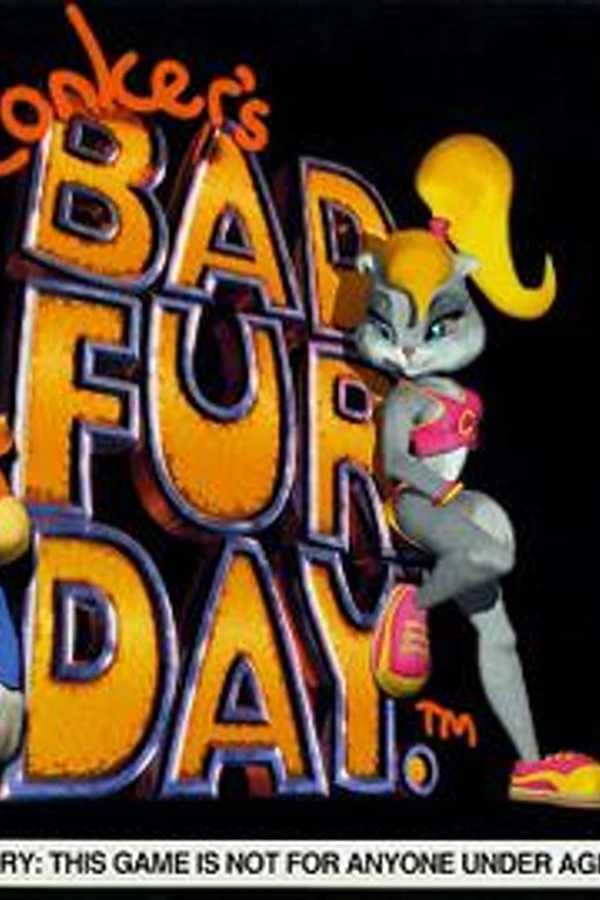 Conker's Bad Fur Day: Reloadedgithub.com/DahSidiAbdallah/ConkerBFDReloaded
Información oficial del proyecto
Conker's Bad Fur Day: Reloaded
Conker's Bad Fur Day: Reloaded is a native PC port of Conker's Bad Fur Day for Windows and Linux. The N64 game is statically recompiled with N64: Recompiled and drawn with RT64, so it runs at full speed with widescreen, high frame rates and mouse, keyboard and controller support. A Classic mode keeps it as close to the N64 as possible, and a Modern mode turns on everything new.
Download the latest release here
This repository and its releases do not contain game assets. You need your own US ROM of the game.
Table of Contents
- Getting Started
- System Requirements
- Features
- Classic or Modern
- Widescreen With No Black Bars
- High Frame Rate
- Free Camera
- Twin-Stick Aiming
- Mouse, Keyboard and Gyro
- Aiming Crosshair
- Hold to Skip Cutscenes
- Photo Mode (experimental)
- Quality of Life
- Accessibility
- Accurate Graphics
- Translations and ROM Hacks
- Mods and Texture Packs
- Controllers and Multiplayer
- Linux and Steam Deck
- HD Icons Texture Pack
- Playing in French
- FAQ
- Known Issues
- Building
- Credits
- License
Getting Started
- Download the
Windows.zipor theLinux.tar.gzfrom the Releases page. - Unzip it anywhere and run
ConkerBFDReloaded(.exeon Windows). - Pick your ROM the first time. It's remembered after that.
- In the settings, go to the Conker tab and choose Classic or Modern.
The ROM is the US version: Conker's Bad Fur Day (USA).z64, SHA-1 4cbadd3c4e0729dec46af64ad018050eada4f47a.
System Requirements
- Windows: Windows 10 or 11, 64-bit, and a graphics card with DirectX 12 or Vulkan.
- Linux: a 64-bit distro with glibc 2.35 or newer (Ubuntu 22.04+, Fedora 36+, Debian 12+), a Vulkan driver, and SDL2, GTK 3 and FreeType (most desktops have them already).
If the game crashes on startup, update your graphics drivers first.
Features
Classic or Modern
One switch on the Conker tab. Classic is the N64: 4:3, 30 fps, the game's own camera, lighting and controls, only at a higher resolution. Modern turns on widescreen, the display's frame rate, smooth textures and shading, the free camera, twin-stick aiming, the crosshair, Skip Intro, Hold to Skip, Ledge Grab, the Longer Tail Spin, the air meter and keyboard button prompts. Pick Custom to choose everything yourself.
Widescreen With No Black Bars
Gameplay, menus, the pause screen and the cutscenes fill the screen edge to edge. Where a shot was framed for 4:3, the camera is moved so nothing important gets cut off, and screen effects like the circle wipe and the eyelids waking up in It's War reach the edges too.
High Frame Rate
Play at your display's refresh rate or at the original 30 fps. The game still runs its logic at 30 fps, so Conker handles exactly as he always did.
Free Camera
Turn the camera with the right stick or the mouse, and it stays where you put it. It doesn't go through walls, posts or the floor: it comes in where there's no room and glides back out, holds still next to moving objects, and stays above ground that rises behind Conker. It tilts a little with slopes, and tilting down past Conker looks up. Click the right stick to switch between near, middle and far, or use the mouse wheel. Camera: Turning Response picks whether the stick's turning eases in and out (Smooth) or follows the stick at once (Direct).
Twin-Stick Aiming
- Swap Sticks: while aiming, the right stick aims and the left stick moves.
- Move While Shooting: with the shotgun, Conker keeps walking as he fires.
- Face Where the Camera Looks: pressing R aims the way the free camera looks, not the way Conker faces.
- Lock-On can be turned off if you'd rather aim yourself.
Mouse, Keyboard and Gyro
Mouse aiming and camera, gyro aiming on supported controllers, bindable mouse buttons, and button prompts in the speech bubbles and menus that show your keys when you play with the keyboard.
Aiming Crosshair
A red dot in the middle of the screen when Conker aims a gun that shoots straight (the shotgun, the magnum), and none for thrown things, which fly in an arc. The sniper scope keeps its own crosshair.
Hold to Skip Cutscenes
Hold L (on the keyboard, the key you've set for L) to skip any cutscene, even the first time and the ones the original never lets you skip. A ring fills while you hold, so you can't skip by accident. Skip Intro goes straight to the bar menu.
Photo Mode (experimental)
Press P (or hold L and press D-pad Down) while playing: the game freezes, the HUD hides and the camera is yours. Pose Conker (his idle fidgets or the drunk sway), give him a hat or something to hold from the game's own (army helmet, gas mask, mohawks, the wolf hat, shotgun, bazooka…), hide him, and set the lens, tilt, a filter and a vignette. Pictures are saved full size in the Photos folder next to your settings. The hints show your own buttons or keys. On or off on the Conker tab.
Quality of Life
- An autosave icon in the corner while the game saves.
- Show Cash: your cash on screen, drawn like the pause screen's, when it changes or all the time.
- Separate Music, Sound Effects and Speech volumes.
- Conker's Detail: Conker stays on his most detailed model at any camera distance.
- Pause when you alt-tab.
- Launcher Poster: pick the launcher's picture from 9 designs (with a preview), or a random one each start.
Accessibility
Toggle instead of hold for R-Look and crouch, walk with L (hold or toggle), Ledge Grab (catch the edge when you walk off something high or come up short on a jump), invert swimming, longer breath and an air meter underwater, a longer tail spin, health always on screen, and turning off the motion blur and drunken sway.
Accurate Graphics
Lighting checked scene by scene against an accurate N64 emulator, the shiny reflections (the gold Rareware logo, the bottles in the bar) restored, smooth menu pictures with no seams at high resolutions, and optional smooth per-pixel shading.
Translations and ROM Hacks
ROM hacks that keep the game's code are accepted, like the uncensored speech and translations. ROM in the launcher picks one and shows which you're playing: Original, Uncensored, French, German or Russian.
Mods and Texture Packs
RT64 texture packs (.rtz) and N64Recomp mods (.nrm) go in through the Mods menu and can be switched on and
off while you play.
Controllers and Multiplayer
Built-in support for N64 controllers and adapters (raphnet, Mayflash, Hyperkin, the Switch Online N64 controller, the 8BitDo 64), rumble, and several controllers for multiplayer.
Linux and Steam Deck
A Linux build is in every release. On the Steam Deck, extract it in desktop mode, right-click
ConkerBFDReloaded and choose Add to Steam. Clicking the right stick zooms the free camera, since there's no
mouse wheel.
HD Icons Texture Pack
An optional pack for the original English version that makes the 2D pictures sharp: the HUD, the pause screen, menu buttons and titles, the bar's signs and the chapter names. It's built from GameBeast92's 4K Ultimate Texture Pack, with the original game's colours and shapes put back wherever that pack changed them.
Download ConkerBFDReloaded-HD-Icons (.rtz) from the Releases page, then in the game go to
Mods > Install Mods and pick the file. It's for English only: turn it off for translations, as it would cover their
pictures with English ones. For French, use the HD Icons (French) pack instead (see Playing in French).
Textures by GameBeast92, used and
modified under CC BY 4.0. The LICENSE.txt inside the pack lists
what was changed.
Playing in French
The French translation by Corrigo (text) and Djipi (graphics) works here, with their permission.
- Download their patch from emulation64.fr and apply
ConkerFR1-3.bpsto your US ROM with a patcher such as Rom Patcher JS. - Pick the patched ROM with ROM in the launcher. It shows ROM: French.
- For Djipi's French menus and titles, install the
ConkerBFDReloaded-HD-Icons-Frenchpack instead of HD Icons.
The German translation works the same way with the ConkerDeutschMod patch. No ROMs or patched ROMs are shared here.
FAQ
What is static recompilation?
The N64 game's code is translated into a native PC program ahead of time, instead of being emulated while you play. See N64: Recompiled for how it works.
Where are my saves and settings?
- Windows:
%LOCALAPPDATA%\ConkerBFDReloaded - Linux:
~/.config/ConkerBFDReloaded
Can I use my emulator save?
Yes. An N64 EEPROM save (a .eep from Project64, for example) works as it is: copy it into the saves folder
as conker.n64.us.1.0.bin, after backing up the one that's there.
The ROM picker doesn't show up on Linux.
Start it once from a terminal with ./ConkerBFDReloaded --rom /path/to/conker.z64. It's remembered after that.
Known Issues
- Ledge Grab catches straight edges, not the tip of a corner, and can sometimes catch an edge that isn't really a ledge, like the slanted side of a staircase.
- Move While Shooting works with the shotgun only. While he walks and fires, his legs keep the shooting pose (the game has no walk-and-shoot animation).
- The HD Icons (French) pack is missing about 40 pictures that only show up at certain moments of the story.
- A few lines are still bleeped with the uncensored ROM: the bleeps are in the ROM hack itself.
- With the Uncensored ROM: in Bat's Tower, Conker's lips don't move while he talks to the cog, and the cog's line after the third cog is silent; in It's War, the Sergeant's line is silent when Conker saves him at the end of the beach. The hack's re-recorded voices leave out the game's lip-sync data, and in places the speech stops early. The original ROM is fine.
- Photo Mode is experimental: frozen in the middle of his yo-yo trick, Conker can show a long orange line behind him (the yo-yo's string), and some hats or items can sit oddly in some poses.
- Not tested everywhere yet: Linux on real hardware, frame rates above 60, rumble, gyro and multiplayer, Face Where the Camera Looks with the shotgun, and the German and Russian translations.
Found something else? Please open an issue with what you were doing and a screenshot if you can. Ideas go on the Discussions board.
Building
You need the ROM in this folder as conker.z64, the mkst/conker decompilation
(commit 3adf229) built into conker/, and N64Recomp (commit ffb39cd,
with patches/n64recomp.patch then patches/n64recomp_conker.patch applied) built into N64Recomp/.
tools/prepare_game.shprepares the game code for translation.tools/rebuild_all.sh --forcetranslates it intorecomp/out. On Windows (with WSL for this step) it also buildsConkerBFDReloaded.exewith Visual Studio 2022, CMake and Ninja, afterhost/setup_deps.bat.- On Linux,
tools/setup_deps.shfetches and patches the dependencies, thentools/build_linux.shbuilds it (GCC 13+ or Clang, CMake, Ninja, and the SDL2, GTK 3, FreeType, X11 and Vulkan development packages).
| Folder | What's in it |
|---|---|
host/ | The program: source in src/, menu art and fonts in assets/, Windows build scripts. |
recomp/ | How the game gets translated: conker.toml (N64Recomp settings and hooks). |
patches/ | Changes to N64Recomp, N64ModernRuntime, RT64 and RecompFrontend. |
tools/ | Build scripts, texture pack tools (textures/) and test tools (testing/). |
Credits
Made by dahmedvall95, built on the work of:
- CBFD-Recompiled by Sean Ciaschi (MIT, see
recomp/THIRD_PARTY_LICENSE): mouse and gyro aiming, rumble, Swap Sticks, Lock-On, Conker's Detail, controller support and many fixes. Files taken from it say so at the top. - mkst/conker, the Conker decompilation.
- N64Recomp, N64ModernRuntime and RecompFrontend by Wiseguy and contributors.
- RT64 by Darío and contributors, the renderer.
- GameBeast92's 4K Ultimate Texture Pack (CC BY 4.0), behind the HD Icons pack and the menus' pill buttons (modified).
- Corrigo and Djipi (emulation64.fr) for the French translation, used with permission.
- The Conker Wiki for some of the N64 screenshots in the launcher's posters.
- GLideN64 and Rice Video, whose texture fingerprints match texture packs.
- Fonts: Inter, Noto Emoji, Luckiest Guy, Coming Soon, Poppins (SIL Open Font License) and PromptFont.
License
The code in this repository is MIT (see LICENSE), and parts from other projects keep their own licenses, noted in
the files. The released program includes N64ModernRuntime (GPL-3.0),
so it's distributed as a whole under the GPL-3.0. The release's LICENSE file has the details.
Conker's Bad Fur Day is © Rare / Microsoft. This is a fan project, not affiliated with or endorsed by them, and it doesn't include any of the game's data.