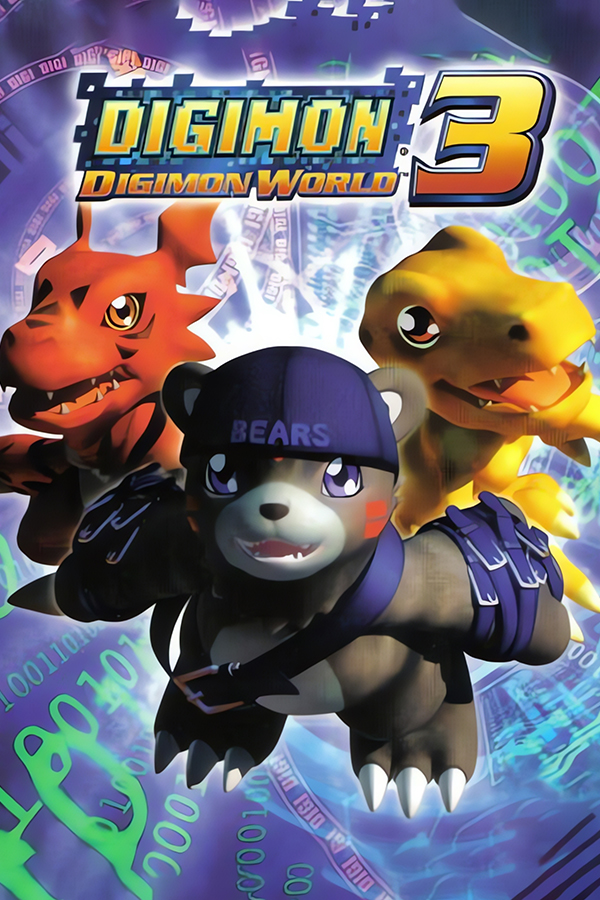
Digimon World 3 (PC, Feerdus95)
Digimon World 3
OrigenPlayStation
TecnologíaPort Nativo C/C++ (Reimplementación de Motor)
Disponible paraWindows
Ver proyecto oficialSobre el proyecto
Digimon World 3 es el tercer videojuego lanzado por Bandai para continuar la saga DW.
7 versiones de Digimon World 3
Estás viendo: Digimon World 3 (PC, Feerdus95)
Digimon World 3 (PC, Feerdus95)github.com/Feerdus95/dw3-native-portDigimon World 2003 (PC)github.com/gascarcella/dw2003recompDigimon World 3github.com/markisha64/ddw3DW 2003 (Dual Screen)github.com/rsigristc/DW3-DS-Androiddw3 decomp (ReGame-Labs)github.com/ReGame-Labs/dw3_decompDigimon World 3 (D-W-3-Recomp)github.com/Xive080/D-W-3-RecompDigimon World 3 (PC)github.com/MikeRavenelle/DigimonWorld3-RecompInformación oficial del proyecto
Digimon World 2003: native PC port
The PlayStation game (Europe, SLES-03936) running natively on Windows, built from the dw3_decomp C code. It is not an emulator: the game's own code runs as a PC program, with the console's hardware rewritten around it. It is free; donations are optional.
Bring your own disc. None of the game's content ships with the port: no graphics, sound, text or data tables. The exe holds the game's logic as the decompiled C describes it, compiled anew; everything else comes from your own copy of the game, read into a disc image.
A native port, not a recompilation
There are two good ways to bring a PlayStation game to the PC, and both take a lot of work:
- A static recompilation translates the game's original MIPS machine code into C, instruction by instruction, and runs it next to an emulation of the console's hardware (GPU, sound chip, CD drive). It needs no understanding of the code, so it reaches the whole game quickly and plays it 1:1 from the start. It is the faster, safer road, and the projects that take it do real, valuable work.
- A native port, this one, starts from a decompilation: the game rewritten as readable, named C (dw3_decomp, someone else's work, without which this port wouldn't exist). That C is compiled by a modern compiler, and the console's hardware isn't emulated: the drawing, sound, files, pad and memory card are rewritten for the PC (OpenGL, SDL).
What the second road gives:
- The game can be changed as source code, not only as patched bytes: tables can grow, fields can be added (the field editor makes new ones), and fixes are written in C.
- Files by name, of any size. The game reads
data/files/NNNN.bin, not sectors of a disc, so a mod's file can be bigger than the original. - Drawing made for the PC. The 3D is drawn at up to 8 times the resolution with its exact points, and the battle models through a depth buffer, instead of the console's pixels scaled up.
- Room to grow. Nothing in it is tied to the MIPS processor, so other systems are within reach, and nothing of the game's content is in the exe.
The price is that every difference from the console has to be found and fixed by hand, which is why the port is tested by playing it through.
Requirements
- Windows 10 or 11.
- A graphics card with OpenGL 3.3 (any from the last decade).
- About 900 MB free: the game read from your disc goes next to the port.
- Your disc of Digimon World 2003 (Europe) (En,Fr,De,Es,It), as an image. A
.cue/.binpair is best; an.isomay cause issues (a plain 2048-byte one loses the movies' sound).
The disc it was tested with
| Title | Digimon World 2003 (Europe) (En,Fr,De,Es,It) |
| Serial | SLES-03936 |
| Track | 1 data track, MODE2/2352 |
.bin size | 692,146,560 bytes |
.bin CRC32 | 007df18e |
.bin MD5 | da76a5685b875c353343102b7587fded |
.bin SHA-1 | 457cb233349ba841e03b33d8060f8fbcadd45cb3 |
SLES_039.36 CRC32 | 3334ed7a |
SLES_039.36 SHA-1 | d1b7e4d646e3a9c2b88fdb25d20b5f7116bbb06d |
The port checks the game's executable inside the image (SLES_039.36), not the image itself: another good dump of
the same disc works even if its .bin hashes differ. The American (Digimon World 3) and Japanese versions are
different games for the port and are refused.
Setup
- Unzip the port anywhere you can write (a folder of your own, not
Program Files). - Run
dw3launcher.exe(ordw2003.exe, which opens it while there's no data). The first time, it asks for your disc image: drop the.cue(or.bin) on it, or click Browse.... It checks the version and reads the disc intodata/next to the game, in a few seconds. It speaks English, Spanish, French, German and Italian (top right; it starts in your system's language). - From then on, the launcher's Play starts the game, and
dw2003.exestarts it straight away. The image isn't needed any more.
The launcher's top bar has Play (with your team and the last save, read from the memory card), Settings (the
options below, before you start, with the controls' keys and buttons and a description of each mod), Saves (see
below), a notice when a newer port is out, and Tools: the
model viewer and the
field editor, downloaded from GitHub on request into a folder of their
own next to the port, set up to read data/, and opened from there. A viewer or editor already beside the port is used
instead of downloading. If data/ was read by an older version, the viewer asks for the disc image once, for the
file names (data/names.txt).
The port's folder then holds:
dw2003.exe, SDL3.dll | the port |
dw3launcher.exe, launcher.ini, launcher.log | the launcher, its language and what it reports |
dw2003.fill | where the game's own tables are in data/: the exe reads them from there at startup. Keep it next to the exe |
data/ | the game read from your disc. Yours: don't share it |
saves/card1.mcd | your memory card |
saves/backups/ | the cards the launcher kept before an import or a restore |
native.ini | your options, written by the options menu |
Saves go to saves/card1.mcd, a standard memory card image, created formatted on the first run. The launcher's Saves
page shows what each of the card's slots holds, and can Export the card (a backup, or to play on another computer),
Import one (a PlayStation or emulator .mcd: DuckStation, ePSXe...) and Restore last copy; every import or
restore first keeps the card you had in saves/backups/.
Extra Digimon and your saves. The game's slots stay as the original game writes them, so a card from the port loads
in the original game or an emulator. The Digimon the port adds beyond the game's 44 (BladeGarurumon, Flamedramon...) are
kept in a separate area of the card file, tied to the save they were made with, so the original game doesn't see them.
If a slot is saved again by the original game, an emulator or another card, those Digimon are left out of it (the
launcher marks it) and the port keeps a copy as saves/card1.pre-stale.mcd before its next save. Older versions of the port
don't see them either: copy your saves/ folder before updating.
Controls
| Keyboard | PlayStation |
|---|---|
| Arrows | D-pad |
| Z / Space | Cross |
| X | Circle |
| A | Square |
| S | Triangle |
| Q / W | L1 / R1 |
| E / R | L2 / R2 |
| Enter | Start |
| Backspace | Select |
| F11 or Alt+Enter | Fullscreen |
| F10 | Performance meter in fights (perf = 1 starts it on); writes perf/battle_<time>.csv |
| Tab (gamepad: R3) | Fast forward: x2, x3, x5, off |
| Esc (gamepad: Back) | Options menu |
A gamepad works too (an Xbox pad or any SDL knows: A cross, B circle, X square, Y triangle, triggers L2 / R2, analog sticks), with vibration. It can be plugged in or swapped while playing. Every button's keys (two each) and gamepad button can be changed in the options menu's Input tab, Controls.
Options
Esc (Back on a gamepad) opens the options menu; the game pauses while it is open, and what you change is saved to
native.ini. Its tabs, Display, Graphics, Input and Mods, turn with L1 / R1 (Q / E or Page Up / Down):
| Frame rate | 50 (the European original) or 60 (the game's own 60 Hz mode; walking speed follows at the next area) |
| Resolution | the 3D drawn 1 to 8 times finer than the PlayStation's 320x240, on the graphics card |
| Sub-pixel 3D | the 3D's points at their exact place at higher resolutions, without the PlayStation's wobble |
| Depth buffer | the battle models' polygons in the right order at higher resolutions |
| Widescreen battles | battles in 16:9, the 3D seeing a third wider; the menus keep their shape at the edges, the HP panels and messages stretch, the fields stay 4:3. The window turns 16:9. Off by default |
| Perspective 3D | the 3D's textures in perspective, without the PlayStation's warping (with Sub-pixel 3D) |
| Smooth 3D textures | the 3D models' textures smoothed when enlarged, not in blocks; sprites and text stay sharp (with Sub-pixel 3D) |
| True colour | the colours at 8 bits a channel, without the PlayStation's 5-bit banding (dithering then has no use) |
| Dithering | the PlayStation's dithering on shaded polygons |
| Soft shadows | the shadows under the characters on the field darken the ground, with smooth edges, instead of the original's grey disc. Off by default |
| Battle shadows | the Digimon in battle cast their shape on the ground, as the light from above falls (with Sub-pixel 3D and the Depth buffer) |
| Battle sky and fog | battles get a sky behind the stage and their far side fades into a fog, each stage by its kind (open air, night, rooms, water) in stages.ini by the exe, which can be edited; digital, space and technique backdrops are left as they are |
| Smooth movies | the movies smoothed when scaled up, or with sharp pixels |
| VSync | each frame shown whole, at the screen's refresh: no tearing |
| Fullscreen, Window size | the window fits the screen it is on, centred |
| Controls | each PlayStation button's two keys and gamepad button: pick a slot, press the key or button (Esc / Back cancels); Del / Y clears it, the last line puts the defaults back. A key or button set to one leaves any other it was on |
| Button icons | the menu's icons: PS1 (the game's own in its texts), PS3, PS4, PS5 (the default), Xbox 360, Xbox One, Xbox Series, Switch, Keyboard, or Auto (the keyboard or the gamepad you used last, by its maker). The game's texts show their buttons (✕ ○ □ △) the same way, as the key or button each is bound to. By Xelu |
| Vibration, Stick deadzone | the gamepad |
| Fast text | holding X advances the texts, outside battles and card games. After Dmw2003FastText, by markisha64 |
| Fast travel | on the map screen (the field menu's Map), X on a visited area asks, and Yes takes you there as the menu closes, through one of the game's own doors into it that is open at that point of the story. Once you have been to Amaterasu, Square switches between the two servers' maps. Off by default. After Flawe's Mod, by Flawe |
| Objective on map | the map screen blinks the area where the story's next step happens (visited or not); on the other server's map when the step is there. Off by default |
| Digilog | a last row of the field menu, DIGILOG: a journal in the item list's own panels, two tabs turned with left / right. Active: the story's current step and the side quests found (8 DDNA bosses, the old weapons, the dungeons' knights and masters, the Black Kings, the Undersea Base's two (while the story is there) and a few errands, each titled with its reward's name); Done: what is behind. Each with the place it happens at and what to do; L1 / R1 turn the pages, X shows the place on the map. Off by default |
| Fast forward | x2, x3 or x5 (Tab or R3 while playing); the music keeps its speed. Not saved |
| Extra starter packs | three more packs to pick in a new game: Dragon (Agumon, Guilmon, Veemon), Tactical (Kotemon, Monmon, Patamon), Mystic (Kumamon, Renamon, Veemon) |
| BladeGarurumon | a 45th Digimon every partner can learn, with Growlmon and Grizzmon at level 40: its own model (made at start from your disc's), techniques and signature, Solar Laser. Saves stay standard memory cards: its progress sits in the card file's spare space (see Extra Digimon and your saves), and an older save is carried over |
native.ini can also be written by hand (see native.ini.example); every line is optional:
data = data          ; where the game read from your disc is (relative to the exe)
fullscreen = 0       ; 1 to start in fullscreen
scale = 4            ; window size in 320x240 steps (unset: the biggest that fits the screen)
render_scale = 4     ; 1-8: the Resolution option (unset: as the window, up to 4)
fps = 50             ; 60: the game's own 60 Hz mode
widescreen = 0       ; 1: battles in 16:9 (the window too)
perspective = 1      ; 0: the 3D's textures warp as on the PlayStation
smooth_3d = 1        ; 0: the 3D's textures in sharp blocks
true_color = 1       ; 0: the colours at the PlayStation's 5 bits a channel
dither = 1           ; 0 turns off the PlayStation's dithering
battle_shadows = 1   ; 0: no shadows in battle
battle_sky = 0       ; 1: a sky behind battles, the stage's far side fading into it
soft_shadows = 0     ; 1: the field's shadows see-through and smooth
vsync = 1            ; 0: frames shown at once, which can tear
smooth_movies = 1    ; 0 shows the movies with sharp pixels
deadzone = 3277      ; how far the sticks and triggers move before they count (0-32767)
rumble = 1           ; 0: no vibration
fast_text = 1        ; 0: holding X doesn't advance the texts
fast_travel = 0      ; 1: X on the map screen travels to the area
map_objective = 0    ; 1: the map screen blinks the story's next area
journal = 0          ; 1: the field menu's journal row
extra_packs = 1      ; 0: only the game's three starter packs
bladegarurumon = 1   ; 0: partners don't learn BladeGarurumon
                     ; F12 in game saves the picture to screenshots/ by the exe
debug = 0            ; 1: F1 debug stage select, F3 sound test, F4 vibration test, F2 dump of the game state,
                     ;    F5 / F9 save / load a state (saves/quick.state)
log =                ; console logs: cd, snd, pad, mc, ovl, gpu or all
Effects' own images (mods)
A battle's 2D effect can be drawn from your own PNGs: put them in data/mods/effects/<id>/. Each is the 320x240
screen around the effect's point, as the model viewer's Export PNGs saves an effect, or a bigger image of the same
shape for finer detail; their alpha blends them over the battle. A critical hit's go in critical/ inside that folder
(without it, criticals use the others). A Digimon level's go in rookie/, champion/, ultimate/ or mega/ inside
it, each with its own effect.json and critical/, and data/mods/effects/stages.json says which partner is what:
{"rookie": [3, 145], "champion": [5, 259], "ultimate": [12], "mega": [213]}
A partner plays its level's images, else the nearest lower level's, else the base ones, else the original; one the file
doesn't list, and every enemy, plays the base ones. In each folder a critical hit plays its critical/, else the plain
images. "active": 0 in an effect.json leaves that folder out. The folders are read when the game starts. Effect 2 is
the Fight command's hit. The ids are the model viewer's Effects tab's, which also does all of this for you: it imports the
PNGs, plays them, sets the levels and writes the folder's effect.json:
{"frames": [["00.png", 2], ["01.png", 3]], "x": 0, "y": 0, "scale": 1, "blend": "alpha"}
Each frame is a PNG and its ticks. The battle counts time in ticks of 1/60 s (on PAL too), so an effect lasts its
ticks / 60 seconds; the original hit is 11 ticks, 0.18 s. x, y move the images in screen pixels, scale sizes
them, and blend is alpha or add (added, for glows). Without the file, the PNGs play in their names' order, 2
ticks each (30 a second).
Troubleshooting
- "The game's data doesn't match this version of the port":
data/was read with another version of the port, or got damaged. Deletedata/and start the game: it asks for the disc again. - "Can't write to the data folder": the port is somewhere Windows protects (
Program Files, a read-only drive). Move the folder somewhere of your own. - No sound in the movies: the disc was read from a plain
.iso. Deletedata/and read it again from a.cue/.bin. - The window doesn't open: the graphics card needs OpenGL 3.3; update its driver.
- It crashed:
crash.txtnext todw2003.exesays where. Please open an issue with it (the form asks for what helps), and a memory card from just before if you can. Never attach the game's files.
For scripts: dw2003.exe --extract "path/to/image.cue" reads the disc without the window, and the DW3_DATA
environment variable points the port at a data/ elsewhere.
Building
For developers; players only need the release zip.
-
llvm-mingw (its
i686-w64-mingw32-clang): setLLVM_MINGWto its folder, or put itsbin/on the PATH. -
Python 3.10 or newer, and GNU
patchon the PATH (Git for Windows has it). -
dw3_decomp cloned next to this repository, at the commit in
DECOMP_COMMIT(build.py):some-folder/ dw3_decomp/ git checkout <DECOMP_COMMIT> native/ this repository (any name) -
SDL 3.4.16's MinGW development files (
SDL3-devel-3.4.16-mingw.zipfrom the SDL releases), unzipped intothird_party/SDL3-3.4.16/.
Then:
python build.py                      # build/dw2003.exe (incremental; --clean for all)
build/dw2003.exe --extract "path/to/Digimon World 2003 (Europe) (En,Fr,De,Es,It).cue"
python build.py                      # again: now it takes the game's tables out of the exe
python tools/package.py              # dist/dw2003-native.zip, refused if any of the game is in it
The first build has no data/ yet, so its exe keeps the game's tables and can read the disc into data/; every build
after that takes them out (tools/asset_scan.py) and writes dw2003.fill. python tools/smoke.py builds and boots the
game unattended for 20 seconds; python build.py --sanitize builds with UBSan into build-san/.
Credits
The port stands on dw3_decomp (ReGame-Labs, juandav). Also:
ddw3 (markisha64, Zenithsiz) for the game's text format;
Dmw2003FastText (markisha64) and
Flawe's Mod (Flawe) for the ideas of Fast text and Fast travel;
dw2_decomp (Wyrelade) and
dcb_decomp (ReGame-Labs) for Flamedramon's model and attacks;
SDL 3, Xelu's prompts for the button icons,
psx-spx for the hardware, and the Pixel Digivolve font (Pixel Sagas) in the launcher.
What each one gave, with its license, is in CREDITS.md.
Legal
© 2026 Feerdus. The port's own code is under the MIT License (LICENSE); what it builds on, and their licenses, is in
CREDITS.md.
A fan project, not affiliated with or endorsed by Bandai Namco. Digimon World 2003 is © Bandai / Bandai Namco; Digimon is © Akiyoshi Hongo, Toei Animation. The port carries nothing of the game: everything comes from the disc you own.
En español
Port nativo para PC de Digimon World 2003 (Europa, SLES-03936), compilado desde el C de dw3_decomp. No es un emulador: el código del juego corre como un programa de PC. Es gratis; las donaciones son opcionales.
Necesitas tu propio disco. El port no trae contenido del juego: ni gráficos, ni sonido, ni textos, ni tablas. El exe tiene la lógica del juego tal como la describe el C descompilado, compilada de nuevo; todo lo demás sale de tu copia.
Port nativo, no recompilación. Una recompilación estática traduce el código máquina original del juego a C, instrucción por instrucción, y lo corre junto a una emulación del hardware de la consola: llega antes a todo el juego y lo reproduce 1:1, y es un trabajo valioso. Este port parte de una descompilación (dw3_decomp, trabajo ajeno sin el que no existiría): el juego reescrito como C legible, compilado con un compilador moderno, y el hardware de la consola reescrito para PC en vez de emulado. Eso permite cambiar el juego como código fuente (tablas que crecen, campos nuevos con el editor), archivos de cualquier tamaño, 3D dibujado hasta 8 veces más fino y, a futuro, otros sistemas. El precio: cada diferencia con la consola hay que encontrarla y corregirla a mano, por eso se prueba jugándolo entero.
Requisitos: Windows 10 u 11, una tarjeta gráfica con OpenGL 3.3, unos 900 MB libres y tu disco de Digimon World
2003 (Europe) (En,Fr,De,Es,It) como imagen: mejor .cue/.bin; una .iso puede dar problemas. El disco con el que se
probó y sus sumas (CRC32, MD5, SHA-1) están en la tabla de arriba. El port comprueba el ejecutable del juego
(SLES_039.36), no la imagen: otra copia buena del mismo disco sirve. Las versiones americana y japonesa no.
- Descomprime el port en una carpeta tuya donde se pueda escribir (no en
Program Files). - Ejecuta
dw3launcher.exe(odw2003.exe, que lo abre mientras no haya datos). La primera vez te pide la imagen: arrastra el.cue(o el.bin) o pulsa Buscar.... Comprueba la versión y lee el disco adata/, en pocos segundos. Está en español, inglés, francés, alemán e italiano (selector con banderas arriba a la derecha). - Desde entonces, Jugar en el launcher arranca el juego, y
dw2003.exelo arranca directamente. Dejadw2003.filljunto al.exe: el port lee dedata/las tablas del juego al arrancar. El launcher también tiene Ajustes, Partidas y Herramientas (el visor de modelos y el editor de campo).
Las partidas se guardan en saves/card1.mcd, una imagen de memory card estándar (se crea formateada la primera vez):
sirven las de emuladores. La página Partidas del launcher exporta e importa la tarjeta y restaura la última copia,
guardando antes la que tenías en saves/backups/. Los Digimon extra que añade el port se guardan aparte, ligados a su
partida: el juego original no los ve, y las versiones antiguas del port tampoco (copia saves/ antes de actualizar).
Esc abre el menú de opciones (se guarda en native.ini); F11 o Alt+Enter, pantalla completa. Controles y
opciones: arriba.
Si sale "The game's data doesn't match...", borra data/ y arranca el juego: vuelve a pedir el disco.
© 2026 Feerdus, licencia MIT. Proyecto de fans, sin relación con Bandai Namco. Digimon World 2003 es © Bandai / Bandai Namco.
Créditos. Lo que usa el port y de quién (dw3_decomp, ddw3, markisha64, Flawe, dw2_decomp, dcb_decomp, SDL 3, Xelu...) está en
la sección Credits y en CREDITS.md.