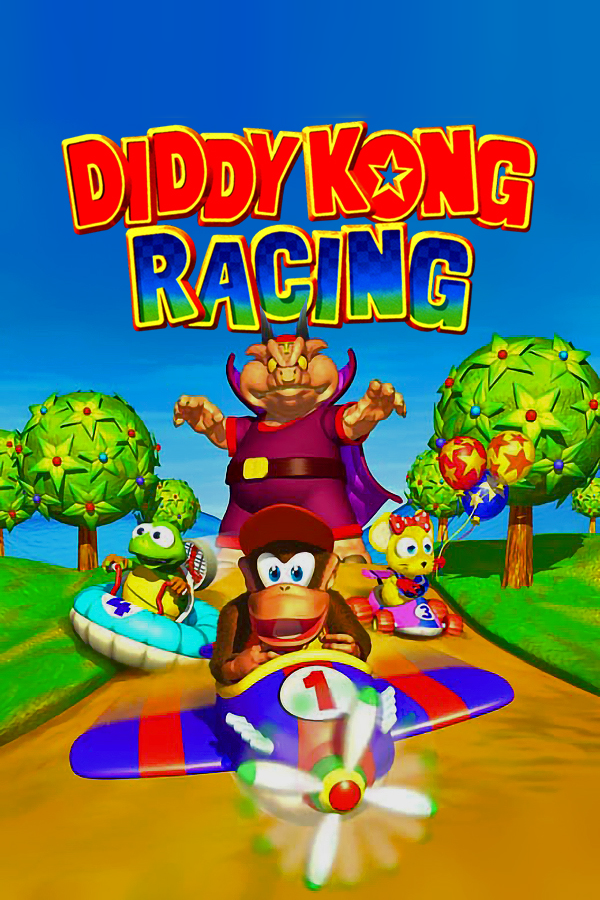
Diddy Kong Racing · DKR-R
Diddy Kong Racing
OrigenNintendo 64
TecnologíaPort Nativo C/C++ (Reimplementación de Motor)
Disponible paraWindows, Linux, macOS
Ver proyecto oficialSobre el proyecto
Diddy Kong Racing es un videojuego de carreras para Nintendo 64 desarrollado por Rare. Fue lanzado al mercado en noviembre de 1997. Se vendieron 800.000 copias en las 2 semanas anteriores a la Navidad de 1997, convirtiéndose así en juego más rápidamente vendido por aquel entonces según el Libro Guinness de los récords.
6 versiones de Diddy Kong Racing
Estás viendo: DKR-R
DKR-Rgithub.com/ThatGuyMcd/DKR-RDiddy Kong Racinggithub.com/DavidSM64/Diddy-Kong-RacingAndroidreddit.com/r/AndroidNativePorts/s/qxG9s19kLRDiddy Kong Racing (PC, cyscott)github.com/cyscott/dkr-recompDiddy Kong Racing (Wii)github.com/Ch1nguya/DKR-R-WIIGolden Balloon (Diddy Kong Racing)github.com/akratch/goldenballoonInformación oficial del proyecto
DKR-R - Diddy Kong Racing Recompiled
<img width="1672" height="941" alt="Diddy Kong Racing Recompiled" src="https://github.com/user-attachments/assets/c913bee2-029c-4e29-9921-0f6abe7a3bf1" />Join our Discord · Open the Mod Library · Downloads
DKR-R v1.0.14
I've worked on the online input delay, joining and frame pacing, and brought the launcher and in-game overlay together so the same pages work in both. There are new display options, automatic seasonal themes, launcher languages, optional analogue driving and controller feedback settings. Custom cars and the road wheels on custom characters now respond to lighting properly too.
Play fades into the new Starting Game screen, with mod progress underneath the logo. Online uses the same design while everyone syncs. Linux now requests GPU acceleration for the launcher, with a software fallback when needed.
Your saves, mods and settings can stay. Use the complete v1.0.14 package on every machine in an online lobby. See the full release notes and changelog for everything since v1.0.12.
DKR-R is a native static recompilation of Diddy Kong Racing. Bring your own legally obtained US v1.0 or US Rev A/v1.1 ROM. No ROM or extracted game assets are supplied.
Get started
- Download the complete package for your platform from GitHub Releases.
- Windows: extract the whole ZIP and start DKR-R.exe. Keep
assets,libexec, helpers and licence notices together. - Linux / Steam Deck: make the AppImage executable and launch it.
- Add your original ROM in Play, choose your controls and start.
The release targets Windows x64, Linux x86_64, Linux ARM64 and Steam Deck. Steam Deck uses the same payload as the Linux x86_64 AppImage. Android is not supported for current releases; macOS and iOS downloads remain on their earlier versions. See platform support and the validation record for requirements and actual coverage.
Some legacy .xdelta mods require a clean US v1.0 ROM to install, including
manual imports. Add it once in Play; you can keep v1.1 selected for playing.
There is no bundled revision-conversion data. See ROM setup.
Play and the overlay
Escape, F1 or controller Back/View opens the overlay. It uses the same pages as the launcher. Play contains Achievements, Session mods and Save Manager. Turn Session mods OFF for your next vanilla session without changing any individual mod selections. Ordinary offline mods still share your personal Adventure; online and development saves keep separate owners.
Skip launcher boots the selected game automatically and can be turned off again in the overlay. Language changes the launcher and overlay immediately; it does not translate the ROM or community content. The initial eleven language packs are drafts awaiting native-speaker review. Seasonal colours, decorations and button patterns follow your computer's region and local date.
The left stick moves between page elements and the right stick scrolls. The sidebar switch chooses LB/RB or D-pad navigation. See the launcher guide, languages and seasonal themes.
Graphics and controls
Accurate keeps the original presentation. Modern offers wider aspect ratios, explicit render resolutions, interpolation and optional graphics features. You can render above the display's resolution if your GPU can handle it. DKR colours brightens enhanced water while keeping your reflection method. Hardware ray tracing remains experimental. CRT controls and standalone Look behind are in Graphics > HUD & effects. Look behind works online too.
The optional Analogue Acceleration & Braking Custom Magic Code adds proper trigger travel for all three standard vehicle types. Its bindings, calibration and live bars are in the mod's Details. It must be installed and enabled.
Controls > Controller feedback offers Classic/Enhanced effects, per-player settings and output diagnostics. DualSense extras and direct Deck patterns have capability checks and experimental options. Physical feel depends on the device and input route; the LCD Deck has trackpad haptics rather than grip rumble motors.
See Graphics, analogue driving and controller feedback.
Online
Sign in with your Mod Library Discord account, browse Public/Friends lobbies, or host a Private/Public lobby. Up to four racers and eight spectators can share a supported lobby; Adventure supports two racers. Host approval, compatible ROM/build/settings, verified mods and save admission still apply.
Lobby cards show connection timing for hosts and clients. Check Rollback connection opens the shared Scoreboard. Ping and route readings describe the connection; they do not guarantee a frame rate. Initial startup uses the new Syncing Game screen until the game is ready.
See Online, public lobbies and spectators. Gameplay uses the admitted peer transport; the website handles discovery and accounts. Host migration is not available.
Free mods and authoring
Mod Library has its own sidebar page, including in the overlay. Browse free tracks, characters, custom cars, Custom Magic Codes and textures; open a card for details, download counts, comments and reviews. Downloads requested in-game wait for the launcher before installation. Installed Mods manages your local content, including Textures and Track Lab. Changed executable code needs approval.
Custom .dkrkart cars change visuals, not handling. They are selected after
character selection in Track Select; custom hovercraft/planes remain reserved
formats. Track Lab imports .dkrmap courses and supports Blender authoring,
music, minimaps and matching HD packs. A battle map needs valid mode-specific
objects and connected AI paths; selecting a battle type alone is not enough.
SDK 2.0 remains additive to API 1. See mods, vehicles, Track Lab and the Modding Bible. Distribute only assets you have permission to share; keep original-game texture dumps private.
Saves, support and updates
Saves and Save Manager explains personal, online and development progress. Updating does not require a reset or mod reinstall. Portable mode selects a different profile location on the next launch; it does not move data.
Automatic crash reporting is optional. The first-launch notice saves your choice, and About DKR-R > Support can change it later. Reports use redacted log snapshots and retry while the launcher is open after a connection failure. Raw dumps need separate consent and can contain personal information. Complete anonymity cannot be guaranteed. See crash reporting.
The launcher checks GitHub for compatible signed updates; downloading and installing remain your choice. See Updates.