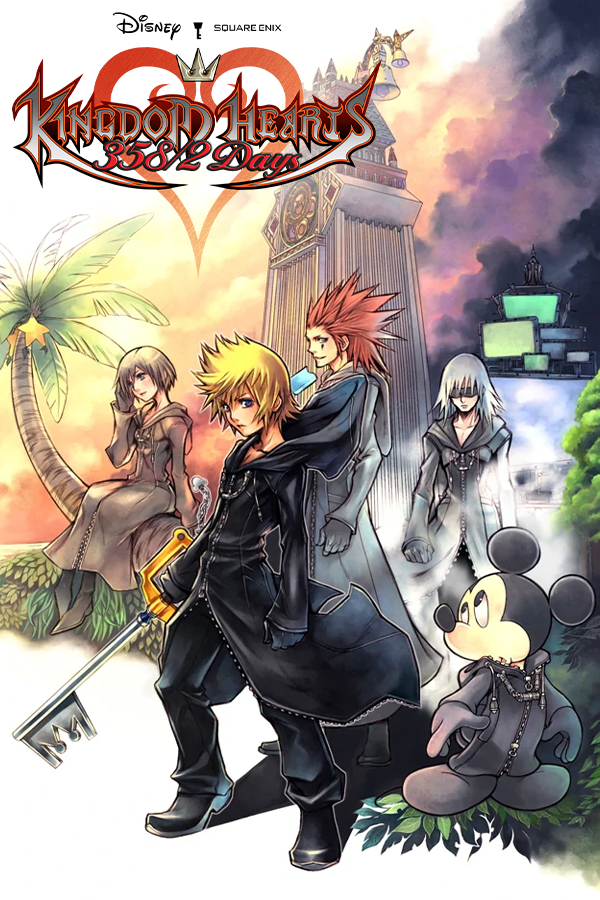
Kingdom Hearts 358/2 Days (khdays-vita)
Kingdom Hearts 358/2 Days
Sobre el proyecto
Kingdom Hearts 358/2 Days es un juego de acción desarrollado por h.a.n.d. y publicado por Square Enix, en conjunto con Disney Interactive Studios, para la consola Nintendo DS.
3 versiones de Kingdom Hearts 358/2 Days
Estás viendo: Kingdom Hearts 358/2 Days (khdays-vita)
Información oficial del proyecto
khdays-vita
A native PS Vita port of Kingdom Hearts 358/2 Days (Nintendo DS), built from the khdays-decomp decompilation.
The game code is recompiled for the Vita, not emulated. The DS hardware it expects (2D and 3D engines, sound, card, touch screen) is reimplemented on top of VitaSDK and vitaGL.
You need
- A Vita with HENkaku/Enso and VitaShell.
libshacccg.suprxinur0:data/, extracted from your own console (see the vitaGL README).- Optional: kubridge in
ur0:tai/(*KERNELinconfig.txt), for crash reports in the log. The port runs without it. - Your own dump of the European cartridge. No game data is included here.
| Gamecode | Size | SHA-1 |
|---|---|---|
YKGP (Europe) | 268,435,456 bytes | 6fae8f5bbe80114b4e2535260eab5f4d0fc8a844 |
Other regions (US YKGE included) do not work.
Install
- Install
khdays-vita-<version>.vpkwith VitaShell. - Copy your dump to
ux0:data/khdays/days.nds. - Launch. The first boot checks the ROM; later boots skip it.
Save: ux0:data/khdays/days.sav, a raw 64 KiB EEPROM image. Raw saves from melonDS, DraStic
or No$GBA, and DeSmuME .dsv files, can be copied there.
Settings: ux0:data/khdays/config.ini, or in game with L+R+Select.
Single screen (port menu, beta): before the game, the title's menu is shown on the left over a
picture: assets/titlescreen/bg.png when the VPK was built with one (packed as
app0:assets/titlescreen/bg.png; the folder is not in the repository), else your own,
ux0:data/khdays/menu_bg.png (or .jpg). Characters on the right half of the picture stay
clear of the menu. Out of the field, a scene whose bottom screen stays black (a dialogue) shows
the top screen alone, widescreen; anything on the bottom screen brings your own layout back.
The world / mission selection shows the world over the whole display and the list beside it.
Partner swap (port menu, PARTNER tab, experimental): touch the partner's HUD in a story mission to play as the partner, with its own magic and items, the stats of Roxas's weapon and his abilities (dodge roll, glide, scan...). The weapon is prepared when the mission's actors are set up; while the partner is not played its stats are its own, as it came into the mission. The partner played takes the big gauge of the HUD (portrait and HP) and Roxas the small one; both layouts are prepared with the HUD. Roxas, on the AI meanwhile, fights with the partner's weapon stats and can be allowed to use his own items and magic (off by default). The swap is turned on or off out of a mission only.
Controls
| Vita | DS / port |
|---|---|
| Cross / Circle | A / B: Cross confirms, Circle cancels (Confirm button = Cross, the default) |
| Circle / Cross | A / B where the DS has them (Confirm button = Circle) |
| Triangle / Square | X / Y |
| Left stick or d-pad | D-pad |
| Right stick | Field camera; while locked on, left / right switches target |
| L / R | L / R (R can be set to toggle lock-on) |
| Front touch | Bottom screen; tap the small screen to swap screens |
| Rear touch (optional) | L / R or Select / Start |
| L+R+Select | Port menu |
| L+R+Square | Fast-forward (2x or 3x) |
Buttons are remappable in the port menu. The game's A/B/X/Y icons are drawn as the Vita's symbols (Button icons, in the port menu's System tab), following the Confirm button setting.
Mission Mode played solo can use the story's enemy HP and damage: Mission balance = Story.
Building
Requirements: VitaSDK with vitaShaRK, libmathneon, kubridge,
taihen, SceShaccCgExt, and vitaGL built with
HAVE_GLSL_SUPPORT=1; ninja and Python 3.
./setup.sh                      # decomp at DECOMP_COMMIT + patches/decomp.patch -> build/decomp
python3 tools/rewrite_decomp.py
python3 configure_vita.py --with-game --rom ../days.nds && ninja
The VPK lands in build/VPK/. After pulling changes, run the same four commands again:
setup.sh brings build/decomp to the new patch by itself as long as it holds only what the
last setup applied (a tree from before 0.7.27, or one with edits of its own: remove
build/decomp first, or export the edits with ./export_patch.sh). The ROM is read at configure time only for the overlay table; no
ROM bytes go into the build. Changes to the game code are made in build/decomp under
PLATFORM_VITA and exported with ./export_patch.sh.
Legal
This repository holds only the port's own code, tools and a patch against the decomp: no ROM,
no game assets, no Sony modules. platform/compat/stb_image.h is Sean Barrett's stb_image
(public domain or MIT, at the user's choice), used to read the single screen's menu picture. Kingdom Hearts is a trademark of Disney and Square Enix.