Dragon Quest IX · dqix enhanced (sackchief)
Dragon Quest IX
OrigenNintendo DS
TecnologíaRecompilación Estática (C/C++ nativo)
Disponible paraWindows
Ver proyecto oficialSobre el proyecto
DQIX Enhanced: proyecto comunitario para Dragon Quest IX. Consulta las instrucciones oficiales y utiliza exclusivamente tus propios archivos del juego.
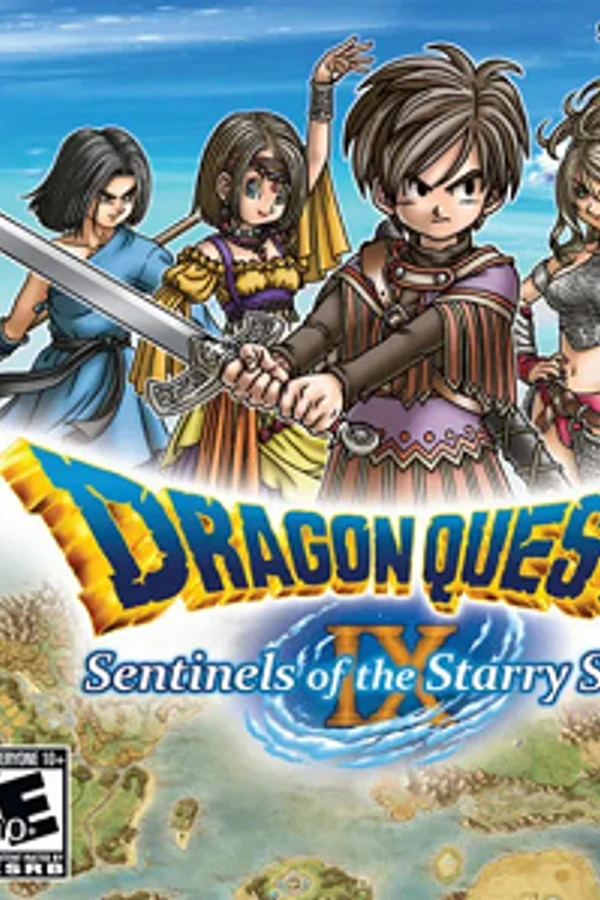
2 versiones de Dragon Quest IX
Estás viendo: dqix enhanced (sackchief)
Información oficial del proyecto
DQIX Enhanced
Dragon Quest IX: Sentinels of the Starry Skies, as a native PC game.
This project turns your own copy of Dragon Quest IX (the USA or European DS cartridge's ROM) into a real Windows program, built on your PC from your ROM. Nothing from the game is included here: no code, no graphics, no music. It isn't an emulator running the DS's code. The game's code has been recompiled into native PC code, with the DS's hardware rebuilt around it. So it can play exactly like the original, and it can also do things the DS never could.
Join the community on Discord: https://discord.gg/CczgRv36NK for help, news, and friends to play with.
Screenshots
Left: the game as on the DS. Right: Enhanced mode with Dynamic Widescreen (Experimental), the 3D drawn at your monitor's resolution and wider than the DS's screen.
<table> <tr><th>Like the DS</th><th>Enhanced, Dynamic Widescreen</th></tr> <tr> <td><img src="docs/images/ds-4.jpg" alt="The menu on the DS screens"></td> <td><img src="docs/images/enhanced-4.jpg" alt="The menu in Dynamic Widescreen"></td> </tr> <tr><td colspan="2">Exploring: the field fills the screen, the map stays in the top left, and the game's own windows move right, clear of it.</td></tr> <tr> <td><img src="docs/images/ds-3.jpg" alt="Choosing commands on the DS screens"></td> <td><img src="docs/images/enhanced-3.jpg" alt="Choosing commands in Dynamic Widescreen"></td> </tr> <tr><td colspan="2">Choosing commands: the party's panels stacked in the bottom left over the battle, see-through with solid lines.</td></tr> <tr> <td><img src="docs/images/ds-2.jpg" alt="An attack on the DS screens"></td> <td><img src="docs/images/enhanced-2.jpg" alt="An attack in Dynamic Widescreen"></td> </tr> <tr><td colspan="2">While the attacks play: each panel shrinks to the name and HP/MP, and the battle messages move clear of them.</td></tr> <tr> <td><img src="docs/images/ds-1.jpg" alt="Experience earned on the DS screens"></td> <td><img src="docs/images/enhanced-1.jpg" alt="Experience earned in Dynamic Widescreen"></td> </tr> <tr><td colspan="2">After the battle: the experience window big and see-through over the scene.</td></tr> </table>Features
The game as it was
- Classic mode: every frame exactly as a DS draws it, checked pixel for pixel against a reference DS emulator, with the DS's own sound and timing.
- Your whole adventure: the story, alchemy, grottoes, Quester's Rest, and the downloadable quests and special guests.
- Saves in the DS's own format, so they work with save editors and tools.
Better than the DS
- Enhanced mode: the 3D drawn on your graphics card at up to 12x the DS's resolution, or Auto: as sharp as your monitor shows it, and optional smooth textures. Switch between Classic and Enhanced at any time (F5).
- The DS Lite look (on at first): a screen filter with the DS Lite's colours, pixel grid, motion blur and backlight levels, and the screens inside a photo of a real DS Lite (or a drawn one in six colours), even at actual size. F6 switches the screen filter, F7 the console.
- Any window size, fullscreen, screens stacked or side by side, and sharp pixel scaling. F9 swaps the screens.
- Two windows, one screen in each, for two monitors, each one fullscreen if you like. In widescreen, the map can go in its own window so the field is clean.
- Keyboard, mouse (as the touch screen) and gamepads, every key and button
changeable (Game > Controls). Tab turns fast forward on and off (a ▶▶▶ in the corner shows it;
fast_forward = holdin settings.ini to hold it instead). - Reset without closing the game, and a volume slider.
- The game's own icon (the one the DS menu shows), made from your ROM.
Modern options (in the Modern menu; with them all off, the game is the original)
- Walk in any direction with the left stick (on at first): the stick steers like the DS stylus while you walk around, instead of the D-pad's 8 directions (without the stylus's arrow on the screen).
- Basic Widescreen: the action drawn wider than the DS's screen, so you see more of the world left and right, with the other screen (the map, the battle commands) small in a corner: pick the corner, size and how see-through it is, also from a controller. 16:9 in a window, as wide as your monitor in fullscreen.
- Dynamic Widescreen (Experimental): the field never moves; the map stays top left and the game's own windows move right, clear of it, with dialogue in the middle; screens of their own show 4:3; in battles the party's panels sit stacked in the bottom left.
- Single screen: one screen as big as it gets, switched with a trigger.
- Top screen in the corner: the same, with the field as on the DS.
- Coming: a free camera (see the roadmap).
Multiplayer, from anywhere
- Tag mode (canvassing for guests) and co-op (visiting and inviting through Pavo) with up to 4 players, over the internet: friends don't need to be in the same room.
- The game sets up your router by itself where it can (UPnP), and the host gets a window with the address to send to friends.
DQVC and downloads, offline
- Sellma's DQVC shop is back, with the original 52 weekly sales on their original calendar. New stock arrives every day, every player gets their own shop, and friends visiting your world can shop at yours.
- The downloadable quests arrive through Sellma like in 2010, from a small server built into the game: no internet connection or extra files needed.
- An option to unlock all downloadable quests and special guests at once.
Easy to keep up to date
- The game tells you when a new version is out and updates itself (Help > Check for updates). Choose stable (tested) or nightly (the newest work).
- F10 saves a bug report with a screenshot and everything needed to replay what happened.
Getting started
You need your own Dragon Quest IX cartridge's ROM (.nds; the USA or
European version, others can be tried; the European one plays in the language
chosen in Game > Language), Windows 10 or 11 (64-bit), about 3 GB of free space, and the internet the
first time.
- Download the latest stable release from the Releases page (Source code (zip)) and unzip it. The Nightly release there is the newest work, less tested.
- Double-click
Install Dragon Quest IX.bat. A setup window walks you through it: choose your ROM (the.nds, or a.zipwith it inside; it says which version it is), where to put the game (your Documents by default), and shortcuts on the desktop and in the Start menu. It then installs the free build tools (MSYS2) and builds the game: 10-20 minutes the first time. Press Play now at the end. - Next time, start it from the desktop or the Start menu. It is listed in Settings > Apps, where it can be uninstalled (your saves are kept unless you say otherwise). To pin it to the taskbar, right-click the shortcut.
Prefer no window? Put your ROM in the rom folder and double-click
BUILD.bat instead; the game appears in the game folder
(game\dqix.exe).
Already have MSYS2? The installer finds it on any drive and only adds
what's missing. If it doesn't (an unusual place), put its folder (for
example D:\tools\msys64) in a file named msys2-path.txt next to
BUILD.bat. An old MSYS2 is updated or repaired; if it can't be, the
installer asks before installing a fresh one, and keeps the old one renamed.
Your save (dqix.sav) and settings (settings.ini) live in the game
folder. Don't share the game or build folders: they contain the game.
Controls
| DS | Keyboard | Gamepad |
|---|---|---|
| D-pad | arrow keys | D-pad / left stick |
| A / B / X / Y | X / Z / S / A | right / bottom / top / left button (by position, on any controller) |
| L / R (turn the camera) | Q / W | shoulder buttons, or the right stick while walking |
| START / SELECT | Enter / Right Shift | Start / Back |
| touch screen | left mouse button on the bottom screen |
Every setting is in the menu bar at the top of the window, and Game > Controls changes any key or button. Handy keys: Tab (on/off) fast forward, P pause, Ctrl+R reset, - / = volume, F5 Classic / Enhanced, F2 layout, U single screen, F9 swap the screens, K / I / O the widescreen small screen's corner, size and opacity, F11 fullscreen (double-click outside the touch screen to leave it), F12 screenshot, F10 bug report. On a controller: the triggers for single screen and swap, the stick clicks for the small screen's corner and opacity, Start+Select+L+R held to reset.
Playing with friends
Everyone needs the same version of the game.
- Save your adventure first: the game restarts for a session.
- One player hosts: Wireless > Play with friends far away > Host. A window shows the address to send to your friends, with a Copy button.
- The others choose Join a friend and paste that address.
- When everyone is in the host's list, the host presses Start the game.
Then play as you would with DSes side by side: canvass for guests with Erinn, or visit and invite through Pavo.
If friends can't connect, the host's router didn't open the port by itself. Either forward TCP port 27900 to the host's PC, or all join a free virtual LAN (Tailscale, ZeroTier or Radmin VPN) and use the host's address there.
Updating
The game checks for a new stable version when it starts and asks before
changing anything. Help > Check for updates shows both the stable and the
nightly version, so you can choose either. An update downloads the new
version of this project, builds the game again from your ROM, and restarts.
Your saves and settings are kept, and the previous version is kept
in the update folder (update\rollback.bat goes back to it).
What's next
The plans (more multiplayer options, hand-written DQVC news, widescreen and more) are in ROADMAP.md.
If something goes wrong
Press F10 in the game: it saves a report in game\reports\ with a box
to describe what happened. For multiplayer problems, also include
game\session\front.log.
Questions, or stuck? Ask on the Discord.
About this project
The function names and boundaries come from the public-domain Dragon Quest IX decompilation project. The wireless chip, the 3D renderer and the sound follow the melonDS emulator's research. How everything fits together, and the tools for testing, are in docs/TECHNICAL.md.
Dragon Quest IX is © Square Enix / Level-5 / Armor Project / Bird Studio / Koichi Sugiyama. This project isn't affiliated with or endorsed by Square Enix or Nintendo. It contains no game files, and it only works with a ROM you dumped from your own cartridge.
Licence: GPL-3.0-or-later (see LICENSE). It includes public-domain data
from the DQIX decompilation project (config/), libslirp (BSD,
third_party/libslirp), stb_truetype, stb_image and stb_vorbis (public
domain), dr_flac (public domain / MIT-0), and translated
parts of melonDS (GPL-3.0-or-later).