Super Mario Strikers (Quest 3 Strikers)
Super Mario Strikers
Sobre el proyecto
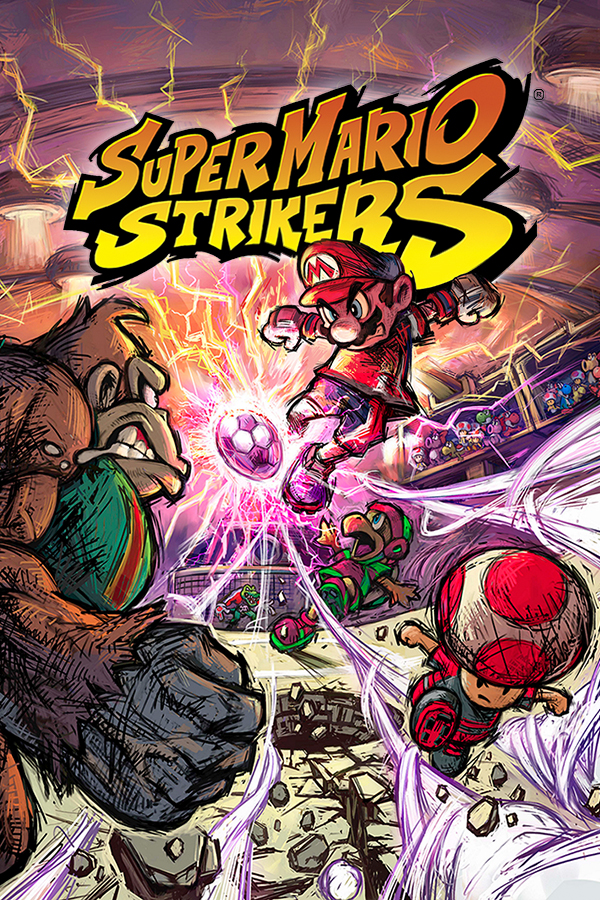
Super Mario Strikers , conocido como Mario Smash Football en Europa y Australia, es un videojuego de fútbol sala desarrollado por Next Level Games para la consola Nintendo GameCube. El juego fue inicialmente lanzado para Europa y Estados Unidos a finales de 2005, y en Japón y Australia a inicios de 2006. La secuela del juego, titulada como Mario Strikers: Charged Football, fue también desarrollada por Next Level Games, pero para la consola Wii.
6 versiones de Super Mario Strikers
Estás viendo: Super Mario Strikers (Quest 3 Strikers)
Super Mario Strikers (Quest 3 Strikers)github.com/LanceSweatpants/Strikers-Quest-MRBallPad (Super Mario Strikers iOS)github.com/chrissotraidis/ballpadStrikersgithub.com/new-coke/strikersSuper Mario Strikers (Android)github.com/luisxl15/Strikers-Android-PortSuper Mario Strikers Decompilationgithub.com/yannicksuter/smstrikers-decompSuper Mario Strikers Recompiled (RecompCore)github.com/aharonahdoot/StrikersRecompInformación oficial del proyecto
Quest 3 Strikers
<p align="center"><img src="media/quest3-strikers.jpg" width="360" alt="Quest 3 Strikers: a mixed reality soccer experience"></p>Super Mario Strikers (GameCube), running natively on a Meta Quest 3 as a mixed-reality app. Not an emulator: the game is built from the community decompilation, compiled for the headset's ARM chip, and drawn straight into your room through OpenXR.
This is a fork of luisxl15/Strikers-Android-Port,
the Android phone port, with a Quest layer on top.
You need your own copy of the game. No game files are included, in this repository or in the APK.
⚠️ GUEST CHARACTERS NEED YOUR OWN GAME FILES
THE GUEST CHARACTERS (MELEE FIGHTERS, POKÉMON, MARIO STRIKERS CHARGED CHARACTERS, MARVEL HEROES) ARE NOT IN THIS APP OR THIS REPOSITORY. YOUR QUEST MAKES THEM FROM YOUR OWN COPIES OF SUPER SMASH BROS. MELEE, POKÉMON COLOSSEUM, MARIO STRIKERS CHARGED AND MARVEL: ULTIMATE ALLIANCE (WII).
NO FILE FROM A GAME = NO GUESTS FROM THAT GAME. Super Mario Strikers itself still plays as always. See Guest characters.
⬇ Download the latest version
On that page, under Assets, get the file ending in .apk (not "Source code"). Then follow
How to install.
What it is
Four ways to watch the same match, switched any time by clicking the controller sticks (see Controls):
- Jumbotron · Living Room: a big flat screen floating in your real room (passthrough), in three sizes. This is where the game starts.
- Jumbotron · Stadium: the same screen, but you stand on the pitch of a life-size stadium, the one your match is being played in.
- Tabletop · Living Room: the match as a miniature 3D pitch in your room, like a foosball table with the electric fence for walls. Put it on a real table, the bed or the floor, walk around it, grab it, turn it and resize it with your hands. The players are drawn a bit bigger so they read at table size, an arrow floats over the player you control, and a small score board hangs over the field.
- Tabletop · Stadium: the table inside the life-size stadium, with the stands all the way around you.
And around the game:
- Two versions, Classic and Plus (alpha 1.3 and newer): pick one with Version on the app's
first screen. Classic is the game as alpha 1.2 had it. Plus adds things that aren't in the
original game:
- A life-size goal scorer: whoever scores runs out into your room (or onto the stadium pitch), stops out in front of you (in Tabletop, right beside the table), and celebrates while the replay screen rises above them. Alpha 1.13: one of six famous celebrations, picked at random each goal (SIU, 6-7, Zen, Griddy, Robot, Rock the Baby).
- A "GOAL SCORED BY" banner over their head with their goals and assists in this game.
- Hat tricks: three regular goals by one player in one game and hats rain down all over the field. (A Super Strike worth two counts towards the stats but not towards a hat trick.)
- A longer goal replay that keeps playing through the celebration.
- A living crowd: louder in close games, quieter in blowouts, a roar on every goal, and in the stadium the crowd sounds come from where the stands are.
- Goal celebrations in 3D: confetti in the scorer's colours plus their own piece (coins for Mario, hearts for Peach, bananas for Donkey Kong, and so on), streamers, foil, pyro and fireworks, raining down from the sky and fading where they land (no heaps). In Tabletop the goal replay plays on the screen over the table (in the stadium, on a jumbotron that drops from the sky), and the scorer celebrates standing right beside the table. Skip the replay and it all stops. Alpha 1.14: every guest character scores with a party of its own: its own things falling with the confetti, room effects and its own show instead of fireworks (Gastly's purple fog, Pichu's lightning, Squirtle's rain and water cannons, Charmander's fire...).
- The game's own white flashes (replay wipes, the Super Strike flash) light up your whole view, not just the picture.
- Controller rumble: the game's rumble reaches the Touch controllers, with an extra buzz on your goals.
- Guest characters (alpha 1.14, 1.16): Melee fighters, 152 Pokémon, Mario Strikers Charged characters and (alpha 1.16) 26 Marvel: Ultimate Alliance heroes with their costumes, each with their own name, look, portrait, banner, stats and (many of them) voice, made on your headset from your own game files (see Guest characters). A big character select menu with everyone on it opens on every pick screen.
- Co-captains (alpha 1.14): 2 captains + 2 sidekicks, each captain with his own Super Strike. See Co-captains.
- No sidekicks? No problem! (alpha 1.16): pick each of your 3 sidekicks yourself from the Sidekicks tab: the Strikers sidekicks, the Strikers captains (Mario, Luigi, Peach ...) and every guest. They play as themselves (Mario in a sidekick spot is the real Mario). Every mode and online. In Franchise each one levels up on its own.
- Franchise mode (alpha 1.14): the Strikers Super League, 32 clubs, a 20-week season and playoffs, levels, Pokémon evolving in front of you, shinies, nemeses, trades, awards night. See Franchise mode.
- Franchise co-op and online leagues (alpha 1.14): one club with a friend, or a league of 2 to 8 people with a club each. See Franchise online.
- Online 1v1: Quick match pairs you with anyone else searching, or one player hosts and reads out a four-letter code and the other types it in. Each player keeps their own view mode.
- Online co-op Cup (alpha 1.13): you and a friend on the same team through a cup, against the computer. The host plays the captain and one sidekick, the friend the other two sidekicks. See Co-op Cup.
- Cup suites (alpha 1.13): between the games of a cup you stand in your captain's own 3D suite (VR), with the game on a screen in the wall. It stays fixed in your room, so you can walk around in it. Each suite has the captain's name in big 3D letters, shiny floors, LED lights, and things that move (coins, Boos, petals, fireworks over the stadium, and so on). Alpha 1.14: 13 more suites for the guests' worlds (Pokémon, Star Fox, Zelda, Kirby, Metroid, EarthBound, Ice Climber, Fire Emblem, F-Zero, Game & Watch, Bowser, plus a Mushroom Kingdom suite and a jungle treehouse), with the guest's name on the plaque.
- Quest controllers in the game (alpha 1.13): your controllers are drawn in your hands, sticks and buttons moving with yours, in your captain's colours with their pattern etched in.
- Items hit your room (alpha 1.13): Bob-omb blasts flash orange and throw embers into your room, and you feel them in your controllers. You feel a Chain Chomp's slam and bite there too. (Since alpha 1.14 they no longer move the table, the big screen or the life-size stadium.)
- Trophy shelf (alpha 1.13): the cups you've won stand on a shelf in your room (in the room views). Pick a trophy up with a grip, and squeeze the other grip to make it bigger or smaller. A cup you just won spins and sparkles. Over the shelf, your RetroAchievements badges: point a controller at one to see whether you've earned it.
- Home ground (alpha 1.13): pick your home captain with Home ground on the app's first screen. (Alpha 1.16: or None, for no home ground at all.) Your room gets their banner, a board with your record against the computer and against each online friend, comebacks, your best win and Super Strikes, and a gloat banner when a rival is ahead of you. Alpha 1.14: any character can be your home captain, guests too, and your room gets their own corner by the trophy shelf: a rug, a display with their things, their portrait standing there and their own little effects (flames, lightning, a rain cloud...).
- Tournaments (alpha 1.5): 4- or 8-player knockouts with your own team name and star player as your logo, a playoff tree, and results that report themselves. They start when they're full.
- Voice chat in online matches (alpha 1.4): turn it on with Voice chat on the app's first screen, or in the game's pause settings.
- Pause settings: crowd volume, voice chat, and your eye height in the stadium (for playing seated, or if you're shorter or taller). Alpha 1.15: the trophy shelf and its badges on or off, and the RetroAchievements pop-ups (all, unlocks only, or off). Alpha 1.16: HOME GROUND on or off (the home board, the banners by the screen, your corner and the trophy shelf all at once; or pick None on the Home ground page). Pause, then right stick up/down picks a row and left/right changes it.
- Button mapping (alpha 1.6): put pass, shoot, items, hit, swap items, L, R, pause and (alpha 1.8) the long pass on whichever buttons you like, with Controls on the app's first screen.
- Bluetooth controllers (alpha 1.8): a paired gamepad is your player too, right alongside the Quest controllers, offline and online, and follows your button map.
- Responsive sticks (alpha 1.9): your player moves from the first bit of push and goes exactly the way you point, diagonals included, at any amount of push (the original game snapped part pushes onto straight lines and ignored light ones).
- RetroAchievements (alpha 1.6): log in with your RetroAchievements account and earn the site's official Super Mario Strikers achievements as you play, with a pop-up in the headset for each one.
- Your disc image as it is:
.iso, or Dolphin's.rvzand.wiawith any compression. Pick it with Choose game file, which also tells you if a file isn't the right game. - Updates from inside the app: when there's a new version, the first screen offers Update now.
Status
Free alpha. Tested on Quest 3, including online matches between two Quest 3 headsets. Every other headset is untested: the Quest 3S has the same chip and should behave the same, but nobody has tried it yet. Expect rough edges, and see Known issues.
How to install (easy version)
Already have it? On alpha 1.2 or newer: open the app and press Update now. On alpha 1 or 1.1: just do Step 3 below, once.
You need:
- A Meta Quest 3 and a USB-C cable
- A PC
- Your own Super Mario Strikers (GameCube) game file:
.iso,.rvzor.wia
Step 1 · Developer Mode (only once)
- On your phone, open the Meta Horizon app.
- Devices → your Quest → Headset settings → Developer mode → On. (Asked to make a free developer account? Do it, then come back.)
- Restart the Quest.
Step 2 · SideQuest (only once)
- On your PC, install the free SideQuest Advanced Installer and open it.
- Plug the Quest into the PC.
- Put the Quest on. At "Allow USB debugging?" tick Always allow and press Allow.
- The dot at the top left of SideQuest turns green. You're connected.
Step 3 · The app
- Download the
.apk: under Assets, the file ending in.apk. - Drag it onto the SideQuest window. Wait until it says it's done.
Step 4 · Your game file
- In SideQuest, click the folder icon at the top.
- Open Download.
- Drag your
.iso,.rvzor.wiain. (Zipped? Unzip it first.) - (Optional, alpha 1.14) Your Melee, Pokémon Colosseum, Mario Strikers Charged or (alpha 1.16) Marvel: Ultimate Alliance file goes in the same place, for the guest characters.
Step 5 · Play
- Unplug the Quest and put it on.
- Library → All (top right) → Unknown Sources → Quest 3 Strikers.
- Press Play offline.
- First time only: turn on "Allow access to manage all files", go back, and press Play offline again.
- Game not found? Press Choose game file and tap yours.
- Next time? Just Step 5.
- New version out? The app shows Update now. Press it, then Install. (The first time, allow the app to install updates.) Your saves and game file stay.
Now see Controls to switch to the tabletop and the stadium.
Guest characters (alpha 1.14)
YOU NEED YOUR OWN GAME FILES FOR THE GUEST CHARACTERS. NONE ARE INCLUDED. Your Quest makes each game's guests from your own copy of that game, once, in a few minutes. Have only some of the games? You get only those games' guests.
| Your game file | What it gives you |
|---|---|
Super Smash Bros. Melee (GameCube, USA: GALE01) .iso or .rvz | 17 Melee fighters, the voices of 10 Pokémon, the evolution music |
Pokémon Colosseum (GameCube, USA: GC6E01) .iso or .rvz | 152 Pokémon (59 to start + their evolutions, shiny versions too). Franchise mode's Pokémon and evolutions need it |
Mario Strikers Charged (Wii, USA: R4QE01) .rvz only | Bowser, Bowser Jr., Diddy Kong, Petey Piranha, Boo, Dry Bones, Monty Mole, Shy Guy, and the 3D figures in your room |
Marvel: Ultimate Alliance (Wii, USA: RMUE52) .rvz only | 26 Marvel heroes with up to 4 costumes each (unlocked in Franchise), their own moves and goal celebrations, the costume music |
- Copy the files onto the Quest the same way as your Strikers file (SideQuest → folder icon →
Download). Unzipped: a
.7z/.zipcan't be read; unzip it on your PC and copy the.isoor.rvzthat comes out.- Charged and Marvel: Ultimate Alliance are Wii games: their
.iso/.wbfsis encrypted and can't be read. Convert them to.rvzfirst: in Dolphin, right-click the game → Convert File Format → RVZ → Convert.
- Charged and Marvel: Ultimate Alliance are Wii games: their
- In the app, press Guest characters. It lists what it found.
- Press Make guest characters and keep the app open until it's done (a few minutes).
- Play. The guests are in every mode's character select (the big menu opens on every pick screen).
Nothing from Melee, Colosseum, Charged or Marvel: Ultimate Alliance is in this app or on GitHub: the converter reads your files
on your headset and writes the characters into the Quest's Strikers/guests folder.
The character select menu (alpha 1.14)
On every pick screen (Grudge Match, Cup Battles, Super Cup Battles, tournaments) a big menu opens by itself, right on the big screen, with everyone on it: the Strikers cast, then Charged, Melee and the Pokémon (only the games you made guests from).
- Stick: move. A: pick. B: close it and use the game's own pick screen. Y: open it again.
- A captain the other team already has is dimmed (TAKEN).
- Dark ??? tiles are evolved Pokémon. Evolve one in Franchise mode and it's unlocked in every mode.
- Every sidekick has a name now, the same every match.
Co-captains (alpha 1.14)
Two captains and two sidekicks on a team. The co-captain is a real captain: his own Super Strike, his own voice and his own Super Strike camera.
- Grudge Match: pick your captain as usual. When the sidekick pick comes up, the menu first asks for a co-captain: A picks one, X = no co-captain. Then pick your sidekicks. It stays picked until you choose again, and it works online too.
- Franchise mode: a club's backup captain plays as its co-captain.
- Only in Grudge Matches (online ones too) and franchise matches, and not with the Super Team.
Controls (Quest 3 controllers)
Playing
| Button | What it does |
|---|---|
| Left stick | Move |
| A | Pass |
| B | Shoot |
| X | Use your item |
| Y | Hit |
| Right grip (squeeze) | Swap items |
| Left / right trigger | The GameCube's L / R |
| Right stick | The GameCube's C-stick |
| Menu button (left controller, ☰) | Pause |
Want them somewhere else? See Button mapping.
In the menus (alpha 1.14): Y on the game's main menu opens Franchise mode, and on a pick screen it brings back the character select menu.
Switching views
"Click" a stick means press it straight down like a button. Switching needs two quick clicks, so you can't do it by accident mid-match.
| Do this | What happens |
|---|---|
| Left stick: click twice fast | Swap between your room (mixed reality, you see your real room) and the stadium (full VR, you're standing on the pitch) |
| Right stick: click twice fast | Swap between the big screen and the tabletop (a mini 3D pitch you can walk around) |
| Right stick: click once | Big screen: change its size (3 sizes) |
| Right stick, while paused | The settings panel: up/down picks crowd volume, voice chat or stadium height, left/right changes it |
| Right stick: click once, while paused | Your RetroAchievements list (alpha 1.12): left stick scrolls it, click again or press B to close |
So there are four views, and you can mix them any way you like:
| Big screen | Tabletop | |
|---|---|---|
| Your room (MR) | Where the game starts: a giant screen floating in your room | The mini pitch on your real table, bed or floor |
| Stadium (VR) | The screen, with you standing in the stadium | The mini pitch, with the whole stadium around you |
Moving the table (Tabletop)
- Grab it: hold the left grip and move your hand. The table follows, up and down too. Let go to drop it there.
- Make it bigger or smaller, or turn it: keep holding the left grip and push the left stick up/down to resize it and left/right to turn it. (While you hold the left grip, your player stands still: the stick is moving the table.)
- With both hands: hold the left grip, put your right hand on the table and squeeze the right grip too. Pull your hands apart or together to resize it, and twist them to turn it.
- Right hand only: squeeze the right grip with your hand on the table to grab it. Anywhere else, the right grip swaps items as usual.
- Lost the table? Hold the left grip anywhere: it grabs the table wherever it is, so bring it over and let go. (Since alpha 1.10 a single click of the left stick does nothing, so a hard push on the stick mid-match can't make the table jump.)
Moving the big screen (Jumbotron)
The same grips work on the big screen: hold the left grip to move it, hold both grips and pull apart or twist to resize and turn it. Where you put it is remembered, and every time the game starts it turns to face you (one left behind you or off to the side comes back in front).
Alpha 1.13: the left grip takes the screen only at its edge, so a grip mid-match doesn't move it. Point your left controller at the edge (or put your hand near it): the edge glows white, then squeeze the left grip (it turns gold while you hold it).
The trophy shelf
- Move the shelf: squeeze a grip with your hand on the shelf and carry it. Both hands turn it.
- Hold a trophy: squeeze a grip with your hand on the trophy. Squeeze the other grip and move your hands apart or together to resize it. Let go and it flies back to its place.
- Badges: point either controller at a badge over the shelf to see if you've earned it.
- Don't want them? Pause → TROPHY SHELF + BADGES: OFF (right stick left) hides the shelf and the badges, in your room and in the cup suite. Right turns them back on.
The cup suite
Between the games of a cup the view goes to your captain's suite by itself. It's fixed where you stand when it opens, so walk around in it. Click either stick twice fast to leave it and go back to your own view; it stays off until you leave that cup's screen.
A Bluetooth gamepad paired to the headset works too (alpha 1.8): it's the same player as your Quest controllers, so use either, offline or online. Its buttons follow the Button mapping (A/B/X/Y as they're labelled, LT/RT for the triggers, RB for the right grip, Start for the menu button).
Play online with a friend
Both of you need the same release of the app, set to the same version (both Classic or both Plus), and your own game files.
- One of you hosts: press Host an online match. You get a fresh 4-letter code. Tell it to your friend, then press Start.
- The other joins: press Join with a code, type the code, press Join.
- Both of you: pick Grudge Match on the main menu, choose your teams and start. Whoever gets there first waits on the loading screen, with a card showing the room code, for as long as it takes the other one to join and start too (alpha 1.8). Then you're playing each other. Tired of waiting? Hold B for 2 seconds to play the computer instead.
No friend online? Quick match (alpha 1.4): press Quick match and wait. As soon as someone else on the same release and Version is searching, you're both put in the same room. Then both of you: Grudge Match, pick your team, start.
Voice chat (alpha 1.4): press Voice chat on the app's first screen to turn it on (the first time, allow the microphone). In an online match you hear each other; it's off until you turn it on, and you can turn it off again in the game's pause settings (right stick down to Voice chat, then left). If only one of you has it on, neither hears the other.
Co-op Cup (play a cup together online)
Alpha 1.13. You and a friend on the same team, playing a cup against the computer. Both of you need the same release (alpha 1.13 or newer) and the same Version (both Classic or both Plus).
Who plays who: the one who hosts is the captain and one sidekick. The friend is the other two sidekicks. The cup you play is the host's cup.
- Host: on the app's first screen press Host an online match. Tell your friend the code, then press Start.
- Friend: press Join with a code, type the code, press Join.
- Host: in the game, pick Cup Battles (or Super Cup Battles) on the main menu, not Grudge Match, and choose your cup: a new one, or the one you already have going. Start its next match, the way you always do.
- Friend: also pick Cup Battles and choose any cup (the Mushroom Cup is fine). Start its next match too.
- Whoever gets there first waits on the loading screen, with a CO-OP CUP card. As soon as you're both there, the match starts and you're both on the host's team.
- After each match you're both back on the cup screen. For the next match, both of you start it again, like in step 3 and 4. The cup carries on from the host's cup every time.
Good to know:
- Passing: pass to one of your friend's players and your friend gets the ball. Switching player only switches between your own two.
- Saves: both headsets save the cup. On the friend's headset, the shared cup is saved over the friend's own save of that same cup (if the host plays the Flower Cup, the friend's Flower Cup is replaced by this one).
- Each of you picks your own view: one can play on the table, the other on the big screen.
- One of you started a Grudge Match? The card says so. A Grudge Match only pairs with a Grudge Match, and a cup match only with a cup match. Back out and start the same kind.
- Tired of waiting? Hold B for 2 seconds and you play the match on your own.
- Quick match works too. Nobody hosted there, so the cup that's further along is the one played, and its player is the captain.
Franchise mode (alpha 1.14)
The Strikers Super League: 32 clubs in two conferences, a 20-week season, playoffs, and a league that lives on without you. Its Pokémon and their evolutions need your Pokémon Colosseum file (see Guest characters). With no guest files at all, the 8 Strikers captains go round the clubs.
Open it: on the game's main menu press Y (Y: FRANCHISE MODE shows under the big screen).
Start a career:
- Pick an empty career with the stick and press A.
- Pick your club (A).
- On the character select menu pick your captain, then your backup captain (X: none), then your sidekicks. B steps back.
- The career opens on its hub. Every other club is dealt at random. Nothing plays until you start it.
The hub: left / right goes through its pages: Club, Standings, Playoffs, Results, Leaders, Feed, History, Nemesis, Evo Watch, Difficulty.
- Club page: up / down + A: Play this match, Sim this match (worked out without playing) or Sim to the playoffs. X swaps your starting captain. Y opens Trades.
- B goes back to your careers; B again closes franchise mode.
- Franchise matches are 4 minutes, whatever the game's options say. After each one the hub opens again by itself.
- No game of yours that day (playoffs): A plays out the day, or pick one of today's games and A to watch it live. X skips to your next match.
What's in it:
- Levels. Everyone starts at Lv 8 and earns XP from wins, goals and assists. During your matches a live XP meter sits under the big screen (over the score bar in Tabletop) and glows when someone levels up.
- Evolutions. When one of your Pokémon is ready, its EVO page opens. A: evolve it and watch: it stands life-size in your room, turns white, flickers between its two forms and flashes, with its own things falling round it (lightning for Pichu, rain and water cannons for Squirtle, fire for Charmander...) and music from Melee if you made Melee's guests. B: not now; evolve it later on the Evo Watch page with A. Poliwhirl: left / right picks the form. Your first evolution of a form unlocks it in every mode. The computer's Pokémon evolve too.
- Evo Watch page: every Pokémon in the league, its level and when it evolves next.
- Shiny. Every evolution has a 1 in 128 shot. Shiny stays shiny, and sparkles.
- Nemesis. Players who beat you, knock you out, or who you embarrassed hold a grudge: titles, ranks, a wall of them on the Nemesis page, a face-off before kick-off (life-size in your room in Plus), taunts in their own voice, a red YOUR NEMESIS SCORES banner when they score, and they go after your captain a little more. A grudge cools when it gets one-sided. Even your own players can turn on you.
- A living league. Form, hot and cold streaks, CPU trades until the deadline (week 12), retirements and rookies, news (Results) and a player feed (Feed). In your room: a news ticker under the big screen and an SSL TONIGHT TV beside it.
- Playoffs. 7 clubs from each conference (4 division winners + 3 wild cards, the top seed gets a bye), best of 5 every round, then the Super Strike Series. The round's logo on the pitch, banners, an intro card, the series score under the big screen, bunting in your room.
- Awards night. Champions, MVP, Golden Boot, Sidekick of the Year, Rookie of the Year, Best Keeper, records and a hall of fame (History). The winners stand life-size in your room with gold trophies. Then A on the Club page starts the next season: same clubs and players, a new schedule.
- Trades (Y on the hub): up / down picks what you give (captain, backup or your sidekicks), A shows who you could get and whether their club would say yes, A offers. Open until week 12, and again after the season.
- Difficulty page: Rookie, Professional, Superstar or Legend (up / down, A sets it). It sets the game's own CPU skill in your matches, how hard nemeses hunt you, and how fast the computer's clubs grow.
Saves: 3 careers, saved by themselves in Strikers/franchise/ on the headset. X twice on a
career deletes it. Quit in the middle of a match and that match isn't played.
Franchise online: co-op and leagues (alpha 1.14)
Every headset needs alpha 1.14 and the same Version (Classic or Plus), and guests made from the
same games. Brand new: neither has been played on two headsets yet. If something goes wrong, send
the game log (Strikers/strikers-log.txt) from each headset.
Franchise co-op: one club, two headsets
You and a friend run the same club. Both headsets keep the career.
- Host: on the app's first screen press Host an online match. Tell your friend the code, then press Start.
- Friend: press Join with a code, type the code, press Join.
- Both: on the game's main menu press Y and go to the CO-OP CAREER card (it shows when your friend is in the room).
- Host: press A: New co-op career (pick the club and players) or Play together (the one you have).
- Friend: press A: Join your friend. The career comes over to your headset.
- Host: start each match from the hub (A: Play this match). The friend just stays on the game's main menu with the career open: the match starts on both headsets (a CO-OP FRANCHISE card shows while it waits for both).
- Who plays who: the host is the captain and one sidekick, the friend the other two sidekicks. With a co-captain on the club, each of you has a captain and a sidekick.
- Only the host plays, sims, trades, evolves and sets the difficulty. The friend's hub says so.
- Nothing plays while the friend isn't in the room. Hold B for 2 seconds while the card waits to play alone.
- X twice on the card deletes your copy.
Online leagues: 2 to 8 people
One league, up to 8 people, a club each; every other club is the computer's. Nobody needs to be on at the same time, except for a game between two people.
- Make a league: on the game's main menu press Y, go to the ONLINE LEAGUE card and press A. On Make a league, up / down sets how many people (2 to 8), then A. Pick your club and your players. The league's 6-letter code is on the hub's League page: tell your friends.
- Join a league: same card, A, right to Join a league, A. Type the code (left / right picks the letter, up / down changes it), A. Pick a free club: its players come with it.
- Your games against the computer: play or sim them whenever you like.
- Your game against a person's club: on the Club page press A (Ready to play them online). As soon as you're both ready, it starts on both headsets. The home club's headset hosts. While it waits, hold B to call it off (say ready again later).
- The week moves on when everyone's game is in. The League page shows who's online, ready and still to play. The league's owner can Sim the rest there, and sets the difficulty.
- Your name in the league is your team name from Tournaments.
- X twice on the card leaves the league (your club goes back to the computer).
- Everything else works as in your own careers: levels, evolutions on your own EVO page, your own nemeses, trades, playoffs, awards. No Sim to the playoffs in a league.
Tournaments
Alpha 1.5. Knockout tournaments for 4 or 8 players, on the same release and Version as you.
- Press Tournaments on the app's first screen.
- Type your team name and tap a star player: it's your team's logo in the lists and the tree. (Alpha 1.14: the team name is also your name in online leagues.)
- Tap the 4-player or 8-player tournament. The page shows how full each one is and who's in. It starts by itself as soon as it's full, so stay on this page.
- Your match counts down from 10 and starts (or press Play your match). It's a normal Grudge Match: both of you pick your team and start.
- When the match ends you come back to the playoff tree. The result reports itself; the winner goes through to the next round, until there's a champion.
- A draw, or two headsets that report different results, means the match is played again.
- Leaving the tournament mid-match counts as a loss. If your opponent never turns up, after 5 minutes you can claim the win.
- A tournament nobody plays on for an hour is dropped.
Button mapping
Alpha 1.6. Press Controls on the app's first screen. Tap an action (Pass, Shoot, Use your item, Hit, Swap items, GameCube L, GameCube R, Pause, and from alpha 1.8 Long pass), then the Quest button you want for it: A, B, X, Y, left or right trigger, right grip or the menu button (or Nothing). A button that was already in use swaps over to the action you took it from. Back to the default buttons puts everything back. Changes apply even with the game already running. The sticks, the stick clicks and the left grip (which moves the table) stay where they are.
- Long pass does the game's L + A (the lob pass) from one button. It's on nothing until you give it a button.
- A Bluetooth gamepad follows the same map: its A/B/X/Y, LT/RT, RB (as the right grip) and Start (as the menu button).
RetroAchievements
Alpha 1.6. Earn RetroAchievements' official Super Mario Strikers set (40 achievements) as you play.
- Make a free account on retroachievements.org if you don't have one.
- Press RetroAchievements on the app's first screen and log in. Only a login token is kept on your Quest, never your password. The page lists the whole set and what you've unlocked.
- Start the game. A pop-up shows how many you have, and each new one pops up as you earn it and goes to your RetroAchievements profile.
- In a match (alpha 1.12): pause and click the right stick to see the whole list, unlocked ones first. Left stick scrolls it; click again or press B to close.
- Achievements count in casual mode. RetroAchievements only allows hardcore on apps it has approved, so the page and your profile show a warning about that; casual unlocks still count.
- RetroAchievements supports one copy of the game: Super Mario Strikers (USA), the standard
(Redump) dump, as
.iso,.rvzor.wia. NKit files of it work too (alpha 1.7). Other regions (Mario Smash Football) and other dumps aren't on RetroAchievements. If yours isn't recognised, the pop-up and the app's RetroAchievements page say why and show your file's ID. - Logged in while the game was already running? Close the game and start it again.
If something goes wrong
- SideQuest says "there's no apk in that file": you downloaded "Source code". On the
Releases page, under Assets, download the file ending in
.apk. - "Your game file wasn't found" / the app closes when you press Play (alpha 1.1 and older):
press Choose game file. It lists every
.iso,.rvzand.wiaon the headset and says what's wrong with any it can't use. If the list is empty, your game file isn't on the headset yet, or it's still inside a.zip/.7z: unzip it on your PC and do Step 4 again. - The menu keeps asking for file access: in the settings screen, make sure the switch is on for Quest 3 Strikers.
- The game closed: open it again from Unknown Sources. If the game stopped because of a problem, the first screen shows its message.
- Online, you ended up playing the computer: back out to the main menu. Make sure you both used the same code, then both start Grudge Match again (or, for co-op, both a Cup Battles match).
- No guest characters on the pick screens (alpha 1.14): press Guest characters on the app's
first screen. Each of your games should say found. If one doesn't, the page says why (still
zipped, Charged not converted to
.rvz), or the file isn't on the headset or isn't the USA version. Then press Make guest characters and keep the app open until it's done. - Still stuck? Report a bug.
- The US version (disc code
G4QE01) is the tested one. The port also reads the European (G4QP01, sold as Mario Smash Football) and Japanese (G4QJ01) discs; those are untested on the headset. - Formats:
.iso(NKit too), and Dolphin's.rvz(zstd, bzip2, LZMA, LZMA2 or none) and.wia(purge, bzip2, LZMA, LZMA2 or none). Older.gcm,.cisoand.gczfiles are still read if the game finds them by itself, but Choose game file lists only.iso,.rvzand.wia. - Where the game looks for the disc: the file picked with Choose game file. With none picked, in
order: a folder called
Strikersat the top of the headset's storage (the game creates it, and keeps its settings and log there), then the top of the storage itself,Games/Strikers,ROMs/GameCubeandDownload. Only a Super Mario Strikers disc counts (alpha 1.14: it goes by the disc's code, so a Melee, Colosseum or Charged file beside it is never taken for it); if a folder holds several, the game takes the one whose name comes first alphabetically. - The first screen asks GitHub once each time it opens whether there's a newer release (nothing else is sent). Offline, it just doesn't show Update now.
- Instead of SideQuest you can use
adb installandadb push, or the headset's own USB file access (allow it inside the headset, and it shows up on the PC as a drive). - Hand tracking is not supported; use the Touch controllers.
More about online play:
- Start your Grudge Match only once both of you are in the game with the code. If your friend is not in the room yet, your match starts offline straight away; back out and start again. If they never start one, yours goes offline after three minutes.
- One headset is picked automatically as the home side, and its stadium and match settings are used.
- Each player has their own view: one can play on the table while the other plays on the big screen.
- If the connection is lost for about ten seconds, the online match ends. Go back to the menu and start a new Grudge Match.
- A room code is not a password: anyone who types the same code lands in the same room. While two players are playing, a third headset in the room is ignored. Join also takes your own made-up code (3 to 8 letters or numbers), as long as you both type the same one.
- The connection goes through a small free relay (see The room server). It only passes game messages along (button presses, team picks, and with voice chat on, your voice) and stores nothing, except for online leagues (alpha 1.14): it keeps each league's save and its members' names, clubs and random headset ids, so everyone can play their games at any time. Like any web service, its host sees your IP address.
- Guest characters online (alpha 1.14): each side's guests play on the stats their own headset sent, so the match is the same on both. A headset without that guest's game shows the Strikers character in its place, playing exactly the same.
- How far behind your presses land online depends on the connection to that relay: the game measures it before the match and sets the delay for the whole match (usually about a tenth of a second).
Known issues
- Jumbotron · Stadium runs a little under 60 frames a second (about 56 to 58), and Tabletop · Stadium can dip during goal replays and celebrations. The other modes run at a full 60. The game itself always runs at its normal speed.
- Online, the slower headset sets the pace for both. A headset that keeps falling behind in a 3D mode redraws its 3D view every other frame until you change view.
- Both players need the same release of the app, and the same version (Classic or Plus). With different ones the two headsets ignore each other and each plays offline. Alpha 1.14 plays only alpha 1.14 online (guests, co-captains and franchise changed the online messages). Players on different disc regions are untested.
- Not yet played on two headsets: Co-op Cup (alpha 1.13), and from alpha 1.14 franchise co-op, league games between two people, and guests and co-captains in online matches. If something goes wrong, send the game's log from both headsets (see below).
- Guests your friend doesn't have show up on their headset as the Strikers character in that slot (same stats, same match). Same in a co-op career or a league. To see everyone as themselves, make guests from the same games.
- Konga Coliseum is the heaviest stadium. In testing, Tabletop ran about 45 frames a second there (other stadiums 60 or more). Alpha 1.14 leaves its tiny border pieces off the Tabletop field to help.
- Quest 2: its passthrough is grey; Tabletop otherwise works the same as on a Quest 3 (the screen and scoreboard over the field, the Super Strike meter over your captain).
- The game's video clips don't play (the intro and attract movies): this build has no video decoder. Everything else runs without them.
- Don't open the app from the Library during a match. The panel comes up in front of the game and pauses it; online, your friend's headset ends the match after about ten seconds. Use the Quest menu to quit, then open the app again.
- The shared room server runs on Cloudflare's free plan. If it hits the free daily limit, online play won't connect until the limit resets (00:00 UTC). Offline play is not affected.
To report a problem, the game's log is Strikers/strikers-log.txt on the headset's storage.
Building from source
Most players don't need this. The build is two steps: CMake and the Android NDK build the game, then Gradle packages it.
You need:
- The Android SDK with NDK 29.0.14206865 (the one Aurora's prebuilt Dawn is built with),
platforms;android-35,build-tools;35.0.1andcmake;3.31.6(which also brings Ninja). - JDK 17, Python 3 and a POSIX shell (on Windows, Git Bash).
- An internet connection the first time: CMake downloads SDL3, Aurora's prebuilt Dawn and a few smaller libraries, and Gradle downloads itself.
- The Khronos OpenXR loader for Android, 1.1.63
(
openxr_loader_for_android-1.1.63.aaron Maven Central), unpacked into a folder withinclude/openxr/*.handlib/arm64-v8a/libopenxr_loader.so. PointSTRIKERS_OPENXR_ROOTat that folder.
sdkmanager "ndk;29.0.14206865" "platforms;android-35" "build-tools;35.0.1" "cmake;3.31.6"

# The OpenXR loader: an .aar is a zip.
export STRIKERS_OPENXR_ROOT="$HOME/openxr"
mkdir -p "$STRIKERS_OPENXR_ROOT/include" "$STRIKERS_OPENXR_ROOT/lib/arm64-v8a"
unzip -q openxr_loader_for_android-1.1.63.aar -d openxr-aar
cp -r "$(dirname "$(find openxr-aar -path '*include/openxr/openxr.h' | head -1)")" \
      "$STRIKERS_OPENXR_ROOT/include/"
cp "$(find openxr-aar -path '*arm64-v8a*' -name libopenxr_loader.so | head -1)" \
   "$STRIKERS_OPENXR_ROOT/lib/arm64-v8a/"

# The game, then the app.
export ANDROID_SDK_ROOT="/path/to/android-sdk"
export PATH="$ANDROID_SDK_ROOT/cmake/3.31.6/bin:$PATH"
cd smstrikers-port
tools/build-android.sh                   # -> build-android/jniLibs/arm64-v8a/
cd android && ./gradlew assembleDebug    # -> app/build/outputs/apk/debug/app-debug.apk
Notes:
STRIKERS_OPENXR_ROOTis read when the build is first configured. If you set it after a failed first try, deletebuild-android/and run the script again.- The APK on the Releases page is this debug variant, signed with a development key. A build of your own is signed with your own key, so it won't install over that one without an uninstall first.
PYTHONandCMAKEin the environment overridepython3andcmakeif yours have other names.- The celebration shaders are checked in already compiled (
src/platform/xr_fx_shaders.h). Only if you change one undersrc/platform/shaders/, rebuild them withtools/compile-xr-shaders.ps1and the NDK'sglslc. - The Quest code lives in
src/platform/xr_quest.cpp(OpenXR session, input, view modes),xr_layers.cpp(what goes on the table and what goes in the stadium),xr_fx.cpp(celebrations),xr_net.cppwithandroid/.../NetWs.java(online), andandroid/.../LobbyActivity.java(the panel). Alpha 1.14:xr_guest.cpp(drawing the guest characters),franchise.cpp(franchise mode),xr_league.cpp(online leagues),lineup.cpp(co-captains) andandroid/.../guests/(the guest converter, which reads the player's own game files on the headset). The phone port's notes are insmstrikers-port/README-android.md.
The room server
Online play goes through a tiny relay: a Cloudflare Worker with one Durable Object per room code,
which passes each message to everyone in the room, one more per Version and release that pairs up
Quick match players, one per Version and release that runs the tournaments, and (alpha 1.14) one per
online league code that keeps that league's save, its members (name, club, a random headset id) and
who's ready, and hands two ready players a fresh room for their game. Its source is in server/, with
instructions to run your own copy on Cloudflare's free plan and point the game at it (one line,
kServerHost in smstrikers-port/src/platform/xr_net.cpp). Both players need builds that point at
the same server.
Credits
- Yannick Suter and contributors: the decompilation.
new-coke/strikers: the native port this is built on.luisxl15/Strikers-Android-Port(Luis Santos): the Android port this fork starts from.- encounter/aurora: GX/VI/PAD/CARD over WebGPU and SDL3.
- JoeyAW/aurora-vr and JoeyAW/TPVR: the external render-pass and Vulkan/OpenXR hand-off that the headset path follows.
- bylaws/libadrenotools: custom GPU driver loading, inherited from the Android port and still built in.
- SDL, Dawn,
zstd (reads
.rvz), Opus (voice chat), rcheevos (achievements) and the Khronos OpenXR loader. - RetroAchievements and its community: the Super Mario Strikers achievement set, used as they publish it.
- Button prompt artwork by Kenney (CC0).
- Quest mixed-reality port and the Quest 3 Strikers art: LanceSweatpants.
License
There is no single license for this repository. This is what applies, as far as it can be backed up:
- This fork's Quest additions (the OpenXR layer, the celebrations, the online play and its room
server in
server/, the panel, and every other change on top ofluisxl15/Strikers-Android-Port) are free software under the GNU General Public License, version 3 or (at your option) any later version. The text is inLICENSE. The.rvzreader insmstrikers-port/src/platform/disc.cfollows Dolphin's code and is GPL-2.0-or-later, used here under GPLv3; GPLv3 is also what lets it sit in one binary with the Apache-2.0 and FreeType-licensed libraries the APK links. - Third-party code compiled into the APK and the notices its licenses ask for are listed in
THIRD-PARTY-NOTICES.md. - The porting code, tools and docs from
new-coke/strikersare offered under CC0 1.0, as that project's README states. The text is insmstrikers-port/LICENSE-CC0.txt. - The reconstructed game code (the decompilation) is an unofficial reconstruction. It may remain subject to third-party rights; no ownership of those is claimed, and none is granted here.
- ODE physics (
src/ode,include/ode): ODE's BSD-style license (LICENSE-BSD.TXT, andsrc/ode/LICENSEfor what it covers). ODE's own headers also offer the LGPL 2.1, whose text is inLICENSE-LGPL-2.1.txt. LICENSE-GPL-2.0.txtcame with the upstream tree, which does not say which files it covers. zstd, below, offers the GPLv2 as one of its two options.- Bundled libraries, each under its own file: Aurora (MIT,
extern/aurora/LICENSE), MusyX (MIT,extern/musyx/LICENSE), zstd (BSD,extern/zstd/LICENSE), and Kenney's button prompts (CC0,assets/input-prompts/LICENSE-Kenney.txt). SDL3 (zlib), Dawn (BSD 3-Clause), libadrenotools (BSD 2-Clause), the OpenXR loader (Apache 2.0), Opus (BSD 3-Clause), rcheevos (MIT) and Aurora's other dependencies (abseil, fmt, FreeType, Dear ImGui, libpng, SQLite, xxHash) are downloaded at build time, each under its own license. - The Android port's own code (
luisxl15/Strikers-Android-Port) has no license stated by its author. It is included as published there, with credit above.
Disclaimer
An unofficial project, not affiliated with or endorsed by Nintendo, Next Level Games, HAL Laboratory, Genius Sonority, The Pokémon Company, Game Freak or Creatures. Super Mario Strikers is a trademark of Nintendo; Super Smash Bros. Melee, Pokémon Colosseum, Mario Strikers Charged and Pokémon belong to their owners. No game files are included in this repository or in the APK; the game runs only from a disc image of your own, legally obtained copy, and the guest characters are made on your headset only from your own copies of their games.