
Mario Kart 64 (Xbox)
Mario Kart 64
Sobre el proyecto
Mario Kart 64 es un videojuego de carreras para la Nintendo 64 (N64). Desarrollado y publicado por Nintendo, es la segunda entrega de la serie Mario Kart tras Super Mario Kart de 1992. Conserva la mecánica de su predecesor: el jugador, que controla a un personaje de la franquicia Mario, compite contra sus rivales en circuitos basados en escenarios de los plataformas de Super Mario. Contienen obstáculos para frenarlo y cajas de objetos que le proporcionan potenciadores para ayudarle a avanzar.
12 versiones de Mario Kart 64
Estás viendo: Mario Kart 64 (Xbox)
Mario Kart 64 (Xbox)github.com/Team-Resurgent/Mario-Kart-64-XMario Kart 64github.com/n64decomp/mk64Mario Kart 64 - MarioKart64Recompgitlab.com/sonicdcer/MarioKart64RecompMario Kart 64 (3DS Port Complete)github.com/Epic0522/MarioKart64-3DSPort-Complete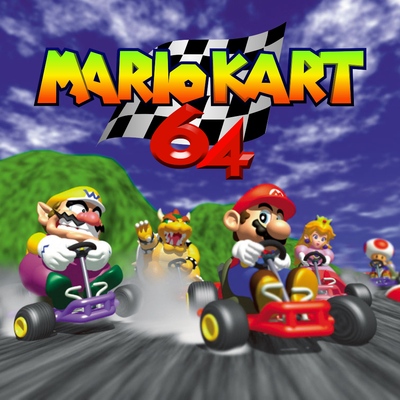 Mario Kart 64 (3DS)github.com/EstebanPdN/mario-kart-64-3dsMario Kart 64 (jnmartin84)github.com/jnmartin84/mk64-dcMario Kart 64 (MK64Recomp)github.com/arefdsg/MK64RecompMario Kart 64 (MKart360, Xbox 360)github.com/sirdankz/MKart360MarioKart 64: Recompiledgithub.com/sonicdcer/MarioKart64RecompMK64 Portable (Mario Kart 64, PSP)github.com/beckerd/psp_mk64_portableSpaghettiKartgithub.com/HarbourMasters/SpaghettiKartSpaghettiKart (Android)github.com/izzy2lost/SpaghettiKart
Información oficial del proyecto
Mario Kart 64 for the original Xbox
A native Xbox port of the Mario Kart 64 decompilation, built on jnmartin84's Dreamcast port. Direct3D 8 / NV2A rendering, DirectSound audio, XInput, memory-card saves. Runs at 30 fps on real hardware.
This repository contains no game assets
You have to supply your own Mario Kart 64 ROM. Nothing ROM-derived is in this repo — no textures, no audio, no course data. The build extracts all of it from your own copy at build time.
Please don't ask for a prebuilt ISO, and please don't post one. Build it yourself, or don't play it.
Requirements
| The ROM | Mario Kart 64 (USA), big-endian .z64, named exactly baserom.us.z64, in the repo root. md5 3a67d9986f54eb282924fca4cd5f6dff |
| RXDK | The Xbox toolchain, from either the VS Code or the Visual Studio extension. setup.py finds Rxdk.Cli where the extension staged it (%ProgramData%\RXDK\tools on Windows, ~/Library/Application Support/RXDK/tools on macOS, ~/.local/share/rxdk/tools on Linux) and honours RXDK_STAGED_TOOLS |
| Python 3 | Drives the asset pipeline. (Pillow is needed only by tools/make_xbx.py, the art tool that regenerates the committed dashboard-icon BMPs; the build itself does not import it) |
| git | setup.py uses it to fetch torch on the first run |
| CMake | Used once, to build torch. Optional: if none is on PATH, setup.py downloads Kitware's portable build into tools/cmake-bin/ |
Nothing else. The six small native asset tools are compiled by setup.py
with RXDK's own host-capable clang, so no MinGW, MSYS2 or make install is
needed. $CC, or cc/gcc/clang on PATH, are used if you prefer them.
torch is a C++20 project, built by default with that same RXDK clang,
downloading the ninja build tool into tools/ninja/ to drive CMake. So a
Windows machine with no Visual Studio at all still builds. Pass --native-torch
to build it with a native toolchain instead: Visual Studio 2022 with the
"Desktop development with C++" workload (the free Build Tools edition is enough)
on Windows, Xcode command line tools on macOS, gcc or clang on Linux.
A .n64 or .v64 dump will not work. Those are byte-swapped, so every
offset the extractors use lands in the wrong place. Convert to .z64 first.
The build checks the md5 and refuses to run on the wrong ROM rather than
producing something subtly broken.
Building
Three steps:
git clone https://github.com/Team-Resurgent/Mario-Kart-64-X
cd Mario-Kart-64-X
Drop your ROM in the repo root as baserom.us.z64, then, from a terminal
(Command Prompt, PowerShell or Git Bash — not IDLE):
python setup.py
Run it from IDLE and it will refuse. IDLE executes your code without a console, so Windows opens a new console window for every one of the many thousands of helper processes the build starts — windows flashing endlessly, and a build that takes hours instead of minutes.
That is the whole build. It ends with:
out\Release\XISO\mk64x.iso
Copy that to your Xbox however you normally do.
The first run takes a while. Before it can touch the ROM, setup.py fetches
and builds torch (the asset extractor) and compiles six small native tools.
That is a one-off; later runs skip it.
torch is fetched by setup.py rather than carried as a git submodule. A
submodule would still leave you running CMake and patching torch's link line by
hand, while adding --recursive, a network dependency at clone time, and a
failure mode that breaks GUI git clients. It is pinned to a known-good commit,
fetched explicitly because that commit is not on torch's default branch, and
its wininet link fix is applied for you.
setup.py options
python setup.py                # full build
python setup.py --check        # list what is missing, change nothing
python setup.py --force        # re-run every step, even satisfied ones
python setup.py --skip-build   # generate assets, stop before RXDK
python setup.py --config Debug # Debug instead of Release
python setup.py --native-torch # build torch with the native toolchain, not RXDK clang
Re-running is cheap and safe. Steps that can be skipped declare their outputs and are skipped when those exist; steps that derive from compiled objects always re-run, because a stale output from those is silently wrong rather than missing.
--check reporting "13 of 24 steps still to run" on a fully built tree is
normal — those thirteen are the always-run ones.
Working in Visual Studio
Run python setup.py at least once first. It produces everything the
project compiles that is not in the repo: the 180 torch-generated sources,
the .incbin payloads, the assembly wrappers under Platform/xbox/gen*, and
the dc_data runtime set. None of that exists on a fresh clone, and Visual
Studio does not know how to make it.
After that, open mk64x.sln (RXDK for Visual Studio 2022 or 2026 with the
Xbox platform installed). Build, Deploy and F5 go through the same RXDK
engine setup.py uses, so a code change is an ordinary edit → Build → run
loop. Re-run setup.py only when something upstream of the C code changes:
the ROM, the asset yamls, or the tools that generate the wrappers.
Same convention as RXDK-Samples: mk64x.vcxproj is the authoritative
project file, and the committed rxdk.project.json is derived from it. The
json is what setup.py and the VS Code extension read, on every platform,
so after adding a source or changing a property in Visual Studio, regenerate
it and commit both:
python tools/gen_manifest.py           # regenerate rxdk.project.json from the .vcxproj
python tools/gen_manifest.py --check   # exit 1 if the committed json is stale
It runs the RXDK Xbox platform's RxdkGenerateManifest MSBuild target once
per configuration and merges the pair, exactly as the samples' generator
does, so it needs Windows with Visual Studio and the Xbox platform installed.
Everyone else just uses the committed json. Visual Studio itself builds from
out/rxdk.manifest.json, which it derives from the .vcxproj on every build;
it never writes rxdk.project.json.
What the build actually does
Roughly: build the native helpers → run torch → extract assets from the ROM → apply several ROM-truth fixups → generate the C wrappers RXDK can compile → build → dump the runtime data set out of the resulting objects → build again.
The order is load-bearing in a few places that are not obvious, and each of
those is commented in setup.py where it matters. The two worth knowing about
if you go poking:
- The RXDK build runs twice.
gen_segblobsandgen_dcdataread the compiled objects, so they need a first pass; the second pass packs what they produced into the ISO. - Several steps deliberately overwrite what
gen_dcdatawrote. It builds the sound segments by concatenating.incbintargets, which drops the headerssequences.sandinstrument_sets.scarry, and it sourcescommon_data.binfrom an array the game byteswaps at boot. Left alone, the first breaks audio at boot and the second renders the shells as transparent rainbow noise.
Debugging
Two compile-time switches in Platform/xbox/xbox_debug.h, both off:
MK64X_DEBUG_TOOLS— WHITE button dumps a one-shot geometry census, texture and palette state, and a voice census to xbWatson. Also enables the NaN/matrix/ceremony diagnostics. Only ever one-shot: the xbdm channel blocks once its buffer fills, so anything printing per-frame stalls the game.MK64X_CEREMONY_JUMP— BOTH TRIGGERS + BACK jumps straight to the award ceremony from anywhere. Deliberately a separate switch, so you can reach the ceremony without turning the dumps on.
With both off, a clean run prints nothing. Messages that only appear when something is actually wrong (bucket overflow, allocation failure, save errors) are always compiled in and are throttled.
To decode a crash address from an xbWatson Exception: line:
python tools/symbolize.py 0x000DA8A9
Addresses are build-specific — pass --pdb <path> for a PDB other than the
current build's.
Before you publish a fork
python tools/audit_repo_clean.py
It lists what a fresh clone would commit and fails if any of it is ROM-derived: verbatim ROM bytes in either byte order, raw asset payloads, build output, and ROM data hiding as C hex literals. Exit code 1 means don't push.
Saves
Race records and time-trial ghosts save to a memory card or the HDD through a single dashboard save container. The N64's EEPROM and Controller Pak are both backed by files inside it.
If a ghost refuses to save with RACE DATA CANNOT BE SAVED FOR GHOST, that is
the original game: MK64 voids the recording if you take a hit from a course
hazard, pause mid-run, or exceed the replay buffer.
Credits
- n64decomp/mk64 — the decompilation
- jnmartin84 — the Dreamcast port this is
based on. Its build guide is preserved here as
README.dreamcast.md - HarbourMasters/torch — asset extraction
- RXDK — the Xbox toolchain
Mario Kart 64 is Nintendo's. This project ships none of it.