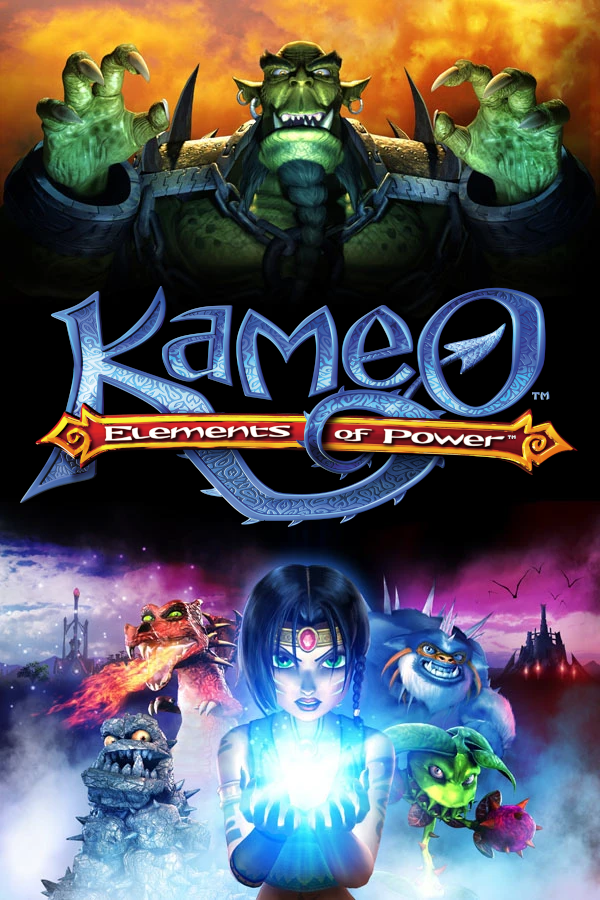
Kameo: Elements of Power
OrigenXbox 360
TecnologíaPort Nativo C/C++ (Reimplementación de Motor)
Disponible paraWindows, Linux
Ver proyecto oficialSobre el proyecto
Kameo: Elements of Power es un videojuego desarrollado por Rare y editado por Microsoft Game Studios de acción-aventura publicado el 2 de diciembre de 2005 para la consola Xbox 360.
2 versiones de Kameo: Elements of Power
Estás viendo: Kameo: Elements of Power
Información oficial del proyecto
Kameo: RePowered

Static recompilation of Kameo: Elements of Power (Xbox 360) for Windows and Linux, built on the ReXGlue SDK.
This project converts the Xbox 360 PowerPC default.xex into native x86_64
code at build time, then wraps it with a small host runtime (logging,
overlays, hooks) so the game runs natively and can be modded like a PC port.
You must own the game. This project does not ship any Kameo code, data, or assets. You provide your own legally dumped kameo.iso.
Using a pre-built release
Kameo: RePowered is available on Goopie!
Get the latest stable build here.
Nightly builds are available here.
Just place the downloaded executable next to the extracted assets directory and run it.
Building from scratch
0. Install dependencies
Linux (Arch/CachyOS)
paru -S clang20 cmake ninja vulkan-headers extract-xiso
Windows
scoop install llvm cmake ninja
1. Clone
git clone https://github.com/birabittoh/KameoRePowered.git
cd KameoRePowered
2. Download the ReXGlue SDK
python scripts/download-sdk.py
This downloads the latest nightly and installs it into sdk/<platform>/.
3. Provide your game
Extract your legally dumped ISO directly into assets/:
extract-xiso -d assets "Kameo - Elements of Power (USA).iso"
4. Build
Use this script:
# Vanilla
python scripts/build.py

# Title Update
python scripts/build.py --tu /path/to/TU_*
5. DLC (optional)
Place your DLC content packages (STFS files) into the emulator save-data directory and run the extraction script:
# Linux
mkdir -p ~/.local/share/kameorepowered/0000000000000000/4D5307D2/00000002/
cp /path/to/dlc/* ~/.local/share/kameorepowered/0000000000000000/4D5307D2/00000002/

# Windows
mkdir "%USERPROFILE%\Documents\kameorepowered\0000000000000000\4D5307D2\00000002"
copy C:\path\to\dlc\* "%USERPROFILE%\Documents\kameorepowered\0000000000000000\4D5307D2\00000002"

# Then extract
python scripts/extract_dlc.py
This replaces each raw STFS package with a directory of extracted files and generates the .header files needed for the game to detect and unlock the DLC.
6. Run
python scripts/run.py
The run script sets up the library path, GPU offload variables, and passes --game_data_root and --update_data_root (if a TU build extracted update data) automatically.
Options
Options can be persisted by adding them to kameorepowered.toml next to the game executable, for example:
vulkan_device = 1 # NVIDIA GPU
user_language = 4 # French
Keyboard & mouse
Keyboard and mouse controls are enabled by default. Default mapping:
| Input | Xbox 360 button |
|---|---|
| WASD | Left stick |
| Mouse | Right stick (camera) |
1 / 2 / 3 | X / Y / B |
| Space | A |
| Left click | LT |
| Right click | RT |
| Q / E | LB / RB |
| Enter | Start |
| Backspace | Back |
| Arrow keys | D-Pad |
All bindings are overridable via kameorepowered.toml (or CLI flags). For example:
keybind_a = "F"
keybind_left_trigger = "LControl"
mnk_sensitivity = 0.5
Mouse sensitivity is controlled by mnk_sensitivity (default 1.0).
Language selection
The game defaults to English. Pass --user_language <id> to switch:
| ID | Language |
|---|---|
| 1 | English |
| 2 | Japanese |
| 3 | German |
| 4 | French |
| 5 | Spanish |
| 6 | Italian |
| 7 | Korean |
./kameorepowered --user_language 6
GPU selection
If you have multiple GPUs, you can force a specific one:
./kameorepowered --vulkan_device 1
List available devices by running the game without the flag.
Logging
The game writes logs into the logs directory by default, but you can configure it.
./kameorepowered --log_file kameo.log --log_level debug
Adding a hook
-
Find the guest address in
default.xex. -
Add to
kameorepowered_config.toml:[functions] 0x8XXXXXXX = {name = "MyFunction"} -
Implement in
src/kameorepowered_hooks.cpp:void MyFunction(PPCContext& ctx, uint8_t* base) { // your logic } -
Re-run codegen and rebuild.
Adding a midasm hook (inline patch)
[[midasm_hook]]
address = 0x8XXXXXXX
name = "MyHook"
registers = ["r3"]
return = true
Implement in src/kameorepowered_hooks.cpp:
void MyHook(PPCRegister& r3) {
    r3.u32 = 1;
}
Credits
License
The host-side source in src/, build scripts, and CI config are available
under the MIT License.
The recompiled game code produced at build time contains symbols and logic
from Kameo: Elements of Power and is not redistributable. Do not share
default.xex, the generated/ directory, or any built binary that links
against them.