
PaperBoat (Android)
Paper Mario
OrigenNintendo 64
TecnologíaPort Nativo C/C++ (Reimplementación de Motor)
Disponible paraAndroid
Ver proyecto oficialSobre el proyecto
Paper Mario es un videojuego de rol desarrollado por Intelligent Systems y publicado por Nintendo para la videoconsola doméstica Nintendo 64. Es el primer videojuego de la serie del mismo nombre. Lanzado por primera vez en Japón en el año 2000 y luego a nivel internacional en 2001, ha sido relanzado más tarde para la Consola Virtual de Wii en julio de 2007, la de Wii U en abril de 2015 y en Nintendo Switch Online + Expansion Pack el 10 de diciembre de 2021.
8 versiones de Paper Mario
Estás viendo: PaperBoat (Android)
PaperBoat (Android)github.com/chris43123/PaperBoatPaper Mariogithub.com/SecondaryLifer/StarHavenStar Rodgithub.com/z64a/star-rodPaper Mario ( pmvita)github.com/versacepapermario/papermario-pc-uploadPaper Mario (SMCGames)github.com/SMCGames/Paper-Mario-ReCut-DeprecatedPaper Mario Decompilationgithub.com/pmret/papermarioPaper Mario ReCutgithub.com/SMCGames/Paper-Mario-ReCutPaperBoatgithub.com/HarbourMasters/PaperBoatInformación oficial del proyecto
PaperBoat
Harbour Masters port of Paper Mario 64
Android build (this fork)
This fork makes PaperBoat play well on Android handhelds: it fixes the bugs that broke the upstream Android build and adds a menu you can drive entirely with a controller or by touch. It was developed and tested on a Mangmi Air X (Android 14, Snapdragon 662 / Adreno 610). Upstream is HarbourMasters/PaperBoat; everything from Project Lead down is their README, unchanged.
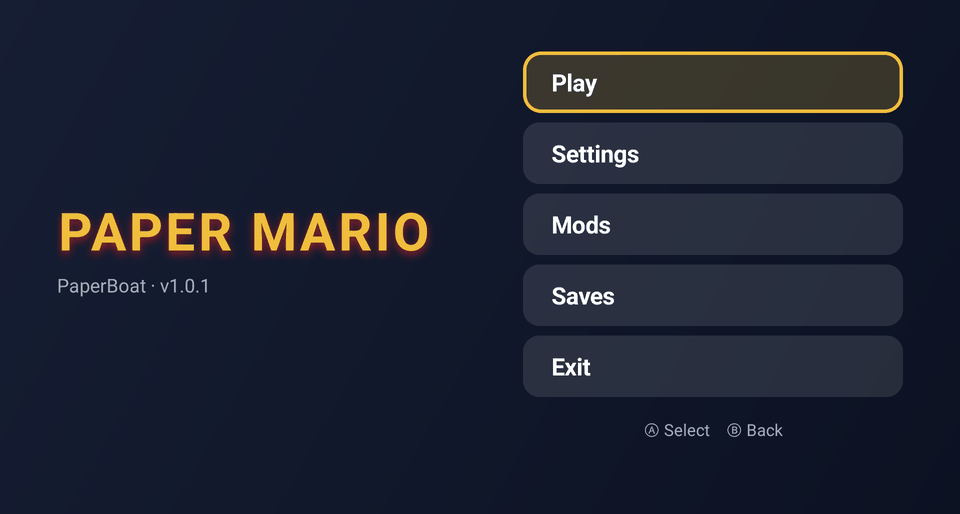
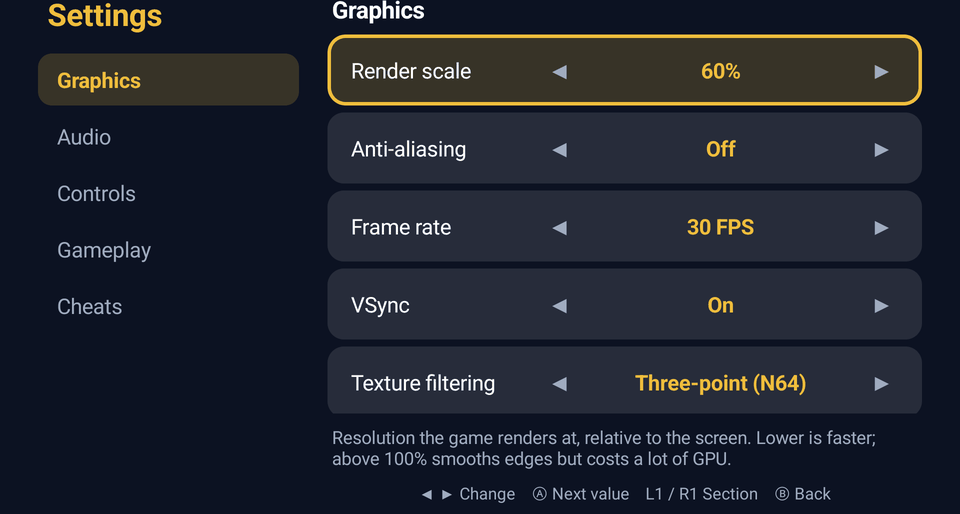
| Main menu | Settings |
|---|---|
 |  |
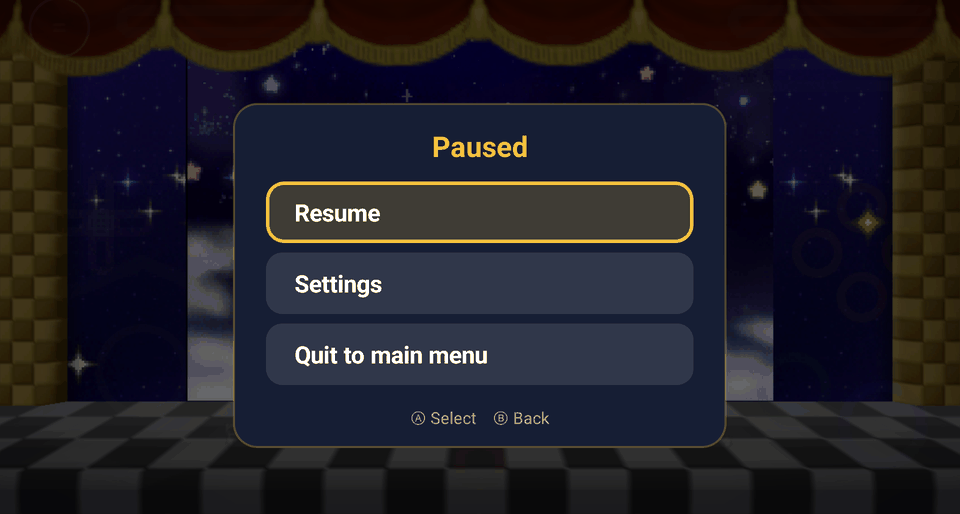
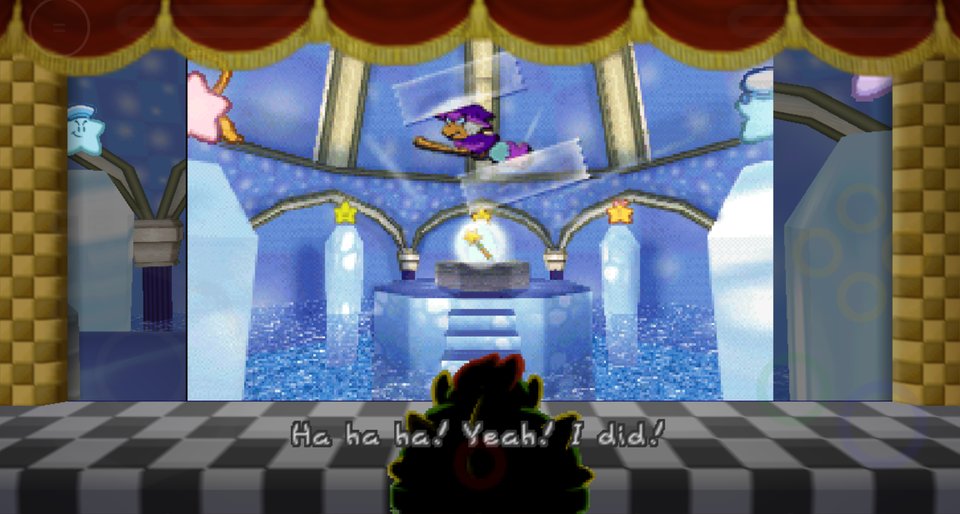
| Pause menu (Back twice) | In game |
 |  |
What's different from upstream
Fixes
- Crash on first launch after extracting the ROM (the app asked the engine about its menu before the engine existed).
- Settings never saved on Android (the config path contained the app directory twice).
- Garbled or black graphics on Adreno GPUs. Two causes, both needed:
GLES shaders now use
highpprecision (in the libultraship fork), and Android's native heap pointer tagging is turned off. - Signed
charon AArch64, matching every other platform the port builds for.
New
- Main menu: Play, Settings, Mods, Saves and Exit, instead of dropping straight into the game. Opening the app while a game is running offers Resume.
- Native settings: render scale, anti-aliasing, frame rate, VSync, texture
filtering, full-height view, volumes, touch controls, gameplay options and
cheats, written straight to the engine's
paperboat.cfg.json. - Button mapping (Settings → Controls): pick an N64 button, press the handheld button you want for it. Buttons already in use swap over, and one entry resets them all. Back can't be assigned; it's kept for the pause menu.
- Pause menu: press Back twice in game for Resume, Settings or Quit to main menu. The game really pauses while it's open.
- Quitting now always returns to the main menu.
Install
Download: grab the APK from the
latest release and open it on
the device (allow installing from unknown sources), or adb install it. It needs a
64-bit ARM (arm64-v8a) device on Android 7 or newer.
If another Paperboat build is already installed (an upstream CI artifact, or one you
built yourself), uninstall it first; builds signed with different keys can't update
each other. Uninstalling deletes your saves, so back up
Android/data/dev.net64.paperboat/files/saves/ first (or use Saves → Back up all).
Build it yourself: you need the Android SDK with NDK 30.0.15729638, CMake 3.30.3+ from the SDK manager, and JDK 17+ (details in docs/android-ios-web.md).
git clone --recursive -b airx https://github.com/chris43123/PaperBoat.git
cd PaperBoat/android
./gradlew assembleRelease        # app/build/outputs/apk/release/app-release.apk
adb install -r app/build/outputs/apk/release/app-release.apk
Without your own key.properties the build is signed with your debug key, so it
won't install over the released APK (and vice versa).
First run
- Open Paperboat and pick your own Paper Mario (USA) ROM when asked
(SHA-1
3837f44cda784b466c9a2d99df70d77c322b97a0). No game data ships with the app. - The game assets are extracted on the device. This happens once and takes about a minute; keep the app open until the main menu appears.
Controls in the menus
| Input | Main menu / pause menu | Settings |
|---|---|---|
| D-pad | Move | Up/down: move · Left/right: change value |
| A | Select | Next value |
| B / Back | Back | Back (changes are already saved) |
| L1 / R1 | — | Previous / next section |
| Touch | Tap a button | Tap ◀ ▶, a row, or a section name |
Settings only change while the game is closed, since the running game would overwrite them. The pause menu's Settings closes the game for you and opens the settings screen. Anything since your last in-game save is lost when the game closes, and both Settings and Quit ask first.
The engine's own menu (the ☰ button in the top-left) is still there for everything not covered by the native screens.
Files on the device
Everything lives in Android/data/dev.net64.paperboat/files/:
| Path | What |
|---|---|
paperboat.cfg.json | All settings |
saves/ | Save files (also managed from Saves in the main menu) |
mods/ | .o2r / .zip mods (also managed from Mods) |
pm64.o2r | Assets extracted from your ROM |
logs/Paperboat.log | The engine's log, useful for bug reports |
Known limitations
- Tested on one device so far (Mangmi Air X). Other 64-bit ARM Android handhelds should work, but reports are welcome.
- The on-screen touch controls are on by default; turn them off in Settings → Controls if you only use physical buttons.
- On weaker chips, lower Render scale and leave anti-aliasing off if the game stutters.
Project Lead:
- Caladius
Developers:
- Bass3l
- JeodC
- Caladius
- KiritoDv
Website & Discord
Official Website: https://www.harbourmasters.org/
Official Discord: https://discord.gg/harbourmasters
If you're having any trouble after reading through this README, feel free ask for help in the PaperBoat text channels. Please keep in mind that we do not condone piracy.
Quick Start
PaperBoat does not include any copyrighted assets. You are required to provide a supported copy of the game.
1. Verify your ROM dump
US SHA1 Hash: 3837f44cda784b466c9a2d99df70d77c322b97a0
You can verify you have dumped a supported copy of the game by using the compatibility checker at https://paperboat.equipment/.
2. Download PaperBoat from Releases
3. Launch the Game!
Windows
- Extract the zip
- Launch
paperboat.exe
Linux
- Place your supported copy of the game in the same folder as the appimage.
- Execute
paperboat.appimage. You may have tochmod +xthe appimage via terminal.
macOS
- Run
paperboat.app. - When prompted, select your supported copy of the game.
4. Play!
Congratulations, you are now sailing with PaperBoat! Have fun!
Configuration
Default keyboard configuration
| N64 | A | B | Z | Start | Analog stick | C buttons | D-Pad |
|---|---|---|---|---|---|---|---|
| Keyboard | X | C | Z | Space | WASD | Arrow keys | TFGH |
Other shortcuts
| Keys | Action |
|---|---|
| Esc | Toggle menubar |
| F11 | Fullscreen |
| Tab | Toggle Alternate assets |
| Ctrl+R | Reset |
Graphics Backends
Currently, there are three rendering APIs supported: DirectX 11 (Windows), OpenGL (all platforms), and Metal (macOS). You can change which API to use in the Settings menu of the menubar, which requires a restart.
If you're having an issue with crashing, you can also change the API manually in the paperboat.cfg.json file by finding the "Backend": { section and updating the backend ID and name. Be sure to use one of the valid values:
0= DirectX 11 (default on Windows)1= OpenGL2= Metal (default on macOS)
Custom Assets
Custom assets are packed in .o2r or .otr files. To use custom assets, place them in the mods folder.
If you're interested in creating and/or packing your own custom asset .o2r/.otr files, check out the following tools:
- retro - OTR and O2R generator
- fast64 - Blender plugin (Note that PM64 is not fully supported at this time)
Development
Building
If you want to manually compile PaperBoat, please consult the building instructions.
Playtesting
If you want to playtest a continuous integration build, you can find them at the links below. Keep in mind that these are for playtesting only, and you will likely encounter bugs and possibly crashes.
<a href="https://github.com/Kenix3/libultraship/"> <picture> <source media="(prefers-color-scheme: dark)" srcset="./docs/poweredbylus.darkmode.png"> <img alt="Powered by libultraship" src="./docs/poweredbylus.lightmode.png"> </picture> </a>Special Thanks:
This wouldn't have been possible without your amazing work: