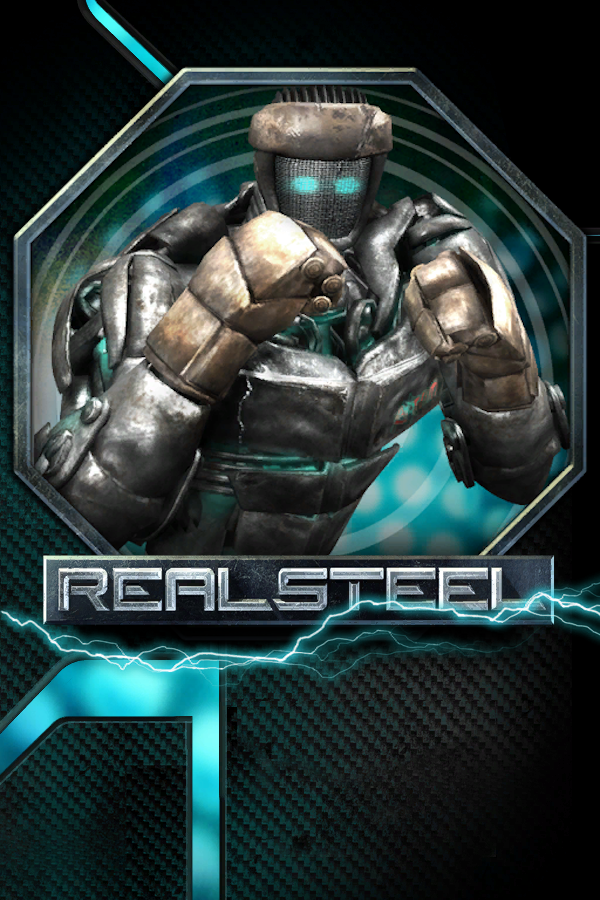
ReCompiled Steel
Real Steel
Sobre el proyecto
Real Steel es una película de acción, drama, aventura y ciencia ficción de 2011 dirigida por Shawn Levy y protagonizada por Hugh Jackman junto a Dakota Goyo y Evangeline Lilly.
2 versiones de Real Steel
Estás viendo: ReCompiled Steel
Información oficial del proyecto
ReCompiled Steel
Real Steel (Xbox 360, 2011) running natively on Windows, Linux / Steam Deck and Android through static recompilation, with a native Vulkan renderer, online multiplayer and robot mods.



<sub>The original Xbox 360 game code, statically recompiled to native code with the <a href="https://github.com/rexglue/rexglue-sdk">ReXGlue SDK</a>. <b>No game files included</b>: bring your own copy of Real Steel from your Xbox 360.</sub>
</div> <img src="docs/images/hero.jpg" alt="A fight against Metro in the Underworld, rendered at 2560x1440" width="100%">What you need
- Windows 10 or 11 (64-bit) with a Vulkan 1.3 graphics card, or 64-bit Linux / a Steam Deck, or an arm64 Android device with Vulkan 1.3, or 1.1 / 1.2 with the extensions the game needs (tested on a Retroid Pocket Nova)
- Your own copy of Real Steel from an Xbox 360: the Xbox Live Arcade game and its title update (required), plus the add-on packs if you have them (all 18 are supported)
Installing
- Download ReCompiledSteel-windows-x64-….zip from the latest release and extract it anywhere you can write to.
- Run RealSteelSetup.exe, point it at the folder with your Xbox 360 files
and press Install. It finds the game, title update and add-ons by
itself, puts the game in
game/andtu/next to the program and the add-ons where the game keeps its saves. - Start realsteel.exe.
Saves are in Documents\realsteel. Every launch backs them up to backups\
next to them (the newest five are kept).
Linux and Steam Deck
Download ReCompiledSteel-linux-x64-….tar.gz and extract it. On a Steam
Deck, do this in Desktop Mode. Run realsteel-setup (it uses the
desktop's file dialogs), then start start.sh. On the Deck, add start.sh
with Games > Add a Non-Steam Game to My Library and play it from Game
Mode. It holds 60 fps. Saves are in ~/.local/share/realsteel.
Android
- Copy your Xbox 360 files (the game, its title update and any add-ons) to the device's storage or SD card.
- Install ReCompiledSteel-android-arm64-….apk and open it.
- Press Allow file access, then Install game files, and pick the
folder you copied. The installer finds the game, title update and add-ons
by itself and puts them in a
RealSteelfolder. - Press Start.
A built-in controller works as-is, and touch controls appear when no controller is connected. The picture follows the way you hold the device, the right way up either way round. More in android/README.md.
Graphics driver (Qualcomm/Adreno devices): the game uses the device's own driver. The launcher can load a custom Vulkan driver file you choose instead, through libadrenotools. It is off unless you pick a file, entirely at your own risk, and not supported by this project: check any problem with the system driver before reporting it.
Windows SmartScreen
The release is not digitally signed, so Windows may warn the first time. If you downloaded it from this repository's releases page, choose More info, then Run anyway.
Features
Any resolution, any screen shape
The Xbox GPU is not emulated. The game still builds its Xbox 360 command stream, and a renderer written for this game draws it directly with Vulkan, using the game's own shaders translated ahead of time.
- Internal resolution from 720p up to 5K (2880p), MSAA, FXAA or both, anisotropic filtering up to 16x, v-sync on or off, HDR output on HDR displays
- 16:9, 16:10, 21:9 and 4:3: the 3D view widens instead of stretching, and menus are laid out for the shape. The help bar sits at the bottom of the screen, and flashes and screen effects cover the whole picture.
- Frame rate 30, 60, 90 or 120, with the game at its normal speed in each. 90 and 120 are offered when the display refreshes that fast; online matches play at 60, like the original.
- 60 fps on a Steam Deck and on a Retroid Pocket Nova at its native 1280x960
- Older Android drivers that report Vulkan 1.1 or 1.2 can work too, through the extensions they offer; if something is missing the game says what
Options for slower devices
Phones and older PCs that can't hold 60 fps get a set of options under Graphics. Every one is off by default, so the game looks and plays exactly as made unless you turn them on:
- Internal resolution down to 540p, 480p or 360p
- Crowd off: no audience in the stands (the biggest single saving in the arena)
- Texture quality: Half: large textures at half size, for less memory and faster loading
- Keep game speed: when the device can't draw 60 frames a second, the game keeps its normal speed and shows fewer frames, instead of running in slow motion
- FXAA in place of MSAA, and depth of field off
Show frame rate and Show memory use (game, free memory and GPU memory) sit in any corner you choose, to see what each option buys you.
Texture packs
Enhancements > Export textures saves every texture the game shows as a
PNG; Enhancements > Texture pack loads replacements for them, at any size,
from a texture_pack folder next to the game. Upscaled packs sharpen the
menus, logos, robot portraits and close-ups. On Windows,
tools/make_texture_pack.ps1 (also in the
Windows download) makes a pack from your exported textures with
Real-ESRGAN, which you download
yourself; it leaves out normal maps and other textures that don't upscale
well. Use 2x for handhelds and 4x for a strong PC graphics card. Packs are
made from your own copy of the game, so none come with the project.
Settings in the game's own menus
HELP AND OPTIONS > GAME OPTIONS has the game's own page first, then ours, with tabs above the panel: Display, Graphics, Audio, Controls, Game, Enhancements and Cheats. Change pages with LB / RB, or click or tap a tab. F1 (or clicking both sticks) opens the same settings as an overlay anywhere in the game. F11 toggles fullscreen and F12 saves a screenshot.
<img src="docs/images/settings.jpg" alt="The settings pages inside the game's options panel" width="70%">Online multiplayer is back
Real Steel's online play ran on Xbox Live. Its own networking code is still in the game, so this port gives it a network: RANKED MATCH, PLAYER MATCH, BATTLE RECORDS and LEADERBOARDS work as they did in 2011. Matches are found through a lobby server that anyone can host (docs/lobby-server.md), on the local network, or by typing an address. A match password keeps strangers out. Both players need the same add-ons and mods; the panel next to the menu says what is missing.
<img src="docs/images/multiplayer.jpg" alt="The MULTIPLAYER menu with its connection panel" width="70%">Robot mods
Drop a robot folder into mods/ and its parts are in the garage. A mod can
have its own models, textures, name, stats and price, built on any of the 24
stock skeletons. The game builds each robot itself when it starts, from your
own copy of the game, so a mod is just its models and pictures: no game data,
nothing to run. If a robot can't be loaded (missing add-ons, a model with a
problem) the game says which and why. When no saved robot uses a removed mod
any more, the game cleans it up. Making one: docs/modding.md.
Two new robots made for this project come with every release as a separate, optional download (ReCompiledSteel-mods-….zip, public domain): ANGLER, a deep-sea salvage diving suit with an anglerfish lure, and QUILLBACK, a spiked speedster with seven glowing gems caged in its waist. Both light up in the glow colour you pick.
<img src="docs/images/new-robots.jpg" alt="ANGLER against QUILLBACK in local multiplayer" width="70%">Fighters from Pacific Rim
If you also own Yuke's Pacific Rim (Xbox 360), Import fighters in the setup program or the Android launcher brings its fighters into the game from your own copy. Nothing from Pacific Rim comes with this project.
And the rest
- Achievements with unlock pop-ups, and the full list in the game's menus
- Keyboard controls you can rebind, next to any controller the system knows
- Touch controls on Android that you can arrange: drag any button where you want it, and change its size, shape (circle, rounded, square or a curved kidney), angle, colour and see-through
- Local multiplayer on one PC with two controllers
- All 18 add-on packs (robots and stages), when you have them
- A Cheats tab (game speed, cash), English or Japanese, mute in the background, and QUIT GAME on the main menu (DOWNLOAD CONTENT is gone)
| Xbox button | Key | Xbox button | Key | |
|---|---|---|---|---|
| Left stick | W A S D | Right stick | arrow keys | |
| A / B | Space / Backspace | X / Y | J / K | |
| LB / RB | U / I | LT / RT | Shift / Ctrl | |
| Start / Back | Enter / Tab | D-pad (taunts) | 1 2 3 4 |
Screenshots
<img src="docs/images/menu.jpg" alt="The main menu" width="49%"> <img src="docs/images/metro.jpg" alt="Metro entering the ring" width="49%"> <img src="docs/images/knockdown-4-3.jpg" alt="The knockdown minigame at 4:3" width="49%"> <img src="docs/images/fight-4-3.jpg" alt="A fight at 4:3" width="49%">
Why a recompilation, and not Xenia?
Xenia is a great emulator, and it plays hundreds of games. This plays one, and that is the point: the game's own code was translated once, ahead of time, and compiled into a native program. Nothing is translated while you play, nothing pretends to be the Xbox GPU, and there's no emulator around the game. That's what makes the rest possible: any resolution and screen shape, 60 fps on handhelds, online play on a network that outlived Xbox Live, mods loaded from a folder, and settings in the game's own menus. If you want your whole Xbox 360 library, use Xenia. If you want Real Steel to feel like it was made for your PC, Steam Deck or handheld, this is for you.
Known issues
- Online play across the internet relies on the lobby server's hole punching, which has been tested on few networks. A host may have to forward the UDP port the panel shows.
- On Android, the Retroid Pocket Nova is the main test device; a few phones have been tried too.
Reporting problems
Open an issue
with the newest rex_latest.log from next to the program, and say what you
were doing when it happened. On Android, press Save diagnostics in the
launcher and attach the zip it writes to RealSteel/logs/.
Building it yourself
The recompiled C++ and the shader cache are generated from your own game
files, so the repository contains neither. In short: the ReXGlue SDK 0.10,
clang, CMake, Ninja and Python, your game files in work/, then
cmake --preset win-amd64-release and cmake --build --preset win-amd64-release (tools/build_linux.sh on Linux, android/ for Android).
Step by step: docs/building.md.
Credits
- Real Steel (2011) by Yuke's Co., Ltd. for Xbox Live Arcade. Real Steel is a trademark and copyright of DreamWorks II Distribution Co., LLC. This is an unofficial fan project, not affiliated with or endorsed by Yuke's, DreamWorks or Microsoft, and it contains none of their files.
- ReXGlue SDK by tomcl7 and contributors: the static recompiler and the runtime the game runs on, which build on Xenia, XenonRecomp and rexdex's recompiler work.
- XenosRecomp by hedge-dev, the
Xbox 360 shader translator (used with
thirdparty/XenosRecomp-realsteel.patch), and Unleashed Recompiled, which showed how a recompiled port should work. - Skate 3 Android port by luisxl15, whose notes on Android guided ours.
- Libraries, all downloaded by the build or part of the SDK (none are kept in this repository): volk, Vulkan-Headers, zstd, smol-v, libadrenotools (Android), and through the SDK Dear ImGui, SDL3, FFmpeg and more. Every one, with its licence, is in packaging/licenses.
- The Xbox 360 formats were understood thanks to Xenia, Free60 and the homebrew community. Real Steel's own formats (PAC archives, BPE compression, JBOY models) were worked out for this project.
- The engineering was done with Claude (Anthropic), through Claude Code.
thefixinhixon's RealSteelRecomp is a separate ReXGlue recompilation of the same game; the two share no code.
License
GPL-3.0 (LICENSE). The third-party pieces keep their own licences. Nothing here grants any right to the game itself.