
Saints Row
Sobre el proyecto
Saints Row es un videojuego de acción y aventura desarrollado por la empresa Volition y publicado por THQ para la plataforma Xbox 360. Se lanzó el 29 de agosto de 2006 en América del Norte, dos días más tarde en Australia y el 1 de septiembre de ese mismo año en Europa y su versión móvil.
2 versiones de Saints Row
Estás viendo: Saints Row
Información oficial del proyecto
Saints Row (Xbox 360, 2006) — Static Recompilation
Saints Row's Xbox 360 executable, recompiled from PowerPC to native x86-64 C++ with the ReXGlue SDK, so it runs on Windows without an emulator. Saints Row (2006) never had a PC release.
Status
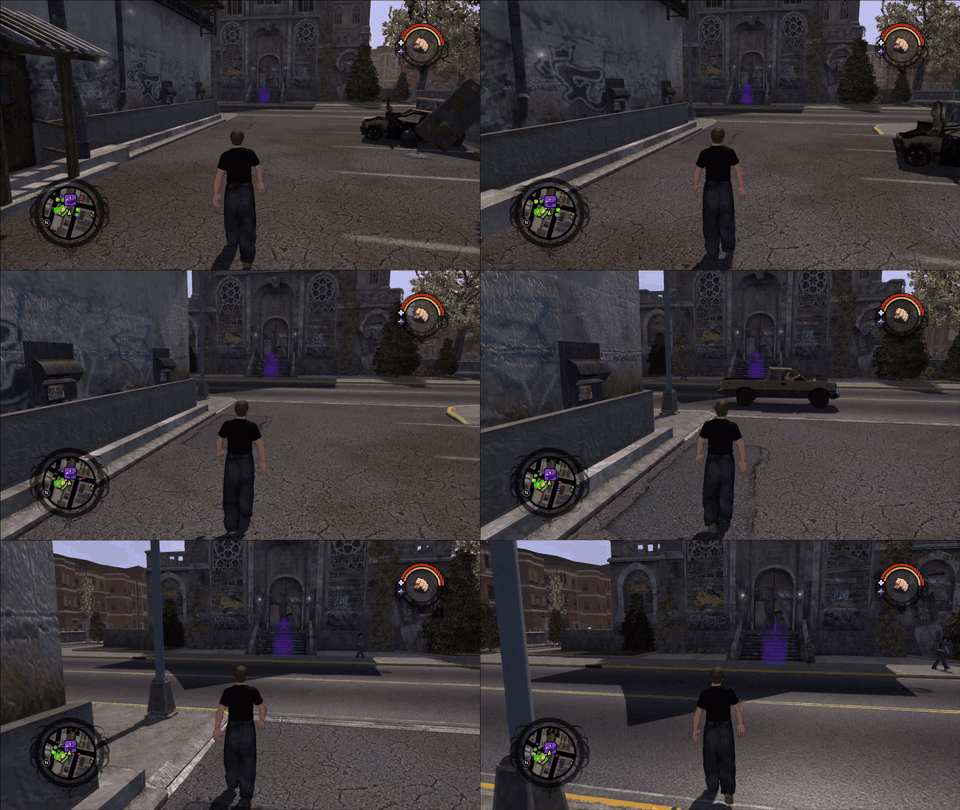
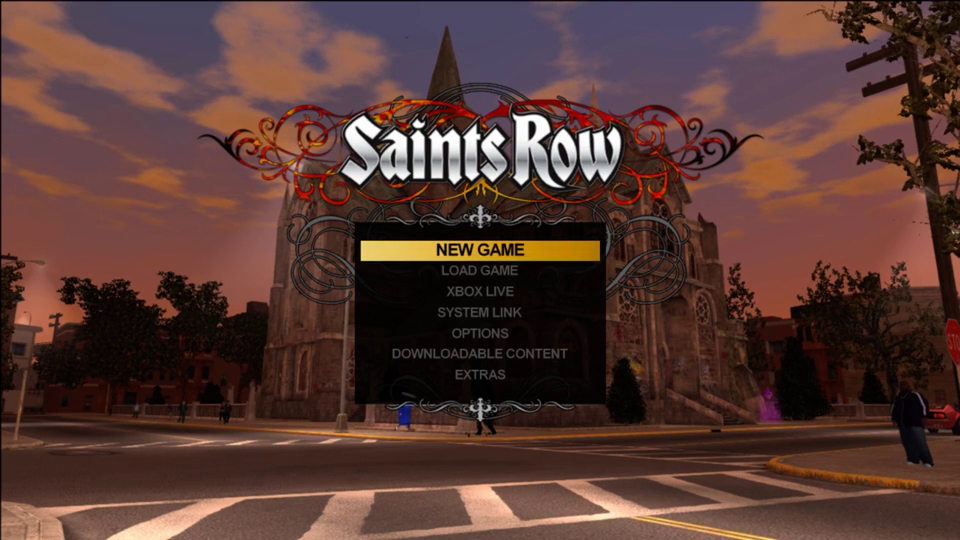
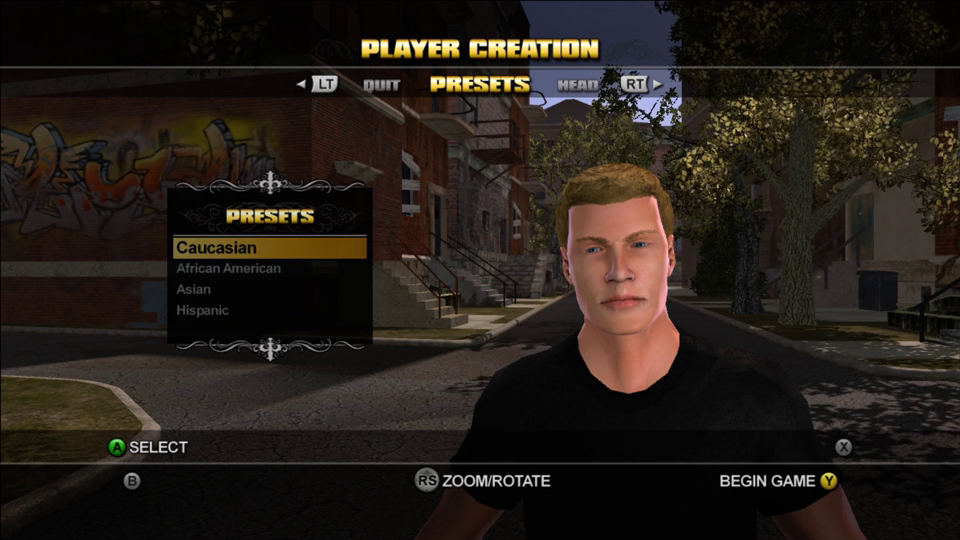
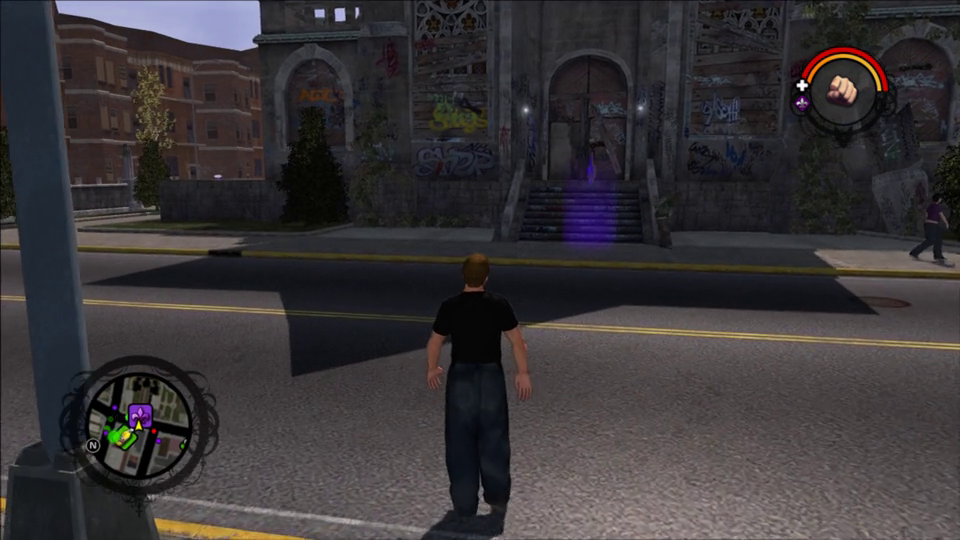
v0.1.0. It boots through the logos, attract mode and the menu, and New Game goes through Player Creation into Stilwater, where you can walk around, all with correct graphics, audio and controller input. Past that, nobody has tested it yet: playtesters wanted (see Known issues and Reporting a problem).
| Stage | State |
|---|---|
| Boot, THQ/Volition logos, legal screen | works |
| Attract mode (city fly-by), main menu | works |
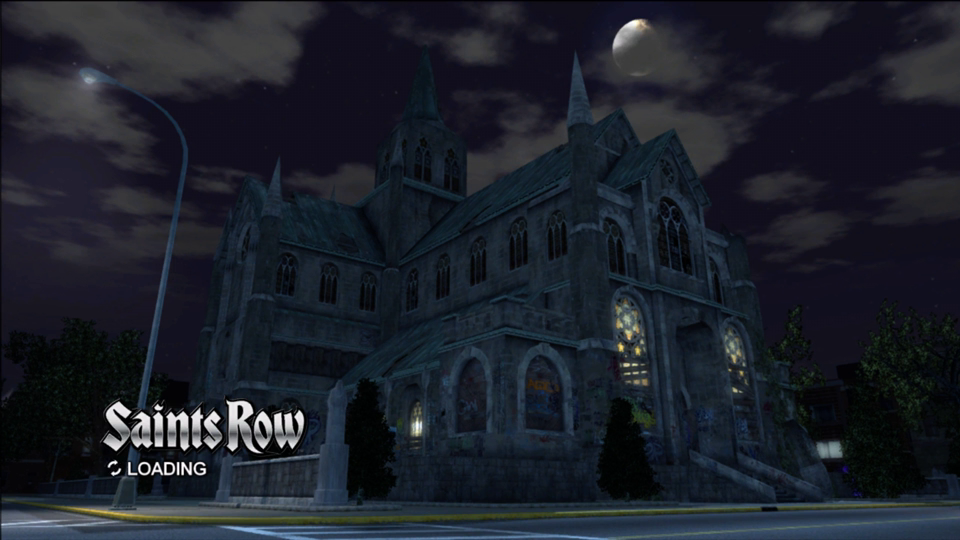
| New Game → cathedral loading screen → Player Creation | works |
| Begin Game → opening load (~2½ min) → the city | works |
| On foot: walking, camera, HUD, minimap, pause map | works |
| First mission, combat, vehicles | not tested yet |
| Load Game | not tested since the 2026-10-20 rebuild |
What's next is in ROADMAP.md; the investigation history is in docs/progress-log.md.
Known issues
- HUD flicker on foot. The weapon radial (top right) pops up on its own now and then, and the
minimap's green objective marker (bottom left) blinks faster than it should. Not tracked down
yet. If you see it, a short clip and your
project\build\logs\saintsrow_NNN.loghelp a lot. - Slow, uneven loading. The opening load after Player Creation takes about 2½ minutes on the test machine and has sometimes not finished at all. If it sits on the "Streets of Stilwater" screen for more than 10 minutes, please report it.
- Slow startup. The window can take a minute or more to appear (see the trip-ups below).
This repository holds no game code or data. The C++ is generated on your machine from your own copy of the game and is never committed (see License).
Screenshots
Recorded from the recompiled build, 2026-10-20.
Getting Started
You need your own Saints Row disc (NTSC-U, title ID 545107D1) as an .iso, or its files already
extracted to a folder that contains default.xex.
Quick start
Installer: download SaintsRow-Installer-windows-x64.exe from the
latest release, run it, and point it at the
folder holding your .iso (or the extracted game). It does everything below and gives you a
Play button. Windows SmartScreen will ask first (More info, Run anyway): the installer
isn't signed. The first build takes 30 to 60 minutes.
Or from a download of this repository:
- Download this repository (green Code button → Download ZIP) and unzip it somewhere with about 20 GB free.
- Double-click
Setup.cmd.- It checks for Git, CMake, Ninja, LLVM/Clang, Python and the Visual Studio C++ Build Tools, and
asks before installing anything that's missing (through
winget). - It asks for the path to your
.isoor extracted folder. - It then builds the ReXGlue SDK (10–20 minutes the first time), recompiles the game to C++, and builds it (10–20 minutes).
- It checks for Git, CMake, Ninja, LLVM/Clang, Python and the Visual Studio C++ Build Tools, and
asks before installing anything that's missing (through
- When it prints
Done., double-clickPlay.cmd.
If it stops, it says what to do in one line and writes the details to setup.log. Running it again
picks up where it left off.
Step by step
These are the same steps Setup.cmd runs.
Prerequisites (versions this was built with):
| Tool | Version | Install |
|---|---|---|
| Windows | 10/11 x64, D3D12 GPU | |
| Git | 2.4x | winget install Git.Git |
| CMake | 3.25+ (4.2.1 used) | winget install Kitware.CMake |
| Ninja | 1.11+ | winget install Ninja-build.Ninja |
| LLVM / Clang | 18+ (21.1.8 used) | winget install LLVM.LLVM |
| VS 2022 Build Tools | "Desktop development with C++" | for the MSVC libraries and Windows SDK |
| Python | 3.8+ | winget install Python.Python.3.12 (only for extracting an .iso) |
1. Game data. Extract the disc into extracted\ at the repository root, using
360tools:
git clone --depth 1 https://github.com/sp00nznet/360tools tools\360tools
python -I tools\360tools\tools\extract_iso.py "D:\path\to\Saints Row.iso" extracted
It ends with Extracted 375 files to extracted/. extracted\default.xex must exist.
2. ReXGlue SDK, from our fork: upstream development
at bd833a2 plus the fixes this game needs. They live in a fork rather than going upstream
because they were written with an AI assistant and ReXGlue doesn't take AI-written PRs. The fork's
README lists exactly what it changes.
git clone -b saintsrow https://github.com/sp00nznet/rexglue-sdk tools\rexglue-sdk
cd tools\rexglue-sdk
git checkout d50d599
git submodule update --init --recursive
cmake --preset win-amd64 "-DCMAKE_RC_COMPILER=C:/Program Files/LLVM/bin/llvm-rc.exe"
cmake --build out/build/win-amd64 --config Release
cmake --install out/build/win-amd64 --config Release --prefix out/install/win-amd64
cd ..\..
The install ends with -- Registered rexglue in CMake user package registry.
3. Codegen and the game. Codegen recompiles default.xex to C++ in the git-ignored
generated\:
cd project
..\tools\rexglue-sdk\out\install\win-amd64\bin\rexglue.exe codegen saintsrow_manifest.toml
cmake --preset win-amd64
cmake --build build
Configure prints -- Found ReXGlue SDK 0.10.0.28-dev.gb64198f, and the build ends with
Linking CXX executable saintsrow.exe.
4. Run it:
project\build\saintsrow.exe --game_data_root=extracted
Usual trip-ups
pythonopens the Microsoft Store: that's Windows' app alias, not Python. Install Python, or turn the alias off in Settings → Apps → Advanced app settings → App execution aliases.clangnot found right after installing LLVM: open a new terminal so it picks up the newPATH, or addC:\Program Files\LLVM\binyourself.- The SDK build fails on
rexruntime.rc.res: CMake picked Microsoft'src.exe, which can't read clang's preprocessed output. Pass-DCMAKE_RC_COMPILER=.../llvm-rc.exeas above, and deleteout\buildif an older configure cachedrc.exe. - The window takes a minute or more to appear: SDL queries every display adapter Windows knows about at startup, and that is slow on machines with many virtual display adapters installed.
Usage
Play.cmd                                  # windowed fullscreen on the primary monitor
Play.cmd --monitor=2                      # on the second monitor
Play.cmd --fullscreen=false               # in a window
Play.cmd --log_flush_interval=1           # flush logs/saintsrow_NNN.log every second
Controls: a controller works directly. Keyboard: Enter = Start, Space = A, Tab = Back, WASD = left stick. The game only reads input while its window has focus.
SR_AUTOPLAY=1 adds a scripted controller that taps a button every 4 seconds, cycling A, Y and
START. It walks the menus, Player Creation and the first tutorial popup with nobody at the
keyboard, and is how test runs are made. SR_AUTOPLAY_WALK=<seconds> stops the taps after that
long and walks forward with the camera panning (the GIF above is one of these):
set SR_AUTOPLAY=1
project\build\saintsrow.exe --game_data_root=extracted --monitor=2 --log_flush_interval=1
Logs go to project\build\logs\. A crash writes the faulting stack to
project\build\saintsrow_crash.log.
Reporting a problem
Open an issue with what you did, what happened,
your GPU and Windows version, and the newest project\build\logs\saintsrow_NNN.log (plus
project\build\saintsrow_crash.log if the game crashed). A screenshot or short clip is the
fastest way to show a graphics problem. Reports from past the opening walk (the first mission,
cars, combat, saving) are the most useful right now.
Building from source
The pieces and how they fit are in docs/architecture.md. In short:
project/saintsrow_manifest.tomltells ReXGlue's codegen where the game's code is and lists the functions its scanner misses. Setup runs it once; after that the build reruns it when the manifest changes.project/src/main.cppis the app (window, paths, crash report);project/src/stubs.cppholds overrides of game or kernel functions.-DSAINTSROW_LEGACY_STUBS=ONturns the 0.7-era game overrides back on for comparison. They are off by default because the game gets further without them.
License
The code in this repository (tools, build files, runtime glue and documentation) is MIT; see LICENSE. ReXGlue, which setup clones separately, is BSD-3-Clause.
The MIT licence does not and cannot cover Saints Row itself. The game's code, art, audio and data belong to their rights holders, are not distributed here, and you need your own copy to use any of this. The C++ that codegen generates from the game is a derivative of it and outside the MIT grant for the same reason. It is made from your own copy and is never tracked in this repository.
Related projects
- 360tools — extraction and triage tools for Xbox 360 recomps
- ReXGlue SDK — the recompiler and runtime this is built on (our fork is what the build uses)
- StilwaterReclaimed — Saints Row 2 static recompilation