
SpaghettiKart (Android)
Mario Kart 64
OrigenNintendo 64
TecnologíaPort Nativo C/C++ (Reimplementación de Motor)
Disponible paraAndroid
Ver proyecto oficialSobre el proyecto
Mario Kart 64 es un videojuego de carreras para la Nintendo 64 (N64). Desarrollado y publicado por Nintendo, es la segunda entrega de la serie Mario Kart tras Super Mario Kart de 1992. Conserva la mecánica de su predecesor: el jugador, que controla a un personaje de la franquicia Mario, compite contra sus rivales en circuitos basados en escenarios de los plataformas de Super Mario. Contienen obstáculos para frenarlo y cajas de objetos que le proporcionan potenciadores para ayudarle a avanzar.
12 versiones de Mario Kart 64
Estás viendo: SpaghettiKart (Android)
SpaghettiKart (Android)github.com/izzy2lost/SpaghettiKartMario Kart 64github.com/n64decomp/mk64Mario Kart 64 - MarioKart64Recompgitlab.com/sonicdcer/MarioKart64RecompMario Kart 64 (3DS Port Complete)github.com/Epic0522/MarioKart64-3DSPort-Complete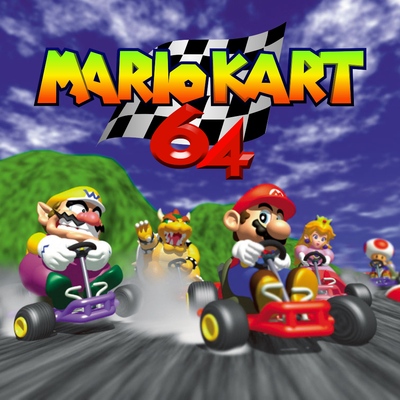 Mario Kart 64 (3DS)github.com/EstebanPdN/mario-kart-64-3dsMario Kart 64 (jnmartin84)github.com/jnmartin84/mk64-dcMario Kart 64 (MK64Recomp)github.com/arefdsg/MK64RecompMario Kart 64 (MKart360, Xbox 360)github.com/sirdankz/MKart360Mario Kart 64 (Xbox)github.com/Team-Resurgent/Mario-Kart-64-XMarioKart 64: Recompiledgithub.com/sonicdcer/MarioKart64RecompMK64 Portable (Mario Kart 64, PSP)github.com/beckerd/psp_mk64_portableSpaghettiKartgithub.com/HarbourMasters/SpaghettiKart
Información oficial del proyecto
Discord
Official Discord: https://discord.com/invite/shipofharkinian
If you're having any trouble after reading through this README, feel free ask for help in the SpaghettiKart Support text channels. Please keep in mind that we do not condone piracy.
Quick Start
SpaghettiKart does not include any copyrighted assets. You are required to provide a supported copy of the game.
1. Verify your ROM dump
The US ROM is the only supported version. You can verify you have dumped a supported copy of the game by using the SHA-1 File Checksum Online at https://www.romhacking.net/hash/. The hash for a US ROM is SHA-1: 579C48E211AE952530FFC8738709F078D5DD215E.
2. Verify your ROM is in .z64 format
Your ROM needs to be in .z64 format. If it's in .n64 format, use the following to convert it to a .z64: https://hack64.net/tools/swapper.php
2. Download SpaghettiKart from Releases
3. Generating the O2R from the ROM
Windows
- Extract every file from the zip into a folder of your choosing.
- Run "Spaghettify.exe" and select your US ROM.
Linux
- Extract every file from the zip into a folder of your choosing.
- Ensure
zenityorkdialogpackage is installed. - Run "spaghetti.appimage" and select your US ROM. You may have to chmod +x the appimage via terminal.
Nintendo Switch
- Run one of the PC releases to generate an
mk64.o2rfile. After launching the game on PC, you will be able to find these files in the same directory asSpaghettify.exeorspaghetti.appimage. - Copy the files to your sd card
Android
- Install the APK and launch it, then pick your US ROM when prompted.
- The app verifies the ROM and extracts
mk64.o2ron the device — no PC step and no separate Torch app. - Everything the game uses lives in
Android/data/com.izzy.kart/files, which any file manager can reach. Drop mods (.o2r,.zip, or plain folders) into themodsfolder there; they load on the next launch.
4. Play
- Launch
Spaghettify.exeCongratulations, you are now sailing with SpaghettiKart! Have fun!
Configuration
Default controls configuration
| N64 | A | B | L | R | Z | Start | Analogue stick | C buttons | D-Pad |
|---|---|---|---|---|---|---|---|---|---|
| Keyboard | Shift | Ctrl | Q | Space | Z | Enter | Arrow keys | TGFH (↑ ↓ ← →) | Num 8 2 4 6 |
| SDL Gamepad | A | X | LB | RB | LT | Start | L-Stick | R-Stick Up, B, Y, R-Stick Right (↑ ↓ ← →) | D-Pad |
Other shortcuts
| Keys | Action |
|---|---|
| F11 | Fullscreen |
| Tab | Toggle Alternate assets |
| Ctrl+R | Reset |
| Esc | Settings |
Graphics Backends
Currently, there are three rendering APIs supported: DirectX11 (Windows), OpenGL (all platforms), and Metal (macOS). You can change which API to use in the Settings menu of the menubar, which requires a restart. If you're having an issue with crashing, you can change the API in the spaghettify.cfg.json file by finding the line "Backend":{... and changing the id value to 3 and set the Name to OpenGL. DirectX 11 with id 2 is the default on Windows. Metal with id 4 is the default on macOS.
Modding
Custom assets are packed in .o2r or stored .zip files. To use custom assets, place them in the mods folder.
There is an official gamebanana page.
If you're interested in creating and/or packing your own custom asset .o2r files, check out the documentation page.
Note that .otr archives are not supported in SpaghettiKart!
Development
Building
If you want to manually compile SpaghettiKart, please consult the building instructions.
Playtesting (nightly)
If you want to playtest a continuous integration build, you can find them at the links below. Keep in mind that these are for playtesting only, and you will likely encounter bugs and possibly crashes.
- Windows 64 bit
- Windows 32 bit
- Linux 64 bit
- Linux 32 bit
- macOS-arm64
- macOS-intel
- Switch