
Star Wars Episode I: Racer (Android)
Star Wars Episode I: Racer
OrigenNintendo 64
TecnologíaPort Nativo C/C++ (Reimplementación de Motor)
Disponible paraAndroid
Ver proyecto oficialSobre el proyecto
Star Wars Episode I: Racer es un videojuego de acción y aventura publicado por Lucasfilm en 2018.
2 versiones de Star Wars Episode I: Racer
Estás viendo: Star Wars Episode I: Racer (Android)
Información oficial del proyecto
Star Wars Racer Recomp
A native Android port of Star Wars Episode I: Racer (Nintendo 64), made by static recompilation: the game's own MIPS code is translated to C with N64Recomp and compiled ahead of time for the phone, instead of being emulated. Graphics go through RT64 on Vulkan, and the console's OS layer comes from N64ModernRuntime.
It is built on sp00nznet/racer, sp00nznet's N64Recomp project for this game: the map of the game's functions, the recompiler setup and the runtime glue all come from there (see Credits). This repository adds the Android app and the fixes that took it from "display lists reach the renderer" to a moving picture on a phone.
This repository contains no game data. You recompile the game from your own legally dumped cartridge, and nothing made from it is ever committed or shared. Please do not share the APKs you build (they contain the game).
Status
Work in progress, but playable. On a Google Pixel 8 a full Tournament race plays start to finish with the touch pad, in 4:3, 16:9 or 21:9, with sound, and the progress saves and loads again after the app is closed.
| Part | State |
|---|---|
| Boot, game loop, asset loading | works |
| Picture (RT64 on Vulkan, Mali-G715) | works: textures correct, true widescreen; 50-60 fps (1x holds ~60, 3x at 21:9 ~50 on a warm phone) |
| ROM import (system file picker) | works |
| On-screen touch pad | works (menus and a full race); every button checked; L removed (Racer does not use it); BOOST button (hold: accelerates, charges and fires whenever the game says the boost is ready) |
| Gamepad | implemented, not tested |
| Sound (audio microcode recompiled with RSPRecomp) | works; not yet checked for crackle or drift over long play |
| Saves (16 Kbit EEPROM) | works: Tournament progress survives closing the app |
| Home / app switch / screen lock | works: the game resumes where it was; landscape only |
| Start screen (ROM picker, Play) | works |
| Side menu: aspect 4:3 / 16:9 / 21:9 (true widescreen), sharp / smooth, resolution, FPS counter, pad options | works (in widescreen the HUD and menus stay 4:3-wide in the middle) |
| Pad editor (move and resize every control) | works |
| Save states, HUD out at the wide edges | planned: docs/UI-WISHLIST.md |
Every fix it took is listed with its cause in docs/ANDROID-FIXES.md.
Screenshots
Pixel 8, 2400x1080. The FPS counter in the corner is the menu's optional overlay.
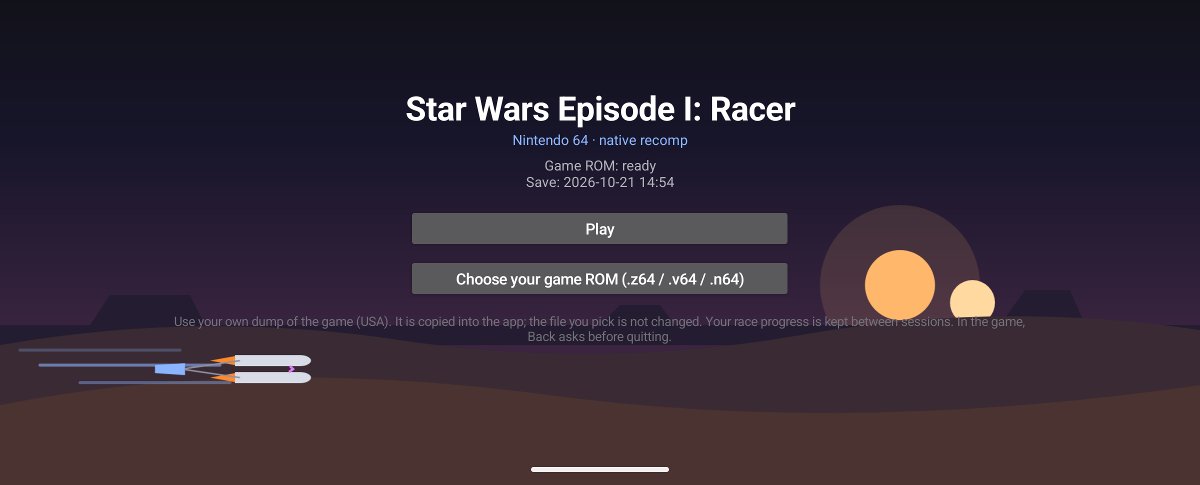 | 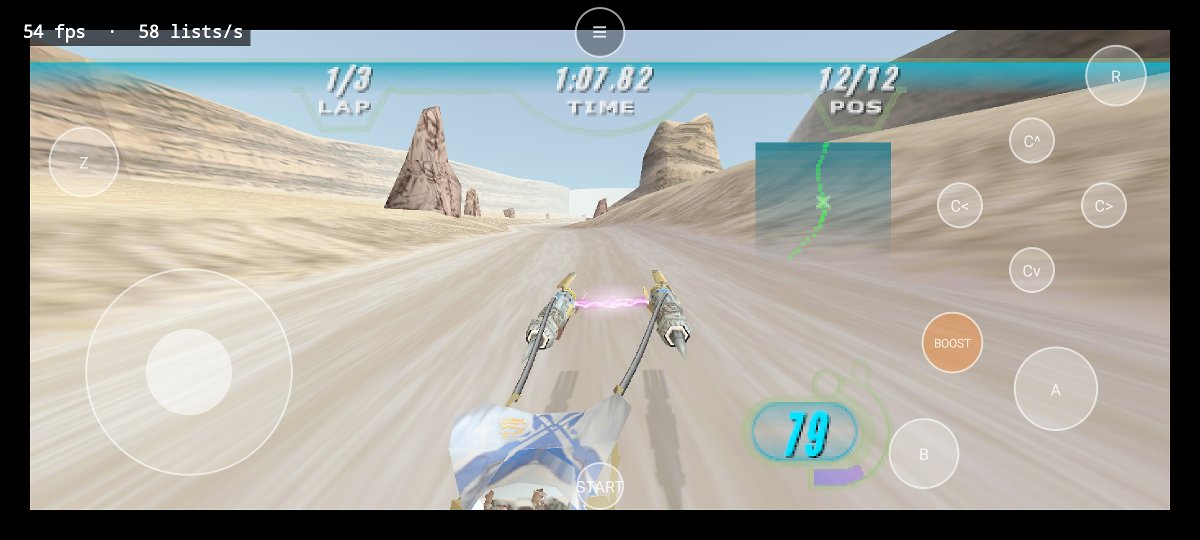 |
| Start screen: pick your own ROM, then Play | Racing in 21:9, HUD at its real width |
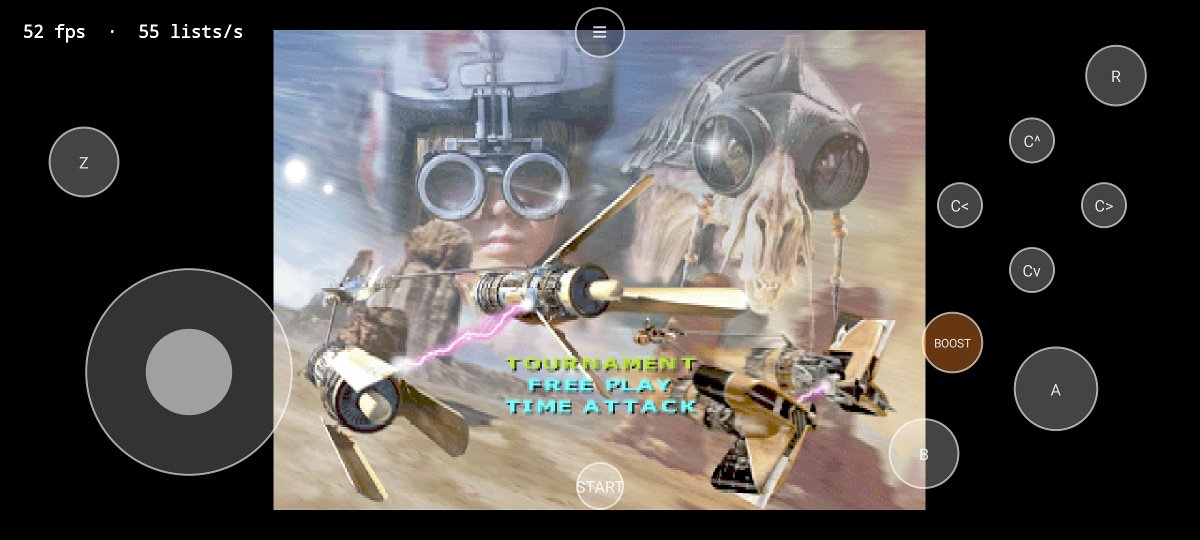 | 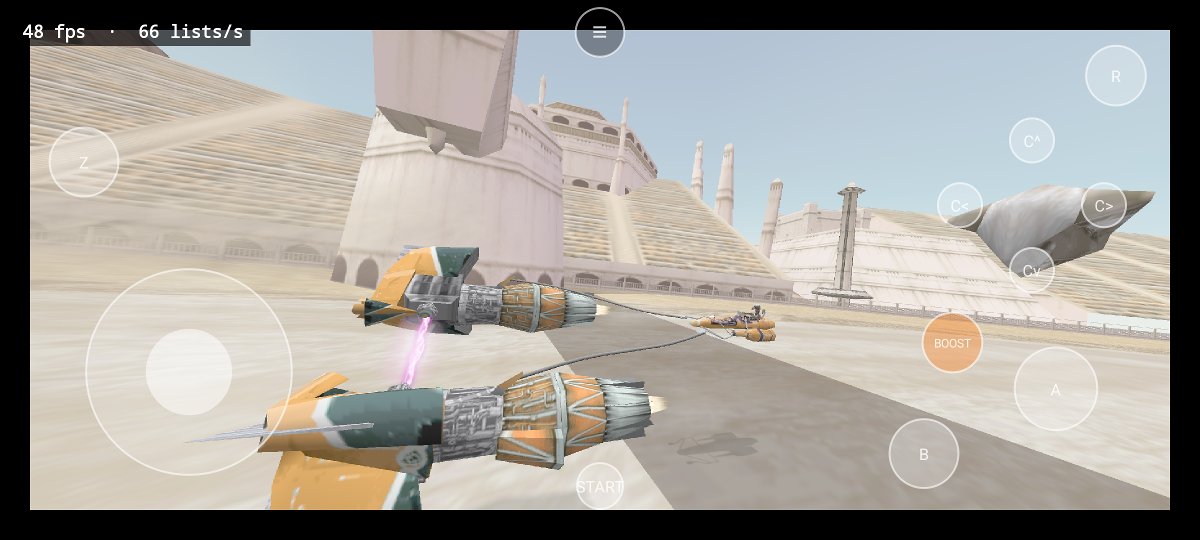 |
| Title menu (menus stay 4:3) | Attract demo in 21:9 |
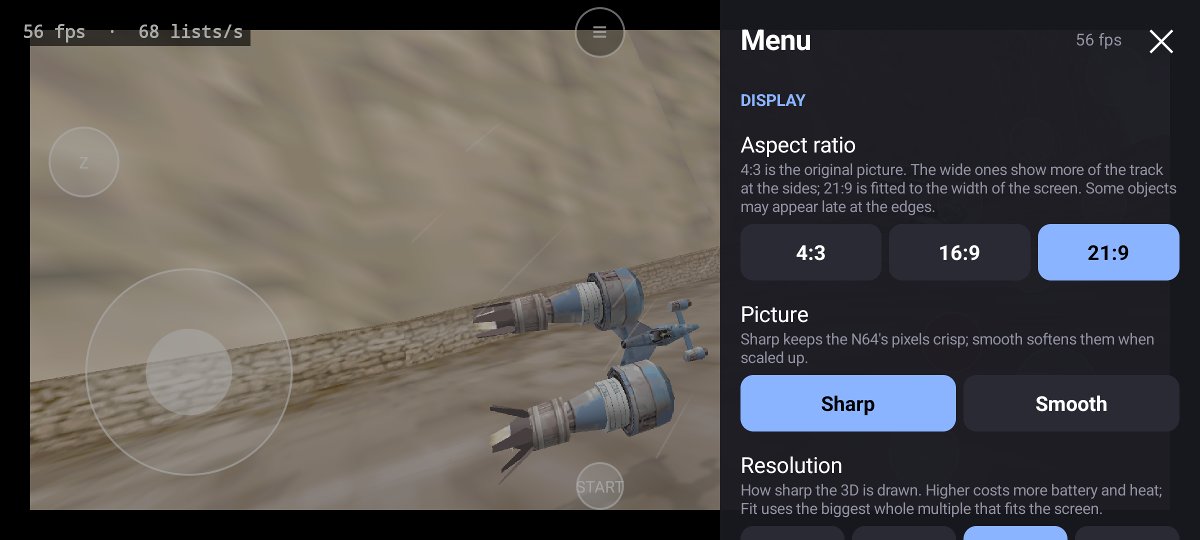 | 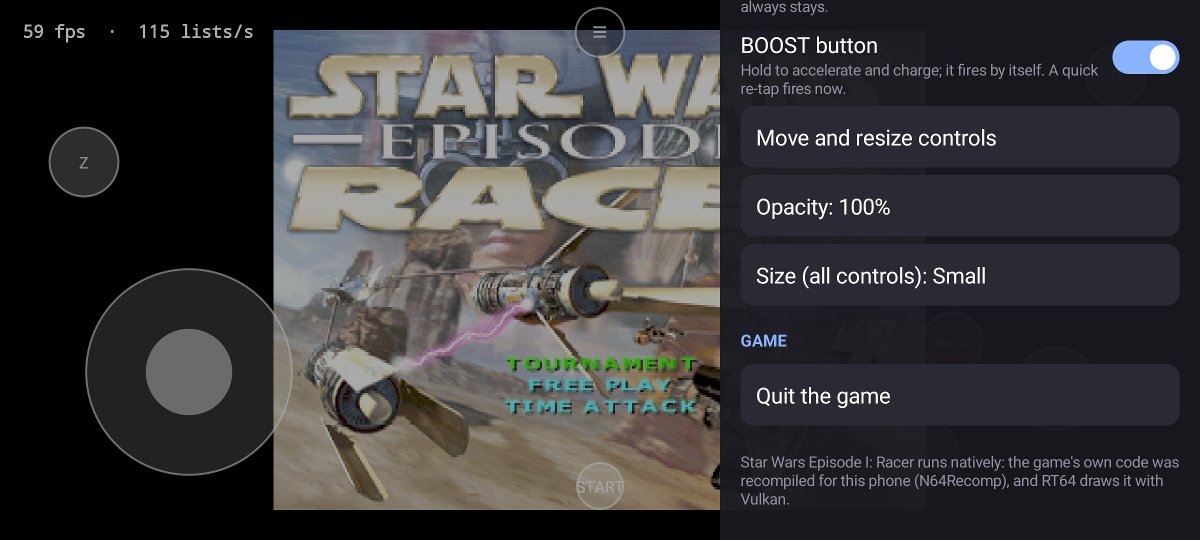 |
| Side menu: aspect ratio, sharp / smooth, resolution | Controls: pad, BOOST, editor, opacity, size, quit |
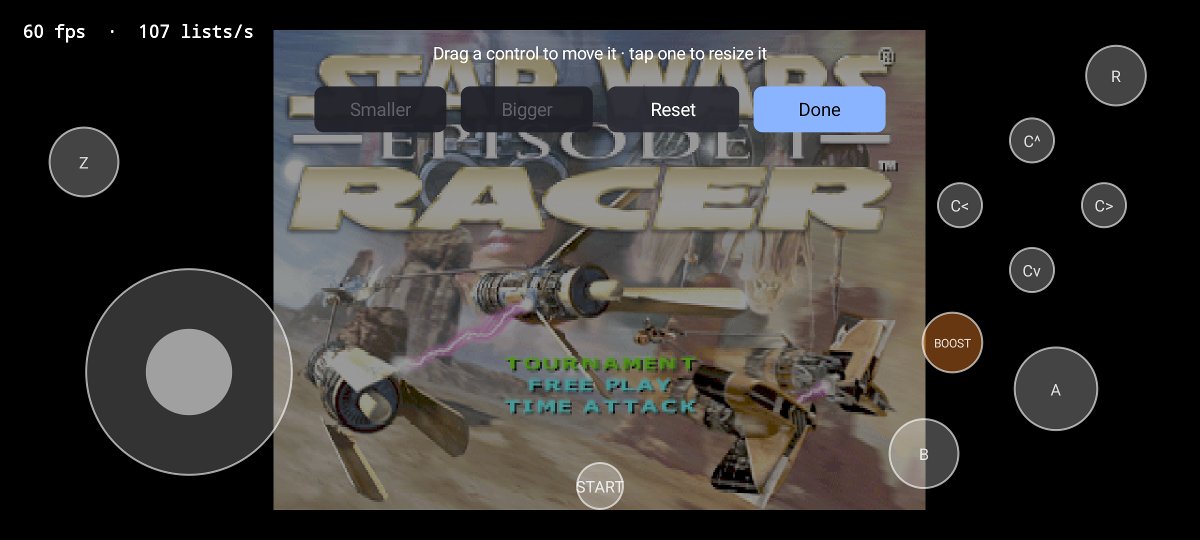 | |
| Pad editor: drag to move, tap to resize |
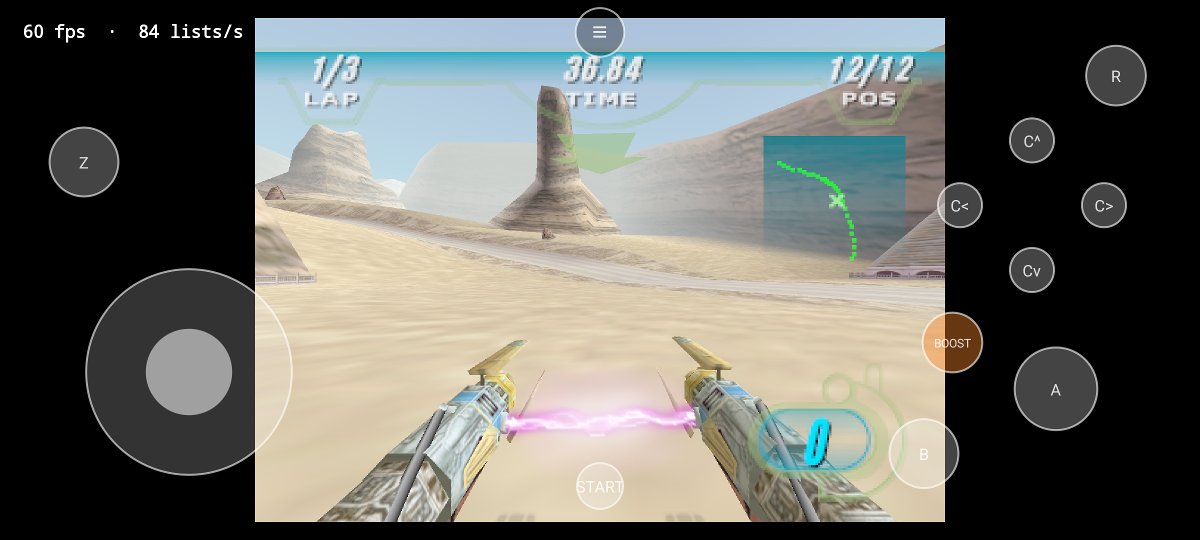
The same spot in each aspect ratio:
| 4:3 | 16:9 | 21:9 |
|---|---|---|
 | 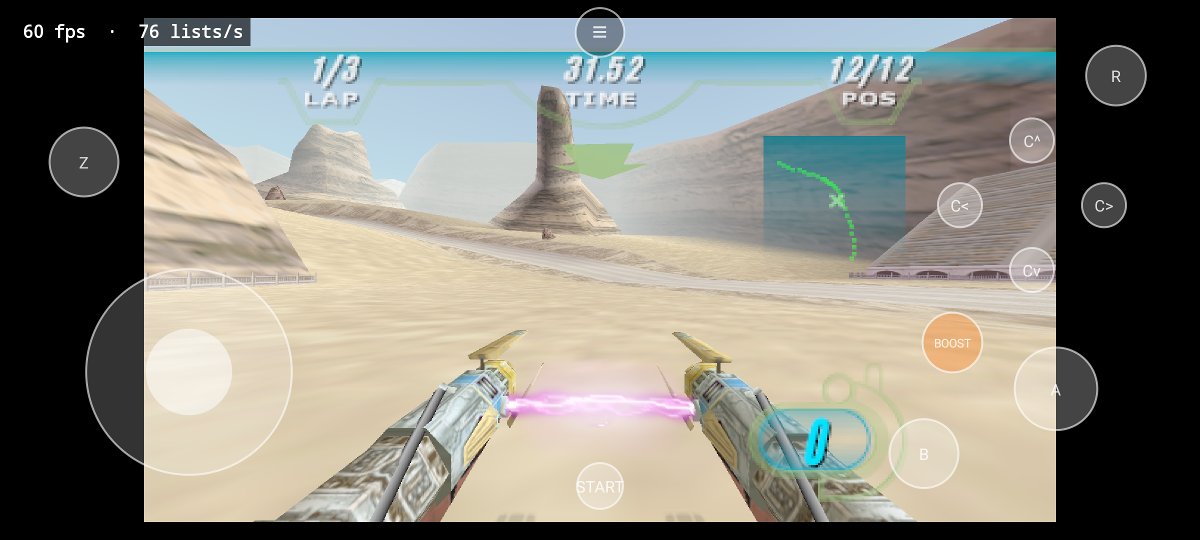 | 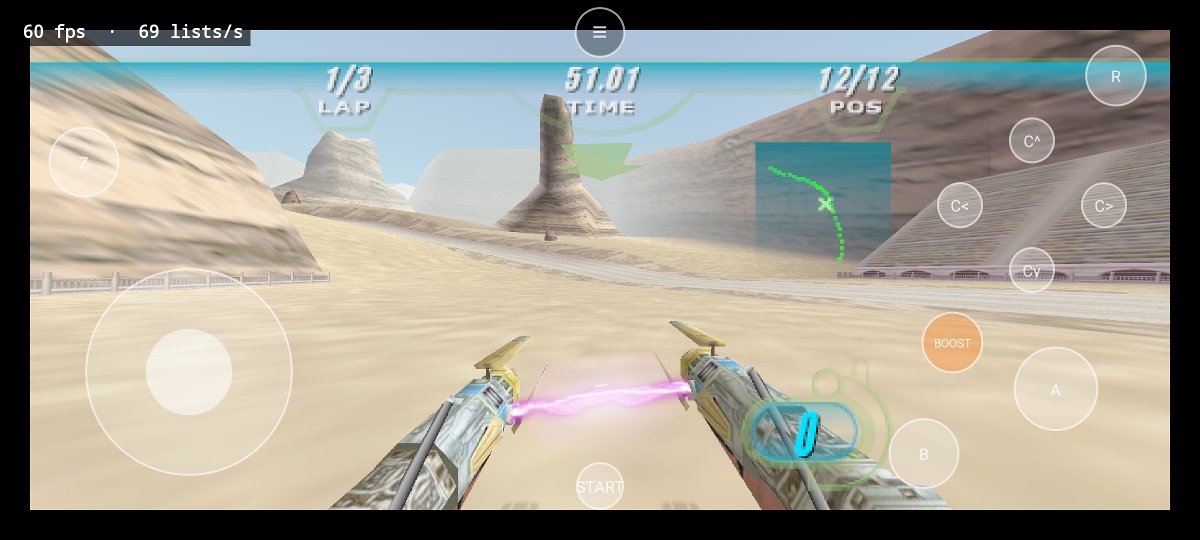 |
Game footage is from the author's own cartridge dump and shown only to illustrate the port; the game itself belongs to its rights holders and is not part of this repository.
Tested on
- Phone: Google Pixel 8 (Mali-G715, Android 16). Other arm64 phones with Vulkan should work but have not been tried.
What you need
-
Your own copy of the game: a dump of the USA cartridge. Check a
.z64withcertutil -hashfile <file> SHA1(Windows) orsha1sum <file>:Dump SHA-1 Star Wars Episode I: Racer (USA), .z643542d5597c8a56ea8f5c63bceae97a24c4c08d58A
.v64or.n64dump of the same cartridge works too: the build converts it. -
A Windows 10 or 11 PC with about 15 GB free and an internet connection for the first build. (The build is written and tested for Windows only.)
-
An Android phone: Android 7 or newer, arm64, with Vulkan, and a USB cable.
Building it
Everything below runs in PowerShell on Windows.
1. Install the tools (once)
| Tool | Get it from | Notes |
|---|---|---|
| Git | git-scm.com | default options |
| Python 3 | python.org | tick "Add python.exe to PATH" in the installer |
| LLVM-MinGW (clang) | mstorsjo/llvm-mingw releases | the llvm-mingw-...-ucrt-x86_64.zip; unzip it to C:\llvm-mingw (so C:\llvm-mingw\bin\clang.exe exists) |
| Android Studio | developer.android.com/studio | brings Java and the Android SDK |
In Android Studio, open Tools > SDK Manager (on the welcome screen: More Actions > SDK Manager):
- SDK Platforms: Android 15 (API 35).
- SDK Tools: tick Show Package Details, then install NDK (Side by side) 28.2.13676358, CMake 3.22.1 and Android SDK Platform-Tools.
2. Get the code
git clone --recursive https://github.com/dguillot-gh/star-wars-racer-recomp.git
cd star-wars-racer-recomp
--recursive also fetches RT64, N64ModernRuntime, N64Recomp and SDL2 (into lib/).
3. Build it
.\build.ps1 -Rom "C:\path\to\Star Wars Episode I - Racer (USA).z64"
build.ps1 does the rest and tells you plainly when something is missing:
- checks the tools from step 1 (it finds them in their default install folders);
- copies your ROM to
baserom.z64(converting a.v64/.n64dump to.z64) and checks its SHA-1; - builds N64Recomp and RSPRecomp from
lib/(once, about half a minute); - recompiles the game from your ROM (under a minute; only again when the ROM or the recompiler inputs change);
- builds the app: the first time this downloads Gradle and the Android libraries and compiles the whole game, which took about 40 minutes on a laptop; later builds only redo what changed;
- installs it if a phone is connected over USB (see step 4).
Later, after git pull, just run .\build.ps1 again (the ROM is remembered). Add -NoInstall to only build.
If PowerShell says running scripts is disabled, run it as
powershell -ExecutionPolicy Bypass -File .\build.ps1 -Rom "...".
The game code it writes (RecompiledFuncs/, rsp/aspMain.cpp) and the APK
(android\app\build\outputs\apk\debug\app-debug.apk) are made from your ROM: they are ignored by Git and must not be
shared.
4. Install it and play
- On the phone, turn on USB debugging: Settings > About phone, tap Build number seven times, then Settings > System > Developer options > USB debugging.
- Connect the phone and allow the computer when it asks.
build.ps1installs the app by itself when the phone is connected; to install by hand:adb install -r android\app\build\outputs\apk\debug\app-debug.apk(adbis in%LOCALAPPDATA%\Android\Sdk\platform-tools). - Copy your ROM to the phone too (for example into Downloads). Open Star Wars Episode I: Racer, tap
Choose your game ROM, pick it, then Play. The app accepts
.z64,.v64and.n64.
Step by step (what build.ps1 runs)
For anyone who wants to run the parts by hand. First point PowerShell at the tools (default install folders):
$env:ANDROID_HOME = "$env:LOCALAPPDATA\Android\Sdk"
$env:JAVA_HOME = "C:\Program Files\Android\Android Studio\jbr"
$env:PATH = "C:\llvm-mingw\bin;$env:ANDROID_HOME\cmake\3.22.1\bin;$env:ANDROID_HOME\platform-tools;$env:PATH"
ROM. Put a .z64 dump in the repository folder as baserom.z64 (python tools/rom_to_z64.py <your dump>
converts and copies any byte order) and check it: certutil -hashfile baserom.z64 SHA1 must print
3542d5597c8a56ea8f5c63bceae97a24c4c08d58.
Recompilers (once; the -include cstdlib flag works around a missing #include in N64Recomp's bundled
rabbitizer library that current clang versions reject):
cmake -S lib/N64ModernRuntime/N64Recomp -B build/recomp-tools -G Ninja -DCMAKE_BUILD_TYPE=Release -DCMAKE_C_COMPILER=clang -DCMAKE_CXX_COMPILER=clang++ "-DCMAKE_CXX_FLAGS=-include cstdlib"
cmake --build build/recomp-tools --target N64RecompCLI RSPRecomp
Game code from your ROM (again after changes to symbols.toml, recomp.toml or tools/):
.\build\recomp-tools\N64Recomp.exe recomp.toml
python tools/fix_fallthroughs.py
python tools/post_recomp_patches.py
python tools/gen_lookup_table.py
New-Item -ItemType Directory -Force rsp | Out-Null
.\build\recomp-tools\RSPRecomp.exe aspMain.toml
N64Recomp prints a few [Warn] / [Info] lines; those are expected. The scripts should report
chained to continuation: 143, post-recomp redirects applied: 25 and 1409 function entries, and git status
should show no changed files afterwards.
App:
cd android
.\gradlew.bat :app:assembleDebug
If something goes wrong
| Message | Fix |
|---|---|
build.ps1 stops with STOPPED: ... | the message says what is missing and where to get it |
clang or ninja not found (by hand) | run the three $env: lines above in this window |
NDK not found, or NDK ... did not have a source.properties file | install exactly NDK 28.2.13676358 (step 1) |
SDK location not found | $env:ANDROID_HOME is not set in this window |
gradlew.bat is blocked (some company PCs block cmd.exe) | use build.ps1, or run & "$env:JAVA_HOME\bin\java.exe" -classpath gradle\wrapper\gradle-wrapper.jar org.gradle.wrapper.GradleWrapperMain :app:assembleDebug in android\ |
INSTALL_FAILED_UPDATE_INCOMPATIBLE | the phone has a copy signed on another PC: uninstall it first (this deletes its saves) |
adb: no devices | USB debugging is off, or the phone is still asking to allow this computer |
What the build does to your PC
Apart from the tools you installed, it only writes inside the repository folder and Gradle's cache: N64Recomp reads
your ROM (never changes it) and writes RecompiledFuncs/; the recompilers build into build/; Gradle builds into
android/app/build/ and, the first time, downloads itself and the Android libraries (from Gradle, Google and Maven
Central) into %USERPROFILE%\.gradle. Nothing is uploaded, and nothing is left running.
How it works
symbols.tomllists the game's ~1,400 functions andrecomp.tomlsays which ones are replaced by the runtime. N64Recomp turns each into a C function.tools/post_recomp_patches.pyroutes the game's own copies of some libultra functions (thread priority, messages, VI, controller, EEPROM, PI reads) to N64ModernRuntime, because the copies only update the game's private state.src/main.cppis the host: ROM loading, the memory guard for device registers and bad pointers, saves, input.src/rt64_render_context.cpphands display lists to RT64.android/is the Gradle app: an SDL2 activity, the ROM picker and the touch pad.
Made with AI assistance
This port was built with AI help: the project owner worked with Qwen (a local model) and Claude (Anthropic), which found and wrote most of the fixes. Each fix in docs/ANDROID-FIXES.md says who found it. Everything was tested on a real phone, but expect rough edges, and please report what you find.
Credits and licence
- sp00nznet/racer by sp00nznet: the original N64Recomp project for this game.
From it this port uses the function map (
symbols.toml), the recompiler config (recomp.toml), the host program (src/main.cpp,src/rt64_render_context.cpp,src/audio.cpp,src/section_table.cpp), the build files and the regen tools (tools/fix_fallthroughs.py,tools/gen_lookup_table.py,tools/post_recomp_patches.py). All of these were changed for Android; its other analysis tools are kept as they were. Its README is kept as docs/ORIGINAL-README.md. - N64Recomp and N64ModernRuntime (Mr-Wiseguy and contributors), RT64 (DarioSamo and contributors), and AurelioB's Android forks of them, which the submodules here fork again with this port's patches. More in NOTICE.md and CREDITS.md.
MIT (LICENSE), as sp00nznet's project; the licence's Scope section explains what it cannot cover. Star Wars Episode I: Racer is © Lucasfilm Ltd.; this project is not affiliated with or endorsed by Lucasfilm, LucasArts, Disney or Nintendo.