Super Mario Strikers Decompilation
Super Mario Strikers
OrigenGameCube
TecnologíaDescompilación y Reconstrucción en C/C++
Disponible paraWindows, Linux, macOS
Ver proyecto oficialSobre el proyecto
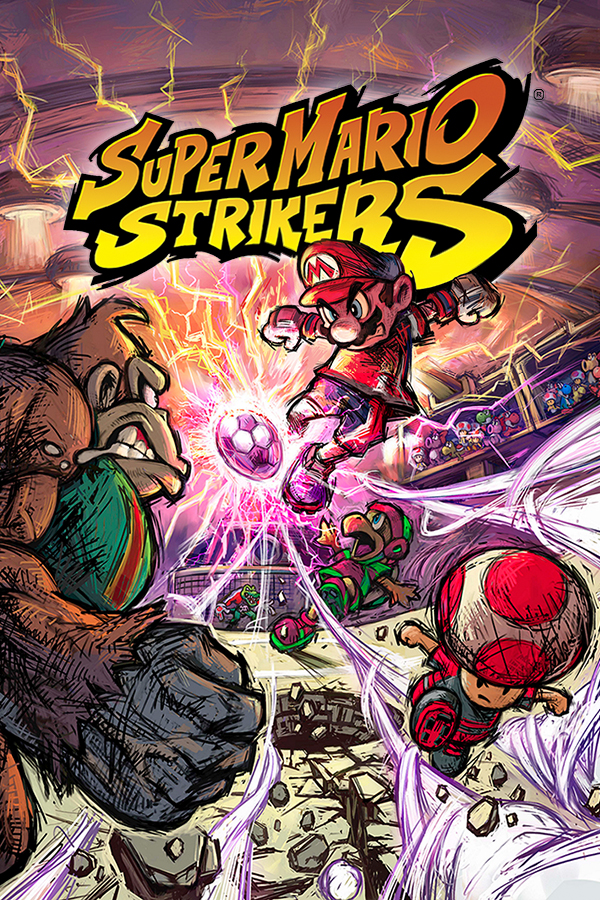
Super Mario Strikers , conocido como Mario Smash Football en Europa y Australia, es un videojuego de fútbol sala desarrollado por Next Level Games para la consola Nintendo GameCube. El juego fue inicialmente lanzado para Europa y Estados Unidos a finales de 2005, y en Japón y Australia a inicios de 2006. La secuela del juego, titulada como Mario Strikers: Charged Football, fue también desarrollada por Next Level Games, pero para la consola Wii.
6 versiones de Super Mario Strikers
Estás viendo: Super Mario Strikers Decompilation
Super Mario Strikers Decompilationgithub.com/yannicksuter/smstrikers-decompBallPad (Super Mario Strikers iOS)github.com/chrissotraidis/ballpadStrikersgithub.com/new-coke/strikersSuper Mario Strikers (Android)github.com/luisxl15/Strikers-Android-PortSuper Mario Strikers (Quest 3 Strikers)github.com/LanceSweatpants/Strikers-Quest-MRSuper Mario Strikers Recompiled (RecompCore)github.com/aharonahdoot/StrikersRecompInformación oficial del proyecto
Super Mario Strikers



<!--
Replace with your repository's URL.
-->
<!--
decomp.dev progress badges
See https://decomp.dev/api for an API overview.
-->
<!--
Replace with your Discord server's ID and invite URL.
-->
[!IMPORTANT] This repository does not provide a new way to play Super Mario Strikers. It is not a modern recompilation ("recomp") or a port. Its 100% code and linking status refers to a high-fidelity reconstruction of what the original source code may have looked like—one that compiles into an executable byte-for-byte identical to the original retail GameCube release.
Recompilations and ports may emerge elsewhere from this work—and we look forward to seeing them—but they are outside the scope of this repository. Please do not ask for recompilations or ports in the decompilation Discord, as producing and supporting them is not the focus of this community.
A work-in-progress decompilation of Super Mario Strikers for GameCube.
This repository does not contain any game assets or assembly whatsoever. An existing copy of the game is required.
Legal status and licensing
This is an independently produced source reconstruction, not an official source-code release. The project is not affiliated with, authorized by, sponsored by, or endorsed by Nintendo or Next Level Games.
The repository contains material with different origins and does not use a single license for every file:
- original contributions authored specifically for this project are offered under CC0 1.0, except where otherwise indicated and only to the extent that contributors own the relevant rights;
- upstream Open Dynamics Engine portions are redistributed under ODE's historical BSD-style license alternative;
- other third-party files and submodules remain subject to their own notices and licenses; and
- reconstructed game-derived material and modifications originally made by the game's developer may remain subject to third-party rights and are not purportedly relicensed under CC0 by this project.
See LICENSE, LICENSE-CC0.txt,
LICENSE-BSD.TXT, and
THIRD_PARTY_NOTICES.md for details.
This repository does not grant permission to distribute game assets, disc images, trademarks, or complete retail-equivalent build outputs. A lawfully obtained copy of the game is required for the build process.
Supported versions, in release order:
| Version | Region and title | Release date | Revision | main.dol SHA-1 |
|---|---|---|---|---|
G4QP01 | Europe — Mario Smash Football | November 18, 2005 | Rev 0 | 6dc83dc91d0a5887f0056623498d4cbcd88bc463 |
G4QE01 | North America — Super Mario Strikers | December 5, 2005 | Rev 0 | 376d699c99b6b0949abe1b4ceccefdef7828d2b5 |
G4QJ01 | Japan — Super Mario Strikers | January 19, 2006 | Rev 0 | d116f02b778a4f69725fd1c00656012d16ebf94a |
The releases share nearly all game code; see Version differences for a short summary of the regional changes.
Decompilation
Decompilation is the process of reverse-engineering compiled machine code back into human-readable source code. Unlike disassembly, which produces assembly language, decompilation aims to reconstruct high-level code (like C or C++) that closely matches what the original developers wrote. This process involves analyzing the binary executable, understanding its structure and behavior, and translating it back into source code that compiles to produce identical machine code. In this project, the goal is not just a close match, but a 100% match—the decompiled source code must compile to produce byte-for-byte identical machine code to the original. This is why diffing (see the Diffing section below) is an essential piece of the process, as it allows us to verify that our decompiled code produces exactly the same binary output as the original game. Decompilation projects like this one enable deeper understanding of game mechanics, facilitate modding and preservation, and serve as valuable learning resources for understanding how games were built.
For interesting discoveries and insights found during the decompilation process, check out Fun Facts.
Progress

Track the project decompilation progress and explore the interactive graph on decomp.dev.
Contributing
Everybody is warmly welcome to contribute! Whether you're experienced with decompilation or just getting started, your contributions are valuable.
Please read CONTRIBUTING.md for the full guidelines — it covers where the project stands, how to set up your environment, pull request expectations, code style, tips for working on matches, header reorganisation, and the project's stance on AI-assisted contributions.
For real-time discussion, coordination, and help, join the Discord server.
Dependencies
Windows
On Windows, it's highly recommended to use native tooling. WSL or msys2 are not required.
When running under WSL, objdiff is unable to get filesystem notifications for automatic rebuilds.
- Install Python and add it to
%PATH%.- Also available from the Windows Store.
- Download ninja and add it to
%PATH%.- Quick install via pip:
pip install ninja
- Quick install via pip:
macOS
-
Install ninja:
brew install ninja -
Install wine-crossover:
brew install --cask --no-quarantine gcenx/wine/wine-crossover
After OS upgrades, if macOS complains about Wine Crossover.app being unverified, you can unquarantine it using:
sudo xattr -rd com.apple.quarantine '/Applications/Wine Crossover.app'
Linux
- Install ninja.
- For non-x86(_64) platforms: Install wine from your package manager.
- For x86(_64), wibo, a minimal 32-bit Windows binary wrapper, will be automatically downloaded and used.
Building
-
Clone the repository (including the
musyxsubmodule):git clone --recursive https://github.com/yannicksuter/smstrikers-decompIf you've already cloned the repository without --recursive, initialize the submodule manually:
git submodule update --init --recursive -
To update the repository and its submodules in one go:
git pull --recurse-submodules -
Copy your game's disc image to
orig/<version>(for example,orig/G4QP01,orig/G4QE01, ororig/G4QJ01).- Supported formats: ISO (GCM), RVZ, WIA, WBFS, CISO, NFS, GCZ, TGC
- After the initial build, the disc image can be deleted to save space.
-
Configure:
python configure.pyTo use a version other than
G4QE01(USA, Rev 0), specify it with--version. -
Build:
ninja
Building a specific version
G4QE01 (USA, Rev 0) is the default. To select another version, pass its game
ID to configure.py:
# Europe
python configure.py --version G4QP01
ninja

# USA (default)
python configure.py
ninja

# Japan
python configure.py --version G4QJ01
ninja
Build outputs are kept separately in build/G4QP01, build/G4QE01, and
build/G4QJ01. To switch versions, rerun configure.py with the other game
ID; cleaning the build directory is not necessary. Add --map to the configure
command to generate a linker map.
All three versions are configured to build entirely from reconstructed source
and are checked against their retail main.dol SHA-1. GitHub Actions and
decomp.dev progress reporting currently default to the USA version.
Diffing
Once the initial build succeeds, an objdiff.json should exist in the project root.
Download the latest release from encounter/objdiff. Under project settings, set Project directory. The configuration should be loaded automatically.
Select an object from the left sidebar to begin diffing. Changes to the project will rebuild automatically: changes to source files, headers, configure.py, splits.txt or symbols.txt.
Related project
mscharged-decomp is the work-in-progress matching decompilation of Mario Strikers Charged, the Nintendo Wii successor to Super Mario Strikers.
Acknowledgements
This project wouldn’t be possible without the collective knowledge, tools, and support of the broader decompilation community. Huge thanks to contributors of other GameCube decomp projects, the teams behind decomp.dev and decomp.me, and the incredibly helpful discussions happening on Discord. These resources have been invaluable for solving problems, speeding up setup, and staying motivated throughout the process.