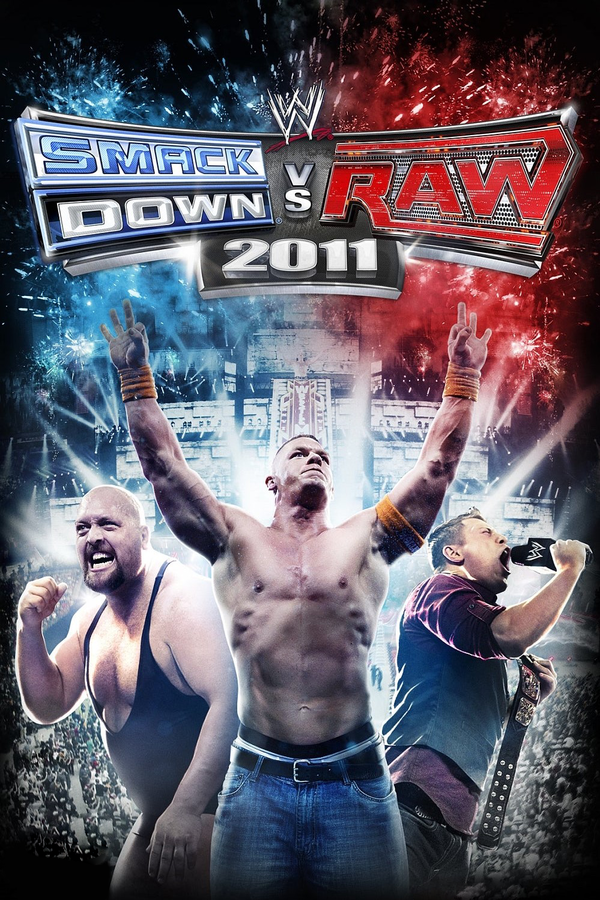
WWE SmackDown vs. Raw 2011 (ReXGlue)
WWE SmackDown vs. Raw 2011
OrigenXbox 360
TecnologíaRecompilación Estática (C/C++ nativo)
Disponible paraWindows
Ver proyecto oficialSobre el proyecto
WWE SmackDown vs. Raw 2011 es un videojuego de lucha libre profesional desarrollado por Yuke's y distribuido por THQ para los sistemas PlayStation 2 (PS2), PlayStation 3 (PS3), PlayStation Portable, Wii y Xbox 360. Es el duodécimo juego de la serie WWE SmackDown vs. Raw y es la secuela de WWE SmackDown vs. Raw 2010. Fue lanzado el 26 de octubre de 2010 en América del Norte, el 28 de octubre de 2010 en Australia y el 29 de octubre de 2010 en Europa. El juego se basa en las dos marcas de la World Wrestling Entertainment (WWE), Raw y SmackDown.
2 versiones de WWE SmackDown vs. Raw 2011
Estás viendo: WWE SmackDown vs. Raw 2011 (ReXGlue)
Información oficial del proyecto
WWE SmackDown vs. Raw 2011 on PC
An unofficial Windows version of the Xbox 360 game, built by recompiling its code to native x86-64 with ReXGlue. It is not an emulator you load a disc into each time: the game code runs as a normal Windows program, and the launcher copies the game files from your disc image once.
This repository contains no game files. You need your own Xbox 360 disc image of WWE SmackDown vs. Raw 2011, the USA/Europe release. The launcher checks every file against that release and refuses anything else.
What works
| Tested and playable | Exhibition matches with entrances, finishers and cutscenes; backstage brawls; menus; Create a Superstar, Superstar Threads and Paint Tool |
| Not tested yet | Road to WrestleMania (can crash at any point), other create modes, Universe, online |
| Tested hardware | Windows 11 with an AMD Radeon RX 7900 XT. Other GPUs and Windows 10 have not been tried. |
Exhibition matches usually play without problems at 60 FPS. Road to WrestleMania has not been tested and can crash at any point, so save often there. Other untested modes may crash too; an issue with the session log attached helps fix them.
Play it
You need:
- Windows 10 or 11, 64-bit (tested on Windows 11)
- A graphics card with Vulkan support and a current driver
- About 6 GB of free space for the game files
- Your disc image (
.iso) of the USA/Europe Xbox 360 release - A controller is recommended
Steps:
- Download the latest
SVR2011-<date>-<commit>.zipfrom Releases. - Extract the whole zip to a normal folder, for example
C:\Games\SVR2011. AvoidProgram Filesand folder names with accents or non-English letters. - Open
SVR 2011.exe. If Windows SmartScreen warns about an unknown publisher, choose More info, then Run anyway. The launcher is not code-signed. - Choose Browse, select your
.iso, then Set up game files. The launcher checks all 366 files and copies them intogamedata. This takes a few minutes and happens once. Your.isois only read, never changed. - Connect your controller and choose Play.
If something is off
- Stutter or uneven speed: keep Display sync on VSync and Frame pacing on Even 60 Hz. The game runs itself at 60 FPS like the console, so no external limiter is needed. If you use RivaTuner (RTSS) anyway, set its limit to exactly 60 or off; any other value stutters.
- Motion not quite smooth: check that Frame pacing is on Even 60 Hz. It shows every frame on an even 60 Hz beat a few milliseconds after the game finishes it, which is smoothest on every monitor.
- A short hitch the first time you see a new move or arena: the release
includes prebuilt shaders for the tested modes, which the game prepares while
it starts. Anything else compiles the first time it appears, is saved in
cache, and is smooth from then on. - Image looks soft: keep Sharpen the image on (the default). It upscales with AMD FSR 1 at 1x and sharpens with CAS at 2x and 3x, at almost no cost. 2x and 3x add real detail if your GPU has room. Menu text and 2D art come from the disc at 720p, so they stay the same at every setting.
- Updating to a new version: your saves are in
userdata. Copy that folder into the new version's folder before you play. - Crash or wrong graphics: close the game and choose Logs in the
launcher, which selects the newest
session-...folder. Zip that folder and attach it to a new issue. It holds the game log, launcher settings and game arguments, never saves or game files. Log lines can contain folder paths, which may show your Windows user name; check it before posting.
Build from source
This is for developers. Players only need the zip above.
You need:
- Windows 10 or 11, 64-bit, and about 25 GB of free space including the
.iso - PowerShell 7
- Python 3
- Git
- 7-Zip, used once to unpack LLVM
- Visual Studio 2026 Build Tools with the Desktop development with C++ workload, which includes CMake, Ninja and the Windows SDK
Run these in PowerShell 7 from the repository folder, with your .iso copied
into it:
# Download pinned ReXGlue and LLVM releases into .tools (SHA-256 checked)
./scripts/bootstrap.ps1

# Verify the disc and extract its files into assets
python scripts/inspect_disc.py 'WWE SmackDown vs. Raw 2011 (USA, Europe).iso' --extract-all assets

# Translate the game's PowerPC code to C++ in generated/
./scripts/build.ps1 -Action Codegen

# Fetch the ReXGlue sources for the Vulkan runtime and build the game
./scripts/prepare-vulkan.ps1
./scripts/build.ps1 -Renderer Vulkan -Action Configure
./scripts/build.ps1 -Renderer Vulkan -Action Build -Jobs 6

# Play
./scripts/play-vulkan.ps1
Always pass -Renderer Vulkan. The D3D12 renderer is the script default for
historical reasons and hangs on the tested GPU.
If Build Tools or the Windows SDK are not in their default locations, pass
-VisualStudioRoot and -WindowsSdkRoot to build.ps1. If 7-Zip is not on
PATH or in Program Files, pass -SevenZipPath to bootstrap.ps1.
Other useful commands:
| Command | What it does |
|---|---|
./scripts/install-launcher.ps1 | Creates SVR 2011.lnk, a settings window for this checkout |
./scripts/play-vulkan.ps1 -PerfCapture | Records every frame time to perf.csv in the session folder |
python scripts/merge_shader_cache.py shader-cache <cache folders> | Merges the shader caches of test sessions into shader-cache/, which the player zip ships |
./scripts/package-portable.ps1 | Builds the player zip in out/portable/ |
python -m unittest discover -s tests -v | Runs the Python tests |
./tests/test_portable.ps1 | Checks the portable launcher, including disc setup with a synthetic image |
Every play session writes its log, settings and exit result to
analysis/vulkan-play-<timestamp>/.
How it works
inspect_disc.pyreads the Xbox 360 disc image and extractsdefault.xexand the game data. The build accepts only the known executable (SHA-2566aead4cb…d3ebc1).- ReXGlue translates the executable's PowerPC code to C++ ahead of time.
svr2011_manifest.tomllists functions the automatic pass misses. - The generated code links against the ReXGlue runtime, which provides the Xbox 360 kernel, audio, input and a Vulkan GPU backend derived from Xenia.
patches/holds this project's fixes to that runtime. The build applies them automatically:rexglue-xmp-no-delay.patchremoves a 10 ms music-player delay that held menus and backstage brawls to about 45 FPSrexglue-frame-pacing.patchpresents each frame exactly on the game's 60 Hz vblank, as the console does, so play is even without a limiterrexglue-window-restore.patchfixes a black window after minimizingrexglue-async-pipelines.patchholds one frame while an unseen shader builds instead of stalling for each pipeline
The investigation notes in docs/ record what was measured and why each
default was chosen, including performance and
boot history.
Legal
This project is not affiliated with or endorsed by THQ, Yuke's, WWE or
Microsoft. This repository contains no game code or data; the build generates
both from a disc image you own. Do not share the gamedata or assets folders or any disc
image.
This project's own code is under the BSD 3-Clause license in
LICENSE. ReXGlue is used under its license, included in
third_party/rexglue-LICENSE.txt. The
project scaffold and generated/rexglue.cmake come from ReXGlue's templates.