
The Last Guardian (PC)
The Last Guardian
OrigenPlayStation 4
TecnologíaPort Nativo C/C++ (Reimplementación de Motor)
Disponible paraWindows
Ver proyecto oficialSobre el proyecto
The Last Guardian , referido previamente bajo el nombre provisional Project Trico, es un videojuego perteneciente al género de acción-aventura desarrollado por el SIE Japan Studio y publicado por Sony Interactive Entertainment en exclusiva para la consola PlayStation 4. En el juego, los jugadores controlan a un niño que se hace amigo de una criatura gigante mitad pájaro, mitad mamífero, llamada Trico. The Last Guardian se lanzó en todo el mundo en diciembre del año 2016.
2 versiones de The Last Guardian
Estás viendo: The Last Guardian (PC)
Información oficial del proyecto
The Last Guardian (PS4, CUSA03627 US / CUSA03745 UE, update 01.03) rodando no PC com imagem, som, controle, mouse e teclado e saves, a 30 FPS estáveis (60 FPS e FPS livre opcionais, experimentais) e sem emulador de CPU. O código original do jogo roda nativo no processador. O sistema do PS4 é reimplementado, e a GPU é traduzida para Vulkan.
Nenhum arquivo do jogo vem com este projeto. Para jogar, você precisa da sua própria cópia, tirada do seu PS4.
Por HayatoG · YouTube @hayatog-dev · Discord discord.gg/UMkdMYZh9g
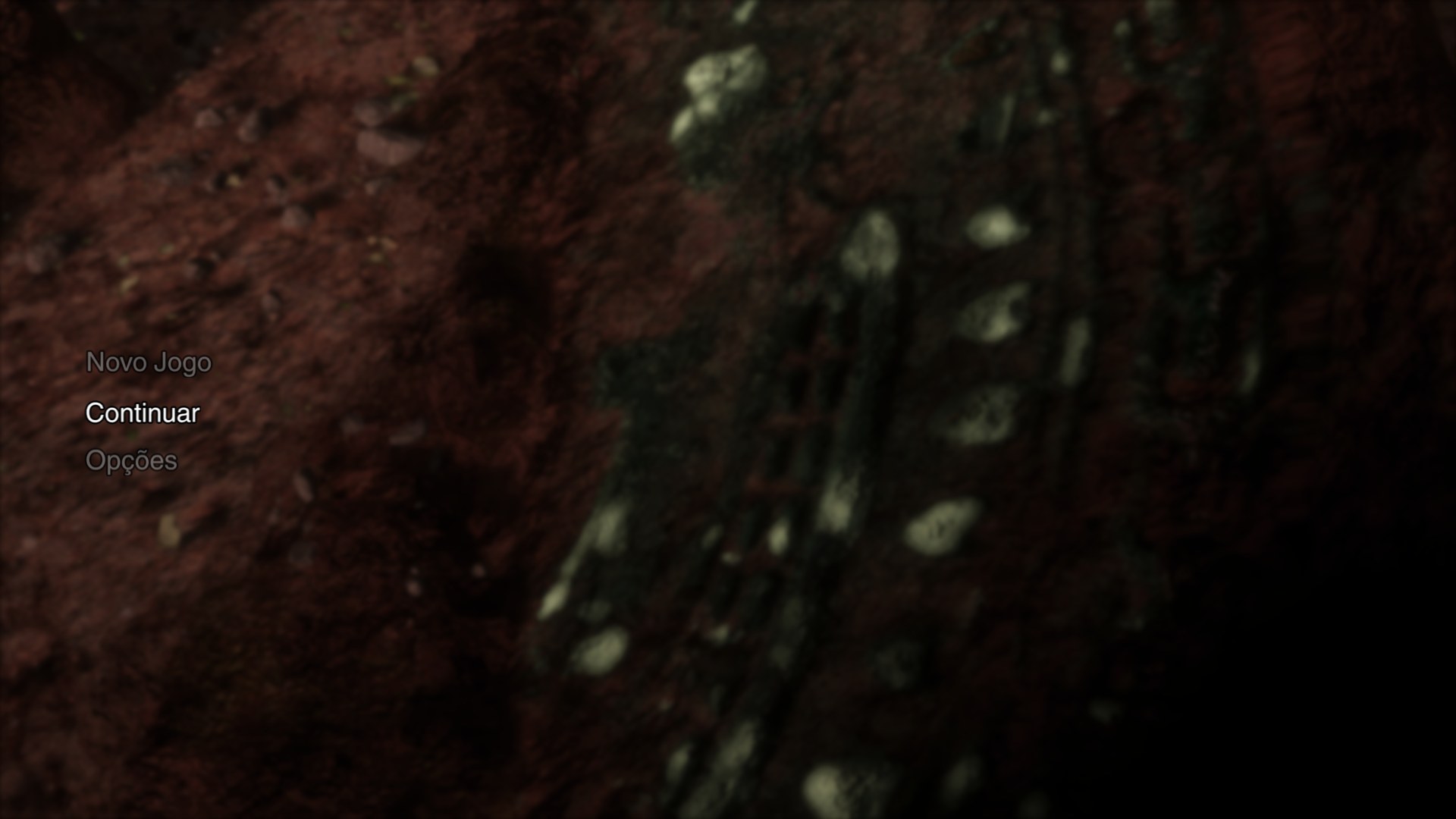 | 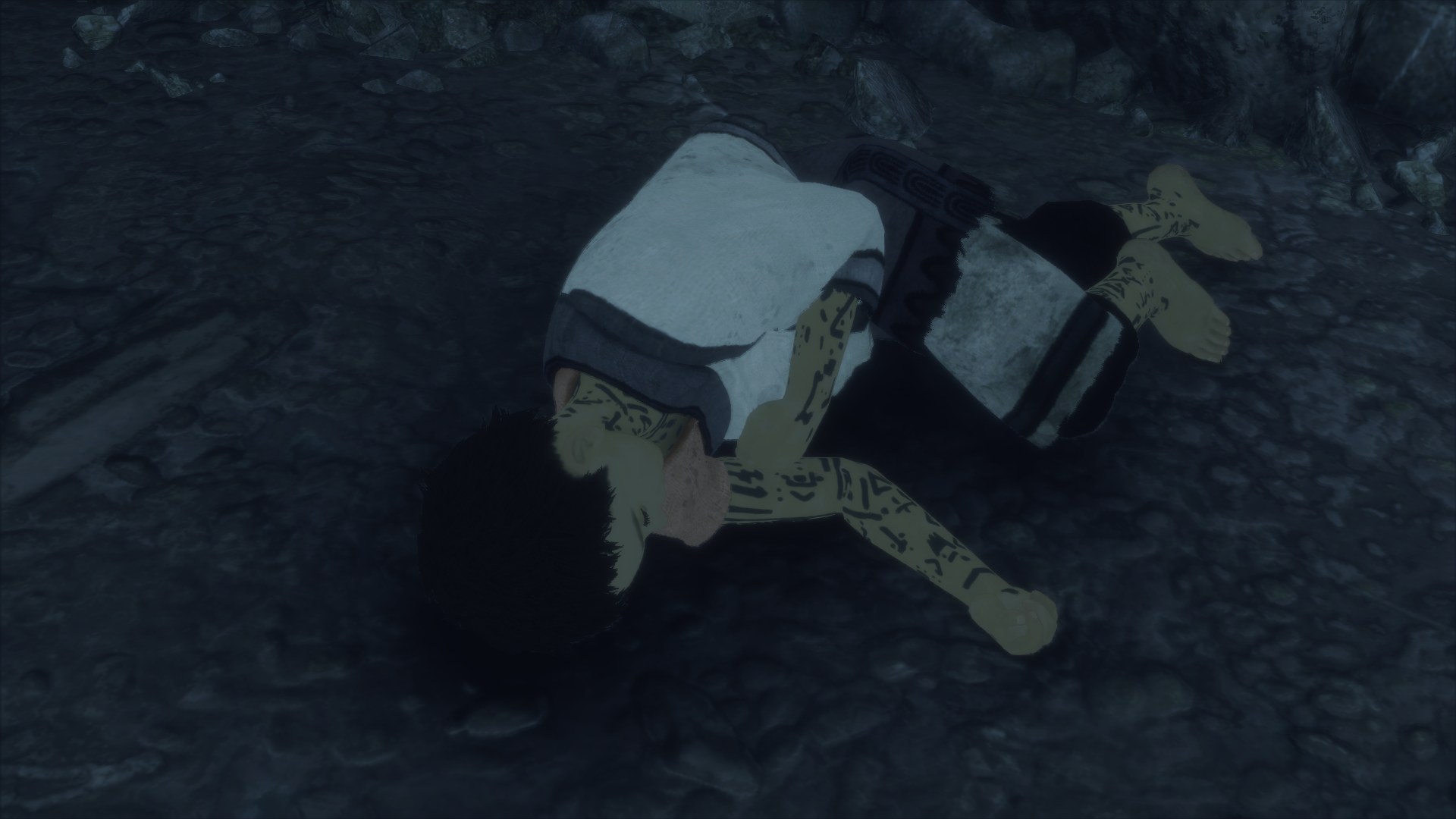 |
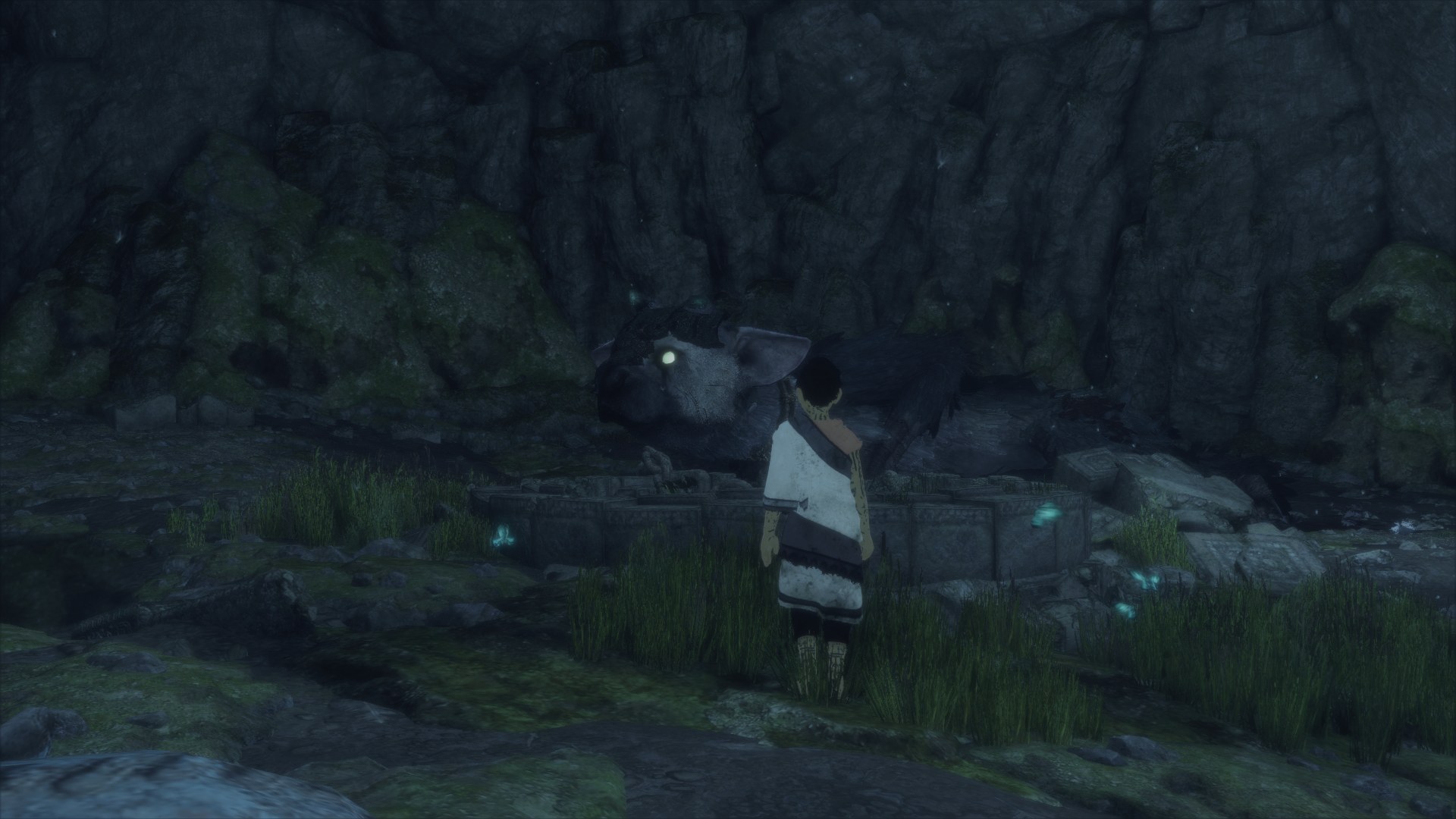 | 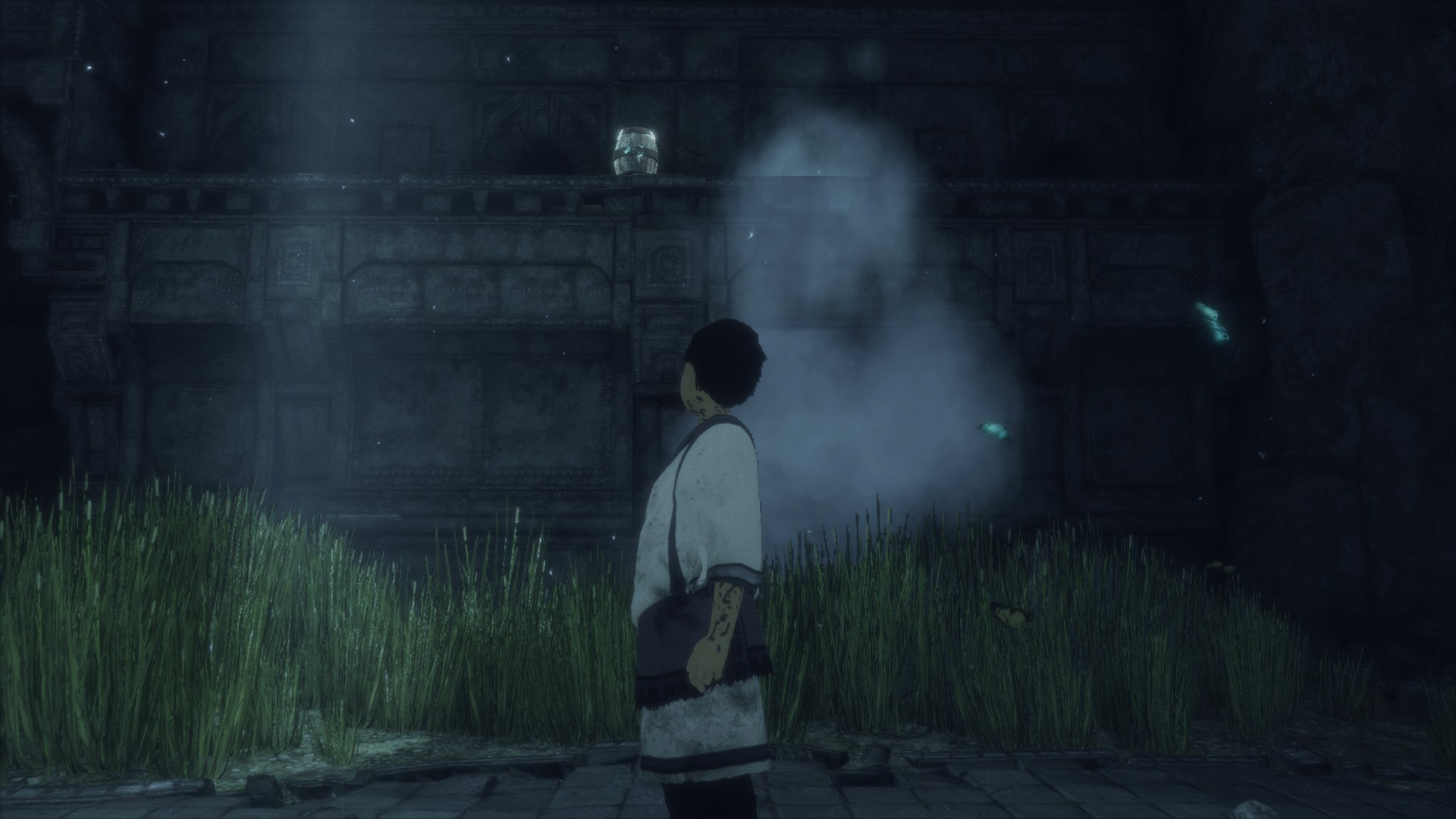 |
<sub>Capturas na resolução nativa (1920×1080), direto da GPU, no Linux com uma RTX 2060.</sub>
Novidades
- 60 FPS e FPS livre (experimental): launcher → Vídeo → "Taxa de quadros (experimental)", ou
TLG_FPS=30|60|unlocked. O padrão continua 30 FPS, como no PS4. Detalhes emdocs/60fps.md(#5). - Filtros de imagem: anti-aliasing SMAA, nitidez RCAS (FSR 1) ou CAS (AMD) e ajustes de cor (brilho, contraste, saturação, gama), no launcher e ao vivo no menu do jogo (Insert → Imagem) (#2).
- Mouse e teclado: o mouse gira a câmera (sensibilidade e eixo Y invertido no launcher) e as teclas e botões do mouse podem ser remapeados (#8).
- Sensor de movimento: o giroscópio do DualShock 4/DualSense funciona direto. Em controles sem sensor, um toque em Share (ou L3+R3) liga o "modo sensor": o analógico esquerdo inclina o controle e X/A sacode. No teclado, T/G inclinam e Y sacode.
- Brilho e luzes como no PS4: a exposição automática do jogo agora lê o valor certo da GPU, e as cenas ao ar livre não estouram mais em branco (
TLG_READBACK_LINEAR=1, ligado por padrão;0volta ao comportamento antigo) (#38, #40). - Acesso direto à memória (shaders): opção nova no launcher (Gráficos → GPU), desligada por padrão (
TLG_DIRECT_MEMORY_ACCESS=1). Os shaders leem constantes direto da memória do jogo: corrige algumas cenas com problema, mas o jogo fica mais lento. Os shaders dela ficam num cache próprio e são compilados de novo na primeira vez. - Analógicos: zona morta de 10% contra drift (
TLG_STICK_DEADZONE), e o último controle usado é o que vale. - Touchpad sem touchpad: segure View/Select (ou Tab) e mova o analógico direito (ou as setas) para deslizar o dedo; um toque rápido continua sendo clique.
- Desempenho: o FPS não cai mais com o tempo (as variantes de shader agora se repetem), e transições parciais de imagem repetidas são puladas.
- Cache de shaders automático: fica em
user/cache/, junto dos saves (em Linux e Windows; o cache antigo de~/.local/share/shadPS4ouuser/user/é trazido sozinho na primeira partida). A pasta leva a versão do tradutor de shaders, e o cache antigo é apagado sozinho depois de uma atualização. Para recompilar tudo, o launcher tem o botão Limpar cache de shaders (ou./run_tlg.sh --clear-shader-cache); ele apaga só os shaders compilados deste jogo, nunca saves ou configurações.
Status
| Área | Estado |
|---|---|
| Boot, menu, intro e gameplay | ✅ Funciona; sessões de 10+ minutos sem falhas |
| Imagem | ✅ Nativa, 1080p, sem tremores; SMAA, RCAS/CAS e ajustes de cor opcionais |
| Áudio | ✅ Com o libSceNgs2.sprx do firmware do seu console |
| Controle | ✅ DualSense, DualShock 4, Xbox e 8BitDo via SDL3, com hot-plug; sensor de movimento real ou simulado |
| Mouse e teclado | ✅ Câmera no mouse e remapeamento no launcher |
| Saves | ✅ Autosave e Continuar |
| Desempenho | ✅ 30 FPS, como no PS4; 🧪 60 FPS e livre opcionais, em teste (#5) |
| Linux | ✅ Testado (Nobara/Fedora 44) |
| Windows | 🧪 Build automático, ainda sem teste em jogo |
| macOS (Apple Silicon) | 📋 Planejado (#1) |
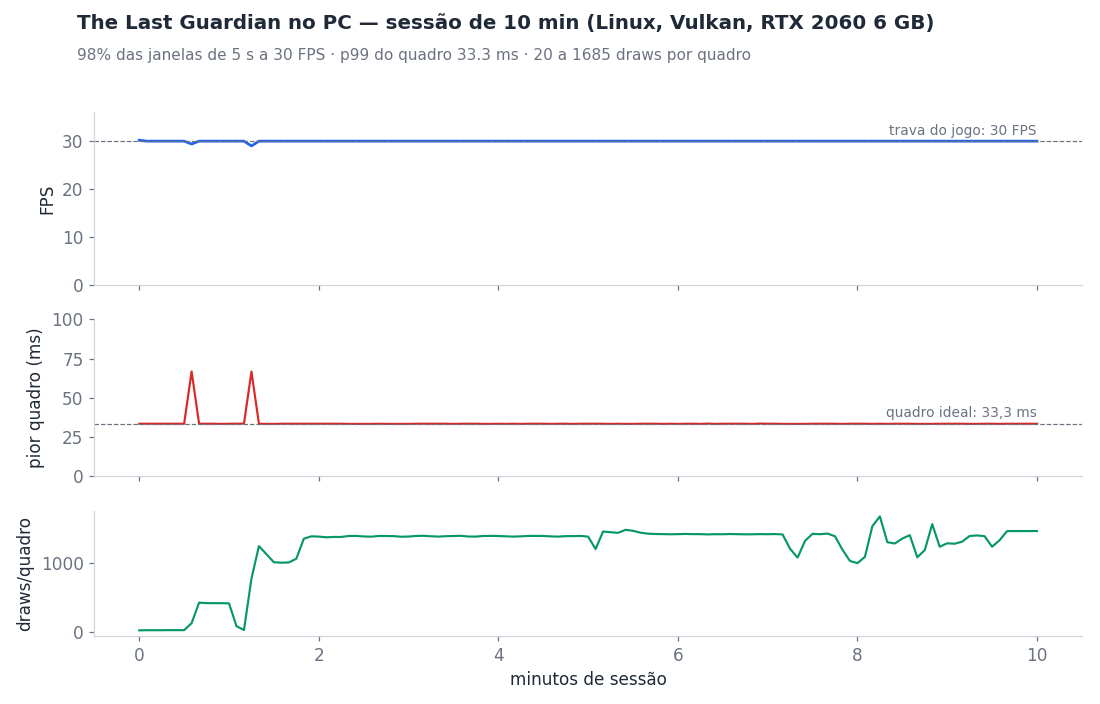
<sub>FPS, pior quadro e draws por quadro a cada 5 s, tirados do log do port (TLG_FRAME_STATS=1). Gerado por scripts/session_chart.py.</sub>
Download
A última versão é gerada pelo GitHub Actions a cada mudança; as anteriores ficam em Releases como histórico:
- Linux x86-64 (glibc 2.39+: Ubuntu 24.04, Fedora 40, SteamOS 3.6 ou mais novos):
tlg-linux-x86_64.tar.gz - Windows 10/11 64 bits:
tlg-windows-x86_64.zip
Arquivos do jogo necessários
Tudo vem do seu PS4 (GoldHEN + Itemzflow). Nada disso vai no download. Use The Last Guardian CUSA03627 (EUA) ou CUSA03745 (UE), com o update 01.03, montado numa pasta só, com o jogo base e o update por cima. São ~25 GB.
| Arquivo | Vem de | Tamanho | Para quê |
|---|---|---|---|
eboot.bin | update 01.03 | 89 MB | o código do jogo (tem que ser o do 1.03) |
sce_module/libc.prx, sce_module/libSceFios2.prx | update 01.03 | 1,5 MB | bibliotecas do próprio jogo |
sce_sys/ (param.sfo, playgo-chunk.dat, icon0.png, pic0.png, pic1.png) | jogo base + update | ~5 MB | metadados, instalação e a arte do launcher |
trico_boot.psarc, trico_001.psarc, trico_002.psarc, trico_003.psarc | jogo base | 2,8 + 5,8 + 5,4 + 6,8 GB | conteúdo principal |
trico_bootp.psarc, trico_001p.psarc, trico_002p.psarc, trico_003p.psarc | update 01.03 | ~1,6 GB | correções do update |
trico_enu.psarc / trico_ptb.psarc / trico_esl.psarc / trico_frc.psarc (+ os …p.psarc do update) | base + update | ~280 MB cada | vozes e textos: inglês, português, espanhol, francês |
sce_discmap.plt, sce_discmap_patch.plt | base, update | pequenos | mapa de arquivos (recomendado) |
O CUSA03745 (UE) traz 15 idiomas, no lugar dos quatro do CUSA03627: inglês, francês, espanhol (Espanha), alemão, italiano, holandês, português (Portugal), russo, finlandês, sueco, dinamarquês, norueguês, polonês, turco e árabe. O launcher lista os idiomas do CUSA que estiver carregado.
Do firmware do console (opcional, para ter som): libSceNgs2.sprx (372 KB), de /system/common/lib/ do seu PS4. Ele vai na pasta system_lib/ ao lado do executável.
Como montar a pasta:
- No Itemzflow, faça o dump do jogo (
CUSA03627ouCUSA03745) e do update (CUSA03627-patchouCUSA03745-patch) para um pendrive exFAT. - No PC, copie a pasta do jogo base e depois copie o conteúdo do update por cima, substituindo os arquivos (
eboot.bin,sce_module/,sce_sys/). - Confira os tamanhos. Arquivos acima de 4 GB vindos pelo FTP do GoldHEN 2.2 chegam cortados, então use o pendrive.
A lista completa, que também vai nas notas de cada Release, está em docs/ARQUIVOS_NECESSARIOS.md.
PC: placa de vídeo com Vulkan 1.3 (6 GB de VRAM recomendados) e ~25 GB livres.
Como jogar
- Extraia o pacote e coloque o
libSceNgs2.sprxna pastasystem_lib/. - Abra o The Last Guardian, escolha a pasta do jogo e o idioma (o CUSA03627 tem inglês, português, espanhol e francês; o CUSA03745 tem 15) e, se quiser, a taxa de quadros e os filtros de imagem. Clique em Jogar.
- No jogo, F10 liga o contador de FPS, e Insert (ou R3 + L2 no controle) abre o menu do port.
- Controle (PS4/PS5, Xbox) ou teclado e mouse: o mouse gira a câmera, Esc solta o mouse e um clique prende de novo. O layout e o remapeamento estão no
README-player.mde na caixa Controles do launcher.
O passo a passo completo, com os problemas mais comuns, está em README-player.md, que também vem dentro do pacote.
Mods e cheats. O botão Mods / Cheats… do launcher abre a pasta user/mods/ e lista os arquivos de cheat em XML (formato shadPS4/GoldHEN) que você soltar lá; nenhum tem efeito até você ligar na lista (ou isEnabled="true" no próprio arquivo). Um cheat escrito para outra versão do jogo é ignorado sozinho, sem travar os demais.
Processadores sem MOVBE, BMI1 ou LZCNT (Intel anteriores ao Haswell): o código do jogo usa essas instruções (1941 pontos no eboot 1.03 com a libc e o Fios2; nenhuma SSE4A). Nesses processadores o port troca essas instruções por uma emulação na partida (precisa do iced-x86, que já vem nos pacotes). TLG_ISA_REWRITE=1 força a emulação de todos os conjuntos (teste), uma lista como TLG_ISA_REWRITE=movbe,bmi1 força só esses e TLG_ISA_REWRITE=0 desliga. O log mostra ISA: CPU lacks ... ou ISA: forced rewrite of N sites.
Windows: proteção da red zone. O código do PS4 guarda variáveis nos 128 bytes abaixo do rsp (a "red zone"), e o Windows escreve ali a cada exceção (o port usa exceções para acompanhar a memória da GPU), o que no inFAMOUS derrubava o jogo em pontos aleatórios. Na partida o port reescreve as instruções de memória das funções que usam a red zone para rodarem com o rsp 128 bytes mais baixo (vem do inFAMOUS, iss_pc #29/#41). Vem ligada no Windows; TLG_RED_ZONE_REWRITE=0 desliga e TLG_RED_ZONE_REWRITE=1 liga no Linux (teste). Teste no Linux: TLG_CLOBBER_RED_ZONE=<bytes> apaga essa quantidade de bytes abaixo do rsp a cada exceção, como o Windows (1 = 128). Detalhes: port/docs/red_zone.md.
Windows: falhas de leitura e gravação de arquivos. No Windows o port guarda a posição de cada arquivo, lê e grava por um buffer próprio (e não direto na memória do jogo que a GPU protege) e tenta de novo os erros que esse caso dá. Toda leitura, gravação, abertura ou renomeação que falhar vai para o log (Runtime: read(...) ... Win32 error N), até 32 de cada tipo: mande esse log se o jogo disser que não conseguiu ler ou gravar dados (no inFAMOUS era "disco corrompido").
Compilar do código-fonte
git clone --recursive https://github.com/HayatoG/tlg_pc.git && cd tlg_pc
cd port && TLG_LTO=OFF bash build.sh   # Linux: SDL3, Vulkan, FFmpeg, Boost, fmt, Zydis, glslang
cd .. && ./tlg_launcher.sh             # ou ./run_tlg.sh pelo terminal
No Windows, o build roda no MSYS2 CLANG64 (port/packaging/windows/README.md). O workflow .github/workflows/build.yml mostra o processo completo nas duas plataformas.
Como funciona
| Camada | O que faz | Base |
|---|---|---|
| Loader | Carrega o eboot.bin 1.03 e liga os módulos do jogo (libc.prx, libSceFios2.prx) e o libSceNgs2.sprx do console | bloodborne_pc, gow3_pc |
| Runtime | Reimplementa as bibliotecas do PS4: kernel, threads, arquivos, controle, áudio, saves | gow3_pc + 54 funções novas para o TLG |
| Vídeo | Traduz os comandos Gnm e os shaders GCN para Vulkan/SPIR-V | núcleo de vídeo do shadPS4 |
Os detalhes técnicos (achados no Ghidra, bugs resolvidos, opções TLG_*) estão em docs/TECNICO.md. O histórico do que foi feito e do que falta está em docs/PROGRESSO.md.
Próximos passos
Roadmap gráfico (#7): testar o 60 FPS no jogo todo (#5), efeitos do jogo (#3), resolução interna (#4) e FSR/DLSS (#6). Também estão nas issues o áudio sem o arquivo do firmware (#11), importar o jogo de PKG (#9), o macOS (#1) e as correções que forem aparecendo.
Créditos e aviso legal
Base de código: gow3_pc (FelipePrado0), bloodborne_pc e shadPS4, todos GPL-2.0, assim como este projeto (LICENSE). Áudio ATRAC9 via LibAtrac9.
Este projeto não tem vínculo com a Sony Interactive Entertainment, a SIE Japan Studio ou a genDESIGN. The Last Guardian é marca da Sony Interactive Entertainment. Nenhum código, arquivo ou arte do jogo é distribuído aqui. O ícone é uma arte original do projeto.
<a id="english"></a>
The Last Guardian — native PC port
The Last Guardian (PS4, CUSA03627 US / CUSA03745 EU, update 01.03) running on PC with graphics, audio, controller, mouse and keyboard and saves, at a steady 30 FPS (optional, experimental 60 FPS and unlocked modes) and without a CPU emulator. The game's original code runs natively on the processor. The PS4 system is reimplemented, and the GPU is translated to Vulkan.
No game files come with this project. To play, you need your own copy, dumped from your own PS4.
By HayatoG · YouTube @hayatog-dev · Discord discord.gg/UMkdMYZh9g
The screenshots and the performance chart are at the top of this page.
What's new
- 60 FPS and unlocked frame rate (experimental): launcher → Video → "Frame rate (experimental)", or
TLG_FPS=30|60|unlocked. The default is still 30 FPS, as on PS4. Details indocs/60fps.md(in Portuguese, #5). - Image filters: SMAA anti-aliasing, RCAS (FSR 1) or CAS (AMD) sharpening and colour adjustments (brightness, contrast, saturation, gamma), in the launcher and live in the in-game menu (Insert → Image) (#2).
- Mouse and keyboard: the mouse turns the camera (sensitivity and inverted Y in the launcher), and keys and mouse buttons can be remapped (#8).
- Japanese text (experimental): on EU CUSA03745 update 01.03, choose 日本語 (EU 1.03 text fallback) in Game language. The port handles the embedded-asset fallback without moving or deleting archives. See setup and limitations; this is not Japanese-region disc support.
- Motion sensor: the DualShock 4/DualSense gyro works as is. On controllers without one, a tap on Share (or L3+R3) toggles "sensor mode": the left stick tilts the controller and cross/A shakes it. On the keyboard, T/G tilt and Y shakes.
- PS4-like brightness and lighting: the game's auto exposure now reads the right value from the GPU, so outdoor scenes no longer blow out to white (
TLG_READBACK_LINEAR=1, on by default;0restores the old behaviour) (#38, #40). - Direct memory access (shaders): new launcher option (Graphics → GPU), off by default (
TLG_DIRECT_MEMORY_ACCESS=1). Shaders read constants straight from the game's memory: fixes some broken scenes, but the game runs slower. Its shaders live in a cache of their own and are compiled again the first time. - Sticks: a 10% dead zone against drift (
TLG_STICK_DEADZONE), and the last controller used is the one that counts. - Menu buttons: Cross/Circle confirmation in launcher Controls, without swapping gameplay buttons. The game-menu conversion currently requires the verified EU 01.03 executable.
- Touchpad without a touchpad: hold View/Select (or Tab) and move the right stick (or the arrow keys) to swipe; a quick tap still clicks.
- Performance: FPS no longer drops over time (shader variants are now reused), and repeated partial image transitions are skipped.
- Automatic shader cache: it lives in
user/cache/, next to the saves (Linux and Windows; the old cache in~/.local/share/shadPS4oruser/user/is moved over on the first start). The folder is keyed by the shader recompiler version, and the old cache is deleted on its own after an update. To rebuild everything, the launcher has a Clear shader cache button (or./run_tlg.sh --clear-shader-cache); it deletes only this game's compiled shaders, never saves or settings.
Status
| Area | State |
|---|---|
| Boot, menu, intro and gameplay | ✅ Works; 10+ minute sessions without failures |
| Graphics | ✅ Native 1080p, no shimmering; optional SMAA, RCAS/CAS and colour adjustments |
| Audio | ✅ With libSceNgs2.sprx from your console's firmware |
| Controller | ✅ DualSense, DualShock 4, Xbox and 8BitDo via SDL3, with hot-plug; real or simulated motion sensor |
| Mouse and keyboard | ✅ Mouse camera and remapping in the launcher |
| Saves | ✅ Autosave and Continue |
| Performance | ✅ 30 FPS, as on PS4; 🧪 optional 60 FPS and unlocked, being tested (#5) |
| Linux | ✅ Tested (Nobara/Fedora 44) |
| Windows | 🧪 Automatic build, not yet tested in game |
| macOS (Apple Silicon) | 📋 Planned (#1) |
Download
The latest release is built by GitHub Actions on every change; older ones stay under Releases as history:
- Linux x86-64 (glibc 2.39+: Ubuntu 24.04, Fedora 40, SteamOS 3.6 or newer):
tlg-linux-x86_64.tar.gz - Windows 10/11 64-bit:
tlg-windows-x86_64.zip
Required game files
Everything comes from your own PS4 (GoldHEN + Itemzflow). None of it is in the download. Use The Last Guardian CUSA03627 (US) or CUSA03745 (EU), with update 01.03, merged into one folder, with the base game and the update on top. About 25 GB.
| File | From | Size | Purpose |
|---|---|---|---|
eboot.bin | update 01.03 | 89 MB | the game code (must be the 1.03 one) |
sce_module/libc.prx, sce_module/libSceFios2.prx | update 01.03 | 1.5 MB | the game's own libraries |
sce_sys/ (param.sfo, playgo-chunk.dat, icon0.png, pic0.png, pic1.png) | base + update | ~5 MB | metadata, install info and the launcher art |
trico_boot.psarc, trico_001.psarc, trico_002.psarc, trico_003.psarc | base game | 2.8 + 5.8 + 5.4 + 6.8 GB | main content |
trico_bootp.psarc, trico_001p.psarc, trico_002p.psarc, trico_003p.psarc | update 01.03 | ~1.6 GB | update fixes |
trico_enu.psarc / trico_ptb.psarc / trico_esl.psarc / trico_frc.psarc (+ the update's …p.psarc) | base + update | ~280 MB each | voices and text: English, Portuguese, Spanish, French |
sce_discmap.plt, sce_discmap_patch.plt | base, update | small | file map (recommended) |
CUSA03745 (EU) ships 15 languages instead of CUSA03627's four: English, French, Spanish (Spain), German, Italian, Dutch, Portuguese (Portugal), Russian, Finnish, Swedish, Danish, Norwegian, Polish, Turkish and Arabic. The launcher lists the languages of the loaded CUSA.
From the console firmware (optional, for audio): libSceNgs2.sprx (372 KB), from /system/common/lib/ on your PS4. It goes in the system_lib/ folder next to the executable.
How to build the folder:
- In Itemzflow, dump the game (
CUSA03627orCUSA03745) and the update (CUSA03627-patchorCUSA03745-patch) to an exFAT USB drive. - On the PC, copy the base game folder, then copy the update's contents over it, replacing files (
eboot.bin,sce_module/,sce_sys/). - Check the sizes. Files over 4 GB sent through GoldHEN 2.2's FTP arrive truncated, so use the USB drive.
The full list, which also goes in the notes of every Release, is in docs/ARQUIVOS_NECESSARIOS.md.
PC: a graphics card with Vulkan 1.3 (6 GB of VRAM recommended) and ~25 GB free.
How to play
- Extract the package and put
libSceNgs2.sprxin thesystem_lib/folder. - Open The Last Guardian, pick the game folder and the language (CUSA03627 has English, Portuguese, Spanish and French; CUSA03745 has 15) and, if you like, the frame rate and image filters. Click Play.
- In game, F10 toggles the FPS counter, and Insert (or R3 + L2 on a controller) opens the port's menu.
- Controller (PS4/PS5, Xbox) or keyboard and mouse: the mouse turns the camera, Esc releases the mouse and a click takes it back. The layout and remapping are in
README-player.mdand in the launcher's Controls box.
The full guide, with common problems, is in README-player.md, which also ships inside the package.
Mods and cheats. The launcher's Mods / Cheats… button opens the user/mods/ folder and lists any cheat XML files (shadPS4/GoldHEN format) you drop there; nothing has any effect until you turn it on in the list (or the file's own isEnabled="true"). A cheat written for another game version is skipped on its own, without affecting the others.
CPUs without MOVBE, BMI1 or LZCNT (Intel before Haswell): the game's code uses those instructions (1941 sites in the 1.03 eboot with its libc and Fios2; no SSE4A). On those CPUs the port replaces them with an emulation at start (needs iced-x86, included in the packages). TLG_ISA_REWRITE=1 forces the emulation of every set (testing), a list such as TLG_ISA_REWRITE=movbe,bmi1 forces only those and TLG_ISA_REWRITE=0 turns it off. The log shows ISA: CPU lacks ... or ISA: forced rewrite of N sites.
Windows red-zone protection. PS4 code keeps variables in the 128 bytes below rsp (the "red zone"), and Windows writes there on every exception (the port uses exceptions to track GPU memory), which crashed inFAMOUS at random places. At start the port rewrites the memory instructions of the functions that use the red zone so they run with rsp 128 bytes lower (from inFAMOUS, iss_pc #29/#41). On by default on Windows; TLG_RED_ZONE_REWRITE=0 turns it off and TLG_RED_ZONE_REWRITE=1 turns it on on Linux (testing). Linux test: TLG_CLOBBER_RED_ZONE=<bytes> zeroes that many bytes below rsp on every exception, like Windows (1 = 128). Details: port/docs/red_zone.md.
Windows file read and write errors. On Windows the port keeps each file's position itself, reads and writes through its own buffer (not straight into game memory the GPU protects) and retries the errors that case gives. Every failed read, write, open or rename goes to the log (Runtime: read(...) ... Win32 error N), up to 32 of each kind: send that log if the game says it could not read or save its data (on inFAMOUS it was "disc is corrupt").
Building from source
git clone --recursive https://github.com/HayatoG/tlg_pc.git && cd tlg_pc
cd port && TLG_LTO=OFF bash build.sh   # Linux: SDL3, Vulkan, FFmpeg, Boost, fmt, Zydis, glslang
cd .. && ./tlg_launcher.sh             # or ./run_tlg.sh from a terminal
On Windows, the build runs in MSYS2 CLANG64 (port/packaging/windows/README.md). The workflow .github/workflows/build.yml shows the full process on both platforms.
How it works
| Layer | What it does | Based on |
|---|---|---|
| Loader | Loads eboot.bin 1.03 and links the game's modules (libc.prx, libSceFios2.prx) and the console's libSceNgs2.sprx | bloodborne_pc, gow3_pc |
| Runtime | Reimplements the PS4 libraries: kernel, threads, files, controller, audio, saves | gow3_pc + 54 new functions for TLG |
| Video | Translates Gnm commands and GCN shaders to Vulkan/SPIR-V | shadPS4 video core |
Technical notes (Ghidra findings, fixed bugs, TLG_* options) are in docs/TECNICO.md, in Portuguese. The history of what was done and what is left is in docs/PROGRESSO.md.
Next steps
Graphics roadmap (#7): testing 60 FPS through the whole game (#5), game effects (#3), internal resolution (#4) and FSR/DLSS (#6). Audio without the firmware file (#11), importing the game from a PKG (#9), macOS (#1) and new fixes are tracked in the issues as well.
Credits and legal notice
Code base: gow3_pc (FelipePrado0), bloodborne_pc and shadPS4, all GPL-2.0, as is this project (LICENSE). ATRAC9 audio via LibAtrac9.
This project is not affiliated with Sony Interactive Entertainment, SIE Japan Studio or genDESIGN. The Last Guardian is a trademark of Sony Interactive Entertainment. No game code, files or art are distributed here. The icon is original artwork made for this project.
Apoie o desenvolvimento / Support development
Se quiser apoiar os ports, pague um café pelo Buy Me a Coffee. O apoio é opcional; os ports continuam gratuitos.
If you would like to support the ports, buy me a coffee. Support is optional; the ports remain free.