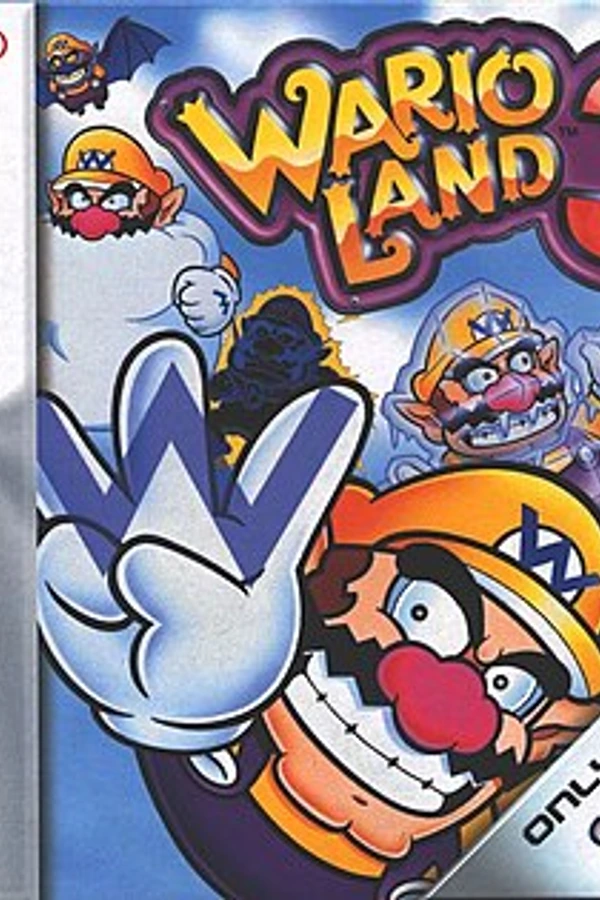
Wario Land 3 (Recomp)
Wario Land 3
OrigenGame Boy Color
TecnologíaRecompilación Estática (C/C++ nativo)
Disponible paraAndroid
Ver proyecto oficialSobre el proyecto
Wario Land 3 es un videojuego de plataformas de progresión no lineal lanzado por Nintendo para la consola Game Boy Color, protagonizado por Wario, siendo uno de los mejores juegos para esta plataforma. La historia del juego trata de que Wario está encerrado en un mundo que está dentro de una caja musical y debe salir de ahí. Este videojuego es el más avanzado de la saga Wario Land para Game Boy Color.
2 versiones de Wario Land 3
Estás viendo: Wario Land 3 (Recomp)
Información oficial del proyecto
Bigodão: WL SM3
A static recompilation study and native port of Wario Land: Super Mario Land 3 with native widescreen, a GPU renderer with an optional 3D mode, and mods support for HD tiles and remastered music.


📌 About the Project
Bigodão: WL SM3 is a personal study project focused on static decompilation and recompilation techniques applied to classic Game Boy hardware binaries.
By extracting and recompiling game code into modern C/C++, this project enables Wario Land: Super Mario Land 3 to run natively on Linux, Windows and Android with enhanced performance and native widescreen rendering without standard emulator stretched distortion.
✨ Features
- 🖥️ Native widescreen (16:9), enabled by default.
- ⚡ GPU renderer (OpenGL): the screen, HD tiles and post-processing filters are composed on the GPU, with an optional 120 fps mode (in-between frames).
- 🧊 3D mode: the levels get real depth — extruded blocks and sprites, water volume, a front layer, and a camera that follows Wario (also on the right analog stick and, with a gyroscope, by tilting the device or controller). Screens outside the levels can be given depth by marking tiles.
- 🎨 HD tile mods: replace backgrounds and sprites with high-resolution PNGs packed in
.o2rfiles. - 🎵 Music mods: replace the Game Boy soundtrack with
.oggtracks, while sound effects keep playing from the original audio. - 📱 Android port with an on-screen gamepad, physical controller support and the system file picker.
- 📦 Single executable on Windows: no extra DLLs required.
- ⚙️ Settings menu in English or Portuguese, organized by category, with menu themes in Wario's colors.
📰 See
RELEASE_NOTES.mdfor what's new.
🔑 Requirements & Hashes
To build and run this port, you must provide your own legally acquired Game Boy ROM and patch file matching the SHA-256 hashes below:
🎮 ROM & Patch Information
| Component | File Name | Version | SHA-256 Hash |
|---|---|---|---|
| Base ROM | Wario Land - Super Mario Land 3 (World) | Original | ac1682f17abcf590311a233289ee325214c2d71ab3a5aa175004002d85075e56 |
| IPS Patch | Wario Land - Super Mario Land 3 DX (World).ips | v1.2 (by korxo) | 599d9f59090df3e1e77c1678e069290a2cd9ce59c71cf58d66c4dc3db8b7facd |
ℹ️ How memory patching works:
The executable validates the base ROM via its SHA-256 hash and applies the IPS patch (defined intools/wl_sm3_dx_v12_patch.json) directly in memory. Your original ROM on disk remains untouched.When packaging binary releases for Linux and Windows, keep the executable and
tools/wl_sm3_dx_v12_patch.jsontogether in the same folder. On Android, the manifest is bundled inside the APK.
🎮 Controls
Default bindings. Everything can be remapped in Settings > Controls.
| Action | Keyboard | Controller |
|---|---|---|
| Move | Arrow keys or W A S D | D-pad or left stick |
| A (jump / confirm) | Z or J | B (◯), the right face button, or RB (R1) |
| B (dash attack / cancel) | X or K | A (✕), the bottom face button, or LB (L1) |
| Start | Enter | Start (Options) |
| Select | Backspace or Right Shift | Back (Share) |
| Settings menu | Esc or F10 | Guide / Home or L3 |
| Game panel | F2 | R3 |
| 3D camera | — | Right stick, gyroscope |
| Fast forward (hold) | Tab | RT (R2) |
| Toggle max speed | ` (grave) | LT (L2) |
| Save / load state | F5 / F8 | X (▢) / Y (△) |
| Previous / next state slot | F6 / F7 | — |
| Performance overlay | F1 | — |
| Mute | M | — |
| Fullscreen | F11 | — |
| Capture scene (for HD mods) | F9 | — |
Keyboard keys are listed for a US (QWERTY) keyboard but work by position: on AZERTY, for example, W A S D is Z Q S D and Z is W. Settings > Controls shows the names for your own layout. <!-- [textos-teclado] -->
Controller names follow the Xbox layout (PlayStation in parentheses where it differs). Just like on the Game Boy, A is the right button and B the left one, so they sit in the same place on the pad.
On Android, an on-screen gamepad is shown (it hides while a physical controller is in use), and Back also opens the menu.
🛠️ Build Instructions
📋 Prerequisites
Before starting, ensure you have installed:
- 🛠️ C++ Compiler (GCC / Clang / MSVC)
- ⚙️ CMake (v3.16+)
- ⚡ Ninja build system
- 🐍 Python 3
1️⃣ Step 1: Extract & Recompile Game Code
From the project root directory, build the recompilation tool and process the game source:
# 1. Build the gb-recompiled tool
cmake -G Ninja -S gb-recompiled -B gb-recompiled/build
ninja -C gb-recompiled/build

# 2. Recompile the game ROM into C source files
gb-recompiled/build/bin/gbrecomp hack1.2_WL-SM3.gb -o compiler_src/game_code/game_code_hack
2️⃣ Step 2: Native Linux Build
To compile the native executable on Linux:
cmake -G Ninja -S . -B build -DCMAKE_BUILD_TYPE=Release
ninja -C build
💡 Note: The build process automatically applies the widescreen FOV patch (
tools/widescreen_hack_fov_30_patch.json) before compiling.
Optional — application menu shortcut with the icon:
bash platform/linux/instalar_atalho.sh
3️⃣ Step 3: Windows Cross-Compilation (MinGW)
To cross-compile for Windows from a Linux environment:
-
Download and prepare SDL2 dependencies:
cd compiler_src wget https://github.com/libsdl-org/SDL/releases/download/release-2.30.0/SDL2-devel-2.30.0-mingw.tar.gz tar -xvf SDL2-devel-2.30.0-mingw.tar.gz cd .. -
Configure & Build:
cmake -S . -B build_win -DCMAKE_TOOLCHAIN_FILE=mingw-toolchain.cmake -DCMAKE_BUILD_TYPE=Release
cmake --build build_win -j
💡 Note: SDL2, libgcc and libstdc++ are linked statically, so the
.exeruns on its own — no DLLs need to be copied. To get a console window with logs for debugging, add-DWL_WINDOWS_GUI=OFF.
4️⃣ Step 4: Android Build
Requirements: JDK 17, Android SDK, NDK and CMake 3.22.1 (all installable through the Android Studio SDK Manager or sdkmanager).
-
One-time setup (downloads the SDL2 source code and prepares the Gradle project):
bash android/setup_android.sh -
Build the APK:
cd android
./gradlew assembleRelease
The APK is written to
android/app/build/outputs/apk/release/. -
Install it on your device (copy the APK to the phone, or use
adb install -r <apk>).
📱 On first launch, the app asks for "All files access" to create the
Bigodao/folder (withmods/andlog/) in the device storage. If denied, mods and logs stay inside the app's private folder.
⚙️ Settings Menu
Open it with Esc, or Guide / Home on a controller (on Android also Back, L3 or R3). The categories are on the left:
| Category | What's there |
|---|---|
| Display | Menu theme, fullscreen, window size, V-Sync, internal resolution, scale and post-processing filters, widescreen options, video backend, screen composition (CPU/GPU) and frame rate (60/120). |
| 3D | 3D mode, camera (tilt, turn, right stick, gyroscope, follow Wario), depth, sprite thickness, front layer and the tile marking tools. |
| Audio | Volume, output device and latency. |
| Controls | Keyboard and controller bindings, shortcuts and touch controls. |
| Game | Speed and save states. |
| Mods | HD tile packs and .ogg music tracks. |
| Developer | Diagnostics (GPU comparison, audio lab, reference frames, sprite pose recorder). |
The language (English by default, or Portuguese) is chosen at the top of the menu. All settings are saved in runtime_prefs.ini.
🧊 3D Mode
Turn it on in Settings > 3D > 3D mode: Layers. It needs the OpenGL video and Screen composition: GPU (OpenGL 3.3, or OpenGL ES 3.0 on Android).
-
In the levels the depth is automatic: the level layout tells floor, water, doors and ladders apart.
-
Camera: tilt (negative values look from below), turn and depth. The right analog stick moves the camera and springs back when released, and the camera can follow Wario, turning to the side he walks to.
-
Gyroscope: on Android phones and controllers with a motion sensor (DualShock 4, DualSense, Switch Pro…), tilting the device turns and tilts the camera, which eases back to center when held still. It works together with the right stick. Adjust it in 3D > Camera: on/off (on by default), sensitivity, and invert turn / tilt. The menu shows which sensor was found (controller or this device).
-
Volume: sprite thickness and the front layer (a copy of the terrain blocks in front of everything) are adjustable.
-
Outside the levels (title, save slots, maps, Course Clear, bonus games, Time Up…) the depth comes from tiles marked by hand:
- Turn on 3D > Tools > Mark tiles (outside levels) and close the menu.
- Left click a tile to cycle background → floor → half floor → water → door/ladder; right click sets it back to background.
- Use Freeze the game for scenes that can't be paused.
Marks are kept per screen (
g00,m44,g80–g85…, listed intools/fases.csv) inmods/3d_marcas.txt. A default set of marks is built into the game; the file only stores your changes on top of it.
🧩 Mods
The game loads HD tile packs and music packs (.o2r files) from the mods/ folder. The full guide — capturing scenes, painting, slicing, packing and music track numbers — is in tools/mods/COMO_CRIAR_MODS.md.
🐍 Mod Scripts
| Script | Purpose |
|---|---|
tools/hd_slice.py | Slices a painted scene (captured with F9) or sprite sheet into HD tiles. |
tools/hd_empacotar.py | Packs the HD tiles and pack.json into a .o2r mod. |
tools/musica_empacotar.py | Packs .ogg music tracks (and music.json) into a .o2r mod. |
💡 The HD scripts require Pillow:
pip install pillow.
🙏 Credits & Acknowledgments
Without the work of these incredible projects and individuals, this project wouldn't be possible:
- 🛠️ gb-recompiled by arcanite24 – Static recompilation toolsuite for Game Boy binaries.
- 🔍 WL Disassembly by Kak2X – Reverse engineering and disassembly of Wario Land.
- 🎨 korxo – Special thanks for the fantastic work on the Version 1.2 IPS patch.
- 🎵 Sound mapping – Music and RAM references used to map the soundtrack: