The Legend of Zelda: Skyward Sword
Sobre el proyecto
The Legend of Zelda: Skyward Sword es un videojuego de acción y aventura de 2011 de la serie The Legend of Zelda, desarrollado por la filial Nintendo EAD en colaboración con Tantalus Media y publicado por Nintendo para la consola Wii. Fue lanzado el 18 de noviembre de 2011 en Europa y el 20 de noviembre de 2011 en América.
2 versiones de The Legend of Zelda: Skyward Sword
Estás viendo: The Legend of Zelda: Skyward Sword
Información oficial del proyecto
The Legend of Zelda: Skyward Sword




This repository contains a work-in-progress decompilation of The Legend of Zelda: Skyward Sword for the Nintendo Wii system.
This repository does NOT contain any game assets or assembly. An existing copy of the game is required in order to contribute.
Currently, the only supported version of the game is SOUE01: the NTSC-U 1.0 version (USA).
🔗 Dependencies
If the following steps don't work for you, please refer to the dtk dependencies documentation.
Windows
On Windows, it's highly recommended to use native tooling. WSL or msys2 are not required. When running under WSL, objdiff is unable to get filesystem notifications for automatic rebuilds.
- Install Python and add it to
%PATH%. - Download ninja and add it to
%PATH%.- Quick install via pip:
pip install ninja
- Quick install via pip:
macOS
-
Install ninja:
brew install ninja
wibo, a minimal 32-bit Windows binary wrapper, will be automatically downloaded and used.
Linux
- Install ninja.
wibo, a minimal 32-bit Windows binary wrapper, will be automatically downloaded and used.
🔧 Building
- Clone the repository:
git clone https://github.com/zeldaret/ss.git - Using Dolphin Emulator, extract your
SOUE01game ISO toorig/SOUE01.- Right-click The Legend of Zelda: Skyward Sword game in Dolphin and select
Propertiesto open a new window containing various game properties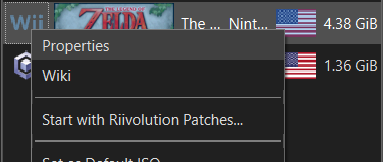
- Select the
Filesystemtab at the top of this new window (it should be the rightmost tab) - Right-click the entry labelled
Data Partitionand selectExtract Entire Partition...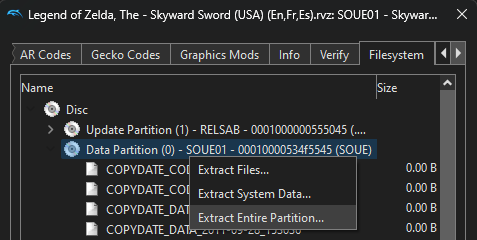
- Extract the partition to
orig/SOUE01 - To save space, the only necessary files are the following. Any others can be deleted:
sys/main.dolfiles/rels.arc
- Right-click The Legend of Zelda: Skyward Sword game in Dolphin and select
- Run the configure script:
python configure.py - Build the project with ninja:
ninja
🔬 Diffing
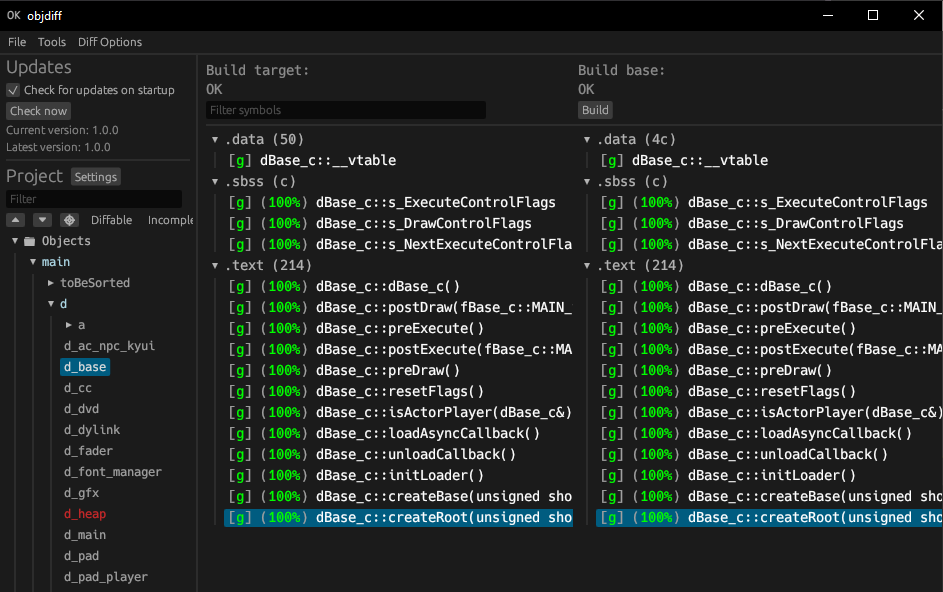
Once the initial build succeeds, an objdiff.json should exist in the root of this project.
Download the latest release of the object diffing tool, objdiff, from
encounter/objdiff.
Once objdiff is opened, set the Project directory by clicking on the Settings button near the
Project heading.
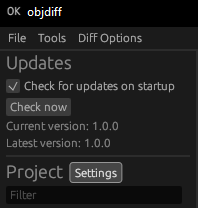
The project settings window should have opened. At the top of this window, click the Select
button next to the Project directory heading.
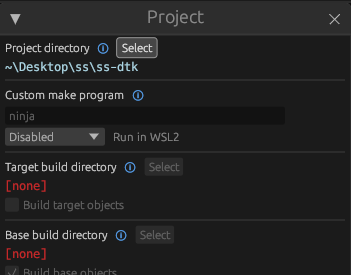
Select the root of this project and objdiff should now be fully setup. The configuration should be loaded automatically.
Select an object from the left sidebar to begin diffing. Changes to the project will rebuild automatically: changes to source files, headers, configure.py, splits.txt or symbols.txt.