
Black-2006 Recomp
BLACK
About the project
Black puede referirse a:Black (Alabama), pueblo en el estado de Alabama (Estados Unidos). Black (banda), banda británica de música liderada por Colin Vearncombe (1962-2016), reconocido como Black. Black (canción de Pearl Jam), canción de Pearl Jam de 1991. Black (película de 2005), película india de 2005. Black (película de 2015) (2015), película belga dirigida por Adil El Arbi y Bilall Fallah. Black (videojuego), videojuego en primera persona de 2006. Black (serie de televisión), serie de televisión surcoreana de 2017. Black (mascota), mascota del mundial Canadá-Estados Unidos-México 2026.
5 versions of BLACK
You're viewing: Black-2006 Recomp
Black-2006 Recompgithub.com/portingpete/Black-2006-RecompBLACK (Android)github.com/RanggaCasper/Black-AndroidBlack (Black - XBE Recomp)github.com/TGP482/BLACK-XBERecompBLACK (BlackDefinitiveHDPC)github.com/euspring1/BlackDefinitiveHDPCBLACK (PC)github.com/Spark198rus/black-pcOfficial project information
Black 2006 Recomp
An experimental Windows recompilation of the original Xbox release of BLACK (2006), built with XboxRecomp. It includes a Direct3D 11 renderer, keyboard and mouse controls, XInput controller support, video settings, a PC launcher, and native audio output. Movies are enabled by default. The Windows build can also run on x86_64 Linux through Wine/Proton; see Linux setup.
Start here
- Open the release downloads. On Windows, download BLACK-0.1.0-alpha.5-starter.zip. On Linux, use BLACK-0.1.0-alpha.5-starter.tar.gz. GitHub's Source code downloads do not include the compiled launchers or required submodule sources.
- Extract the whole archive into a writable folder, for example
C:\Games\BLACK. Open BLACK Launcher.exe on Windows, or BLACK Settings.sh on Linux. - Choose Your disc and select your own supported original Xbox BLACK disc
image (ISO/XISO) or the folder containing
default.xbe. Keep the complete disc contents together. The launcher checks the release before copying the files. - Choose Build the game. On Windows, the launcher offers to install missing build tools; accept their installer prompts. The first build needs an internet connection, free disk space and several minutes. On Linux, follow the dependency instructions in Linux setup first.
- When the build finishes, choose Play. Use this launcher again for settings and future launches.
The download contains the launcher and build sources. You supply the game files;
the launcher builds the PC game on your computer. Copying files into game/ alone
does not build it. The PS2 version and other Xbox revisions are not supported;
Your disc reports an unsupported executable before copying it. You do not need
to clone this repository or run terminal commands for the Windows starter.
If building fails, choose Open the log on the build-failure screen. For game problems, use Settings > Diagnostics. Include the error and your operating system when reporting a problem. See START HERE.txt inside the download for the same steps offline.
The launcher
BLACK Launcher sets the game up and starts it. It is written in C++ on Walnut and drawn like the game's own menu pages, with the game's menu fonts once your disc is in place.
- Your disc: choose an ISO (XISO or a full Redump dump) or a folder of extracted files, or drop it onto the
window. The launcher checks it is the supported release, then copies it into
game/with progress; a stopped copy carries on where it left off. - Build the game turns your disc into the PC game. It looks for the tools that needs (Visual Studio's C++
tools, CMake, Python and Rust), installs the missing ones with winget when you ask, then runs each step with
its progress: preparing the tools, translating the code from your disc, setting up the build, compiling and
making the menu languages. A stopped build carries on where it left off, a failed one shows the step and its
output, and everything is logged in
reports/build-<date and time>.log. - Play starts the game and keeps its output in
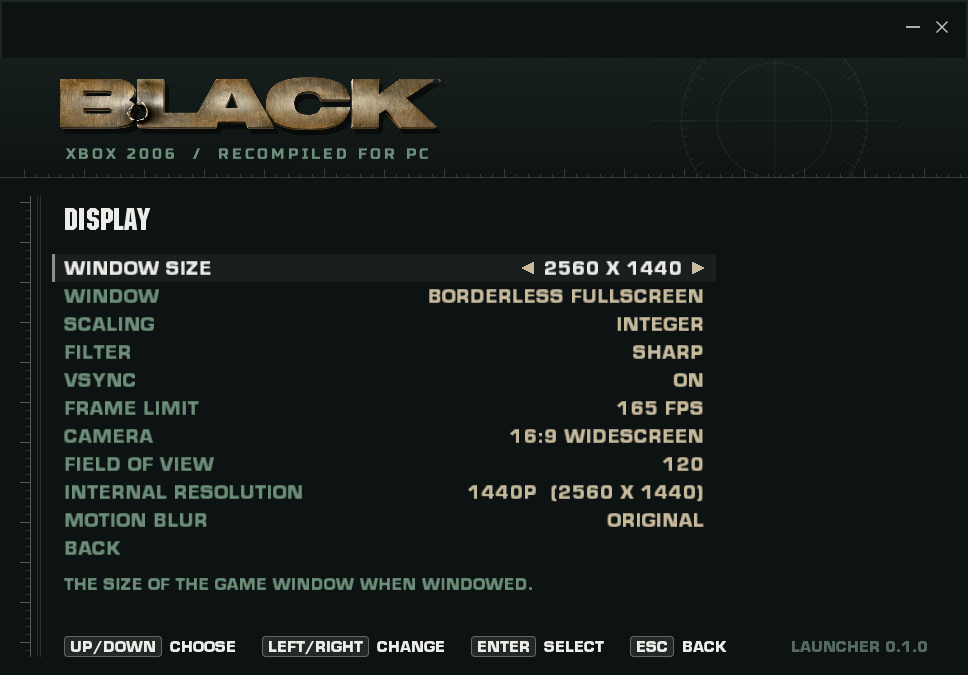
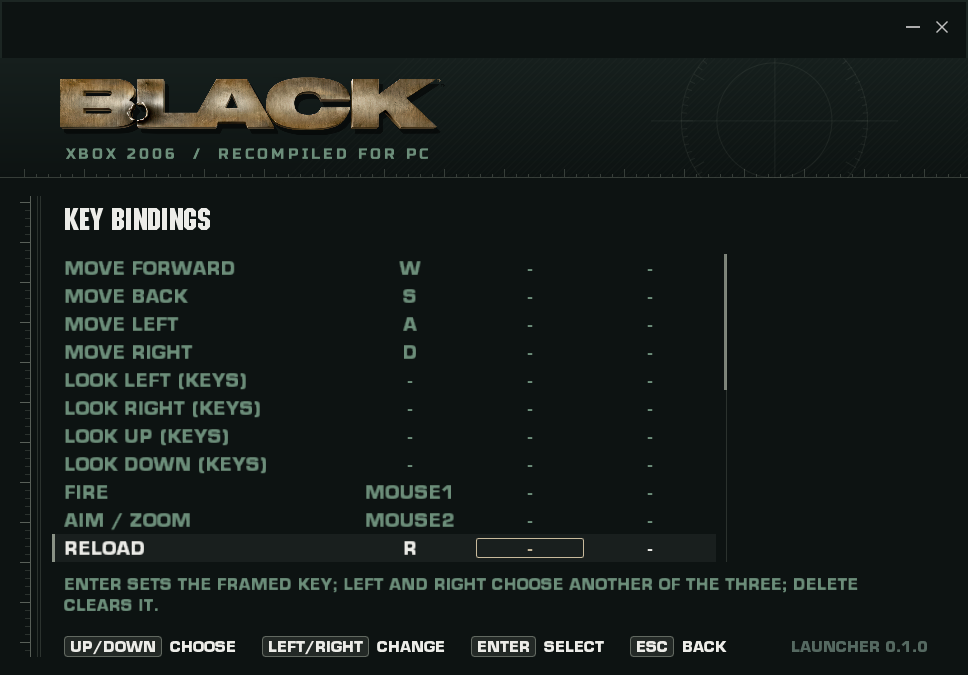
reports/launcher-<date and time>/. While it runs, the same row stops it.BLACK Launcher --playstarts it with no window, for shortcuts. - Settings: display, graphics, controls with key bindings read by key position (as the game stores them),
game options and the menu language, and diagnostics. Changes are saved at once to
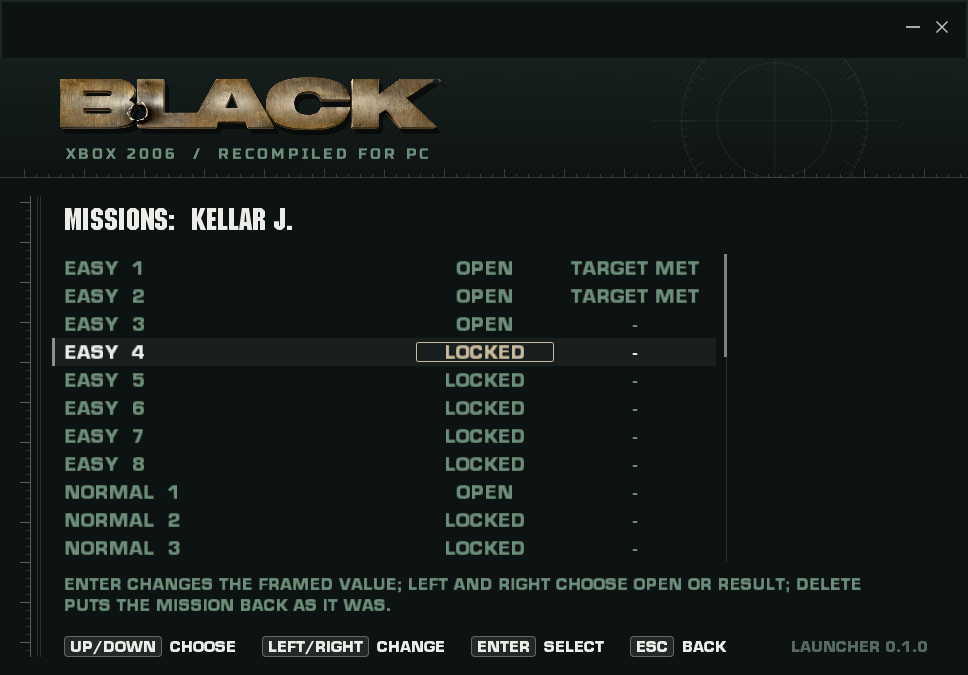
local/video.ini,local/controls.iniandlocal/xbox-launcher.json, which the game's own settings pages also edit. Diagnostics turns on the detailed traces and prepares a GitHub issue about the last game run, without your folder names, for you to check and send. - Save game: rename a profile slot, open or lock missions and set their results, or unlock them all. Every save
backs the profile up first (
local/profile-backups/), and any backup can be put back. - Add to Steam: after building, close Steam, choose this row, select your Steam account and confirm. The launcher backs up existing shortcuts before adding BLACK. Restart Steam to see it in your library. Keep the installation in the same folder so the shortcut keeps working.
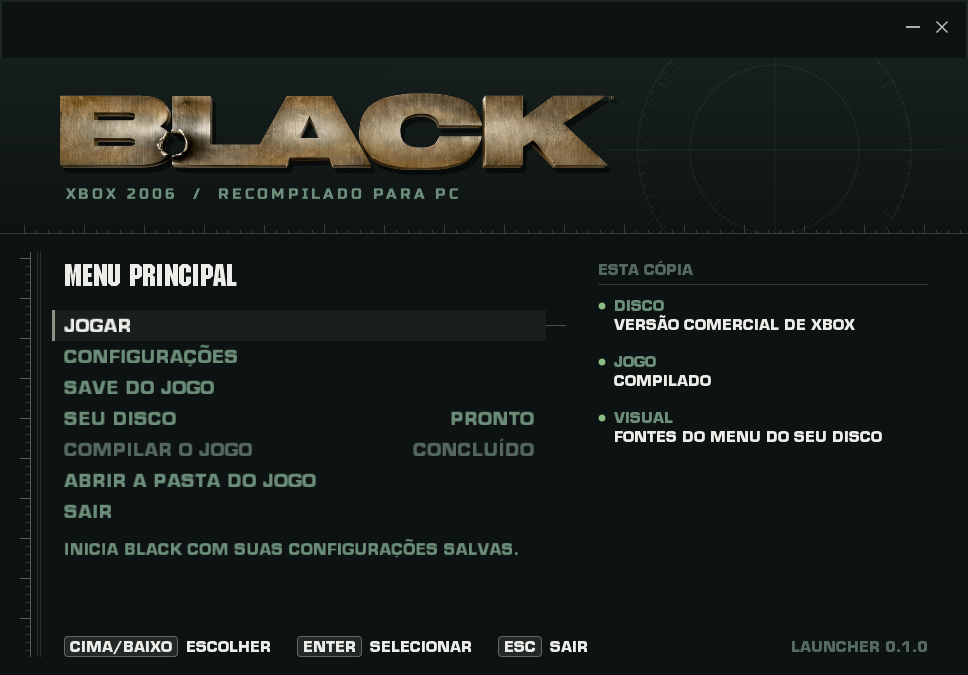
- It speaks the six menu languages (Settings > Game > Menu language).
See launcher/README.md to build or change it.
| Main menu | Your disc |
|---|---|
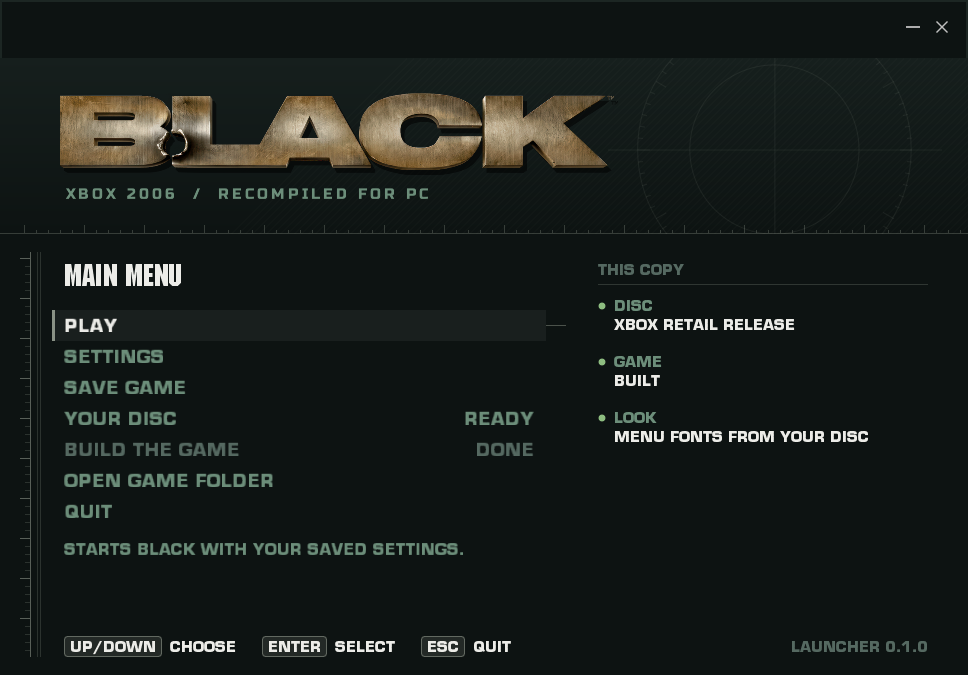 | 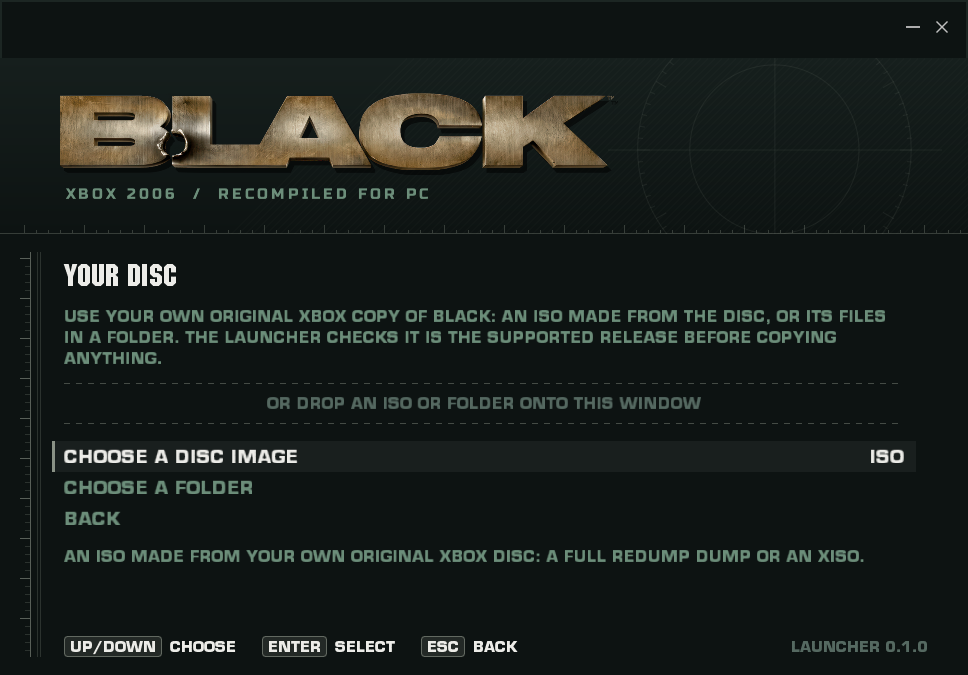 |
| Checking the disc | Copying |
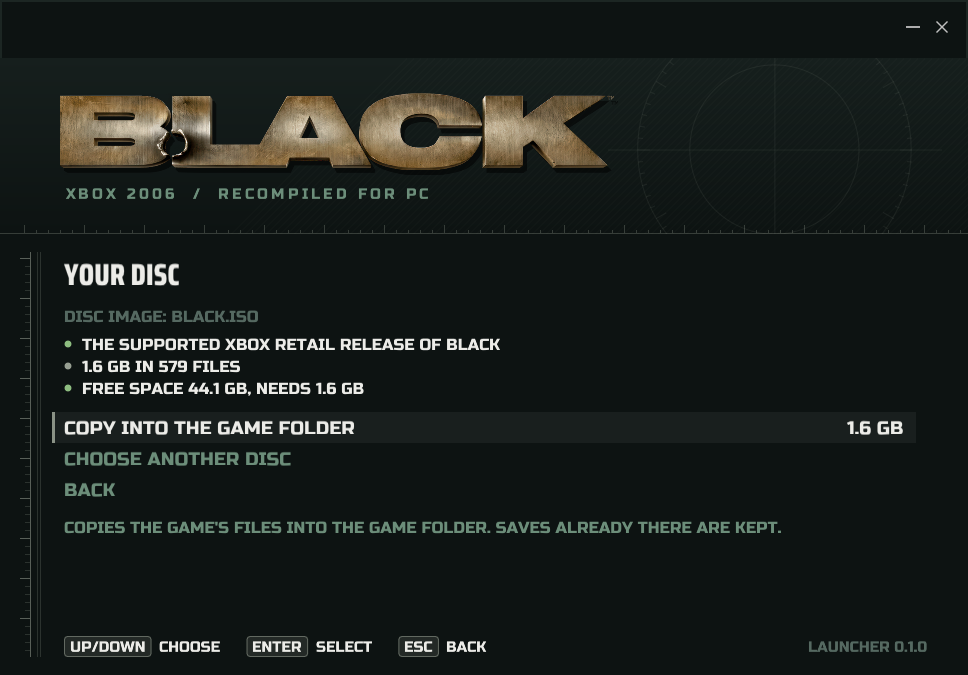 | 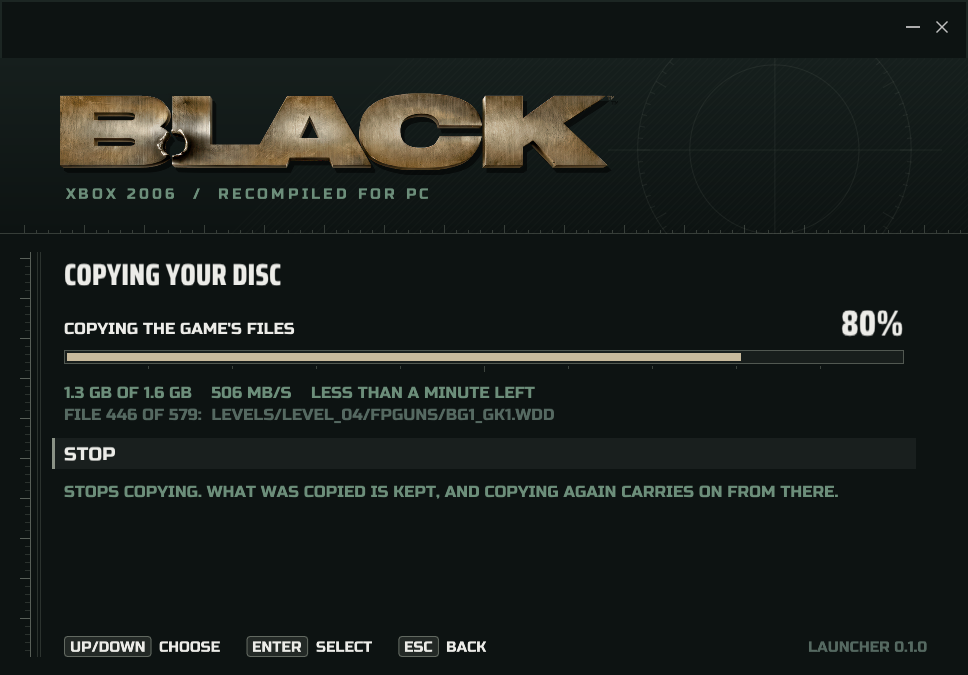 |
| Settings | Key bindings |
 |  |
| Save game | In Portuguese |
 |  |
LOD and gameplay options
In Settings > Graphics, LOD distance keeps detailed meshes and distant props visible farther away. Choose 1X (original), 2X, 3X, 5X, 8X or 10X. Higher values can increase rendering work; level streaming and view-frustum limits still apply. The same option is available in the in-game Graphics menu.
In Settings > Gameplay, or the in-game Gameplay menu:
- Aim mode offers Toggle (the original behavior and default) or Hold to aim only while the assigned
aim button is held. It follows keyboard, mouse and controller bindings, including scoped weapons, and saves
to
local/video.iniasaim_mode=toggle|hold. - Bullet damage scales player bullets against enemies, from 0.5X to 10X. Enemy bullets keep their original damage.
- Enemy health scales health at spawn, from 0.25X to 4X. Restart the mission to apply it to existing enemies.
- Instant-kill headshots makes player head hits lethal, including helmeted enemies. Invulnerable enemies remain protected.
Combat defaults are 1X damage, 1X health and instant kills Off. Armor and the game's death/headshot tracking continue through the native rules. These options are independent of difficulty and optional secondary objectives.
HD textures
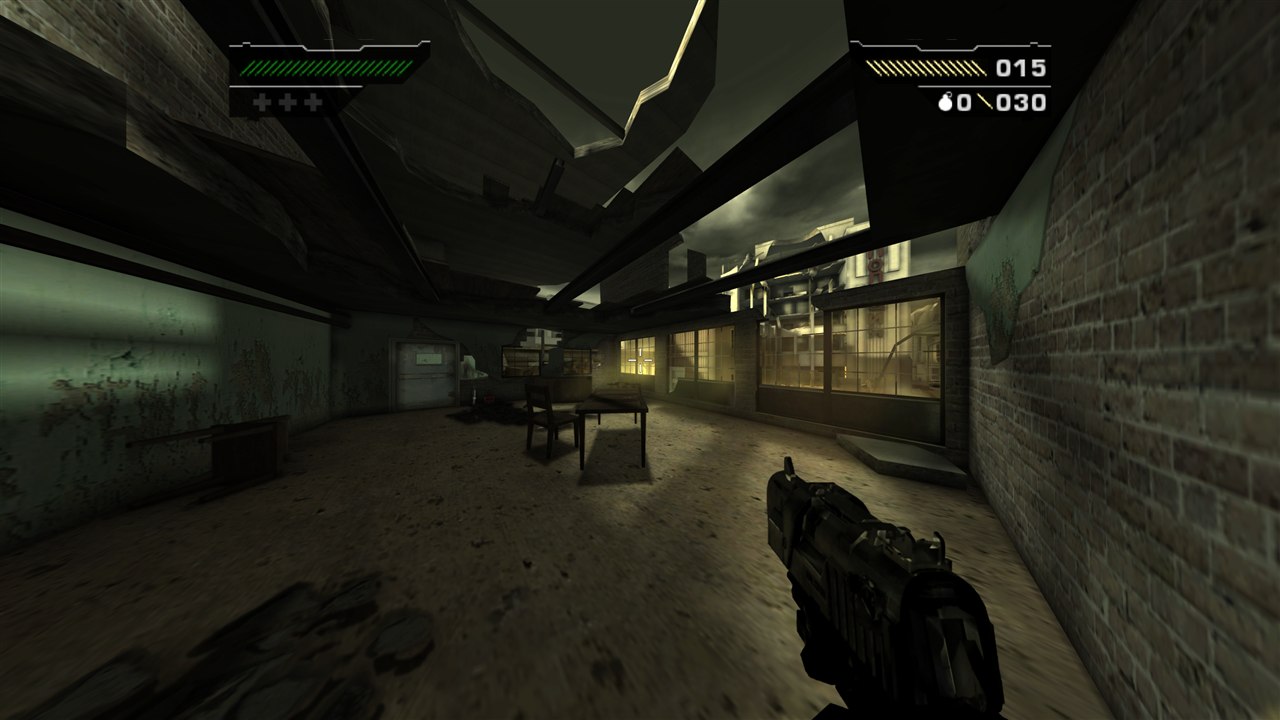
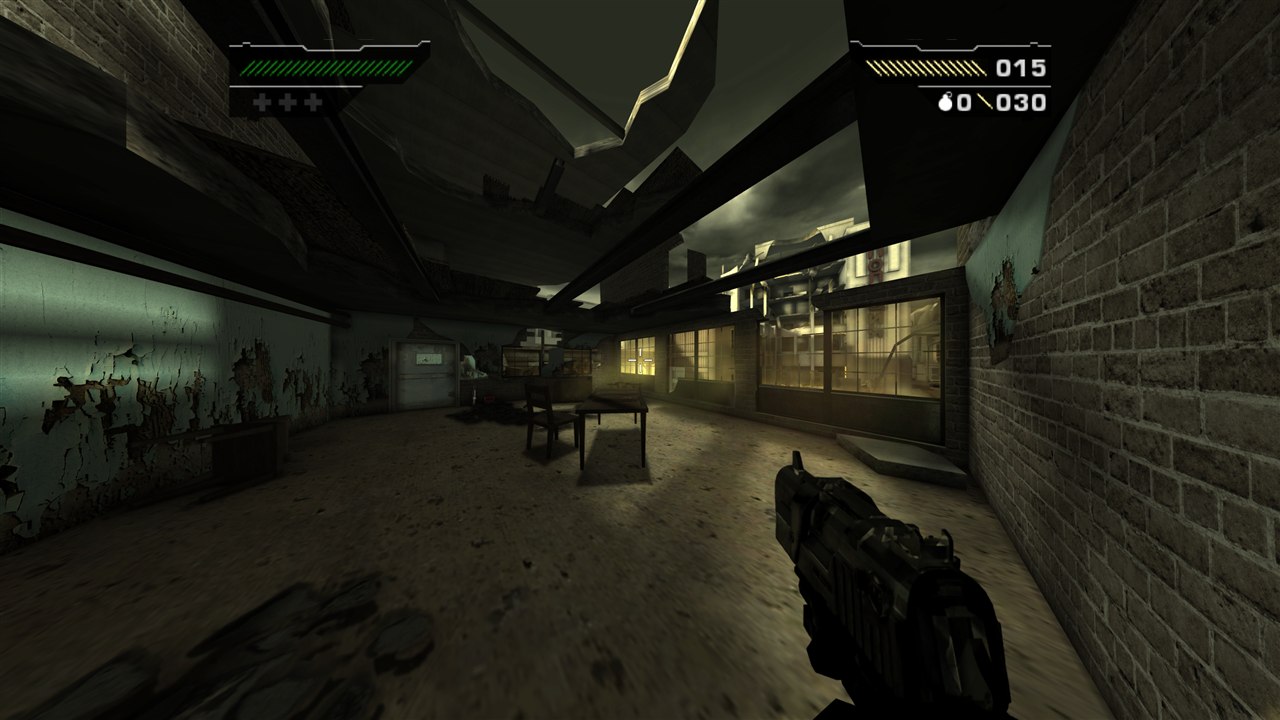
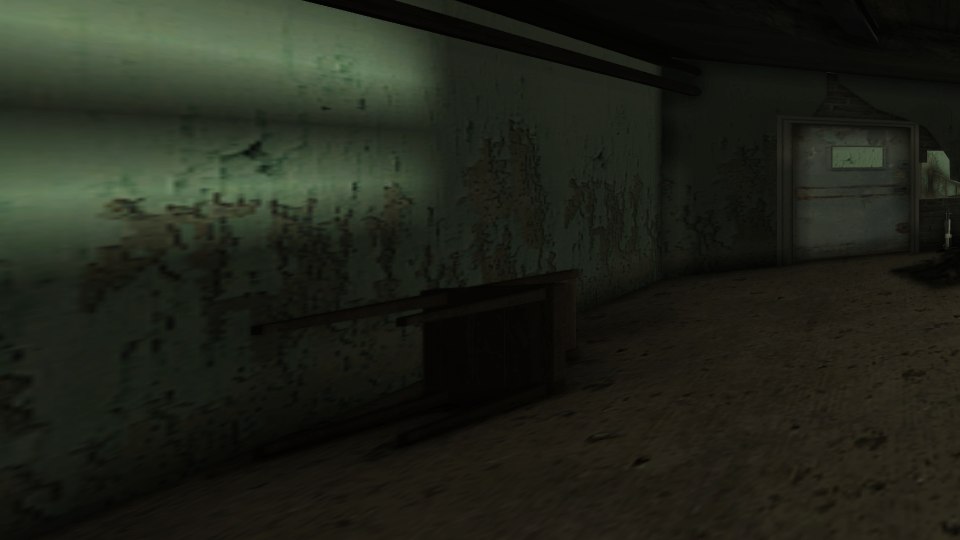
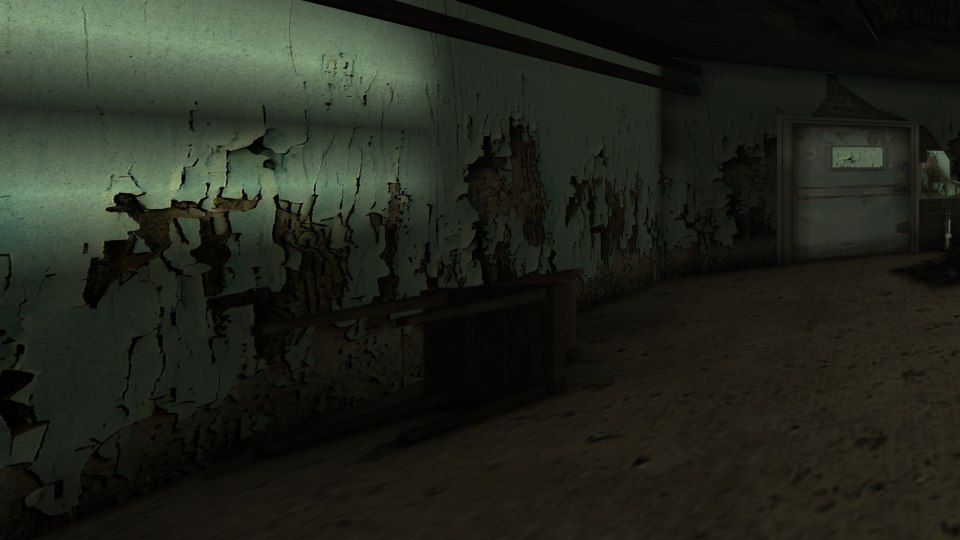
The game can use BLACK HD Reimagined, a texture pack made by HD REIMAGINED for the PS2 version in PCSX2. It is not included here.
To install it:
- Download the pack from ModDB: BLACK HD Reimagined Texture Pack.
- Choose Settings > Game > Open HD pack folder in the launcher. This creates and opens
texture_pack_hdnext to the launcher. The status row shows whether the folder exists. - Extract the download into it. Any layout of subfolders works: the PCSX2 one
(
texture_pack_hd/SLUS-21376/replacements/...) is fine as it is. - In the launcher, choose Settings > Game > Textures: HD PACK, then Play. ORIGINAL goes back to the game's own textures. If the folder is missing, the launcher explains where to put the pack. A found folder does not prove that every pack file is installed.
The pack's files are named by PS2 hashes that mean nothing to the Xbox version. Instead,
textures/black-hd-reimagined.map says which pack file replaces which game
texture. It was made by matching every texture on the disc (about 2000) to the pack by look, then checking the pairs by
eye: 1161 game textures use 1007 of the pack's 1324 files. The rest are versions of the same picture or have no
counterpart in this version. Without the map, the game falls back to matching by look while it plays, keeping what it
learned in texture_pack_hd/black_recomp_index.bin.
| Original | HD pack |
|---|---|
 |  |
 |  |
Release archives
The starter release includes BLACK Launcher built for Windows (BLACK Launcher.exe) and for Linux. Open it,
choose your disc, then Build the game: it installs what it needs and builds. After that, Play starts the
game. Nothing else needs to be run.
Linux can generate and compile the complete game without a Windows installation; the launcher runs natively and starts the game through Wine/Proton. See Linux build and setup. Play BLACK.sh and BLACK Settings.sh open the launcher; Install Linux Shortcuts.sh creates clickable desktop entries. The public starter contains host source and the compiled launcher; game executables, generated game code, retail files, language banks, settings and saves are excluded.
The launcher finds the game at a portable bin/black_xbox_recomp.exe or in the
build-vs2022/Release/ layout. Keep black-release.json beside the launcher. Archive and file SHA-256
checksums are included.
Startup logos skip on one press of Escape, Enter, Space, left click, or controller A / B / Start. During a cutscene, the first press shows Press again to skip in the bottom-right corner. Release and press again within three seconds to skip; holding a button cannot confirm. The hint also works with native menus disabled and stays at the window corner on ultrawide displays. Looping menu backgrounds keep playing normally. See the movie skip tests.
Settings > Game > Skip Startup Videos automatically ends the EA/Criterion logo video through the game's movie-completion code. It replaces Skip Startup Menus and carries over that option's saved choice. It sends no controller or keyboard presses, so menus wait for you and story cutscenes still play. The separate Skip Movies option continues to skip all non-looping videos. Both options default to Off; restart the game after changing them.
The added Crosshair and Hit Markers are independent options in the launcher's
Settings > Gameplay and the in-game Options > Gameplay Settings page,
including while paused. Both default to Off. Crosshair Off keeps BLACK's
original aiming dot; enabling it offers Cross, T-shape and Circle styles. Choices
are saved in local/video.ini; existing saved preferences are preserved.
Optional Secondary Objectives is also available on both Gameplay settings
pages and defaults to Off. Turn it on to finish missions without meeting
the difficulty's secondary-objective requirement. Primary objectives still
apply, and secondary objectives continue to track what you actually earned.
The choice is saved as optional_secondaries=on|off in local/video.ini and
can be changed while paused.
Ambient occlusion adds contact shading from scene depth with SSAO Classic, HBAO, HBAO+, and GTAO, each with Low, Medium, High, and Ultra quality. Choose the method and quality in the launcher's Settings > Graphics or the in-game Video Settings > Graphics page. AO defaults to Off, with High quality selected for when it is enabled. The launcher's labels and help follow the selected menu language. The in-game Video Settings > Graphics page also localizes its tabs, setting names, values, and help text between English and Brazilian Portuguese.
These are local implementations of the techniques; HBAO+ does not use the vendor SDK. The AO regression tests exercise the actual shaders, settings and native camera hook without game files.
Reflections replaces BLACK's 128 x 128 environment maps (weapons, windows, glass) with screen-space reflections of the scene. Choose Original, Low, Medium, High (default) or Ultra in the launcher's Settings > Graphics or the in-game Video Settings > Graphics page. Original keeps the game's maps. See docs/reflections.md.
AO reconstructs positions at the sampled depth texel and retries when an early draw has no usable depth buffer. Autofocus selects a representative surface in the central aperture, reducing focus jumps from thin foreground objects. After a gap without usable scene depth, autofocus reacquires the current view instead of blending from an old foreground focus distance. Wider gameplay FOV preserves the native framing of the player's weapon, arms, and suppressor using their render-queue ownership. World and companion weapons retain their own projection; see the viewmodel tests. Ultrawide sniper scopes extend the original outer black masks to the screen edges while preserving the aperture and reticle. The scope mask tests cover native resource ownership, aspect ratios and temporary draw-state restoration.
Enemy weapon-model lookup now preserves carry in the original 64-bit name calculation. Corrupted model names previously left enemies without a weapon model and prevented their native death-drop code from creating pickups. The weapon model regressions cover the arithmetic and save-hash compatibility; native drop rules remain in control.
Launch through the first mission has been tested, including the opening movies, mission briefing, movement, shooting, and reloading with audio. This is still a work in progress: selected cemetery and docks scenes have also been checked, but complete later-mission playthroughs remain unverified. Crashes and rendering issues remain possible, and Xbox GP/EP audio effects are not fully emulated.
Gameplay voices and effects now honor their source sample rate at the 48 kHz audio output. This corrects 32 kHz speech playing about 50% too fast and high. The APU regression test checks pitch, duration, stream completion, and playback lifecycle without game files or an audio device.
The fallback mixer preserves dry left/right and 3D speaker assignments without playing raw effect sends a second time. This avoids reversed duplicate channels and the clipping they caused. Native DSP output still takes precedence; see the spatial audio regressions. To export speech or music from your own Xbox SSH/BKS banks, use the audio extraction guide. The Xbox asset-format documentation covers BIN/DB containers, indexed model data, skeletons, animation track layouts, textures and AWD sound banks, with a read-only Rust inspector and explicit coverage limits.
Audio pacing retains fractional frame time and recovers ordinary scheduling
delays. The Windows output queues two packets before starting playback to provide
scheduling headroom, and restores that buffering after an underrun. The timing and
output queue regressions cover these paths without
an audio device. A reported critical device error recreates the output on its
submission thread and primes fresh samples; failed retries are limited to once
per second. Set RECOMP_APU_TRACE_OUTPUT=1 for five-second source, clipping,
queue, playback and recovery counters when investigating an audio problem.
BLACK also routes its primary stereo audio through custom DSP bins 19/20. The dry fallback includes that explicit pair when native EP PCM is unavailable, restoring soundtracks and level sounds that have no standard speaker send. Other effect sends stay excluded to avoid duplicated or reversed dry audio. The spatial regression checks channel direction, auxiliary sends, and native PCM ownership.
The APU also receives the size of the runtime's actual physical mappings, including the second view of low guest RAM when it is present. This lets GP/EP bootstrap and DMA reach valid audio pages above the 64 MB contiguous arena while retaining bounds checks for unmapped memory. The physical backing regression covers both DSPs and their scratch/FIFO transfers. Cutscene soundtracks use the same guest audio pipeline; they are stored separately from the native XMV video files.
This repository contains host source and build tooling. You must supply your own original Xbox game files. Game assets, the XBE, generated game-function bodies, recordings, and prebuilt game executables are excluded. Release archives include the compiled launcher, which contains no game code.
Build
For a build entirely on Linux, follow the Linux guide and run
bash './Build BLACK.sh'. The requirements below describe the Windows build.
Requirements:
- Windows x64, an AVX2-capable CPU, and a graphics driver supporting Vulkan (the launcher) and Direct3D 11 (the game). No Vulkan SDK is needed.
- Visual Studio 2022's C++ tools (the Build Tools are enough), CMake 3.21 or newer, Python 3.10 or newer and Rustup (the pinned DSP build fetches Rust 1.98.1 itself). The launcher's Build the game installs any of these that are missing, with winget. Git is needed only to fetch a clone's submodules.
- The supported retail original Xbox release of BLACK, extracted into
game/(the launcher does this from an ISO or a folder).
The supported game/default.xbe has SHA-256:
DF2739C372D254A90AEECCF5971D12097F22D89FBB90DB021FDA96DD4DEB68F6
Keep the extracted disc layout intact, including GlobData.bin, levels/,
sound/, and videos/. Other releases and the PlayStation 2 version are not
supported by this build.
Clone with submodules, then build from PowerShell in this repository:
git clone --recursive https://github.com/portingpete/Black-2006-Recomp.git
cd Black-2006-Recomp
.\scripts\setup.ps1
.\'BLACK Launcher.exe'
The runtime is a submodule: third_party/xboxrecomp is
portingpete/xboxrecomp on its
codex/optional-secondary-objectives branch, based on PauloVx/xboxrecomp's
black branch and carrying this project's runtime changes as ordinary commits.
third_party/dsp56300 is the pinned DSP56300 audio core. In an existing clone, run
git submodule update --init --recursive (the build does this when they are missing).
The build creates a local Python environment, generates code from your XBE, and compiles
the game. Generated code and build outputs stay outside Git. Building the generated C code
can take several minutes; later builds only redo what changed.
To change the runtime, work inside third_party/xboxrecomp on the branch named in .gitmodules,
commit and push there, then commit the new submodule commit in this repository.
scripts/setup.ps1 (and Build BLACK.cmd) builds BLACK Launcher.exe, then runs
BLACK Launcher.exe --build: the same build as the launcher's Build the game, in the terminal
(-FromScratch translates the code again). With no disc in game/ yet, it stops and asks you to choose one
in the launcher. The launcher itself needs only CMake and Visual Studio; its Vulkan headers are a submodule,
so no Vulkan SDK is needed.
Leave Settings > Game > Skip movies and Skip startup videos off to watch the full opening and navigate
manually. Local settings live in local/
and diagnostic logs in reports/. Save-related data uses save/ as well as
game/UDATA/ and game/TDATA/ through the native partition mapping. Close the
game and back up all three data directories before moving or removing the
project folder if you want to keep your progress.
Options > CONTROLS replaces the console's Controller Setup page, in the title
menu and the pause menu's options. Its pages use the game's own menu look.
Keyboard and mouse actions have a primary and a secondary key: Enter waits for
a key, mouse button or wheel, Escape cancels, and Delete clears. A key given to
one action leaves any other action that had it. The controller page picks one
of the game's four button layouts (preset 4 swaps the sticks) and moves single
button actions: confirm, then press the new button. Taking a button another
action uses swaps the two; X restores the layout's button. Movement, look and
Start stay with the layout. The change goes into the game's own action map, so
"press ..." prompts show the new key or button art straight away. Bindings are
kept in local/controls.ini, which the launcher's key bindings also read and
write. See the Controls tests.
Pause > PHOTO MODE freezes the mission and gives a free camera with a small panel in the
game's menu style: move with WASD or the left stick, look with the mouse or right stick, zoom, roll,
and take photos with F12 or Y. Photos are PNG files in Pictures\BLACK at the internal resolution,
without the HUD, menus or (unless shown) the weapon. The camera stays within a chosen range of where
photo mode started, so it cannot leave the built level. See Photo mode and the
photo tests.
Reached checkpoints are also saved under save/checkpoints/ for the selected
saved profile, mission and difficulty. Starting that same mission again resumes
the checkpoint with its native inventory, objectives and statistics. **Restart
Mission** discards it; completing a mission retires it. Unsaved profiles retain
the original session-only checkpoints. Keep save/ together with your profile
data when moving the game. See the checkpoint regressions.
The launcher's Settings > Game > Menu language chooses English, Brazilian
Portuguese, Spanish, French, German, or Italian for both the launcher and game,
and is saved in local/xbox-launcher.json. Spanish, French, German, and Italian
are marked as machine-draft translations and still need fluent-speaker review.
Before each run, the launcher installs the selected bank at
game/language/strings/MainUS.bin and passes that language to the game. The
launcher build preserves the recognized original English bank at
local/language-banks/en-US/MainUS.bin and generates the Brazilian Portuguese
bank plus four machine-draft language banks on a fresh setup. The launcher also preserves English before applying another language. If the
installed bank was previously translated or changed and no English copy exists,
restore the original English MainUS.bin from supported retail files to that
source path before launching. The reference English bank SHA-256 is
B23EEB4AD86A72894B40E7239D0EA8842E5A6BC05936A936401B608070E8C7BB.
English and Brazilian Portuguese banks come from the user's local game files.
The build can generate Brazilian Portuguese, Spanish, French, German, and Italian
banks under local/language-banks/ when the preserved English bank is present. No licensed
bank is included in Git. A missing selected bank leaves the installed text
unchanged, and a new or invalid language setting defaults to English.
Nine spoken cutscenes have subtitle tracks in English, Brazilian Portuguese,
Spanish, French, German, and Italian. The runtime selects a track using the game
language and lays captions out inside the active picture area, including 4:3,
16:9, and ultrawide presentations. Spanish, French, German, and Italian tracks
remain pending fluent-speaker and full audio review; speaker-attribution
uncertainties are documented in subtitles/SPEAKER_ATTRIBUTION_REVIEW.csv.
Experimental retiming candidates and gameplay ASR dialogue are not loaded.
AO requires the GPU renderer. Every quality uses a full-resolution R8 mask and depth-aware blur; higher quality increases sampling density and radius. AO multiplies scene color before depth of field, FXAA, sharpening, and the HUD. It uses the world camera's current half-frustum, captured with each queued draw so asynchronous rendering keeps the correct camera. Missing camera data or an incompatible depth surface bypasses the effect. Depth reconstruction uses a calibrated approximation, and HUD separation follows the existing depth-state heuristic. First-mission HBAO+ High and AO Off were checked in gameplay; later missions remain unverified.
Saved video settings use ao_method=off|ssao|hbao|hbao_plus|gtao and
ao_quality=low|medium|high|ultra. RECOMP_AO_METHOD and RECOMP_AO_QUALITY
override and lock their respective controls for that run. Legacy ssao and
RECOMP_SSAO settings remain supported. Untouched older default menu layouts
upgrade to include both AO controls; customized layouts are preserved.
Credits and licensing
Built on XboxRecomp by sp00nz, with xemu-derived hardware components and nv2a_vsh_cpu. The original Xbox behavior was investigated using community hardware documentation, including XboxDevWiki and Cxbx-Reloaded references. Development included assistance from Claude Code and OpenAI Codex.
Forks and submodules
| Submodule | Source | Used for |
|---|---|---|
third_party/xboxrecomp | portingpete/xboxrecomp (branch codex/optional-secondary-objectives), based on PauloVx/xboxrecomp and sp00nznet/xboxrecomp by sp00nz | The recompilation runtime, with this project's changes as commits |
third_party/dsp56300 | mborgerson/dsp56300 by Matt Borgerson | The audio DSP core |
launcher/vendor/walnut | PauloVx/Walnut (branch black), a fork of StudioCherno/Walnut by Studio Cherno | The launcher's application framework (Vulkan + Dear ImGui) |
launcher/vendor/imgui | TheCherno/imgui, a fork of Dear ImGui by Omar Cornut | Launcher UI |
launcher/vendor/glfw | TheCherno/glfw, a fork of GLFW | Launcher window, custom titlebar |
launcher/vendor/glm | g-truc/glm | Maths for Walnut |
launcher/vendor/spdlog | gabime/spdlog | Walnut's logging |
launcher/vendor/json | nlohmann/json | Launcher settings, logs and translations |
launcher/vendor/vulkan-headers | KhronosGroup/Vulkan-Headers | Building the launcher without the Vulkan SDK |
launcher/vendor/doctest | doctest/doctest | Launcher unit tests |
The launcher's stand-in fonts are Russo One and
Saira Condensed (SIL Open Font License, in launcher/assets/fonts).
The Xbox disc reader follows the format as documented by extract-xiso.
The optional HD textures are BLACK HD Reimagined by HD REIMAGINED (@HDREIMAGINED on Instagram and YouTube, @HD.REIMAGINED on TikTok), a pack made for the PS2 version in PCSX2. It is their work and is not part of this repository; the screenshots above show it running in this version.
Original project code is MIT licensed. Third-party components and their modifications retain their respective licenses; see LICENSE, NOTICE, and LICENSES. BLACK belongs to its respective owners; this project is an unofficial community effort.