
Bomberman 64 (Switch)
Bomberman 64
About the project
Bomberman 64, conocido en Japón como Baku Bomberman, es un videojuego desarrollado por Hudson Soft y publicado por Nintendo para la Nintendo 64. El juego salió en septiembre de 1997 en Japón, en noviembre del mismo año en Europa y en diciembre del mismo año en Norteamérica.
3 versions of Bomberman 64
You're viewing: Bomberman 64 (Switch)
Official project information
Bomberman 64: Recompiled — Nintendo Switch
English | Português
<p align="center"> <img src="docs/photos/switch-1.jpg" width="360" alt="Bomberman 64 running on a Nintendo Switch OLED"> <img src="docs/photos/switch-2.jpg" width="360" alt="Bomberman 64 Adventure mode on a Nintendo Switch OLED"> <br><em>Running on a real Nintendo Switch OLED.</em> </p>Nintendo Switch port developed by Paulo Dias. If you enjoy it, leave a ⭐ on the repository!
A Nintendo Switch homebrew port (.nro) of Bomberman 64: Recompiled.
The game code is statically recompiled from the original ROM with N64Recomp
and runs on N64ModernRuntime. The PC version renders with RT64
(Vulkan/D3D12/Metal), which isn't available on the Switch. This port renders with the Fast3D renderer from
libultraship over OpenGL, and its settings menu uses ImGui.
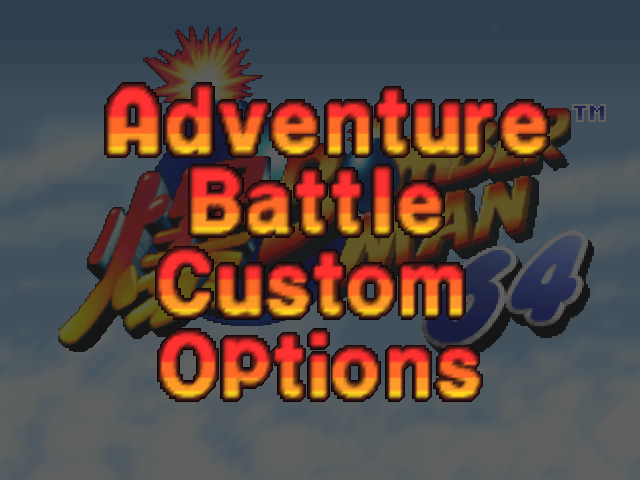 | 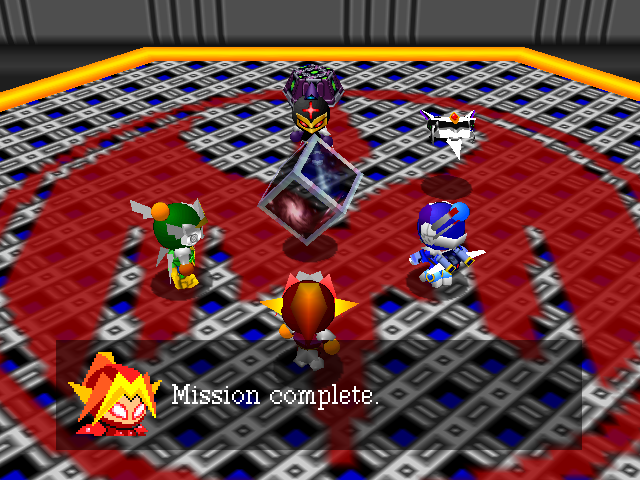 |
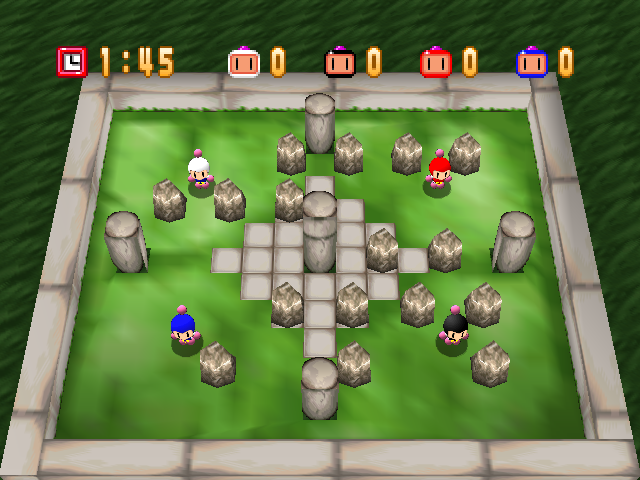 | 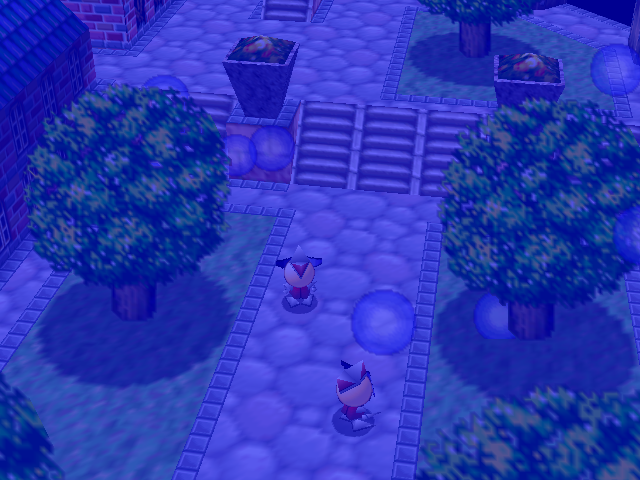 |
Screenshots from the port's renderer (the same one used on the Switch).
This repository contains no game assets. You need your own Bomberman 64 (USA) ROM to build and to play.
Installing on the Switch
You need a Switch running Atmosphère and your own Bomberman 64 (USA) ROM. Download the game from the Releases page. There are two ways to install it:
Option 1: NSP (recommended): icon on the HOME menu
- Install
BM64Recompiled.nspwith a title installer (DBI, Tinfoil, Goldleaf...). Installing NSPs requires sigpatches in Atmosphère. - Put your ROM on the SD card (see Where to put the ROM).
- Open Bomberman 64: Recompiled from the HOME menu, like any other game.
Option 2: NRO (no installation)
- Copy
BM64Recompiled.nrotosdmc:/switch/on the SD card. - Put your ROM on the SD card (see below).
- Launch it from the Homebrew Menu in title override mode: hold R while opening any game. The album (applet mode) doesn't have enough memory.
Where to put the ROM
Any of these places works:
sdmc:/switch/bm64recomp/(created by the game on first launch),sdmc:/switch/,- the root of the SD card (
sdmc:/).
Any format (.z64, .n64 or .v64) and any file name. On first launch the ROM is validated and copied to
sdmc:/switch/bm64recomp/, so you can delete the original afterwards. That folder also holds settings, saves, the
shader cache and the logs (bm64.log, bm64-err.log). The NSP and the NRO share it.
Settings menu: press − (Minus) to open or close it. It has these tabs:
- General: language (English or Portuguese).
- Graphics: internal resolution, anti-aliasing, texture filtering, VSync, FPS and the Switch CPU clock.
- Sound.
- Controls: rumble, deadzone and remapping.
- Cheats.
Settings are saved when the menu closes.
Portuguese translation
Choose Português (Brasil) in General → Language / Idioma. It translates:
- the game's text: menus, file select, options, results, stage names, Custom parts, Controller Pak messages and credits (accented letters are added to the game's font);
- all 33 conversations of Adventure mode. They're images in the game, so their text is redrawn in Portuguese when they load, keeping portraits, icons and the tutorial diagrams.
Graphic titles ("Stage Select", "Single Battle", world names...) stay in English. The translation lives in plain
text files that are easy to review: translations/pt-BR.txt (game text) and translations/pt-BR-dialogue.txt
(conversations). Text that already appears on screen changes on the next screen.
Custom icon (e.g. the box art)
The repository ships a generic icon. To use another one (for example the game's box art) on your own console, put a
256×256 JPEG at icons/custom-icon.jpg and build again (.\build.ps1 switch or .\build.ps1 nsp ...): the
.nro and the .nsp use it instead. That file is ignored by git, so artwork you don't own stays out of the repository.
Building
Everything runs in Docker, so on Windows you only need Docker Desktop and PowerShell. Clone with submodules:
git clone --recurse-submodules https://github.com/paulodiasred/BM64Switch.git
cd BM64Switch
| Command | What it does |
|---|---|
.\build.ps1 generate C:\path\bomberman64.z64 | Once: decompresses the ROM and recompiles the game (RecompiledFuncs/), the audio microcode (rsp/aspMain.cpp) and the patches (RecompiledPatches/). |
.\build.ps1 switch | Builds dist\BM64Recompiled.nro, plus the .elf for reading crash reports. |
.\build.ps1 all C:\path\bomberman64.z64 | generate + switch. |
.\build.ps1 nsp C:\path\prod.keys | Builds dist\BM64Recompiled.nsp. Needs your console's prod.keys (Lockpick_RCM). Only the packing step reads them, with just the two keys it needs, in a container without network access, and they never go into the repository. |
.\build.ps1 override <title ID> | Without keys: an Atmosphère LayeredFS folder in dist\sd that runs the game in place of an installed title, to test the NSP build. |
.\build.ps1 patches | Recompiles only the patches, after editing patches\*.c. |
.\build.ps1 linux | Linux test build (same code and renderer) in build-linux\. |
.\build.ps1 test run.sh SHOTS="10 20 30" | Linux build + headless run of a tools\test\ script, which takes screenshots in run\. The ROM must be in run\. |
.\build.ps1 shell | Opens a shell in the tools Docker image. |
.\build.ps1 clean | Deletes build-linux\, build-switch\ and dist\. |
The first run creates two Docker images:
bm64switch-host: Ubuntu with clang, N64Recomp, Xvfb and Mesa.bm64switch-nx: devkitA64 with libnx.
It also downloads and builds tools into build-tools\: N64Recomp, and bm64decompress from the
decompilation project.
Nothing generated from the ROM may be committed. The .gitignore already covers ROMs, RecompiledFuncs/,
RecompiledPatches/, rsp/ and the patch binaries.
Layout
src/lus/: the renderer.dl_translator.cpptranslates F3DEX display lists and RT64's extended GBI for libultraship. It also emulates the motion blur framebuffer and the fog-based fades.lus_render_context.cppis the render context.lus_menu.cppis the ImGui menu.- The other files replace the PC version's RmlUi UI.
src/switch/: Switch glue.- 2 MB stacks and cleared TLS for threads created through
pthread_create. - sljit configured without executable memory.
- 2 MB stacks and cleared TLS for threads created through
lib-patches/: changes to the submodules (N64ModernRuntime, N64Recomp and libultraship).tools/setup.shapplies them, andbuild.ps1runs it automatically.patches/: game patches (C for MIPS), recompiled along with the game.third_party/rt64/: the extended GBI header and thefile_to_ctool, copied from RT64 (MIT).tools/test/: headless test scripts.run.sh: screenshots at fixed times.play.sh: a sequence of key presses and screenshots.audio.sh: audio levels.gdbrun.sh: backtrace.
Debugging
- Logs:
sdmc:/switch/bm64recomp/bm64.logandbm64-err.log. - Atmosphère crash reports: they're in
sdmc:/atmosphere/crash_reports/. To read them, useaarch64-none-elf-addr2line -e dist/BM64Recompiled.elf <offset>in thebm64switch-nximage, with the offsets inside the game module. - Display list dumps:
BM64_DL_DUMP=N(Linux build) writes every Nth frame's display list todl_<frame>.txt.
Known limitations
- Code mods don't work: homebrew can't create executable memory.
- The NRO in applet mode (album) doesn't have enough memory. Use the NSP or title override.
- The first time an effect appears it can still hitch briefly while its shader compiles. Shaders are saved to
shaders.binand precompiled on later launches.
Credits
- Paulo Dias: Nintendo Switch port (libultraship renderer, display list translator, ImGui menu, Switch runtime adaptations and build).
- BM64Recomp (RevoSucks and contributors): the base of this port.
- N64Recomp / N64ModernRuntime (Wiseguy and contributors).
- libultraship and the Switch fork by YoshiCrystal9.
- RT64: extended GBI and
file_to_c. - Liberation Fonts (SIL Open Font License 1.1): the font of the
translated conversations (
translations/FONT-LICENSE.txt). - Bomberhackers/bm64: decompilation and
bm64decompress.
The original project's license is in LICENSE.txt.