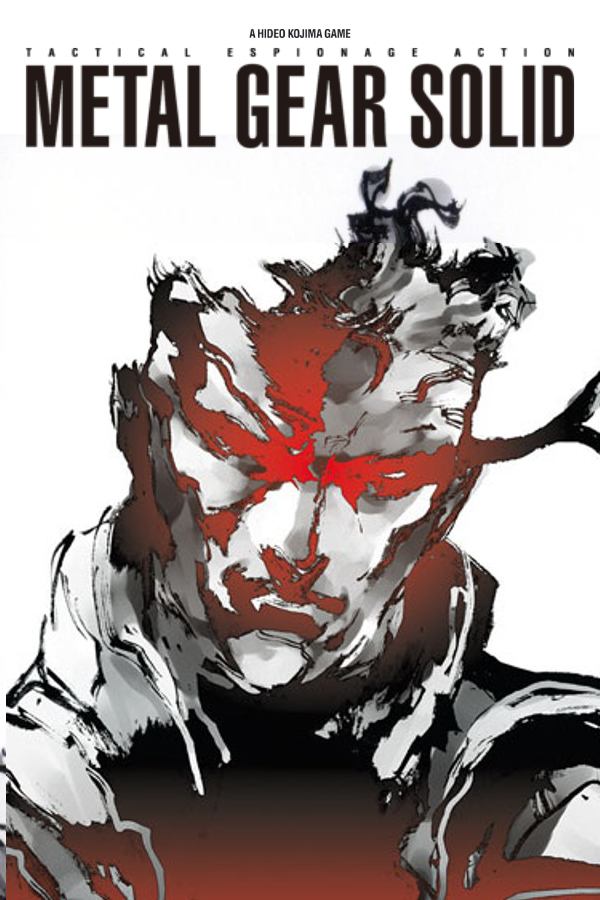
Metal Gear Solid (mgs-reintegral)
Metal Gear Solid
About the project
Metal Gear Solid es un videojuego de acción-aventura y sigilo de 1998 desarrollado por Konami Computer Entertainment Japan, publicado por Konami para la consola PlayStation y dirigido por Hideo Kojima. Fue lanzado el 3 de septiembre de 1998 en Japón, el 21 de octubre de 1998 en Norteamérica y el 26 de febrero de 1999 en Europa. El juego fue desarrollado y pensado únicamente para la consola Playstation, según la entrevista que dio Kojima a la Revista Famitsu en la celebración de los 20 años de Playstatión.
3 versions of Metal Gear Solid
You're viewing: Metal Gear Solid (mgs-reintegral)
Official project information
RE:INTEGRAL
Metal Gear Solid Re:Integral is an unofficial native source port of the PlayStation Metal Gear Solid Integral, built from FoxdieTeam's recovered C and the PsyZ platform library. Godot handles presentation and visual modding; the native runtime owns gameplay, collision, animation state, audio, saves and timing.
Version 0.3.0 brings the Godot renderer and modding SDK together with the launcher and preserved Legacy 0.2 renderer. Windows is the current target. Linux support is planned, not available in these packages.
Player and mod creator documentation
- Player guide: set up the Godot package, choose a renderer, install/update mod ZIPs, use the controls, back up saves and troubleshoot.
- Mod creator guide: prepare your discs, edit maps, materials, lighting, supported actors, UI and effects, test in the native game and export a portable ZIP.
- SDK quickstart: package entry points and the two guides. Technical reference: manifests, scripting and GDExtension APIs.
0.3 release notes describe the two downloads and known limits. The release runbook covers local builds and the manual workflow.
Play
Find published builds on Releases. The 0.3 release provides these downloads:
| Download | Contents |
|---|---|
reintegral-0.3.0-windows-x86.zip | Game, launcher, Godot presentation project and preserved Legacy 0.2 renderer |
reintegral-sdk-0.3.0-windows-x86.zip | Everything in the game package, plus the editor plugin, examples and GDExtension sources |
reintegral-0.3.0-symbols.zip | Matching native debug symbols; not needed to play |
reintegral-0.3.0-SHA256SUMS.txt | Checksums for the three ZIPs |
Both game and SDK require 64-bit Windows 10 22H2 or Windows 11 and .NET Framework 4.8 for the launcher. The gameplay host remains x86; Godot and the supporting tools are x64. Godot uses Vulkan Forward+ on Windows. The preserved Legacy renderer uses Direct3D 12.
Supply your own Japanese Integral campaign discs: Disc 1 (SLPM-86247) and
Disc 2 (SLPM-86248), as single-track MODE2/2352 BIN/CUE images. Other regional
releases and plain ISO files are not substitutes for the gameplay discs.
No game assets, prepared content, saves or user mods are included.
- Extract the whole game or SDK ZIP into a writable folder.
- Run Prepare.cmd, select both campaign CUE files together and let preparation finish. Keep the CUE files and their referenced BIN files available.
- Run Play.cmd to open the launcher. Under Discs and display, select your discs and display settings.
- Under Graphics, select Godot → Godot scene rendering. Leave the
startup stage at
titleand frame limit at0, then Save and play.
Missing Godot, PowerShell and Python tools download on first use, with pinned checksum verification. Installed tools are reused offline. You do not need a compiler or a separate tool installation. After preparation, the launcher also opens directly through RE-INTEGRAL.exe. First imports can take time; the launcher shows status and progress and caches the results.
The earlier standalone 0.2 alpha remains available with its own guide.
Choose a renderer
| Launcher selection | Presentation | Godot visual mods |
|---|---|---|
| Godot → Godot scene rendering | Godot geometry, PBR materials, lights, shadows, effects and editable interfaces | Yes |
| Godot → Legacy through Godot | Original native drawing commands presented by Godot | No |
| Legacy 0.2 | Preserved standalone native renderer | No |
Both 0.3 packages include both renderer choices. Switch renderers before starting a new game session; they use the same launcher save location. Compatible community renderers can be discovered through Graphics → Renderer folder → Refresh; see the renderer package contract.
To install a visual mod, use Mods → Add ZIPs…, enable it, select Godot scene rendering, and start a new session. The docks remaster is a separate mod, not part of the game or SDK download.
Create mods
Use the SDK package and open Editor.cmd. The MGS Visuals dock groups work into Maps, Assets, UI, Effects and Mod tabs. Original map previews load directly from locally prepared discs; a running game or frame capture is not required for authoring.
- Edit original and custom models, textures, PBR materials, lights and shadows using Godot's normal Scene tree, Inspector and animation tools.
- Browse searchable gameplay and cinematic maps, edit supported UI/effects and camera tracks, and attach visuals to supported moving native actor anchors.
- Use reusable water/frost and snow helpers. Snow defaults to GPU weather collision; exact CPU collision remains an option.
- Test through the native game and export portable mod ZIPs with progress and cancellation. The SDK also includes examples and GDExtension source support.
For a first mod, use Mod → Workspace → Save As…, open a map under Maps → Browse, edit and save it, test with Maps → Test → Run, then use Mod → Workspace → Export ZIP. Open ZIP… opens an existing mod for editing. Exported mods contain authored changes, original-asset references and custom assets. Original previews remain local.
Visual changes do not alter native gameplay or collision: hiding a wall leaves its collision in place, and adding a floor does not make it walkable. Ordinary visual modding needs no compiler; compiling GDExtensions requires a C++ toolchain.
Controls, saves and languages
Keyboard controls use physical SDL key positions:
| Input | Keyboard |
|---|---|
| D-pad | Arrow keys |
| Cross / Circle / Square / Triangle | X / D / Z / S |
| L1 / R1 | Q / R |
| L2 / R2 | W / E |
| Start / Select | Enter / Backspace |
| Fullscreen / Quit | F4 / Escape |
| Swap controller ports for Psycho Mantis | F2, or L3 + R3 on a controller |
SDL gamepads are supported. Integral uses Circle/B/D to confirm and Cross/A/X to cancel. Inventory retains the original hold-and-release controls. On German QWERTZ keyboards, the physical Square key is labelled Y.
Hold Triangle to advance skippable Codec dialogue. This option defaults on in
the launcher and can be disabled on Gameplay; it does not accelerate the
game clock. Direct engine launches require REI_CODEC_TURBO=1 to enable it.
Godot scene mode places display settings under Options → Display and uses
flat PC save/load lists backed by the original native memory-card storage.
The launcher keeps settings, saves, logs, installed mods and runtime caches
under %LOCALAPPDATA%\RE-INTEGRAL. Back up bu00 and bu10 while the game is
closed. Editor native tests use separate folders. Updates should be extracted
to a new folder; preserve editable SDK workspaces before replacing an old SDK.
Optional US English and German text/speech can be imported from your own matching regional discs through Languages → Import from discs…. Integral remains the gameplay base and regional coverage is partial. See languages and the player guide.
Status and roadmap
The native main campaign was played through to the credits on 10 October 2026; all 92 main-game stage identities are selected in config/stages.json. That playthrough does not establish Godot fidelity or coverage of every branch and optional mode. The renderer and SDK have scoped native, editor, packaging and runtime checks; broader human campaign and hardware testing remain open.
Remaining work includes sustained 60 FPS across demanding scenes/mods, broader visual and controller coverage, ordered actor events and lifecycle/reconnect handling. First imports and occasional frame spikes remain. Linux, VR Missions and expanded language support require further implementation and validation. Remix Plus remains a separate experiment.
The SDK execution ledger records current evidence and remaining tasks against the master plan. PROGRESS.md preserves native recovery history. For recovered actors, stage logic and patches, start with STAGE_CODE.md.
Build
Building from source requires PowerShell 7, Git, 64-bit Python 3.11 or newer,
and Visual Studio 2022 C++ Build Tools with x86 tools, a Windows SDK and the
LLVM/Clang component. tools/setup.ps1 -Install can install missing Git, Python
and Visual Studio prerequisites through Windows Package Manager; start it from
PowerShell 7, then open a new terminal and rerun setup.
git clone https://github.com/Drommedhar/mgs-reintegral.git
cd mgs-reintegral
./tools/setup.ps1
./tools/build.ps1 -Configuration RelWithDebInfo -BuildDirectory build/windows-x86-godot -RendererModule renderers/godot/native -Version 0.3.0
This builds the Godot native host, launcher and tests, prepares the pinned Godot
engine and shaders, and installs the preserved Legacy 0.2 executable under
build/windows-x86-godot/renderers/legacy. Both renderers then appear as installed
in the launcher. First use downloads checksum-verified dependencies; later builds
reuse them. Legacy is the preserved 0.2 release, not a second build of the current
gameplay sources. Disc preparation below is still required before playing.
The optimized build is appropriate for performance checks. The source editor's
native test runner uses build/windows-x86-godot. For native debugging, configure
a separate build directory with -Configuration Debug. -ConfigureOnly and
explicit -Target builds skip renderer installation. The Godot development
descriptor points to the engine and editable project in this checkout; use release
packaging below for a portable folder.
Dependencies are pinned in sources.lock.json. Bootstrap
installs Python requirements into .venv and downloads CMake/Ninja to .tools.
./tools/bootstrap.ps1 -Check verifies dependency and patch state. Keep upstream
modifications reproducible through patches/; vendor/ and build outputs remain
local and ignored. The optional native modern renderer
remains a separate source-build path, selected with -RendererModule renderers/modern.
Import and run
For a source checkout, prepare both campaign discs from your BIN/CUE folder:
./tools/sdk.ps1 -Action prepare -DiscDirectory 'D:/Games/Integral'
./build/windows-x86-godot/RE-INTEGRAL.exe
Choose Godot scene rendering in the launcher as described above. Preparation
reads the disc images without modifying them and creates local content under
.local. Keep the original images available for runtime disc reads.
To open the source editor or launch a direct development session:
./tools/sdk.ps1 -Action editor
./tools/run-godot.ps1 -Scene3D
The direct runner uses a separate development runtime under .local/godot-runtime.
The launcher uses the normal user profile. For targeted visual checks, the
runner accepts -Stage s00a, -Widescreen, -Resolution 2560x1440 and
-DebugOverlay. Direct stage entry does not establish campaign state.
Performance runs must keep image/frame/scene capture disabled; the FPS overlay
can remain enabled. See native input recording for
advanced development controls and performance diagnostics
for measurement details.
Release workflow
After merging the release changes, run Actions → Release game and modding SDK → Run workflow on main. Version defaults to 0.3.0 and publish is checked. CI builds the launcher/Godot host, verifies the preserved Legacy payload, runs CPU tests and package/editor checks, then uploads the game, SDK, symbols and checksums. It publishes v0.3.0 as a normal release marked Latest, with prerelease disabled.
Uncheck publish for a build without release/tag creation; its artifacts are retained for three days. Existing tags/releases are rejected. Normal pushes and merges do not trigger this workflow. The old Build alpha release workflow is separate and does not produce the 0.3 game/SDK downloads.
Release packaging bundles both renderers and the Godot project into portable downloads. To produce the game, SDK, symbols and checksums locally, use a new output directory:
./tools/prepare-godot-release.ps1 -Version 0.3.0 -BuildDirectory build/windows-x86-godot -OutputDirectory build/evidence/release-0.3
See release preparation for package audits and relocated editor checks. Hosted CI does not establish real GPU/disc or human acceptance.
Resource overrides
An additional native interface replaces individual binary resources before the original game loaders process them. This is separate from Godot visual mod ZIPs. Inspect the stage archive first:
./.venv/Scripts/python.exe tools/list_assets.py --stage-dir .local/content/disc1/MGS/STAGE.DIR --stage s00a
Use an identity marked Override=True with --export <identity> --output <destination>. Place the exported file at .local/mods/stages/s00a/<identity>, edit it in its original binary format while retaining its exact length, and run:
./tools/run.ps1 -Stage s00a -ModsRoot .local/mods
Export refuses to overwrite an existing file. Extracted original resources are for local editing and must not be redistributed.
This native binary-resource interface accepts only exact-length resources in their original formats. Compiled stage programs (.b) cannot be overridden. Missing override files use the disc resource; malformed or incorrectly sized overrides are errors. For standard image/model imports and visual map editing, use the separate Godot mod workflow.
Validation and provenance
CTest covers the native runtime, launcher, content import, resource overrides, input, audio and renderer protocol. Godot editor/runtime and release-package checks have separate coverage. See the SDK ledger and validation evidence for tested configurations and limits.
Scoped aislop checks run as code changes; errors and fixable warnings are blocking. Recovered vendor functions retain nonfixable complexity findings. Some scan engines lack cppcheck, clang-tidy, or clang-format, so these checks do not establish complete static-analysis coverage.
The renderer can be supplied as a separate source module through a CMake target. See renderer replacement for the native build boundary, renderer packages for launcher discovery, and the Godot protocol for the presentation bridge. Godot already supports mesh/material rendering and standard-format visual asset imports; gameplay and collision editing remain outside this SDK's presentation scope.
See architecture, porting priorities, and third-party provenance. Retail content is local and ignored by Git.
Licensing and attribution
Original RE:INTEGRAL software and documentation are available under the MIT License, within the scope stated there. Recovered game or SDK code, game assets or data, third-party material, and patches to upstream code are outside that grant and retain their applicable terms and notices. The source and license inventory records what we know, including the missing repository-wide grant in FoxdieTeam's pinned tree and PsyZ's different license scopes.
If you are an author, contributor, or rights holder and believe our attribution, licensing information, or use of your work needs correction, please open a Licensing or attribution issue. We welcome clarification and will review the information in good faith and make appropriate corrections. The issue template helps identify the affected material.
Unofficial project; not affiliated with or endorsed by Konami.